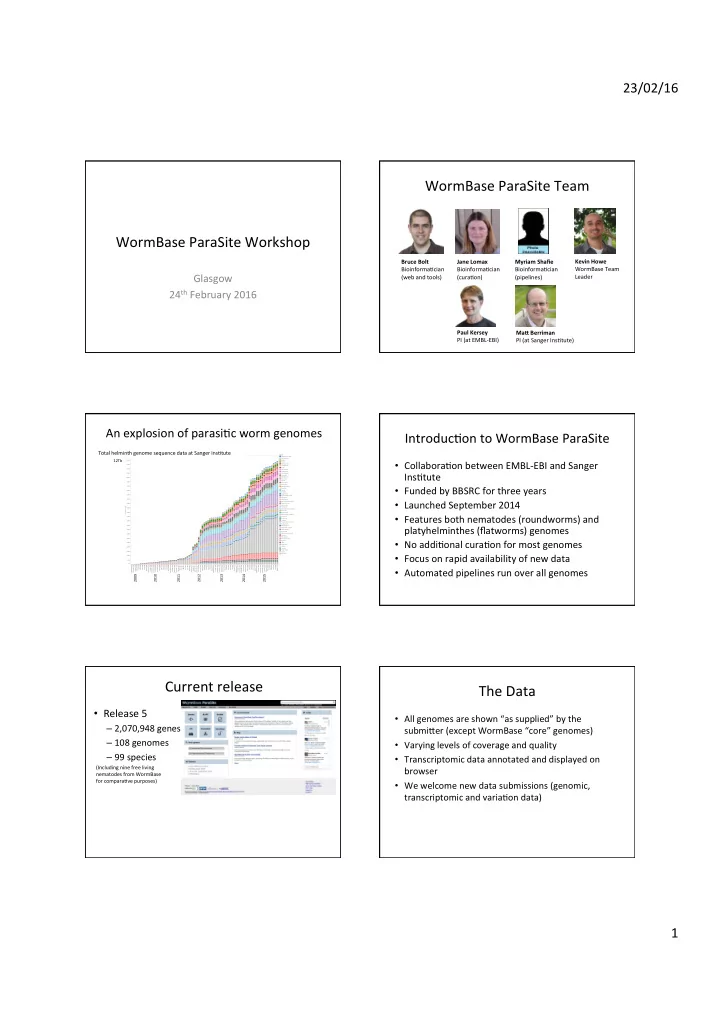
WormBase ParaSite Team WormBase ParaSite Workshop Kevin Howe Bruce - - PDF document

wormbase parasite team wormbase parasite workshop
SMART_READER_LITE
LIVE PREVIEW

WormBase ParaSite Team WormBase ParaSite Workshop Kevin Howe Bruce - - PDF document

23/02/16 WormBase ParaSite Team WormBase ParaSite Workshop Kevin Howe Bruce Bolt Jane Lomax Myriam Shafie WormBase Team BioinformaCcian BioinformaCcian BioinformaCcian Glasgow (web and tools) (curaCon) (pipelines) Leader 24 th


slide-1
SLIDE 1

23/02/16 1

WormBase ParaSite Workshop

Glasgow 24th February 2016

WormBase ParaSite Team

Bruce Bolt BioinformaCcian (web and tools) Jane Lomax BioinformaCcian (curaCon) Myriam Shafie BioinformaCcian (pipelines) Kevin Howe WormBase Team Leader Paul Kersey PI (at EMBL-EBI) Ma< Berriman PI (at Sanger InsCtute)

An explosion of parasiCc worm genomes

Run date September 2008 December 2008 January 2009 March 2009 April 2009 May 2009 June 2009 July 2009 August 2009 September 2009 October 2009 November 2009 December 2009 January 2010 February 2010 March 2010 April 2010 May 2010 June 2010 July 2010 August 2010 September 2010 October 2010 November 2010 December 2010 February 2011 March 2011 April 2011 May 2011 June 2011 July 2011 August 2011 September 2011 October 2011 November 2011 December 2011 January 2012 February 2012 March 2012 April 2012 May 2012 June 2012 July 2012 August 2012 September 2012 October 2012 November 2012 December 2012 January 2013 February 2013 March 2013 April 2013 May 2013 June 2013 July 2013 August 2013 September 2013 October 2013 November 2013 December 2013 January 2014 February 2014 March 2014 April 2014 May 2014 June 2014 August 2014 September 201.. October 2014 November 2014 December 2014 January 2015 February 2015 March 2015 April 2015 May 2015 June 2015 July 2015 August 2015 0B 500B 1000B 1500B 2000B 2500B 3000B 3500B 4000B 4500B 5000B 5500B 6000B 6500B 7000B 7500B 8000B 8500B 9000B 9500B 10000B 10500B 11000B 11500B 12000B Cumulative bases Cumulative bases sequenced for helminth tracking Genus Allobilharzia visceralis Angiostrongylus Anisakis Ascaris Atractolytocestus Austrobilharzia Brugia Caenorhabditis Cyathostomum Cylicostephanus Dicrocoelium Diphyllobothrium Dracunculus Dugesia Echinococcus Echinostoma Elaeophora elaphi Enterobius Fasciola Globodera Gongylonema Griphobilharzia amoena Haemonchus Halicephalobus Haplobothrium globuliforme Heligmosomoides Homo sapiens Hymenolepis Macrobilharzia macrobilharzia Mansonella Mesocestoides Nippostrongylus brasiliensis Onchocerca Opisthorchis Parascaris Parastrongyloides trichosuri Protopolystoma Rhabditophanes Sanguinicola cf. inermis Schistocephalus Schistosoma Schistosomatium douthitti Spirometra Strongyloides Strongylus vulgaris Syphacia Taenia Teladorsagia Thelazia Toxocara Trichobilharzia Trichuris Wuchereria

Total helminth genome sequence data at Sanger InsCtute

2009 2010 2011 2012 2013 2014 2015 12Tb

IntroducCon to WormBase ParaSite

  • CollaboraCon between EMBL-EBI and Sanger

InsCtute

  • Funded by BBSRC for three years
  • Launched September 2014
  • Features both nematodes (roundworms) and

platyhelminthes (flatworms) genomes

  • No addiConal curaCon for most genomes
  • Focus on rapid availability of new data
  • Automated pipelines run over all genomes

Current release

  • Release 5

– 2,070,948 genes – 108 genomes – 99 species

(Including nine free living nematodes from WormBase for comparaCve purposes)

The Data

  • All genomes are shown “as supplied” by the

submi]er (except WormBase “core” genomes)

  • Varying levels of coverage and quality
  • Transcriptomic data annotated and displayed on

browser

  • We welcome new data submissions (genomic,

transcriptomic and variaCon data)

slide-2
SLIDE 2

23/02/16 2 WormBase “Core” Parasite Genomes

  • These are:

– Brugia malayi – Onchocerca volvulus – Pris4onchus pacificus – Strongyloides ra:

  • Receive more care and a]enCon
  • Community driven manual curaCon
  • Displayed in both WormBase and WormBase

ParaSite

The Website

  • Genome Browser
  • Transcriptomic Data Display
  • Gene, transcript and protein informaCon pages
  • ComparaCve Genomics
  • Sequence Similarity Search (BLAST)
  • Variant Effect Predictor (VEP) *
  • Advanced Search Tool (BioMart)
  • Access to BioMart data using R *
  • ProgrammaCc Access (REST API) *

* = Not covered today – speak to us for more informaCon

WormBase and WormBase ParaSite

  • wormbase.org is the

home for highly curated data from C. elegans and

  • ther related nematodes
  • Genes from “core”

parasites also displayed here

  • More genomic data for

parasites available from parasite.wormbase.org

This aeernoon’s agenda…

  • 13:00 – 13:10

IntroducCon to WormBase ParaSite

  • 13:10 – 13:50

Using the website

  • 13:50 – 14:30

Sequence search with BLAST

  • 14:30 – 15:00

Coffee Break

  • 15:00 – 15:15

ComparaCve Genomics

  • 15:15 – 15:50

Data Mining with BioMart

  • 15:50 – 16:00

Opportunity to ask quesCons

Workshop Feedback

  • Feedback form located
  • n last page of

workshop booklet

  • Your feedback helps

tailor future workshops

  • We would be very

grateful if you could complete this before leaving

Part 1: Browsing and searching

slide-3
SLIDE 3

23/02/16 3

Part 1: summary

  • 1. Front page
  • 2. LocaCng genomes
  • 3. Searching
  • 4. NavigaCng genes, transcripts and scaffolds
  • 5. Adding your data
  • 6. User accounts

Front page Front page Front page Front page Front page: browse genomes

slide-4
SLIDE 4

23/02/16 4 LocaCng genomes

Genomes list Genome pages Searching Search results Search results

slide-5
SLIDE 5

23/02/16 5

Filtering search results Gene pages Gene pages GO terms Transcript pages: summmary Transcript pages: navigaCng

slide-6
SLIDE 6

23/02/16 6

Transcript pages: protein domains LocaCon view: zooming LocaCon view: zooming LocaCon view: gene/transcript info LocaCon view: jump to… LocaCon view: configure

slide-7
SLIDE 7

23/02/16 7

LocaCon view: export data LocaCon view: export data Data tracks - RNASeq Data tracks - RNASeq Adding your own data Adding your own data

slide-8
SLIDE 8

23/02/16 8

Adding your own data User accounts

  • Saving a]ached data tracks
  • Sharing data tracks with collaborators
  • Saving configuraCon senngs

User accounts User accounts: registering User accounts Part 2: ComparaCve Genomics in WormBase ParaSite

slide-9
SLIDE 9

23/02/16 9

IntroducCon

  • During each release, we compute

phylogeneCc trees

  • Every gene is included from 120 species:

– 99 helminths – 9 free-living nematodes – 12 comparator species (e.g. human, mouse, etc)

  • Determine orthologues and paralogues

A word of cauCon…

  • Trees are re-calculated between each release
  • Homologies which are poorly defined may not

be defined in next release

  • Always check the %ID of each alignment

Homology types

  • Orthologues: any gene pairwise relaCon

where the ancestor node is a speciaCon event

– 1-to-1 orthologue – 1-to-many orthologue – Many-to-many orthologue

  • Paralogues: any pairwise relaCon where the

ancestor node is a duplicaCon event

Understanding the gene tree Visual access to the trees Tabular access to tree data

slide-10
SLIDE 10

23/02/16 10

Part 3: Sequence Similarity Search using BLAST What is BLAST?

  • BLAST = Basic Local Alignment Search Tool
  • Sequence similarity tool
  • Allows comparison of a query sequence,

against a database of sequences

  • Query = your nucleoCde or protein sequence
  • Database = the genome or proteome of any

species

What is BLAST?

  • Input:

NucleoCde or protein sequence Search Parameters

  • Output:

List of all hits ranked in order of staCsCcal significance

Types of BLAST

BLAST Type Query Sequence Target Database BLASTN Nucleotide Genome (nucleotide) BLASTP Peptide Proteome (peptide) BLASTX Six frame translation of a nucleotide sequence Proteome (peptide) TBLASTX (slowest) Six frame translation of a nucleotide sequence Six frame translation of genome TBLASTN Peptide Six frame translation of genome

Using the ParaSite BLAST

Defaults to the species you are currently browsing

Using the ParaSite BLAST

slide-11
SLIDE 11

23/02/16 11

Using the ParaSite BLAST Using the ParaSite BLAST Making sense of the results

  • Score

Used to assess the biological relevance by describing the alignment quality Higher score = higher similarity

  • E-value

Probability that event occurred by chance (in short, a p-value that has been corrected for mulCple tesCng) Lower E-value = more significant result

  • %ID

Percentage of your query sequence that matches the genome/proteome database

Making sense of the results Part 4: Data-mining with BioMart Data-mining with BioMart

slide-12
SLIDE 12

23/02/16 12

Senng filters

  • SPECIES: Use this filter to select either

individual genomes or nematode clades.

– MulCple genomes can be selected by holding down the ctrl key or the opCon key on a Mac.

  • REGION: Restrict to a parCcular genomic region.

– Should only be used where a single genome has been selected, as it is possible that a parCcular region is present in mulCple genomes. – If start/end co-ordinates are being specified, a scaffold or chromosome id is always required. – Where mulCple regions are specified, the format is 'Scaffold/Chr:Start:End:Strand' e.g. AG00032:411187:446321:1. – If no strand is specified, both strands are selected. – Regions should be separated by a comma or new line.

  • GENE: Specify a list of genes with WormBase

IDs, or one of the other ID types listed.

– IDs should be separated by a new line.

  • GENE ONTOLOGY: Restrict by one or more Gene

Ontology (GO) terms for funcConal descripCons.

– Paste or upload a list of GO IDs or use the autocomplete box to populate the list.

  • AlternaCvely restrict to a parCcular GO evidence

type e.g. Inferred by Electronic AnnotaCon (IEA).

– MulCple codes can be selected by holding down the ctrl key, or opCon key on a Mac.

  • PROTEIN DOMAINS: Allows you to restrict your

query based on the presence or absence of protein domains.

– Limit to genes...lets you choose a parCcular database feature set in include or exclude e.g. "restrict to all proteins containing any feature found in Pfam". – Limit to genes with these family or domain IDs:, allows you to restrict to one or more protein domains/families. – Accepts IDs from several databases including InterPro, Pfam and Panther. IDs should be separated by a new line.

slide-13
SLIDE 13

23/02/16 13

BioMart output

Senng A]ributes (output): features Senng A]ributes (output): structures Senng A]ributes (output): homologues Senng A]ributes (output): sequence

“I'd like to extract all C. elegans orthologs for Nippostrongylus genes involved in a parCcular process.”

slide-14
SLIDE 14

23/02/16 14

  • 1. In the SPECIES menu select Nippostrongylus
  • 2. In the MULTI-SPECIES COMPARISONS menu select

Orthologous C. elegans genes -> Only

  • 3. Further refine this list by funcCon, process or locaCon by

choosing one or more categories from the GENE ONTOLOGY list.

– Start typing in the upper box and choose your terms of interest from the autocomplete, they will be added to the box beneath.

  • 4. Click the Results bu]on (top lee) to see your results. By

default a two-column file is returned that contains gene ID and Genome Project. To configure different opCons for the output, select A<ributes in the lee menu.

“I have a list of genes from Ascaris suum and would like to know which ones have orthologs in humans and mammals and which ones might be nematode-specific.”

  • In the GENE menu paste in your gene list
  • in the MULTI-SPECIES COMPARISONS select

Orthologous human genes -> Excluded

  • You can also run this query against against mouse
  • rthologs by selecCng Orthologous mouse genes
  • > Excluded (the results are the same in this case)
  • Click the Results bu]on (top lee) to see your
  • results. By default a two-column file is returned

that contains gene ID and Genome Project. To configure different opCons for the output, select A<ributes in the lee menu.

“I need the sequences for a set of Schistosoma mansoni genes. I have the chromosome, start, and stop for each.”

slide-15
SLIDE 15

23/02/16 15

  • From the SPECIES filter choose Schistosoma

mansoni.

  • Open the REGION secCon and enter the list of

co-ordinates under 'MulCple regions’ separated by commas or new lines.

  • In A<ributes, check the Sequences opCon,

then in the SEQUENCES secCon choose Unspliced (genes).

  • Click the Results bu]on

“I need a list of genes with predicted signal pepCde that are present in Brugia malayi a given organism but not present in C. elegans.”

  • In the SPECIES secCon choose Brugia malayi, then in

the MULTI-SPECIES COMPARISONS select Orthologous

  • C. elegans genes -> Excluded
  • In the PROTEIN DOMAINS secCon check Limit to

genes…

  • From the menu select with signal P protein features ->

Only

  • Click the Results bu]on (top lee) to see your results.

By default a two-column file is returned that contains gene ID and Genome Project. To configure different

  • pCons for the output, select A<ributes in the lee

menu.