What is a Compiler? Compiler A program that translates code in one - - PowerPoint PPT Presentation

what is a compiler
SMART_READER_LITE
LIVE PREVIEW

What is a Compiler? Compiler A program that translates code in one - - PowerPoint PPT Presentation

CS 426 Lecture 1: Course Overview What is a Compiler? Compiler A program that translates code in one language (source code) to code in another language (target code). Usually, target code is semantically equivalent to source code, but not


slide-1
SLIDE 1

CS 426 Lecture 1: Course Overview University of Illinois at Urbana-Champaign

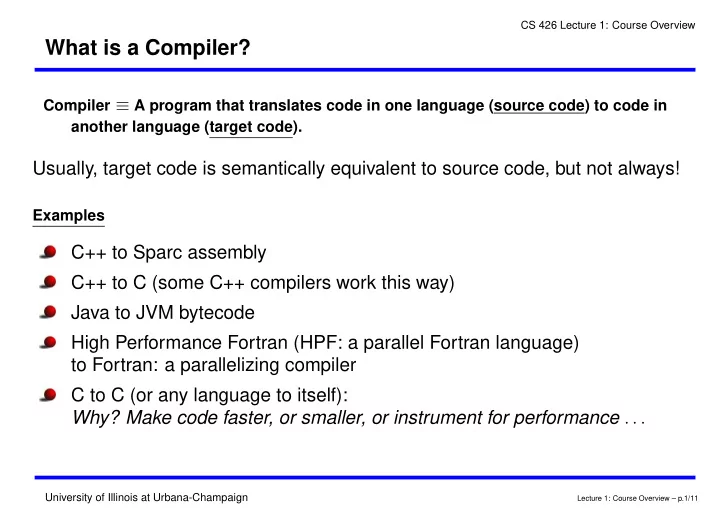
What is a Compiler?

Compiler ≡ A program that translates code in one language (source code) to code in another language (target code).

Usually, target code is semantically equivalent to source code, but not always!

Examples

C++ to Sparc assembly C++ to C (some C++ compilers work this way) Java to JVM bytecode High Performance Fortran (HPF: a parallel Fortran language) to Fortran: a parallelizing compiler C to C (or any language to itself): Why? Make code faster, or smaller, or instrument for performance . . .

Lecture 1: Course Overview – p.1/11

slide-2
SLIDE 2

CS 426 Lecture 1: Course Overview University of Illinois at Urbana-Champaign

Uses of Compiler Technology

Code generation: To translate a program in a high-level language to machine

code for a particular processor

Optimization: Improve program performance for a given target machine Text formatters: translate TeX to dvi, dvi to postscript, etc. Interpreters: “on-the-fly” translation of code, e.g., Java, Perl, csh, Postscript Automatic parallelization or vectorization Debugging aids: e.g., purify for debugging memory access errors Performance instrumentation: e.g., -pg option of cc or gcc for profiling Security: JavaVM uses compiler analysis to prove safety of Java code Many more cool uses! Power management, code compression, fast simulation

  • f architectures, transparent fault-tolerance, global distributed computing, . . .

Key: Ability to extract properties of a program (analysis),

and optionally transform it (synthesis)

Lecture 1: Course Overview – p.2/11

slide-3
SLIDE 3

CS 426 Lecture 1: Course Overview University of Illinois at Urbana-Champaign

A Code Optimization Example

What machine-independent optimizations are applicable to the following C example? When are they safe?

1

/* A, B, C are double arrays; X, Y are double scalars; rest are int scalars. */

2

int main(int argc, char** argv) {

3

... /* Declare and initialize variables. */

4

X = ...;

5

N = 1; i = 1;

6

while (i <= 100) {

7

j = i * 4;

8

N = j * N;

9

Y = X * 2.0;

10

A[i] = X * 4.0;

11

B[j] = Y * N;

12

C[j] = N * Y * C[j];

13

i = i + 1;

14

}

15

printArray(B, 400);

16

printArray(C, 400);

17

}

Lecture 1: Course Overview – p.3/11

slide-4
SLIDE 4

CS 426 Lecture 1: Course Overview University of Illinois at Urbana-Champaign

A Code Optimization Example: Result

1 X = ... 2 N = 1; 3 j = 4;

//

Induction Variable Substitution (SUBST),

4

//

Strength Reduction

5 Y = X * 2.0;

//

Loop-Invariant Code Motion (LICM)

6 while (j <= 400) {

//

Linear Function Test Replacement (LFTR)

7

//

Dead Code Elimination (DCE) for i * 4

8

N = j * N;

9

//

DCE of A, since A not aliased to B or C

10

tmp = Y * N;

11

B[j] = tmp;

12

C[j] = tmp * C[j]; //

Common Subexpression Elimination (CSE)

13

j = j + 4; //

Induction Variable Substitution,

14

//

Strength Reduction

15 } 16 printArray(B, 400); 17 printArray(C, 400);

Lecture 1: Course Overview – p.4/11

slide-5
SLIDE 5

CS 426 Lecture 1: Course Overview University of Illinois at Urbana-Champaign

General Structure of a Compiler

Lecture 1: Course Overview – p.5/11

slide-6
SLIDE 6

CS 426 Lecture 1: Course Overview University of Illinois at Urbana-Champaign

Topical Outline

  • 1. The structure of a compiler
  • 2. Intermediate representations
  • 3. Runtime storage management (excluding garbage collection)
  • 4. Intermediate code generation
  • 5. Code Optimization

Peephole optimizations Control flow graphs and analysis Static Single Assignment (SSA) form Introduction to iterative dataflow analysis SSA and iterative dataflow optimizations

  • 6. Global Register allocation
  • 7. Global Instruction Scheduling (if time permits)

Lecture 1: Course Overview – p.6/11

slide-7
SLIDE 7

CS 426 Lecture 1: Course Overview University of Illinois at Urbana-Champaign

Programming Projects

An Optimizing Compiler for COOL using C++

Source Language: COOL

Object-oriented language similar to Java But small and very well-defined: syntax and semantics

Target Language: LLVM Virtual Instruction Set

Both intermediate representation and assembly language Designed for effective language-independent optimization

Project phases MP1: Scanning and Parsing: COOL to Abstract Syntax Tree (AST) MP2: Intermediate code gen., Part 1: AST to LLVM, local expressions only MP3: Intermediate code gen., Part 2: AST to LLVM, all of COOL MP4: Dataflow (SSA) Optimizations: ADCE, LICM Unit Project (Teams of 2): Write a graph-coloring register allocator for LLVM on X86

Lecture 1: Course Overview – p.7/11

slide-8
SLIDE 8

CS 426 Lecture 1: Course Overview University of Illinois at Urbana-Champaign

Getting Started on the Programming Projects

  • 1. Login and set up your account on the EWS machines.
  • 2. Print and read the COOL manual, Chapters 1-11 (through syntax) at least.

The manual is on the class web site under the Project/ link.

  • 3. Download and read the COOL examples from the file cool-examples.tar.gz.

Write a COOL program to get familiar with the syntax.

  • 4. DON’T download or install LLVM! We will release a reduced version for your

use in this class.

Lecture 1: Course Overview – p.8/11

slide-9
SLIDE 9

CS 426 Lecture 1: Course Overview University of Illinois at Urbana-Champaign

Getting The Most Out Of AnyClass “Education is what survives when what has been learned has been forgotten.”

–B. F . Skinner, New Scientist, May 21, 1964.

Get the big picture: Why are we doing this? Why is it important? Understand the basic principles: If you know how to apply them, you can work out the details Learn why things work a certain way: Automatic vs. manual, elegant vs. ad hoc, solved problem vs. open Think about the cost-benefit trade-offs: Performance vs. correctness, compile-time vs. payoff

Lecture 1: Course Overview – p.9/11

slide-10
SLIDE 10

CS 426 Lecture 1: Course Overview University of Illinois at Urbana-Champaign

Getting The Most Out Of ThisClass “Sir, I can give you an explanation but not an understanding!”

–British parliamentarian

Do the exercises in class; read the text and notes Start the assignment the day it’s handed out, not the day it’s due Pay attention to the discussions Ask questions, and participate

Lecture 1: Course Overview – p.10/11

slide-11
SLIDE 11

CS 426 Lecture 1: Course Overview University of Illinois at Urbana-Champaign

Getting Started: Summary

Read the CS 426 Web site — all pages Register for Piazza (or contact me ASAP if you have concerns) Log in and set up your EWS account Download and read the COOL manual and examples Write a few simple COOL programs

Lecture 1: Course Overview – p.11/11