Welcome to the Webinar Welcome to the Webinar To hide or unhide - - PDF document

welcome to the webinar welcome to the webinar
SMART_READER_LITE
LIVE PREVIEW

Welcome to the Webinar Welcome to the Webinar To hide or unhide - - PDF document

8/28/2019 Managing Social Media Records Managing Social Media Records For State Agencies and Local Governments in Texas For State Agencies and Local Governments in Texas 1 Welcome to the Webinar Welcome to the Webinar To hide or unhide your


slide-1
SLIDE 1

8/28/2019 1

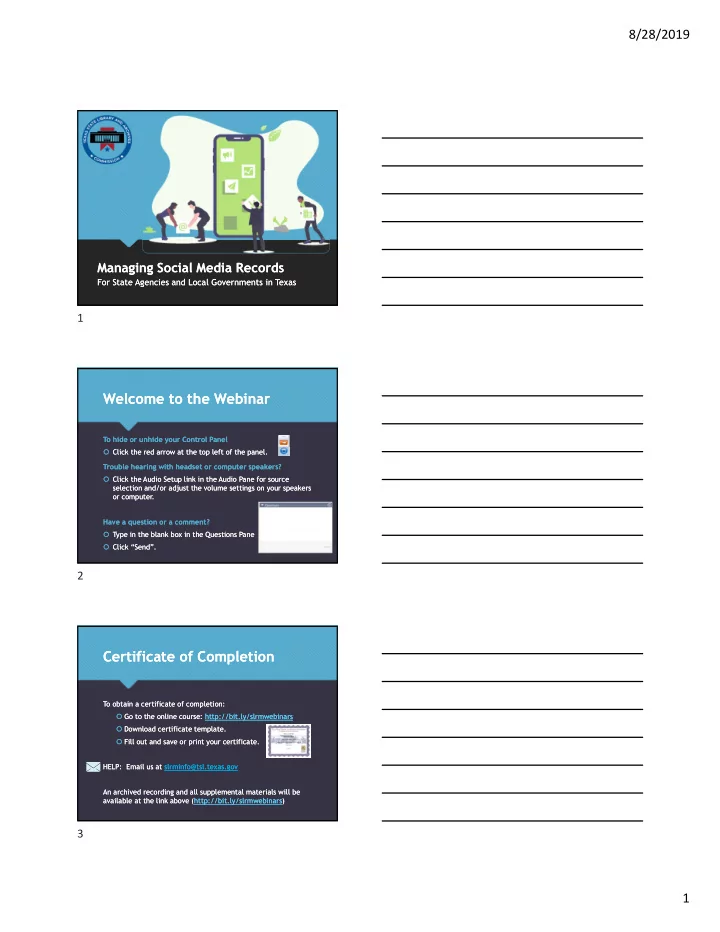
Managing Social Media Records Managing Social Media Records

For State Agencies and Local Governments in Texas For State Agencies and Local Governments in Texas

Welcome to the Webinar Welcome to the Webinar

To hide or unhide your Control Panel  Click the red arrow at the top left of the panel. Trouble hearing with headset or computer speakers?  Click the Audio Setup link in the Audio Pane for source selection and/or adjust the volume settings on your speakers

  • r computer.

Have a question or a comment?  Type in the blank box in the Questions Pane  Click “Send”. To hide or unhide your Control Panel  Click the red arrow at the top left of the panel. Trouble hearing with headset or computer speakers?  Click the Audio Setup link in the Audio Pane for source selection and/or adjust the volume settings on your speakers

  • r computer.

Have a question or a comment?  Type in the blank box in the Questions Pane  Click “Send”.

Certificate of Completion Certificate of Completion

To obtain a certificate of completion:  Go to the online course: http://bit.ly/slrmwebinars  Download certificate template.  Fill out and save or print your certificate. HELP: Email us at slrminfo@tsl.texas.gov An archived recording and all supplemental materials will be available at the link above (http://bit.ly/slrmwebinars) To obtain a certificate of completion:  Go to the online course: http://bit.ly/slrmwebinars  Download certificate template.  Fill out and save or print your certificate. HELP: Email us at slrminfo@tsl.texas.gov An archived recording and all supplemental materials will be available at the link above (http://bit.ly/slrmwebinars)

1 2 3

slide-2
SLIDE 2

8/28/2019 2 Before We Dive In… Before We Dive In…

Assumptions Assumptions  Decision was made to use social media.  Your organization is already actively or passively creating social media records.  Content will be or is already being created and published.

Agenda Agenda

 Definitions & Identifying Records  Challenges

 Capture and Storage  Retention and Disposition  Policy Considerations

 Resources: Links and supplemental materials for further guidance  Definitions & Identifying Records  Challenges

 Capture and Storage  Retention and Disposition  Policy Considerations

 Resources: Links and supplemental materials for further guidance

Definitions & Identifying Records Definitions & Identifying Records

4 5 6

slide-3
SLIDE 3

8/28/2019 3 What is a government record? What is a government record?

 Documenting the transaction of public business  Created or received by or on behalf of a governmental body  Recorded information in any medium  Documenting the transaction of public business  Created or received by or on behalf of a governmental body  Recorded information in any medium Local Governments – Bulletin D State Agencies – Bulletin 4

What is public information? What is public information?

 “The general forms in which the media containing public information exist include a book, paper, letter, document, e- mail, Internet posting, text message, instant message, other electronic communication, printout, photograph, film, tape, microfiche, microfilm, photostat, sound recording, map, and drawing and a voice, data, or video representation held in computer memory.” - Gov Code, § 552.002  “The general forms in which the media containing public information exist include a book, paper, letter, document, e- mail, Internet posting, text message, instant message, other electronic communication, printout, photograph, film, tape, microfiche, microfilm, photostat, sound recording, map, and drawing and a voice, data, or video representation held in computer memory.” - Gov Code, § 552.002 http://www.texasattorneygeneral.gov

What is a Social Media Record? What is a Social Media Record?

 Social Media: forms of electronic communication through which users create online communities to share information, ideas, personal messages, and other content.  Social Media Tool: a software system or service provided via the Internet used to communicate and share information between people.  Social Media: forms of electronic communication through which users create online communities to share information, ideas, personal messages, and other content.  Social Media Tool: a software system or service provided via the Internet used to communicate and share information between people.

7 8 9

slide-4
SLIDE 4

8/28/2019 4 Social Media Record Examples Social Media Record Examples

What is Social Media Metadata? What is Social Media Metadata?

Social Media Record Date or Time Stamp IP Address Tags or Categories #Hashtags Geotags User ID

Capture & Storage Capture & Storage

10 11 12

slide-5
SLIDE 5

8/28/2019 5

Challenges of Capturing Social Media Challenges of Capturing Social Media

  • Records can be updated frequently
  • Content located on multiple platforms
  • Collaborative creation of records

Capture all content with associated metadata as the complete record Some social media records will be easier than others to capture

Strategies for Capture Strategies for Capture

Rely on staff to save externally posted records into a repository that can be managed internally.

  • Copy and paste social

media posts into word processor app.

  • Save as un-editable PDF

.

Use software or browser add-ons to capture and store content or take screenshots of record content.

  • getgreenshot.org
  • webrecorder.io

Use software or browser add-ons to capture and store content or take screenshots of record content.

  • getgreenshot.org
  • webrecorder.io

Contract with a social media or backup provider and form Service Level Agreements to ensure that the records are accessible.

1 2 3

Automated Web Archiving Software

4

Strategies for Capture: Web Archiving Software Strategies for Capture: Web Archiving Software

https://www.smarsh.com http://www.archive-it.org https://archivesocial.com

13 14 15

slide-6
SLIDE 6

8/28/2019 6

Retention & Disposition Retention & Disposition

Retention and Disposition Challenges Retention and Disposition Challenges

No one-size-fits-all schedule. Determining what electronic information is valuable enough to merit the cost of maintaining it long-term. Allocating the cost of managing social media into government budgets, which are already stretched thin. Designating roles and responsibilities for reviewing records to determine retention and disposition.

16 17 18

slide-7
SLIDE 7

8/28/2019 7 Common Record Series Common Record Series

Record Number Record Title Record Description Retention Period Remarks

Local: GR1000-33 State: 1.1.019

Public Relations Records

News, press releases, or any public relations files maintained or issued by an

  • agency. Includes

print, electronic, audio, and audiovisual records.

2 Years

Retention Note: Review before disposal; some records may merit PERMANENT retention for historical reasons.

Local: GR1000-04

Open Meeting Notices 2 Years

Local: GR1050-13 State: 3.1.012

Employment Ads

Internal or external announcements or advertisements of job openings, promotions, training programs,

  • r opportunities

for overtime.

2 Years

29 CFR 1602.31, 1602.40, and 1602.49

Common Record Series Common Record Series

Record Number Record Title Record Description Retention Period Remarks

Local: GR1000-04 State: 1.1.006

Complaints

Complaints received from the public by a governing body or any officer or employee of a local government relating to government policy.

Resolution or dismissal of complaint + 2 years.

Retention Note: The 2-year retention period applies only to complaints of a general nature that do not fall into a different category of complaint noted in this or other commission schedules.

Local: GR1000-47 State: 1.1.038

Customer Surveys

Surveys returned by the customers

  • r clients of an

agency, and the statistical data maintained rating an agency's performance.

Local:

Report + 3 Years

State:

After Final Disposition

  • f Summary

Report

Common Record Series Common Record Series

Record Number Record Title Record Description Retention Period Remarks

Local: GR1000-26b State: 1.1.008

General Correspondence

Incoming/outgoin g and internal correspondence pertaining to the regular

  • peration of the

policies, programs, services,

  • r projects of a

local government.

2 Years

Retention Note: Records management

  • fficers should use

caution before disposal of these records to ensure the records should not be classified under administrative correspondence (GR100- 26a).

Local: GR1000-26c Routine

Correspondence

Correspondence and internal memoranda such as letters of transmittal, requests for publications, internal meeting notices, and similar routine matters.

AV

19 20 21

slide-8
SLIDE 8

8/28/2019 8

Social Media Records

  • n the Retention Schedule

Example: D.I.R. Social Media Records

  • n the Retention Schedule

Example: D.I.R. Social Media Records

  • n the Retention Schedule

Example: Governor’s Office Social Media Records

  • n the Retention Schedule

Example: Governor’s Office

Disposition of Social Media Records Disposition of Social Media Records

 Retain based on content. Destroy in accordance with retention schedules approved by TSLAC. Destroy all copies.  Enter on disposition log.  Follow rules for destruction holds.  Option to keep permanently.  Retain based on content. Destroy in accordance with retention schedules approved by TSLAC. Destroy all copies.  Enter on disposition log.  Follow rules for destruction holds.  Option to keep permanently.

22 23 24

slide-9
SLIDE 9

8/28/2019 9 Recap: Capture, Retention & Disposition Recap: Capture, Retention & Disposition

Determine if it is a state record 1 Classify and determine record series 2 Capture record 3 Maintain record 4 Dispose of record 5

Policy Considerations Policy Considerations Social Media Policy Elements Social Media Policy Elements

  • Accessibility
  • Privacy & Security
  • Open Records Requests
  • Records Retention
  • Terms of Service
  • Moderation and Monitoring
  • Intellectual Property Rights and Ownership
  • Employee Use
  • Linking
  • Accessibility
  • Privacy & Security
  • Open Records Requests
  • Records Retention
  • Terms of Service
  • Moderation and Monitoring
  • Intellectual Property Rights and Ownership
  • Employee Use
  • Linking

Social Media Policy Model: https://www.tsl.texas.gov/slrm/recordspubs/stbull01/resources

25 26 27

slide-10
SLIDE 10

8/28/2019 10 Privacy and Security of Records Privacy and Security of Records

Only public information may be posted on social media websites. Comply with existing IT security policies, standards, and guidelines.

Terms of Service & Ownership of Records Terms of Service & Ownership of Records

 Terms of Service reviewed by legal counsel  Terms of Service for Governments https://www.facebook.com/ terms_pages_gov.php  Third-party website policies  Terms of Service reviewed by legal counsel  Terms of Service for Governments https://www.facebook.com/ terms_pages_gov.php  Third-party website policies

For Further Guidance…

NARA Best Practices for the Capture of Social Media Records DIR Social Media Resource Guide ARMA IMM Best Practices for Governing Social Media TSLAC Draft Social Media Policy Template

28 29 30

slide-11
SLIDE 11

8/28/2019 11

Thank you for attending! Thank you for attending!

  • Questions?

(512) 463-7610 or slrminfo@tsl.texas.gov

  • More webinars

available at

https://www.tsl.texas.gov/ slrm/training

  • Questions?

(512) 463-7610 or slrminfo@tsl.texas.gov

  • More webinars

available at

https://www.tsl.texas.gov/ slrm/training

Questions?

Illustrations by Undraw.co

31