Welcome to Intelligent Robotics McGill COMP 765 Sept 5 th , 2017 - - PowerPoint PPT Presentation

welcome to intelligent robotics
SMART_READER_LITE
LIVE PREVIEW

Welcome to Intelligent Robotics McGill COMP 765 Sept 5 th , 2017 - - PowerPoint PPT Presentation

Welcome to Intelligent Robotics McGill COMP 765 Sept 5 th , 2017 Robotics Today The intersection of rocket science and machine learning A collaborative, team-oriented discipline practiced by children, high- school teams, DIYers ,


slide-1
SLIDE 1

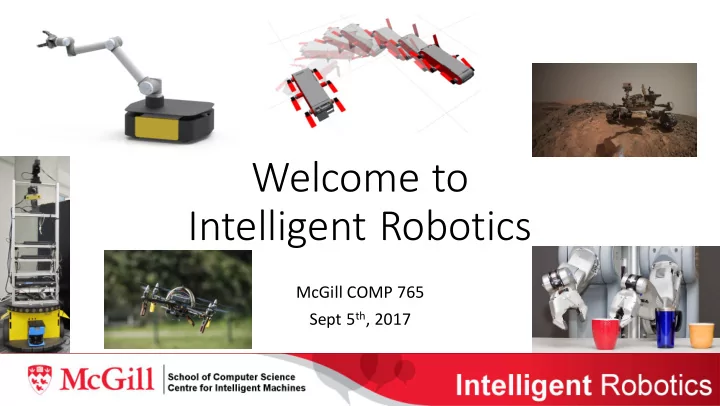
Welcome to Intelligent Robotics

McGill COMP 765 Sept 5th, 2017
slide-2
SLIDE 2

Robotics Today

  • The intersection of rocket science and machine learning
  • A collaborative, team-oriented discipline practiced by children, high-

school teams, DIY’ers, start-ups and the world’s largest corporations

  • A global industry predicted to become one of the largest sectors in

the next decades

  • Our best tool to explore space and to improve productivity globally
  • Our main focus: an active, growing research discipline that attempts

to solve the problems introduced by the above needs

slide-3
SLIDE 3

A quick tour: robotics industry

slide-4
SLIDE 4

A quick tour: high school robotics

FIRST (For Inspiration and Recognition of Science and Technology) was founded in 1989 to inspire young people's interest and participation in science and technology. Based in Manchester, NH, the 501(c)(3) not-for-profit public charity designs accessible, innovative programs that motivate young people to pursue education and career opportunities in science, technology, engineering, and math, while building self- confidence, knowledge, and life skills. FIRST is More Than Robots. FIRST participation is proven to encourage students to pursue education and careers in STEM- related fields, inspire them to become leaders and innovators, and enhance their 21 stcentury work-life skills. Read more about the Impact of FIRST. 2016 Finals Competition Video Founder: Dean Kaman

slide-5
SLIDE 5
slide-6
SLIDE 6
slide-7
SLIDE 7
slide-8
SLIDE 8
slide-9
SLIDE 9

Introductions

  • I’m David Meger:
  • 3rd year as Professor at McGill
  • Co-Director of the Mobile Robotics Lab
  • Specialties are visual perception for robotics and robot systems that learn

(some slides and highlights coming soon)

  • I’m happy to meet you! Can you tell me:
  • If you have any previous robotics experience
  • What do you hope to learn in the course
  • Do you have any questions and concerns (can be postponed to the end of

lecture if you want to wait and see)

slide-10
SLIDE 10
slide-11
SLIDE 11

frying pan book

  • range

slide-12
SLIDE 12

Curious George’s view of the world

slide-13
SLIDE 13
slide-14
SLIDE 14
slide-15
SLIDE 15

Adaptation to changes

slide-16
SLIDE 16

Utilizing learned dynamics

  • Dynamics model uncertainty allows

detection of changes

  • Rather than re-learning, attempt a

“lazy” solution, minimally changing the previous model and controller

slide-17
SLIDE 17
slide-18
SLIDE 18

Course Plan

  • Learning Outcomes:
  • Derive, analyze and compare important robotics algorithms
  • Familiarity with broad trends and ideas in current research
  • Ability to program for intelligent robots
  • Research experience in one focused project area
  • Format:
  • My lectures cover history, important techniques and a snapshot of research
  • Associated assignments and exercises for practice
  • You give presentations on specific selected papers
  • Projects (single or group)
slide-19
SLIDE 19

Topic Outline

  • The basic tools:
  • Spatial representations
  • Modeling motion and perception
  • Probabilistic State Estimation
  • Geometric motion planning
  • Classical control
  • Decision making under uncertainty
  • Modern concepts and research:
  • Learning for robotics
  • Control using learned models
  • Learning from demonstration
  • Hierarchical planning systems
  • End-to-end learned systems
  • Cloud and collaborative robotics
  • Multi-robot teams
  • Human-robot teams
  • Safety in robotic intelligence
slide-20
SLIDE 20

Textbooks and Resources

  • Optional texts:
  • Probabilistic Robotics by Thrun, Burgard and Fox.
  • Computational Principles of Mobile Robotics: Dudek and

Jenkins.

  • Gaussian Processes for Machine Learning: Rasmussen and

Williams

  • Most material online:
  • Required reading of recent papers
  • Robotics software package: mainly ROS
  • Simulated robots: Gazebo, OpenAI Roboschool and others
  • Datasets, project pages and robot-brains!
slide-21
SLIDE 21

Assignments and Presentations

  • 3 assignments:
  • I pick the problems: 1) Location Estimation; 2) Control With a Known Model;

3) Path Planning Under Uncertainty

  • You pick an algorithm: from class or another you find
  • Implement on a simulated robot: provided, that you find or build from scratch
  • Present your results as a write-up: It’s about what you learned, not that your

code must always work perfectly

  • Present research papers:
  • Everyone will do 2 throughout the term. One from a required list and one that

you pick as part of your project (to be continued…)

slide-22
SLIDE 22

Access to simulators and robot hardware

  • JACO Manipulator Robot
  • Aqua Swimming Robot
  • Husky Ground Robot
  • Quadcopter Flying Robot
  • Simple Walking Robot
slide-23
SLIDE 23

Course Project

  • The main focus of the last weeks of the course
  • Select a recent research paper, or a group of related papers.
  • Present to the class.
  • Hands-on work with the paper’s key technical points:
  • Experiment with their implementation
  • Re-implement in your own code
  • Perform the derivations from scratch
  • Attempt a research extension
  • Demos and discussions to end the term
slide-24
SLIDE 24

Monday morning for a robot…

I am powered on and wonder Where am I? I wander for a bit, then form a Plan Under Uncertainty that will most likely for the kitchen. I know how to Control my arm to grab the coffee mug, and I can even refine my behavior once I hold it by quickly Learning a Dynamics Model - it’s half full. Now to make my delivery. My user is usually in the garage at this time

  • f day, and so I Plan a Geometric Path though the house, navigate ther

safely and put down the cup. I Perceive Visually that my user has purchased a new tool. After a few minutes, I have Learned from Visual Demonstrationabout how to use this, and feel ready to give it a try