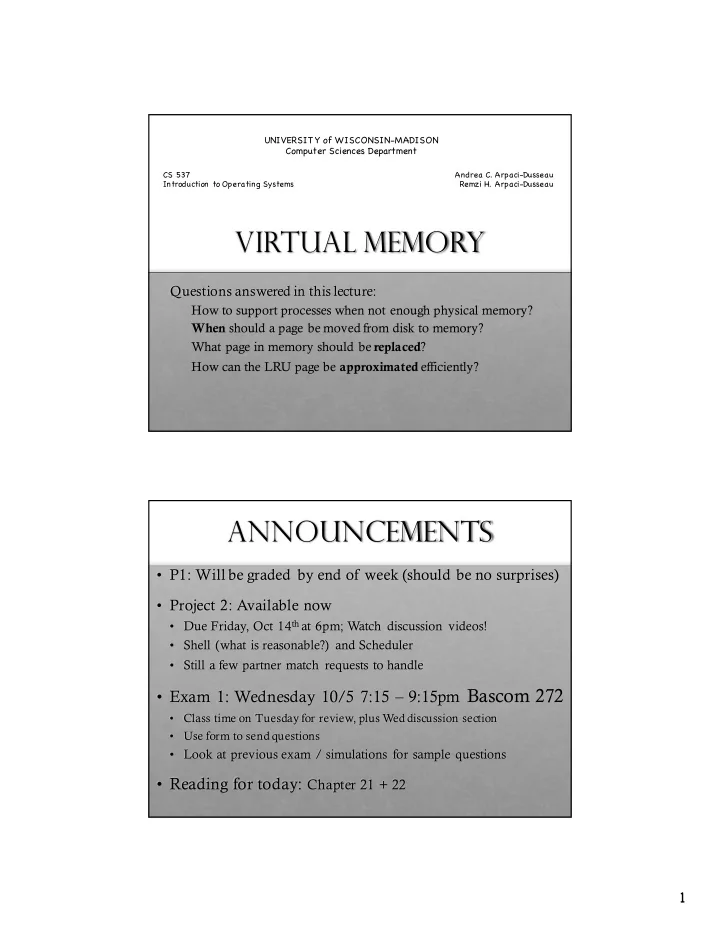
Virtual Memory Questions answered in this lecture: How to support - - PDF document

virtual memory
SMART_READER_LITE
LIVE PREVIEW

Virtual Memory Questions answered in this lecture: How to support - - PDF document

UNIVERSIT Y of WISCONSIN-MADISON Computer Sciences Department CS 537 Andrea C. Arpaci-Dusseau Introduction to Operating Systems Remzi H. Arpaci-Dusseau Virtual Memory Questions answered in this lecture: How to support processes when not


slide-1
SLIDE 1

1

Virtual Memory

Questions answered in this lecture:

How to support processes when not enough physical memory? When should a page be moved from disk to memory? What page in memory should be replaced? How can the LRU page be approximated efficiently?

UNIVERSIT Y of WISCONSIN-MADISON Computer Sciences Department

CS 537 Introduction to Operating Systems Andrea C. Arpaci-Dusseau Remzi H. Arpaci-Dusseau

Announcements

  • P1: Will be graded by end of week (should be no surprises)
  • Project 2: Available now
  • Due Friday, Oct 14that 6pm; Watch discussion videos!
  • Shell (what is reasonable?) and Scheduler
  • Still a few partner match requests to handle
  • Exam 1: Wednesday 10/5 7:15 – 9:15pm Bascom 272
  • Class time on Tuesday for review, plus Wed discussion section
  • Use form to send questions
  • Look at previous exam / simulations for sample questions
  • Reading for today: Chapter 21 + 22
slide-2
SLIDE 2

2

Motivation

OS goal: Support processes when not enough physical memory

  • Single process with very large address space
  • Multiple processes with combined address spaces

User code should be independent of amount of physical memory

  • Correctness, if not performance

Virtual memory: OS provides illusion of more physical memory Why does this work?

  • Relies on key properties of user processes (workload) and

machine architecture (hardware) code data Program code data heap stack Process 1

create what’ s in code?

Virtual Memory

slide-3
SLIDE 3

3

data Program

LibA LibB Prog LibC

create

data heap stack Process 1

LibA LibB Prog LibC

Code: many large libraries, some of which are rarely/never used

Virtual Memory

How to avoid wasting physical pages to store rarely used virtual pages?

data Program

LibA LibB Prog LibC

data heap stack Process 1

LibA LibB Prog LibC

Virtual Memory Phys Memory

Prog LibC

access LibB

slide-4
SLIDE 4

4

data Program

LibA Prog LibC

data heap stack Process 1

LibA LibB Prog LibC

Virtual Memory Phys Memory

Prog LibC

copy (or move)to RAM Called “paging” in

LibB LibB

Locality of Reference

Why does this give good performance? Leverage locality of reference within processes

  • Spatial: reference memory addresses near previously referenced addresses
  • Temporal: reference memory addresses that have referenced in the past
  • Processes spend majority of time in small portion of code
  • Estimate: 90% of time in 10% of code

Implication:

  • Process only uses small amount of address space at any moment
  • Only small amount of address space must be resident in physical memory
slide-5
SLIDE 5

5

Memory Hierarchy

Leverage memory hierarchy of machine architecture Each layer acts as “backing store” for layer above

Persistent storage: solid state drives (SSD) hard disk drives (HDD) main memory (RAM) L1, L2 cache

registers size speed cost

Which entity controls each layer?

Virtual Memory Intuition

Idea: OS keeps unreferenced (or rarely referenced) pages on disk

  • Slower, cheaper backing store than memory

Process can run when not all pages are loaded into main memory OS and hardware cooperate to provide illusion of large disk as fast as main memory

  • Same correctness as if all of address space in main memory
  • Hopefully have similar performance

Requirements:

  • OS must have mechanism to identify location of each page in address

space à in memory or on disk

  • OS must have policy for determining which pages live in memory and

which on disk

slide-6
SLIDE 6

6

Virtual Address Space Mechanisms

Each page in virtual address space maps to one of three:

  • Nothing (error): Free
  • Physical main memory: Small, fast, expensive
  • Disk (persistent storage): Large, slow, cheap

Extend page tables with an extra bit: present

  • permissions (r/w), valid, present
  • Page in memory: present bit set in PTE, hold PPN
  • Page on disk: present bit cleared
  • PTE points to block address on disk
  • Causes trap into OS when page is referenced
  • Trap: page fault

Present Bit

PFN valid prot present 10 1 r-x 1

  • 23

1 rw- 28 1 rw- 4 1 rw- 1

  • Phys Memory

Disk

16 1 rw- 1

What if access vpn 0xb?

slide-7
SLIDE 7

7

Virtual Memory Mechanisms

Hardware and OS cooperate to translate addresses First, hardware checks TLB for virtual address

  • if TLB hit, address translation is done; page in physical memory

If TLB miss...

  • Hardware or OS walk page tables
  • If PTE indicates page is present, then page in physical memory;

load TLB with vpn->ppnmapping

If page fault (i.e., present bit is cleared)

  • Trap into OS (not handled by hardware)
  • Find free page in physical memory
  • OS selects victim page in memory to replace
  • Write victim page out to disk if modified (add dirty bit to PTE)
  • OS reads referenced page from disk into memory
  • Page table is updated with mapping to ppn, presentbit is set
  • Process continues execution

What should scheduler do?

Faulting process not READY Pick a READY process to run

Mechanism for Continuing a Process

Continuing process after page fault is tricky

  • Want page fault to be transparent to user
  • Page fault may have occurred in middle of instruction
  • When instruction is being fetched
  • When data is being loaded or stored
  • Requires hardware support
  • precise interrupts: stop CPU pipeline such that instructions before

faulting instruction have completed, and those after can be restarted

Complexity depends upon instruction set

  • Can faulting instruction be restarted from beginning?
  • Example: move +(SP), R2
  • Must track side effects so hardware can undo
slide-8
SLIDE 8

8

Virtual Memory Policies

Goal: Minimize number of page faults

  • Page faults require milliseconds to handle (reading from disk)
  • Implication: Plenty of time for OS to make good decision

OS has two decisions

  • Page selection
  • When should a page (or pages) on disk be brought into memory?
  • Page replacement
  • Which resident page (or pages) in memory should be thrown out to disk?

Page Selection

When should a page be brought from disk into memory? Demand paging: Load page only when page fault occurs

  • Intuition: Wait until page must absolutely be in memory
  • When process starts: No pages are loaded in memory
  • Problems: Pay cost of page fault for every newly accessed page

Prepaging (anticipatory, prefetching): Load page before referenced

  • OS predicts future accesses (oracle) and brings pages into memory early
  • Works well for some access patterns (e.g., sequential)
  • Costs of guessing wrong?

Hints: Combine above with user-supplied hints about page references

  • User specifies: may need page in future, don’t need this page anymore, or

sequential access pattern, ...

  • Example: madvise()in Unix
slide-9
SLIDE 9

9

Break

  • Will the Badgers or the Wolverines prevail on Saturday?
  • If it isn’t football, what is your favorite spectator sport?

Page Replacement

Which page in main memory should selected as victim?

  • Write out victim page to disk if modified (dirty bit set)
  • If victim page is not modified (clean), just discard

OPT: Replace page not used for longest time in future

  • Advantages: Guaranteed to minimize number of page faults
  • Disadvantages: Requires OS to predict the future; Not practical, but good for comparison

FIFO: Replace page that has been in memory the longest

  • Intuition: First referenced long time ago, done with it now
  • Advantages: Fair: All pages receive equal residency; Easy to implement (circular buffer)
  • Disadvantage: Some pages may always be needed

LRU: Least-recently-used: Replace page not used for longest time in past

  • Intuition: Use past to predict the future
  • Advantages: With locality, LRU approximates OPT
  • Disadvantages:
  • Harder to implement, must track which pages have been accessed
  • Does not handle all workloads well

Random?

slide-10
SLIDE 10

10

Page Replacement Example

Page reference string: ABCABDADBCB

OPT FIFO LRU ABC B D A D B C B A

Three pages

  • f physical memory

Metric: Miss count

5, 7, 5 misses

Page Replacement Comparison

Add more physical memory, what happens to performance?

  • LRU, OPT
  • More memory à guaranteed fewer (or same number of) page faults
  • Smaller memory guaranteed to contain subset of larger memory
  • Stack property: smaller cache always subset of bigger
  • FIFO:
  • More memory à usually fewer page faults
  • Belady’s anomaly: May actually have more page faults!
slide-11
SLIDE 11

11

Fifo Performance may Decrease!

Consider access stream: ABCDABEABCDE Consider physical memory size: 3 pages vs. 4 pages How many misses with FIFO? 3 pages: 9 misses 4 pages: 10 misses

Problems with LRU-based Replacement

Previous lecture (TLBS): LRU poor when working set > available resources LRU does not consider frequency of accesses

  • Is a page accessed once in the past equal to one accessed N times?
  • Common workload problem:
  • Scan (sequential read, never used again) one large data region flushes memory

Solution: Track frequency of accesses to page

Pure LFU (Least-frequently-used) replacement

  • Problem: LFU can never forget pages from the far past

Examples of other more sophisticated algorithms:

  • LRU-K and 2Q: Combines recency and frequency attributes
  • Expensive to implement, LR

U-2 used in databases

Similar policies used for replacing blocks in file buffer cache

slide-12
SLIDE 12

12

Implementing LRU (Conceptually)

Software Perfect LRU

  • OS maintains ordered list of physical pages by reference time
  • When page is referenced: Move page to front of list
  • When need victim: Pick page at back of list

Hardware Perfect LRU

  • Associate timestamp with each page
  • When page is referenced: Record timestamp for page
  • When need victim: Scan through timestamps to find oldest
  • Trade-off: Fast on memory reference,

slow on replacement (especially as size of memory grows)

In practice, do not implement Perfect LRU

  • LRU is approximation anyway, so approximate more
  • Goal: Find an old page, but not necessarily the very oldest

Clock Algorithm

Hardware

  • Associate use (or reference) bit for each page frame
  • When page is referenced: set use bit

Operating System

  • Page replacement: Look for page with use bit cleared

(has not been referenced for awhile)

  • Implementation
  • Keep pointer to last examined page frame
  • Traverse pages in circular buffer
  • Clear use bits as search
  • Stop when find page with cleared use bit, replace this page
slide-13
SLIDE 13

13

Clock: Look For a Page

1 2 3

Physical Mem:

use=1 use=1 use=0 use=1

clock hand

Need to find page to replace; which will OS pick? Running process accesses page on disk; must page it in

Clock: Look For a Page

1 2 3

Physical Mem:

use=0 use=1 use=0 use=1

clock hand

Need to find page to replace; which will OS pick?

Clear use bit for page 0 and advance clock hand…

slide-14
SLIDE 14

14

Clock: Look For a Page

1 2 3

Physical Mem:

use=0 use=0 use=0 use=1

clock hand

Clear use bit for page 1 and advance clock hand…

Need to find page to replace; which will OS pick?

Clock: Look For a Page

1 2' 3

Physical Mem:

use=0 use=0 use=0 use=1

clock hand

Evict page 2 because it has not been recently used Load physical page 2 with new contents from disk

Need to find page to replace; which will OS pick?

slide-15
SLIDE 15

15

Clock: Look For a Page

1 2' 3

Physical Mem:

use=0 use=0 use=0 use=1

clock hand

Imagine page 0 is accessed…

Continue the running process

Clock: Look For a Page

1 2' 3

Physical Mem:

use=1 use=0 use=0 use=1

Continue the running process

Set use bit for page 0 Process accesses page on disk; need to find another victim page

clock hand

slide-16
SLIDE 16

16

Clock: Look For a Page

1 2' 3

Physical Mem:

use=1 use=0 use=0 use=0

clock hand

Clock: Look For a Page

1 2' 3

Physical Mem:

use=0 use=0 use=0 use=0

clock hand

slide-17
SLIDE 17

17

Clock: Look For a Page

1 2' 3

Physical Mem:

use=0 use=0 use=0 use=0

clock hand

Evict page 1 because it has not been recently used

Clock Extensions

Replace multiple pages at once

  • Intuition:

Expensive to run replacement algorithm and to write single block to disk

  • Find multiple victims each time and track free list

Add software counter (“chance”)

  • Intuition: Better ability to differentiate across pages (how much they are

being accessed)

  • Increment chance software counter if use bit is 0
  • Replace when chance exceeds some specified limit

Use dirty bit to give preference to dirty pages

  • Intuition: More expensive to replace dirty pages
  • Dirty pages must be written to disk, clean pages do not
  • Replace pages that have use bit and dirty bit cleared
slide-18
SLIDE 18

18

What if no Hardware Support?

What can the OS do if hardware does not have use bit (or dirty bit) (and hardware-filled TLB)?

  • Can the OS “emulate” these bits?

Leading question:

  • How can the OS get control (i.e., generate a trap) every time use

bit should be set? (i.e., when a page is accessed?)

Conclusions

Illusion of virtual memory: Processes can run when: sum of virtual address spaces > amount of physical memory Mechanism:

  • Extend page table entry with “present” bit
  • OS handles page faults (or page misses) by reading in desired page

from disk

Policy:

  • Page selection – demand paging, prefetching, hints
  • Page replacement – OPT, FIFO, LRU, others

Implementations (clock) perform approximation of LRU