Using Secure Internet and Technology to Support Education in Prison - - PowerPoint PPT Presentation

using secure internet and
SMART_READER_LITE
LIVE PREVIEW

Using Secure Internet and Technology to Support Education in Prison - - PowerPoint PPT Presentation

November 7, 2019 Using Secure Internet and Technology to Support Education in Prison Agenda *** Webinar will be recorded *** Introduction from Vera Current State and Lessons Learned from North Carolina, Iowa, and Wisconsin Q&A


slide-1
SLIDE 1

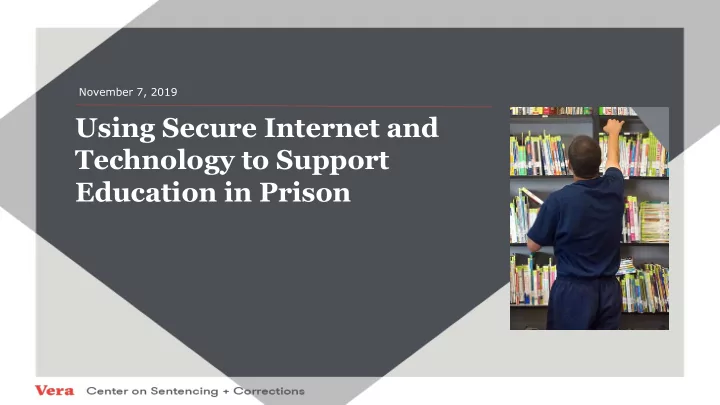
Using Secure Internet and Technology to Support Education in Prison

November 7, 2019
slide-2
SLIDE 2

Agenda

*** Webinar will be recorded ***

  • Introduction from Vera
  • Current State and Lessons Learned from North Carolina,

Iowa, and Wisconsin

  • Q&A - For questions, please use the chat feature
slide-3
SLIDE 3

Today’s Presenters

Allan Wachendorfer, Program Associate, Vera Institute of Justice awachendorfer@vera.org Brian Walsh, Senior Program Associate, Vera Institute of Justice bwalsh@vera.org Geof Toner, IT Director, North Carolina Department of Public Safety Geof.Toner@ncdps.gov Neale Adams, Business and Industrial Technology Dean, Iowa Central Community College Adams_n@iowacentral.edu Ben Jones, Education Coordinator, Wisconsin Department of Corrections Benjaminw.jones@Wisconsin.gov

slide-4
SLIDE 4

The Vera Institute of Justice

Mission To build and improve justice systems that ensure fairness, promote safety, and strengthen communities. How We Work Vera works in partnership with local, state, and national government officials to create change from within.

  • We study problems that impede human dignity and justice.
  • We pilot solutions that are at once transformative and achievable.
  • We engage diverse communities in informed debate.
  • We harness the power of evidence to drive effective policy and practice.
slide-5
SLIDE 5

Vera and Postsecondary Education

  • Second Chance Pell technical

assistance

  • Scaling up of quality higher

education programs/systems

  • Increase the participation of

incarcerated and formerly incarcerated

  • National campaign to restore Pell

eligibility to incarcerated students

slide-6
SLIDE 6

Reasons to Expand Access to Technology

  • equip faculty with technology-based instructional tools (e.g., open educational

resources, learning management systems) to enhance the classroom experience;

  • provide students with access to academic library resources and online

assessments (e.g., industry-recognized certification exams), to continue their education outside of class time and during lockdowns and to take courses that may not be available at their local facility (e.g., telepresence and online courses);

  • support an education continuum for incarcerated individuals by aligning

prison-based education programs with those in the community;

  • ease the reentry process by allowing incarcerated individuals to prepare for

release by applying for jobs, financial aid, and benefits; enrolling in college; and searching for and securing housing.

  • provide a comparable educational experience for incarcerated students that

they would find on college campuses including the ability to write academic essays, create reports and digital content, watch and listen to videos and podcasts, and complete homework.

Adapted from Michele Tolbert, Educational Technology in Corrections 2015, US Department of Education

slide-7
SLIDE 7

Bottom Line Up Front:

Today’s presenters will discuss how their states are providing access to live internet sites, secure laptops in living units and classrooms, wifi access in living units and other digital tools. Some of websites they provide access to are:

FAFSA - studentaid.ed.gov Legal research - Lexis Advance, West Law, Wisconsin Courts MATC Moodle Cengage Library Resources: Ebsco Host, Follett Destiny Job Center of Wisconsin Vocational sites: OSHA, MobyMax, Simutech, Mitchell Auto Repair College websites Aleks College Board

slide-8
SLIDE 8

North Carolina: Business and Key Initiative Drivers

  • 52 active prisons serving 100 counties
  • State Policy requires all network services to be owned and operated under

state control

  • Staffing facilities became a significant challenge
  • Portable technology eyed as a means of driving staff efficiency
  • 2014 Medical staff moved to laptops for patient records, dispensing, and

inventory over a wired network

  • Correctional Officers begin using tablets for inmate rounds and logs – daily

docking caused delays in data analysis and population related information

  • Adult and Juvenile Offenders education services moving away from paper

media to computer- based or on-line media.

slide-9
SLIDE 9

North Carolina: Business and Key Initiative Drivers

  • NC Prisons implements the College at Southeastern, the undergraduate

school of Southeastern Baptist Theological Seminary over a wired network utilizing on-line student resources provided by the Wake Forest Campus. Wired network became difficult to scale as class size multiplied.

  • Educational drivers are adult basic education, high school equivalency,

English as a Second Language, correspondence courses, vocational education, and college credit classes in various disciplines (Pathways project).

  • 2019 Prisons considers making Correctional Education and Entertainment

Cloud services available to Inmates.

slide-10
SLIDE 10

Road to WiFi Success in NC Prisons

  • 2015 - First comprehensive WiFi networks implemented in Prison Hospitals and Facility Clinics

to make the Medical Laptops truly mobile.

  • 2017 – A new secure Inmate Network (iNet) was implemented in certain prisons to facilitate

the Seminary School and other Inmate educational needs. iNet was physically separate from the departmental network and later found to be difficult to maintain and scale due to the rapid growth of iNet demands across the state.

  • 2018 - WiFi begins to spread quickly across iNet, more classrooms and inmate work areas.
  • 2019 – iNet is re-architected into logically separated and highly secure network based on

several layers of security sensors.

  • 2019 (August) – Two prisons equipped with WiFi on iNet with outsourced educational cloud

services goes into production. Three more facilities pending.

  • Current – Successful proof of concept Officer Safety system that shares same comprehensive

WiFi infrastructure as iNet, Vendor Cloud Services, Departmental Staff Network, and Juvenile WiFi enabled educational services.

slide-11
SLIDE 11

WAN Fabric

Logical Layer

CapWap Tunnel

1 2 Content Vendor 8 Contractual Content Vendors

(Voice, Video, Music, Education)

Juvenile Offender Access (Education) Prison Industries

(Inmate Network Access)

Department Network

(Employee Network Access)

Officer Personal Safety Alarm/Tracking System

WLC

Physical Layer

Adult Corrections Juvenile

DataCenter

Prison Industries Juvenile Systems

Server Farm

3 4 5 6 7 Perimeter FW

Vendors

Local Institution Control Room

Personal Alarm Monitor Station

Production Data Network

NC Prison WiFi System

slide-12
SLIDE 12

NC: Key Security Infrastructure Functions

  • Cisco ISE – security posturing/adds SCCM client (not shown)
  • Offender client traffic uses non-routable IP’s separate WLANS for each tenant via AP’s
  • Capwap Tunnel maintains separation of client traffic. The tunnel also nails up a dedicated

path between the Cisco 4800-B AP and the WLC…nothing “slips” out of the tunnel.

  • Client traffic exiting the Cisco WLC is still segmented based on WLAN.
  • WLAN’s are mapped to VLAN’s, and VLAN’s are mapped to VRF’s. This equipment routes

traffic according the VLAN and VRF membership.

  • Barracuda Inline content filters for adult offenders and juvenile offenders are in place to

prevent access to social media, webmail, adult content, etc. These devices also employ “white lists” that detail the URL’s and content that the offenders may have access to (if access to the internet resources are allowed for the clients).

  • Cisco ASA Firewalls separates iNet and production networks. This firewall also allows traffic

to iNet server and application resources based on tenancy as well as establishing VPN tunnels to content vendors (example: APDS). Allows access to the internet resources first scrubbed by the content filters (5)

slide-13
SLIDE 13

Iowa: Level of Access

  • Associate of Arts offered online
  • Cohort based program
  • 7-week courses – 6 start dates per year
  • Full-time students fall, spring and summer
  • Started online at two local facilities
  • Currently offering to 6 correctional facilities
  • Computer Labs and Microsoft Surface Go’s
  • Canvas LMS and Cengage Unlimited – eBook
slide-14
SLIDE 14

Iowa: Drivers and Partnerships

  • Long standing relationship with Iowa DOC
  • Iowa Central only Second Chance school in IA
  • Education traditionally funded through DOC
  • Investment in personnel, firewall, technology and LMS
  • Statewide network through DOC Central Office – white list –
slide-15
SLIDE 15

Iowa: Challenges and Solutions

  • Access to materials – GALE, Cengage & Canvas
  • Access to Technology – provided by ICCC
  • Course redesign – fit corrections education
  • Director and Wardens key partners in start
  • IT staff key in implementation
  • Counselors and Education staff key in recruiting
slide-16
SLIDE 16

Iowa: Benefits

  • Degree and education obtainment
  • Equal access – men’s and women’s facilities
  • Cohort model allows multiple start dates throughout the year
slide-17
SLIDE 17

Wisconsin: Level of Access Offered

  • Students (and some Educational Staff) use Chrome operating system devices and

some Windows PCs (when Chrome won’t meet the need) on a separate network primarily for offender use

  • Benefits of Chrome OS: lower purchase cost, more secure, less hacking,

supportability, enterprise management using Google Management Console

  • Aligns with future direction of DOC and technology in general by using more

internet-based resources and limiting use of locally installed software

  • Student access to the internet is controlled primarily through white list / black list
  • Limited use of web filtering by website category is tied to very specific needs like

job search and some juvenile education programs

  • Additional access to locally hosted content through RACHEL (worldpossible.org)
  • Student access limited to school, work and library
slide-18
SLIDE 18

Wisconsin: Behind the Scenes

  • Chrome devices monitored and updated using Google Management

Console

  • Internet access secured and logged using Google Management Console –

Chrome OS devices only, Web filtering software, and Firewalls

  • Network monitored with alerts for equipment issues
  • Network and desktop device support from, IT staff at DOC Central Office, a

small number of IT staff doing weekly onsite visits / support, and ongoing assistance from maintenance staff located at the sites

slide-19
SLIDE 19

Wisconsin: Internal and External Drivers

  • Education Office built support from wardens by highlighting these internal drivers:
  • Widespread use of Keefe tablets reduced security resistance to education-

focused laptop

  • Textbook and material cost (KEY: Facility budget pays for these materials!)
  • Homework is valuable, complicated and required better tools to complete
  • utside of classtime
  • Secure access to internet could reduce staff time currently used to scan

homework and communicate with online instructors

  • Secure laptops could make better use of limited classroom space
  • Second Chance Pell partner (Milwaukee Area Technical College) drove new

approaches to technology because of the use of a LMS to deliver instruction:

  • Sparked an initiative to reduce cost by adopting OER content
  • Led to creative approaches to support FAFSA applications at multiple sites
slide-20
SLIDE 20

Key Takeaways and Considerations

  • Technology and internet access can provide a way to enhance the

educational experience of incarcerated students and faculty, assist with reentry, and reduce costs

  • Buy-in from corrections partners is critical, with ongoing communication between

partners to ensure each party understands their responsibilities

  • What is your goal with the use of technology? Is it to enhance/supplement face-

to-face instruction or replace it?

  • How do you ensure access to high quality education with or without technology

and internet access?

  • What mechanisms are in place to help ensure security and what happens if

security is breached?

  • Where does liability live? With the college, corrections, or an external vendor?
slide-21
SLIDE 21

Questions?

See Q&A in separate document