User-Centered Design Usability and Usefulness Normans Model of - - PowerPoint PPT Presentation
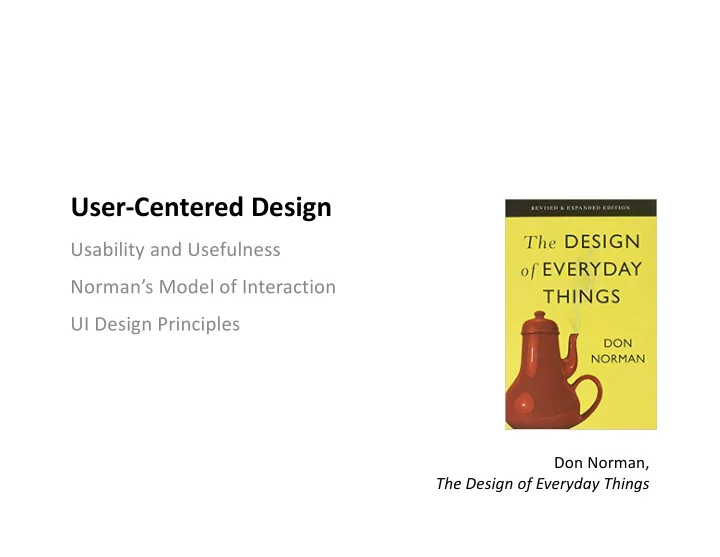
User-Centered Design Usability and Usefulness Normans Model of Interaction UI Design Principles Don Norman, The Design of Everyday Things What innovation made watching television easier? 2 http://www.tvhistory.tv 3 4 Devices
What innovation made watching television easier?
2
http://www.tvhistory.tv 3
4
Humans time Devices capability
Buxton, W. (2001). Less is More (More or Less), in P. Denning (Ed.), The Invisible Future: The seamless integration of technology in everyday life. New York: McGraw Hill, 145 – 179.
6
Usability and Usefulness
§ Usability is the pragmatic component of user experience, including
effectiveness, efficiency, productivity, ease-of-use, learnability, retainability, and the pragmatic aspects of user satisfaction.
§ Usefulness is the component of user experience to which system
functionality gives the ability to use the system or product to accomplish the goals of work (or play).
Compromise
Best Worst
Compromise high low low high
Usefulness (e.g. # of functions) Usability (e.g. ease of use)
9
The Importance of Usability
10
§ “All other things being equal, a product that affords a better user
experience often outsells ones with even more functionality. For example, take the Blackberry; once a market leader in smartphones but now
- utclassed by the iPhone, a later entrant into the market with less
functional capabilities.”
§ “Most users assume that they are getting correct and complete functional
capability in their software, but the interface is their only way to experience the functionality. To users, the interaction experience is the system.”
- Hartson and Pyla. The UX Book. 2012.
Good Door Usability
11
Poor Door Usability
12
?!?!?
13
Example: Refrigerator Control
14
§ Suppose the refrigerator is at the correct temperature. The freezer is too
- cold. What do you do?
§ You can’t really check your work for 24 hours…
Refrigerator Freezer
cold warm cold warm
Example: Refrigerator Function
15
§ It looks like two independent
temperature controls
§ It’s actually one temperature
control and a cold air valve
User Mental Model (or Conceptual Model)
16
§ What the user believes about the system (how system works, system state)
- “if I do ________, the system will do ________”
- “the system is ________”
§ Frequently, a mental model in inaccurate or incomplete compared to the
system model
mental model system model express present perceive translate
User Interactive System
Refrigerator User Model vs. System Model
17
§ The user’s mental model is two
independent temperature controls
§ The system model is one
temperature control and a cold air valve
mental model system model
Three Models of a System
18
§ Developer’s model: how the developer believes system is used § System model: how the system actually works § User’s model: how the user believes system should be used
user’s mentalm
- del
system model developer’s model
§ Developer and User communicate via the system
- Goal is to have both images align as closely as possible
Don Norman’s Model of Interaction
19
Why is a mental model important? It determines how well we interact with a system (and interpret what feedback it might provide us).
§ Execution: What we do to the system to achieve a goal § Evaluation: Comparing what happened with our intended goal
Execution
User System
Evaluation
I have a goal!
- 1. Intention to
Act
I still have a goal!
- 2. Plan
Actions
- 3. Execute
Actions Evaluate State Interpret State Perceive State
Execution Stages Evaluation Stages
20
- 1. Form an intention to act to achieve
a specific goal
- 2. Plan an sequence of actions to
fulfill that intention
- 3. Execute planned actions with
physical movements
- 1. Physically perceive the current
state of the system
- 2. Interpret that perception according
to experience
- 3. Evaluate the interpreted state
compared to our goal
Intention to Act
I still have a goal!
Plan Actions Execute Actions Evaluate State Interpret State Perceive State
Gulf of Execution and Gulf of Evaluation
21
Gulfs == Barriers formed by the gap between mental and system models.
§ Gulf of Execution: Difficulty translating user’s intentions into actions
allowed by system. Can user carry out their intentions?
§ Gulf of Evaluation: Difficulty in interpreting the state of the system to
determine whether our goal has been met.
Gulf of Evaluation Gulf of Execution
… tell what actions are possible?
I still have a goal!
… map intention to actions? … perform the action?
The Value of the Model
22
§ Gulfs contribute to an incorrect mental model. § The goal of design is to minimize gulf of execution and gulf of evaluation.
… tell if system state means goal is met? … map state to interpretation? … perceive the system state?
UI Design Principles
24
§ Don Norman’s “fundamental” design principles § Basic principles which reduce gulf of execution and evaluation and create a
more correct mental model for user
- Perceived Affordance
- Mapping
- Constraints
- Visibility/Feedback
- Metaphor
Perceived Affordance
25
§ What you think you can do with an object, based on perceived properties. § What influences our perception of affordances and the manner in which we
develop mental models?
- Individual histories (e.g. have you seen this before?)
- Cultural background (e.g. how things are described in your culture)
“pull” “push” “click” “drag”
Constraints
27
Guide by preventing certain actions while enabling/encouraging others Norman’s Lego Motorcycle Experiment
§ Physical Constraints
- Bricks can only fit certain ways
§ Semantic Constraints
- Riders face forwards, wheels touch the ground
§ Cultural Constraints
- Red means brake light
§ Logical Constraints
- No leftovers!
Constraints in User-Interfaces
28
§ Physical, Logical, Semantic, Cultural?
Mappings
29
§ The relationship between two things, in this case between the control
movement and the results in the world.
- Doors: bars/plates for pushing, handles for pulling
- Conventions: up/clockwise for “more”
§ GUIs: Components often mimic physical controls and follow same
conventions and mappings.
Mappings in User Interfaces
30
§ Physical actions of input device mapped to UI instrument § Instruments actions mapped to object of interest § Recall instrumental interaction
- Degree of integration, degree of compatibility
Literal Mapping
31
§ Some things work well in physical world, but not in virtual (see metaphor)
Visibility
32
§ Make relevant parts visible and convey the correct message
- Doors: Parts often gave the wrong message (pull vs. push), but hinges
made visible the swing direction (though poorly)
- GUIs: Make controls visible, either on-screen on in menus. List keyboard
short-cuts in menus.
§ Communicating what action has actually been done; what result has been
accomplished.
- Refrigerator: Feedback loop is terribly slow.
- GUIs: Every action should give feedback. If can’t be completed
immediately, give some sort of progress indicator.
Feedback
33
Execution
§ Feedback that will help guide the user to act. i.e. communicate affordances § Does widget effectively communicate:
- That it is enabled/disabled?
- That it has focus?
- Its current state?
Evaluation
§ Feedback to communicate that an action has been successful (or failed). § Communicate change in state and/or current state to the user
- e.g. “File has been successfully renamed from ‘f1’ to ‘bf1’”
If there’s an error, make sure to provide sufficient details for the user to correct their input.
Metaphor
34
§ Set of unifying concepts in a GUI used to simplify interaction with a
computer system
§ Done by borrowing concepts from one domain (the source or vehicle) and
applying them to another (the target or tenor)
§ Scale can vary from system to application to UI feature § Examples:
- The desktop metaphor in windowing systems
- Assembly-line metaphor for a new car configurator
Benefits of Metaphors
35
§ Common language for objects
- Window, Recycle Bin/Trash, Folders, Files
§ Guide for cognitive semantics of system
- Windows allow you to look into a house, or into a document
- Recycling allows you to reclaim storage
§ Analogy to explore similarities and differences
- Computer window has scrollbars, more similar to a repositionable
viewport
- Differences arise because characteristics of the target cause
inconsistencies in the metaphor
Inconsistencies in Metaphors
36
§ Original Mac trash
- Delete files on computer
- Eject disk from drive
§ File system metaphor
- Original Mac had all file systems on desktop
- BeOS had external drives on the desktop and internal
drives in a “Computer” icon
- Windows had all file systems in a “Computer” icon
Metaphor Gone Too Far
37