Unit 4: Performance & Benchmarking CPU Performance Performance - - PowerPoint PPT Presentation

unit 4 performance benchmarking
SMART_READER_LITE
LIVE PREVIEW

Unit 4: Performance & Benchmarking CPU Performance Performance - - PowerPoint PPT Presentation

This Unit Metrics Latency and throughput Speedup CIS 501: Computer Architecture Averaging Unit 4: Performance & Benchmarking CPU Performance Performance Pitfalls


slide-1
SLIDE 1

CIS 501: Comp. Arch. | Prof. Milo Martin | Performance 1

CIS 501: Computer Architecture

Unit 4: Performance & Benchmarking

Slides'developed'by'Milo'Mar0n'&'Amir'Roth'at'the'University'of'Pennsylvania' ' with'sources'that'included'University'of'Wisconsin'slides ' by'Mark'Hill,'Guri'Sohi,'Jim'Smith,'and'David'Wood '

CIS 501: Comp. Arch. | Prof. Milo Martin | Performance 2

This Unit

  • Metrics
  • Latency and throughput
  • Speedup
  • Averaging
  • CPU Performance
  • Performance Pitfalls
  • Benchmarking

Performance Metrics

CIS 501: Comp. Arch. | Prof. Milo Martin | Performance 3 CIS 501: Comp. Arch. | Prof. Milo Martin | Performance 4

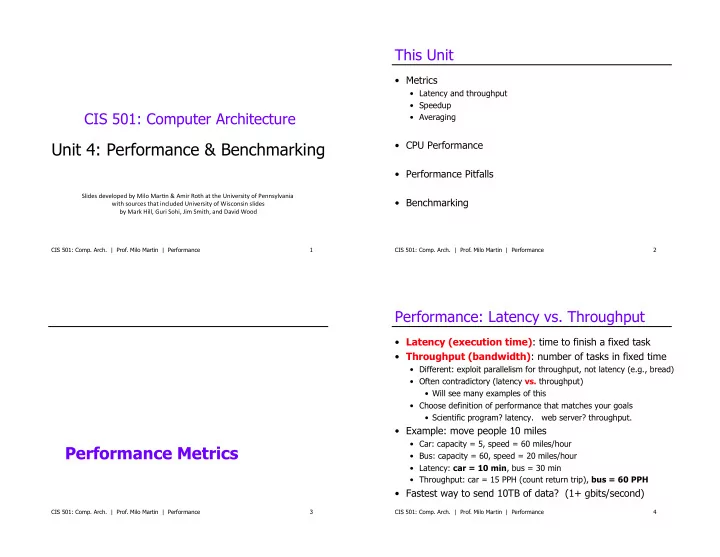
Performance: Latency vs. Throughput

  • Latency (execution time): time to finish a fixed task
  • Throughput (bandwidth): number of tasks in fixed time
  • Different: exploit parallelism for throughput, not latency (e.g., bread)
  • Often contradictory (latency vs. throughput)
  • Will see many examples of this
  • Choose definition of performance that matches your goals
  • Scientific program? latency. web server? throughput.
  • Example: move people 10 miles
  • Car: capacity = 5, speed = 60 miles/hour
  • Bus: capacity = 60, speed = 20 miles/hour
  • Latency: car = 10 min, bus = 30 min
  • Throughput: car = 15 PPH (count return trip), bus = 60 PPH
  • Fastest way to send 10TB of data? (1+ gbits/second)
slide-2
SLIDE 2

Amazon Does This…

CIS 501: Comp. Arch. | Prof. Milo Martin | Performance 5 CIS 501: Comp. Arch. | Prof. Milo Martin | Performance 6

Comparing Performance - Speedup

  • A is X times faster than B if
  • X = Latency(B)/Latency(A) (divide by the faster)
  • X = Throughput(A)/Throughput(B) (divide by the slower)
  • A is X% faster than B if
  • Latency(A) = Latency(B) / (1+X/100)
  • Throughput(A) = Throughput(B) * (1+X/100)
  • Car/bus example
  • Latency? Car is 3 times (and 200%) faster than bus
  • Throughput? Bus is 4 times (and 300%) faster than car

Speedup and % Increase and Decrease

  • Program A runs for 200 cycles
  • Program B runs for 350 cycles
  • Percent increase and decrease are not the same.
  • % increase: ((350 – 200)/200) * 100 = 75%
  • % decrease: ((350 - 200)/350) * 100 = 42.3%
  • Speedup:
  • 350/200 = 1.75 – Program A is 1.75x faster than program B
  • As a percentage: (1.75 – 1) * 100 = 75%
  • If program C is 1x faster than A, how many cycles does C

run for? – 200 (the same as A)

  • What if C is 1.5x faster? 133 cycles (50% faster than A)

CIS 501: Comp. Arch. | Prof. Milo Martin | Performance 7 CIS 501: Comp. Arch. | Prof. Milo Martin | Performance 8

Mean (Average) Performance Numbers

  • Arithmetic: (1/N) * ∑P=1..N Latency(P)
  • For units that are proportional to time (e.g., latency)
  • Harmonic: N / ∑P=1..N 1/Throughput(P)
  • For units that are inversely proportional to time (e.g., throughput)
  • You can add latencies, but not throughputs
  • Latency(P1+P2,A) = Latency(P1,A) + Latency(P2,A)
  • Throughput(P1+P2,A) != Throughput(P1,A) + Throughput(P2,A)
  • 1 mile @ 30 miles/hour + 1 mile @ 90 miles/hour
  • Average is not 60 miles/hour
  • Geometric: N√∏P=1..N Speedup(P)
  • For unitless quantities (e.g., speedup ratios)
slide-3
SLIDE 3

For Example…

  • You drive two miles
  • 30 miles per hour for the first mile
  • 90 miles per hour for the second mile
  • Question: what was your average speed?
  • Hint: the answer is not 60 miles per hour
  • Why?
  • Would the answer be different if each segment was equal

time (versus equal distance)?

CIS 501: Comp. Arch. | Prof. Milo Martin | Performance 9

Answer

  • You drive two miles
  • 30 miles per hour for the first mile
  • 90 miles per hour for the second mile
  • Question: what was your average speed?
  • Hint: the answer is not 60 miles per hour
  • 0.03333 hours per mile for 1 mile
  • 0.01111 hours per mile for 1 mile
  • 0.02222 hours per mile on average
  • = 45 miles per hour

CIS 501: Comp. Arch. | Prof. Milo Martin | Performance 10 CIS 501: Comp. Arch. | Prof. Milo Martin | Performance 11

Mean (Average) Performance Numbers

  • Arithmetic: (1/N) * ∑P=1..N Latency(P)
  • For units that are proportional to time (e.g., latency)
  • Harmonic: N / ∑P=1..N 1/Throughput(P)
  • For units that are inversely proportional to time (e.g., throughput)
  • You can add latencies, but not throughputs
  • Latency(P1+P2,A) = Latency(P1,A) + Latency(P2,A)
  • Throughput(P1+P2,A) != Throughput(P1,A) + Throughput(P2,A)
  • 1 mile @ 30 miles/hour + 1 mile @ 90 miles/hour
  • Average is not 60 miles/hour
  • Geometric: N√∏P=1..N Speedup(P)
  • For unitless quantities (e.g., speedup ratios)

CPU Performance

CIS 501: Comp. Arch. | Prof. Milo Martin | Performance 12

slide-4
SLIDE 4

CIS 501: Comp. Arch. | Prof. Milo Martin | Performance 13

Recall: CPU Performance Equation

  • Multiple aspects to performance: helps to isolate them
  • Latency = seconds / program =
  • (insns / program) * (cycles / insn) * (seconds / cycle)
  • Insns / program: dynamic insn count
  • Impacted by program, compiler, ISA
  • Cycles / insn: CPI
  • Impacted by program, compiler, ISA, micro-arch
  • Seconds / cycle: clock period (Hz)
  • Impacted by micro-arch, technology
  • For low latency (better performance) minimize all three

– Difficult: often pull against one another

  • Example we have seen: RISC vs. CISC ISAs

± RISC: low CPI/clock period, high insn count ± CISC: low insn count, high CPI/clock period

CIS 501: Comp. Arch. | Prof. Milo Martin | Performance 14

Cycles per Instruction (CPI)

  • CPI: Cycle/instruction for on average
  • IPC = 1/CPI
  • Used more frequently than CPI
  • Favored because “bigger is better”, but harder to compute with
  • Different instructions have different cycle costs
  • E.g., “add” typically takes 1 cycle, “divide” takes >10 cycles
  • Depends on relative instruction frequencies
  • CPI example
  • A program executes equal: integer, floating point (FP), memory ops
  • Cycles per instruction type: integer = 1, memory = 2, FP = 3
  • What is the CPI? (33% * 1) + (33% * 2) + (33% * 3) = 2
  • Caveat: this sort of calculation ignores many effects
  • Back-of-the-envelope arguments only

CIS 501: Comp. Arch. | Prof. Milo Martin | Performance 15

CPI Example

  • Assume a processor with instruction frequencies and costs
  • Integer ALU: 50%, 1 cycle
  • Load: 20%, 5 cycle
  • Store: 10%, 1 cycle
  • Branch: 20%, 2 cycle
  • Which change would improve performance more?
  • A. “Branch prediction” to reduce branch cost to 1 cycle?
  • B. Faster data memory to reduce load cost to 3 cycles?
  • Compute CPI
  • Base = 0.5*1 + 0.2*5 + 0.1*1 + 0.2*2 = 2 CPI
  • A = 0.5*1 + 0.2*5 + 0.1*1+ 0.2*1 = 1.8 CPI (1.11x or 11% faster)
  • B = 0.5*1 + 0.2*3 + 0.1*1 + 0.2*2 = 1.6 CPI (1.25x or 25% faster)
  • B is the winner

CIS 501: Comp. Arch. | Prof. Milo Martin | Performance 16

Measuring CPI

  • How are CPI and execution-time actually measured?
  • Execution time? stopwatch timer (Unix “time” command)
  • CPI = (CPU time * clock frequency) / dynamic insn count
  • How is dynamic instruction count measured?
  • More useful is CPI breakdown (CPICPU, CPIMEM, etc.)
  • So we know what performance problems are and what to fix
  • Hardware event counters
  • Available in most processors today
  • One way to measure dynamic instruction count
  • Calculate CPI using counter frequencies / known event costs
  • Cycle-level micro-architecture simulation

+ Measure exactly what you want … and impact of potential fixes!

  • Method of choice for many micro-architects
slide-5
SLIDE 5

Pitfalls of Partial Performance Metrics

CIS 501: Comp. Arch. | Prof. Milo Martin | Performance 17 CIS 501: Comp. Arch. | Prof. Milo Martin | Performance 18

Mhz (MegaHertz) and Ghz (GigaHertz)

  • 1 Hertz = 1 cycle per second

1 Ghz is 1 cycle per nanosecond, 1 Ghz = 1000 Mhz

  • (Micro-)architects often ignore dynamic instruction count…
  • … but general public (mostly) also ignores CPI
  • Equates clock frequency with performance!
  • Which processor would you buy?
  • Processor A: CPI = 2, clock = 5 GHz
  • Processor B: CPI = 1, clock = 3 GHz
  • Probably A, but B is faster (assuming same ISA/compiler)
  • Classic example
  • 800 MHz PentiumIII faster than 1 GHz Pentium4!
  • More recent example: Core i7 faster clock-per-clock than Core 2
  • Same ISA and compiler!
  • Meta-point: danger of partial performance metrics!

CIS 501: Comp. Arch. | Prof. Milo Martin | Performance 19

MIPS (performance metric, not the ISA)

  • (Micro) architects often ignore dynamic instruction count
  • Typically work in one ISA/one compiler → treat it as fixed
  • CPU performance equation becomes
  • Latency: seconds / insn = (cycles / insn) * (seconds / cycle)
  • Throughput: insn / second = (insn / cycle) * (cycles / second)
  • MIPS (millions of instructions per second)
  • Cycles / second: clock frequency (in MHz)
  • Example: CPI = 2, clock = 500 MHz → 0.5 * 500 MHz = 250 MIPS
  • Pitfall: may vary inversely with actual performance

– Compiler removes insns, program gets faster, MIPS goes down – Work per instruction varies (e.g., multiply vs. add, FP vs. integer)

CIS 501: Comp. Arch. | Prof. Milo Martin | Performance 20

Performance Rules of Thumb

  • Design for actual performance, not peak performance
  • Peak performance: “Performance you are guaranteed not to exceed”
  • Greater than “actual” or “average” or “sustained” performance
  • Why? Caches misses, branch mispredictions, limited ILP, etc.
  • For actual performance X, machine capability must be > X
  • Easier to “buy” bandwidth than latency
  • Which is easier: to transport more cargo via train:
  • (1) build another track or (2) make a train that goes twice as fast?
  • Use bandwidth to reduce latency
  • Build a balanced system
  • Don’t over-optimize 1% to the detriment of other 99%
  • System performance often determined by slowest component
slide-6
SLIDE 6

Benchmarking

CIS 501: Comp. Arch. | Prof. Milo Martin | Performance 21 CIS 501: Comp. Arch. | Prof. Milo Martin | Performance 22

Processor Performance and Workloads

  • Q: what does performance of a chip mean?
  • A: nothing, there must be some associated workload
  • Workload: set of tasks someone (you) cares about
  • Benchmarks: standard workloads
  • Used to compare performance across machines
  • Either are or highly representative of actual programs people run
  • Micro-benchmarks: non-standard non-workloads
  • Tiny programs used to isolate certain aspects of performance
  • Not representative of complex behaviors of real applications
  • Examples: binary tree search, towers-of-hanoi, 8-queens, etc.

CIS 501: Comp. Arch. | Prof. Milo Martin | Performance 23

SPECmark 2006

  • Reference machine: Sun UltraSPARC II (@ 296 MHz)
  • Latency SPECmark
  • For each benchmark
  • Take odd number of samples
  • Choose median
  • Take latency ratio (reference machine / your machine)
  • Take “average” (Geometric mean) of ratios over all benchmarks
  • Throughput SPECmark
  • Run multiple benchmarks in parallel on multiple-processor system
  • Recent (latency) leaders
  • SPECint: Intel 3.3 GHz Xeon W5590 (34.2)
  • SPECfp: Intel 3.2 GHz Xeon W3570 (39.3)
  • (First time I’ve look at this where same chip was top of both)

Example: GeekBench

  • Set of cross-platform multicore benchmarks
  • Can run on iPhone, Android, laptop, desktop, etc
  • Tests integer, floating point, memory, memory bandwidth

performance

  • GeekBench stores all results online
  • Easy to check scores for many different systems, processors
  • Pitfall: Workloads are simple, may not be a completely

accurate representation of performance

  • We know they evaluate compared to a baseline benchmark

CIS 501: Comp. Arch. | Prof. Milo Martin | Performance 24

slide-7
SLIDE 7

GeekBench numbers

  • Desktop (4 core Ivy bridge at 3.4GHz): 11456
  • Laptop:
  • MacBook Pro (13-inch) - Intel Core i7-3520M 2900 MHz (2 cores) -

7807

  • Phones:
  • iPhone 5 - Apple A6 1000 MHz (2 cores) – 1589
  • iPhone 4S - Apple A5 800 MHz (2 cores) – 642
  • Samsung Galaxy S III (North America) - Qualcomm Snapdragon S3

MSM8960 1500 MHz (2 cores) - 1429

CIS 501: Comp. Arch. | Prof. Milo Martin | Performance 25

Summary

  • Latency = seconds / program =
  • (instructions / program) * (cycles / instruction) * (seconds / cycle)
  • Instructions / program: dynamic instruction count
  • Function of program, compiler, instruction set architecture (ISA)
  • Cycles / instruction: CPI
  • Function of program, compiler, ISA, micro-architecture
  • Seconds / cycle: clock period
  • Function of micro-architecture, technology parameters
  • Optimize each component
  • CIS501 focuses mostly on CPI (caches, parallelism)
  • …but some on dynamic instruction count (compiler, ISA)
  • …and some on clock frequency (pipelining, technology)

CIS 501: Comp. Arch. | Prof. Milo Martin | Performance 26