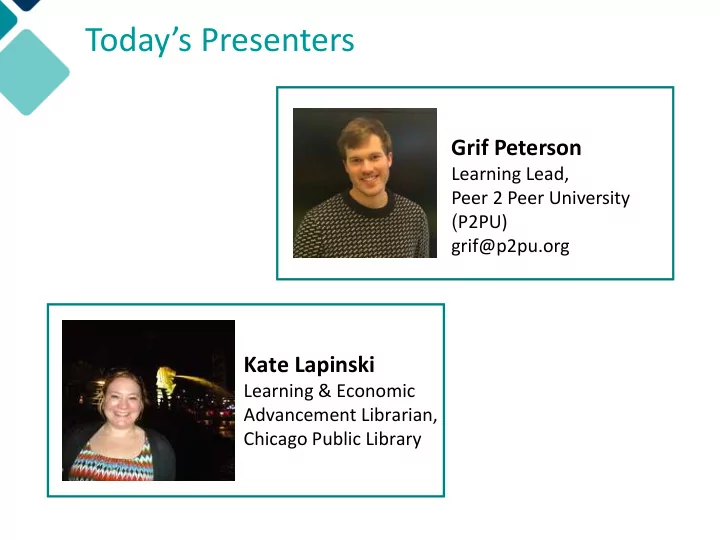
SLIDE 1 Today’s Presenters
Kate Lapinski
Learning & Economic Advancement Librarian, Chicago Public Library
Grif Peterson
Learning Lead, Peer 2 Peer University (P2PU) grif@p2pu.org
SLIDE 2 Introducing Learning Circles: Online Learning, Offline
May 3, 2016 WebJunction Webinar
SLIDE 3 Annotation Tools
Click on the marker at the top left corner of the screen and the tool buttons will open.
Check mark
- Half-way down menu, click on
square.
- Use the drop-down menu and
choose the check mark.
- Click on slide to indicate choice.
SLIDE 4 What is your experience with
- nline learning at your library?
Never heard of it People use computers for e- learning, but we don’t have additional programming Already doing something like Learning Circles
SLIDE 5 What programs would you like to see more of in your library?
English
ESOL, Writing, Fiction, Journalism
Job Skills
Job Search, Resume Writing, Interview Prep
Exam Prep
GED, SAT, Registered Nurse
Business
Marketing, Personal Finance, Entrepreneurship
Digital Literacy
Office, Email, HTML/CSS
Lifestyle
Parenting, Nutrition, Happiness
SLIDE 6 Traditional higher education excludes a large portion of adults. In the US, only 34%
- f 27-year olds have a Bachelor’s Degree.
The Problem
HIGH COST LITTLE RELEVANCE LACK OF SUPPORT
SLIDE 7
The Solution
HIGH COST LITTLE RELEVANCE LACK OF SUPPORT ONLINE COURSES LOCAL COMMUNITY PEER LEARNING
SLIDE 8
+
Learning Circles
Lightly-facilitated study groups for learners who want to take online courses together in a public space.
+
SLIDE 9
2015 in Chicago
11 branches 18 Learning Circles 8 different courses 90 minutes/week 6-8 weeks
SLIDE 10
Advertised through the library
70% heard through CPL website 20% heard through flyer in the library Others from friends, librarians, & Facebook
SLIDE 11
Attracted amazing audience
40% Never heard of free, online courses 25% Heard of them, never taken one 35% Taken an online course before Diverse gender, age, ethnicity, & background
SLIDE 12
Accommodated many goals
45% to increase employability 25% for personal interest 15% for professional development 5% to accompany traditional higher ed
SLIDE 13
How it went
45%-55% retention over 6-8 weeks 35% plan to continue on their own 80% did work outside of Learning Circle 90% are interested in taking another 60% may want to facilitate in future
SLIDE 14 In the learners words...
- I set clear goals. 87%
- I achieved my goals. 69%
- I was supported by my peers. 69%
- What I learned is valuable to me. 90%
- Working hard led to achievement. 76%
- I want to take another Learning Circle. 90%
- Capacity for academic achievement grew. 83%
SLIDE 15 In the librarians words...
- Deeper personal engagement with patrons
- Gets adults in the door for programming
- Also gets them to return (6 weeks!)
- Answering a real community need-- flexible
based on each neighborhood
- Exciting because it’s different- allows staff to
use new skills
SLIDE 16
“The Facilitators continually made me feel comfortable. which I really appreciated this, the informal atmosphere was great!”
SLIDE 17
“It was very intimate and I enjoyed our weekly sessions. I learned lot more than I knew about public speaking. I feel it helped my confidence level to be a better public speaker...I [am] looking forward to the next one.”
SLIDE 18 “I liked the accessibility of peers, building confidence in a safe
- environment. no pressure with our
peer group and learning from our peer group.”
SLIDE 19
“[The best thing about my Learning Circle was] knowing that I was not the only one out there with a dream of writing and being able to share this with my fellow Learning Circle members.”
SLIDE 20 “I appreciate CPL’s commitment to learning and expanding tools of the library. I feel lucky to have the
the class.”
SLIDE 21 Summary of Findings
- Retention 5-10x higher than online courses
- Increases digital skills and academic
mindsets
- Fosters digital inclusion/expanded access
- Supports diverse learner pathways
- Invigorates library/local communities
SLIDE 22
Open-source toolkit available now!
SLIDE 23
- Background on MOOCs
- Course selection tips
- Space/supplies tips
- Promotion templates
- Facilitation tips
- Recipe Cards
- Application
- Certificate
- Survey
SLIDE 24
SLIDE 25
SLIDE 26
SLIDE 27
SLIDE 28 reminder message automatically sent to learners 2 days beforehand group meets in-person for 90 minutes - 2 hours, loosely following activities and prompts on recipe card facilitator summarizes the week’s progress and agreed upon homework on dashboard, sends to learners learners do agreed upon homework (if any) prior week summary included in next week’s reminder
recipe cards begin on p. 29 of handbook
SLIDE 29
SLIDE 30 What’s next?
- Talk to your patrons about online
learning
- Explore free, online courses
- Download the Facilitator Handbook
- Find us at ALA! 830-10AM Saturday
- Email grif@p2pu.org to collaborate
SLIDE 31 Annotation Tools
Click on the marker at the top left corner of the screen and the tool buttons will open.
Check mark
- Half-way down menu, click on
square.
- Use the drop-down menu and
choose the check mark.
- Click on slide to indicate choice.
SLIDE 32
What are you going to do next?
Nothing! Tweet about it Share archive with colleagues Download the handbook Run a Learning Circle Email Grif