Thesaurus Software | Guest Speaker: IPASS 25th October 2018 The - - PowerPoint PPT Presentation

thesaurus software guest speaker ipass 25th october 2018
SMART_READER_LITE
LIVE PREVIEW

Thesaurus Software | Guest Speaker: IPASS 25th October 2018 The - - PowerPoint PPT Presentation

Thesaurus Software | Guest Speaker: IPASS 25th October 2018 The Panel Dont be spooked by PAYE Modernisation Hosted by - - Paul Byrne Ciaran Doherty The webinar will begin shortly. Managing Director at Technical Manager at


slide-1
SLIDE 1

Thesaurus Software | Guest Speaker: IPASS 25th October 2018 1

  • The webinar will begin shortly….

Don’t be spooked by PAYE Modernisation

Hosted by

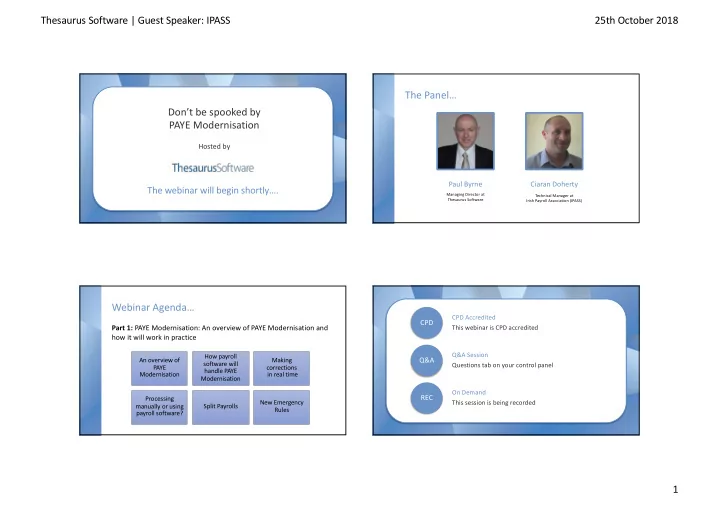
The Panel…

Paul Byrne

Managing Director at Thesaurus Software

Ciaran Doherty

Technical Manager at Irish Payroll Association (IPASS)

An overview of PAYE Modernisation How payroll software will handle PAYE Modernisation Making corrections in real time Processing manually or using payroll software? Split Payrolls New Emergency Rules

Webinar Agenda…

Part 1: PAYE Modernisation: An overview of PAYE Modernisation and how it will work in practice

  • CPD Accredited

This webinar is CPD accredited Q&A Session Questions tab on your control panel

Q&A CPD

On Demand This session is being recorded

REC

slide-2
SLIDE 2

Thesaurus Software | Guest Speaker: IPASS 25th October 2018 2

  • An Overview of PAYE Modernisation

What is PAYE Modernisation?

  • Many employees are given the wrong tax credits and cut-off points
  • Why? Revenue only gets payroll data at the end of each year (P35)
  • Revenue will now know where the employee is working and how

much they are earning in real time

  • This allows Revenue to allocate the correct credits, avoiding
  • verpayments / underpayments of tax

What is PAYE Modernisation?

  • Employers not operating PAYE correctly – new employees not

registered & out of date tax credits being used

  • With PAYE Modernisation, a file will be submitted electronically to

Revenue on or before or shortly after each pay run

  • Retrieval of tax credits will be automated – ensuring the correct

credits are being used

The file specifications…

  • RPN – Revenue Payroll Notification – used to retrieve tax credits

and cut off points for new and existing employees

  • http://bit.ly/2Bb1UEp
  • PSR – Payroll Submission Request (Mini P35) – used to submit

payroll data to Revenue each pay period

  • http://bit.ly/2FN5xUA
slide-3
SLIDE 3

Thesaurus Software | Guest Speaker: IPASS 25th October 2018 3

Quick Poll

  • a) Revenue Payroll Notification

b) Revenue Payroll Number c) Real-time Payment Notice

What does RPN stand for?

  • Instead of a yearly P35, there will be a “mini P35” submitted with

each payroll run

  • Checking for updated tax credits and cut off points will also be an

integral part of each payroll run

  • Details of employees starting and employees leaving will be

included in the “mini P35”

What direct effect will this have on employers? APIs and how they help…

  • API: Application Programming Interface
  • Enables different software applications to communicate with each
  • ther, resulting in time savings and a better user experience
  • Current system of retrieving tax credits (P2Cs) – manual process

with a number of steps

slide-4
SLIDE 4

Thesaurus Software | Guest Speaker: IPASS 25th October 2018 4 APIs and how they help…

  • With the API, tax credit retrieval will require just one click
  • Periodic payroll submissions (Mini P35) will also be a one click

process

  • Overall, the actual workload required each pay period should be

reduced

APIs and how they help…

Enter details of new employees in to the payroll Retrieve latest tax credit information – API Enter pay, hours and deductions for all employees Process and finalise payroll Submit file to Revenue – API Distribute payslips and pay employees

Digital Certificates

  • APIs will use the digital cert installed on the PC
  • If the user can log into ROS, the digital cert is already installed
  • Was ROS previously accessed from a different computer?
  • Do you want the payroll operator to have full visibility which they

will if the cert is present?

  • Do you need to consider multiple PREMs?

No more ‘P’ forms

  • P60s
  • P45s and P46s
  • P35s
  • P30s
slide-5
SLIDE 5

Thesaurus Software | Guest Speaker: IPASS 25th October 2018 5 How are employees affected?

  • Visibility through their MyAccount
  • Credits and cut offs should be more accurate for those with

multiple employments

  • Emergency rules are much stricter if employment not registered
  • Statement of Income and deductions will be available through
  • MyAccount. Replaces P60. Financial institutions have been

advised.

How Payroll Software will handle PAYE Modernisation?

  • Corrections

Submission Deadlines and Corrections

  • In Ireland, the Finance Act specified that the periodic data

submission will be required on or before the actual pay date

  • Best practice – submit after finalising each payroll
slide-6
SLIDE 6

Thesaurus Software | Guest Speaker: IPASS 25th October 2018 6 Submission Deadlines and Corrections

  • Corrections can be made for incorrect submissions
  • If the correction means that more tax is payable for a previous tax

month, Revenue can apply interest

  • A correction after the month’s close off or sign off date will be

seen as a change to a statutory declaration

  • Consistent corrections or late submissions may result in corrective

action by Revenue

Submission Deadlines and Corrections

  • Corrections are dealt with on the basis of “follow the money”
  • If an employee is over or underpaid in a period and their pay is

adjusted in the next period to correct this, no correction submission is required

  • If an employee is paid an amount different to what it says in the

payroll, then a correction submission will subsequently be required

Are you ready for “on or before” processing?

  • This will be a challenge for some businesses (e.g. hospitality,

construction) where historically payments may have been made

  • n a net to gross basis
  • Getting ready
slide-7
SLIDE 7

Thesaurus Software | Guest Speaker: IPASS 25th October 2018 7 Ensure you have a ROS digital cert

  • If you can log into ROS on the machine you run your payroll, then

you are set

  • If on a different machine

https://www.thesaurus.ie/docs/2018/company-setup/saving- and-reloading-a-ros-digital-certificate/

  • If your accountant or tax agent has been submitting your P35,

you need to apply for your own employer cert

Split payrolls

  • Some employers operate two payrolls for the one company, e.g.

Directors and other staff

  • The digital cert will have access to all of the PAYE information in

ROS for that PREM

  • Therefore, to enable complete separation, a new employer

number/cert should be applied for

  • An employer can have as many PREMs as it wants

Split payrolls

  • If different branches are operated on two or more separate

payrolls but they all have the same employer number:

  • It is advisable to register separate employer numbers for each

branch

  • This will avoid issues with the new Employment ID field
  • Guidance on how to apply for new PREMs/Certs

https://www.thesaurus.ie/docs/2018/company- setup/additional-paye-registration-numbers/

Ensure all of your employees are registered with Revenue

  • Otherwise they will be put on emergency basis from start of

2019

  • There are new rules for emergency tax
  • List of employees
  • Complete a P46 or P45(3) for employees not on P2C
  • Emergency USC is 8% on all earnings
slide-8
SLIDE 8

Thesaurus Software | Guest Speaker: IPASS 25th October 2018 8 New Emergency Rules

  • 2019 sees the removal of the 1st tier of emergency tax credits
  • 1st 4 weeks will be taxed at standard rate up to emergency cut off

point and high rate above the cut off point. No tax credits.

  • Thereafter, all pay will be taxed at the high rate.
  • If no PPSN, all pay taxed at high rate from the start
  • Emergency USC is 8% on all earnings

New Emergency Rules

  • Applies where an employer makes payments of emoluments to
  • r on behalf of an employee in respect of whom an RPN has not

been received

  • Where an employee furnishes the employer with a PPSN, the

employer shall take all reasonable measures to establish that the number furnished is in fact the PPSN of that employee

  • New menu item in ROS under Employer Services - “PPS Number

Checker” – to facilitate this

Other

  • Security protocols used by ROS mean that XP and Vista operating

systems are obsolete

  • Importance of backup systems in new system
  • RPNs should be available for download early December 2018
  • Processing Manually or using

Payroll Software?

slide-9
SLIDE 9

Thesaurus Software | Guest Speaker: IPASS 25th October 2018 9 Manual payroll processing…

208,000

Irish Employers

50,000

Calculate manually

  • Need to log in to ROS and enter all details for all employees
  • Need to manually check for and process changes to tax credits/cut offs
  • Quite time consuming & prone to error
  • Payroll bureau or payroll software?

Doing your payroll manually

  • ROS screens enable the input of payroll items manually
  • No calculations performed
  • A number screens per employee per pay period
  • A lot of detail on each screen – similar to inputting a P35

manually each pay period

  • Some information will be held from one period to the next
slide-10
SLIDE 10

Thesaurus Software | Guest Speaker: IPASS 25th October 2018 10

  • PAYE Modernisation Webinars
  • Subscribe to our Newsletter
  • Free Partnership Platform
  • payemodernisation@thesaurus.ie