SLIDE 1
SQL 1
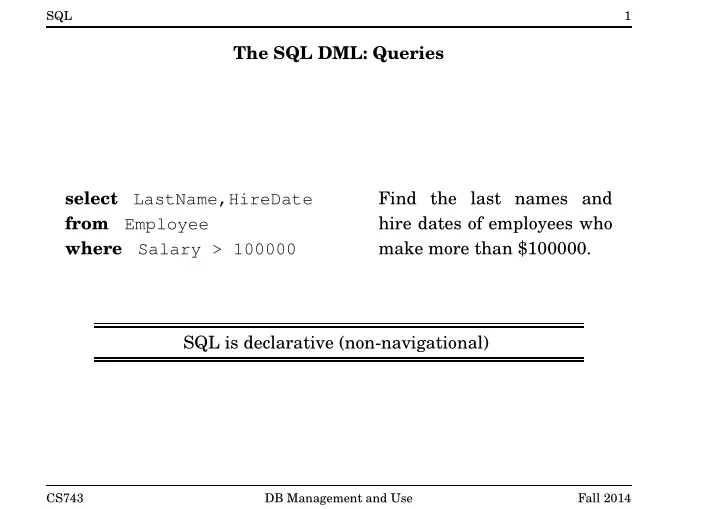
The SQL DML: Queries select LastName,HireDate from Employee where Salary > 100000 Find the last names and hire dates of employees who make more than $100000. SQL is declarative (non-navigational)
CS743 DB Management and Use Fall 2014
SLIDE 2
SQL 2
SQL Query Involving Several Relations select P.Name, E.LastName from Employee E, Project P where P.RespEmp = E.EmpNo and P.DeptNo = ’E21’ For each project for which department E21 is respon- sible, find the name of the employee in charge of that project.
CS743 DB Management and Use Fall 2014
SLIDE 3 SQL 3
The SQL Basic Query Block select attribute-expression-list from relation-list [where condition] The result of such a query is a relation which has
- ne attribute for each element of the query’s attribute-
expression-list.
CS743 DB Management and Use Fall 2014
SLIDE 4 SQL 4
The SQL “Where” Clause Conditions may include
- arithmetic operators +, -, *, /
- comparisons =, <>, <, <=, >, >=
- logical connectives and , or and not
select E.LastName from Employee E, Department D, Employee Emgr where E.WorkDept = D.DeptNo and D.MgrNo = Emgr.EmpNo and E.Salary > Emgr.Salary List the last names of em- ployees who make more than their manager.
CS743 DB Management and Use Fall 2014
SLIDE 5 SQL 5
The SQL “Select” Clause
- Return the difference between each employee’s actual salary and a
base salary of $40000 select E.EmpNo, E.Salary - 40000 as SalaryDiff from Employee E
- As above, but report zero if the actual salary is less than the base
salary select E.EmpNo, case when E.Salary < 40000 then else E.Salary - 40000 end from Employee E
CS743 DB Management and Use Fall 2014
SLIDE 6 SQL 6
Multisets
- in the relational model, relations are sets
- according to the SQL standard, tables are multisets - duplicate
tuples are allowed
- SQL queries may result in duplicates even if none of the input
tables themselves contain duplicates
- Select distinct is used to eliminate duplicates from the result
- f a query
CS743 DB Management and Use Fall 2014
SLIDE 7
SQL 7
The SQL DML: Insertion & Deletion insert into Employee values (’000350’, ’Sheldon’, ’Q’, ’Jetstream’, ’A00’, 01/10/2000, 25000.00) Insert a single tuple into the Employee relation. delete from Employee where WorkDept = ’A00’ Delete all employees in de- partment A00 from the Em- ployee table.
CS743 DB Management and Use Fall 2014
SLIDE 8
SQL 8
The SQL DML: Update update Employee set Salary = Salary * 1.05 Increase the salary of each employee by five percent. update Employee set WorkDept = ’E01’ where WorkDept = ’E21’ Move all employees in de- partment E21 into depart- ment E01.
CS743 DB Management and Use Fall 2014
SLIDE 9 SQL 9
Set Operations
- SQL defines UNION,INTERSECT and EXCEPT operations (EXCEPT is
set difference) select empno from employee except select mgrno from department
- These operations result in sets
– Q1 UNION Q2 includes any tuple that is found (at least once) in Q1 or in Q2 – Q1 INTERSECT Q2 includes any tuple that is found (at least
– Q1 EXCEPT Q2 includes any tuple that is found (at least once) in Q1 and is not found Q2
CS743 DB Management and Use Fall 2014
SLIDE 10 SQL 10
Multiset Operations
- SQL provides a multiset version of each of the set operations:
UNION ALL, INTERSECT ALL, EXCEPT ALL
- suppose Q1 includes n1 copies of some tuple t, and Q2 includes n2
copies of the same tuple t. – Q1 UNION ALL Q2 will include n1 + n2 copies of t – Q1 INTERSECT ALL Q2 will include min(n1, n2) copies of t – Q1 EXCEPT ALL Q2 will include max(n1 − n2, 0) copies of t
CS743 DB Management and Use Fall 2014
SLIDE 11 SQL 11
NULL values
- the value NULL can be assigned to an attribute to indicate
unknown or missing data
- NULLs are a necessary evil - lots of NULLs in a database instance
suggests poor schema design
- NULLs can be prohibited for certain attributes by schema
constraints, e.g., NOT NULL, PRIMARY KEY
- predicates and expressions that involve attributes that may be
NULL may evaluate to NULL – x + y evaluates to NULL if either x or y is NULL – x > y evaluates to NULL if either x or y is NULL – how to test for NULL? Use is NULL or is not NULL SQL uses a three-valued logic: TRUE, FALSE, NULL
CS743 DB Management and Use Fall 2014
SLIDE 12
SQL 12
Logical Expressions in SQL AND TRUE FALSE NULL TRUE TRUE FALSE NULL FALSE FALSE FALSE FALSE NULL NULL FALSE NULL OR TRUE FALSE NULL TRUE TRUE TRUE TRUE FALSE TRUE FALSE NULL NULL TRUE FALSE NULL NOT TRUE FALSE NULL FALSE TRUE NULL
CS743 DB Management and Use Fall 2014
SLIDE 13 SQL 13
NULL and the SQL Where Clause
select * from employee where hiredate <> ’05/05/1947’ will not return information about employees whose hiredate is NULL. The condition in a where clause filters out any tuples for which the condition evaluates to FALSE or to NULL.
CS743 DB Management and Use Fall 2014
SLIDE 14
SQL 14
Subqueries These two queries are equivalent. select deptno, deptname from department d, employee e where d.mgrno = e.empno and e.salary > 50000 select deptno, deptname from department where mgrno in ( select empno from employee where salary > 50000 )
CS743 DB Management and Use Fall 2014
SLIDE 15 SQL 15
Subquery Constructs in SQL
- SQL supports the use of the following predicates in the where
- clause. A is an attribute, Q is a query, op is one of
>, <, <>, =, <=, >=. – A IN (Q) – A NOT IN (Q) – A op SOME (Q) – A op ALL (Q) – EXISTS (Q) – NOT EXISTS (Q)
- For the first four forms, the result of Q must have a single attribute.
CS743 DB Management and Use Fall 2014
SLIDE 16
SQL 16
Another Subquery Example Find the name(s) and number(s) of the employee(s) with the highest salary. select empno, lastname from employee where salary >= all ( select salary from employee ) Is this query correct if the schema allows the salary at- tribute to contain NULLs?
CS743 DB Management and Use Fall 2014
SLIDE 17 SQL 17
Correlated Subqueries
- This query also returns the employee(s) with the largest salary:
select empno, lastname from employee E1 where salary is not null and not exists ( select * from employee E2 where E2.salary > E1.salary)
- This query contains a correlated subquery - the subquery refers to
an attribute (E1.salary) from the outer query.
CS743 DB Management and Use Fall 2014
SLIDE 18 SQL 18
Scalar Subqueries
select empno, lastname from employee where salary > (select salary from employee e2 where e2.empno = ’000190’)
select projno, (select deptname from department d where e.workdept = d.deptno) from project p, employee e where p.respemp = e.empno
CS743 DB Management and Use Fall 2014
SLIDE 19 SQL 19
Table Expressions
select projno, projname from project p, (select mgrno from department, employee where mgrno = empno and salary > 100000) as m where respemp = mgrno
with Mgrs(empno) as (select mgrno from department, employee where mgrno = empno and salary > 100000) select projno, projname from project, Mgrs where respemp = empno
CS743 DB Management and Use Fall 2014
SLIDE 20 SQL 20
Outer Joins List the manager of each department. Include in the result departments that have no manager. select deptno, deptname, lastname from department d left outer join employee e
where deptno like ’D%’ SQL supports left, right, and full outer joins.
CS743 DB Management and Use Fall 2014
SLIDE 21
SQL 21
Grouping and Aggregation: An Example For each department, list the number of employees it has and their combined salary. select deptno, deptname, sum(salary) as totalsalary, count(*) as employees from department d, employee e where e.workdept = d.deptno group by deptno, deptname
CS743 DB Management and Use Fall 2014
SLIDE 22 SQL 22
Grouping and Aggregation: Operational Semantics
- The result of a query involving grouping and aggregation can be
determined as follows:
- 1. form the cross product of the relations in the from clause
- 2. eliminate tuples that do not satisy the condition in the where
clause
- 3. form the remaining tuples into groups, where all of the tuples in
a group match on all of the grouping attributes
- 4. eliminate any groups of tuples for which the having clause is
not satisfied
- 5. generate one tuple per group. Each tuple has one attribute per
expression in the select clause.
- aggregation functions are evaluated separately for each group
CS743 DB Management and Use Fall 2014
SLIDE 23 SQL 23
Grouping and Aggregation Example
DEPTNO DEPTNAME SALARY
- ----- ----------------------------- -----------
A00 SPIFFY COMPUTER SERVICE DIV. 52750.00 A00 SPIFFY COMPUTER SERVICE DIV. 46500.00 B01 PLANNING 41250.00 C01 INFORMATION CENTER 38250.00 D21 ADMINISTRATION SYSTEMS 36170.00 D21 ADMINISTRATION SYSTEMS 22180.00 D21 ADMINISTRATION SYSTEMS 19180.00 D21 ADMINISTRATION SYSTEMS 17250.00 D21 ADMINISTRATION SYSTEMS 27380.00 E01 SUPPORT SERVICES 40175.00 E11 OPERATIONS 29750.00 E11 OPERATIONS 26250.00 E11 OPERATIONS 17750.00 E11 OPERATIONS 15900.00 E21 SOFTWARE SUPPORT 26150.00 CS743 DB Management and Use Fall 2014
SLIDE 24 SQL 24
Grouping and Aggregation Example (cont’d)
DEPTNO DEPTNAME SALARY
- ----- ----------------------------- -----------
A00 SPIFFY COMPUTER SERVICE DIV. 52750.00 A00 SPIFFY COMPUTER SERVICE DIV. 46500.00 B01 PLANNING 41250.00 C01 INFORMATION CENTER 38250.00 D21 ADMINISTRATION SYSTEMS 36170.00 D21 ADMINISTRATION SYSTEMS 22180.00 D21 ADMINISTRATION SYSTEMS 19180.00 D21 ADMINISTRATION SYSTEMS 17250.00 D21 ADMINISTRATION SYSTEMS 27380.00 E01 SUPPORT SERVICES 40175.00 E11 OPERATIONS 29750.00 E11 OPERATIONS 26250.00 E11 OPERATIONS 17750.00 E11 OPERATIONS 15900.00 E21 SOFTWARE SUPPORT 26150.00 CS743 DB Management and Use Fall 2014
SLIDE 25 SQL 25
Grouping and Aggregation Example (cont’d)
DEPTNO DEPTNAME TOTALSALARY EMPLOYEES
- ----- ----------------------------- ----------- ---------
A00 SPIFFY COMPUTER SERVICE DIV. 99250.00 2 B01 PLANNING 41250.00 1 C01 INFORMATION CENTER 38250.00 1 D21 ADMINISTRATION SYSTEMS 122160.00 5 E01 SUPPORT SERVICES 40175.00 1 E11 OPERATIONS 89650.00 4 E21 SOFTWARE SUPPORT 26150.00 1 CS743 DB Management and Use Fall 2014
SLIDE 26
SQL 26
Aggregation Functions in SQL count(*): number of tuples in the group count(E): number of tuples for which E (an expression that may involve non-grouping attributes) is non-NULL count(distinct E): number of distinct non-NULL E values sum(E): sum of non-NULL E values sum(distinct E): sum of distinct non-NULL E values avg(E): average of non-NULL E values avg(distinct E): average of distinct non-NULL E values min(E): minimum of non-NULL E values max(E): maximum of non-NULL E values
CS743 DB Management and Use Fall 2014
SLIDE 27
SQL 27
The Having Clause List the average salary for each large department. select deptno, deptname, avg(salary) as MeanSalary from department d, employee e where e.workdept = d.deptno group by deptno, deptname having count(*) >= 4 The where clause filters tuples before they are grouped, the having clause filters groups.
CS743 DB Management and Use Fall 2014
SLIDE 28 SQL 28
Grouping and Aggregation with Having
DEPTNO DEPTNAME SALARY
- ----- ----------------------------- -----------
A00 SPIFFY COMPUTER SERVICE DIV. 52750.00 A00 SPIFFY COMPUTER SERVICE DIV. 46500.00 B01 PLANNING 41250.00 C01 INFORMATION CENTER 38250.00 D21 ADMINISTRATION SYSTEMS 36170.00 D21 ADMINISTRATION SYSTEMS 22180.00 D21 ADMINISTRATION SYSTEMS 19180.00 D21 ADMINISTRATION SYSTEMS 17250.00 D21 ADMINISTRATION SYSTEMS 27380.00 E01 SUPPORT SERVICES 40175.00 E21 SOFTWARE SUPPORT 26150.00 E11 OPERATIONS 29750.00 E11 OPERATIONS 26250.00 E11 OPERATIONS 17750.00 E11 OPERATIONS 15900.00 CS743 DB Management and Use Fall 2014
SLIDE 29 SQL 29
Grouping and Aggregation with Having (cont’d)
DEPTNO DEPTNAME SALARY
- ----- ----------------------------- -----------
D21 ADMINISTRATION SYSTEMS 36170.00 D21 ADMINISTRATION SYSTEMS 22180.00 D21 ADMINISTRATION SYSTEMS 19180.00 D21 ADMINISTRATION SYSTEMS 17250.00 D21 ADMINISTRATION SYSTEMS 27380.00 E11 OPERATIONS 29750.00 E11 OPERATIONS 26250.00 E11 OPERATIONS 17750.00 E11 OPERATIONS 15900.00 CS743 DB Management and Use Fall 2014
SLIDE 30 SQL 30
Grouping and Aggregation with Having (cont’d)
DEPTNO DEPTNAME MEANSALARY
- ----- ----------------------------- -----------
D21 ADMINISTRATION SYSTEMS 24432.00 E11 OPERATIONS 22412.50 CS743 DB Management and Use Fall 2014
SLIDE 31 SQL 31
Ordering Results
- No particular ordering on the rows of a table can be assumed when
queries are written. (This is important!)
- However, it is possible to order the final result of a query, using the
- rder by clause.
select distinct e.empno, emstdate, firstnme, lastname from employee e, emp_act a where e.empno = a.empno and a.projno = ’PL2100’
emstdate
CS743 DB Management and Use Fall 2014
SLIDE 32
SQL 32
The SQL DDL create table Employee ( EmpNo char(6) not null , FirstName varchar(12) not null , MidInit char(1) not null , LastName varchar(15) not null , WorkDept char(3), HireDate date, Salary dec(9,2), primary key (EmpNo), foreign key (WorkDept) references (Department) );
CS743 DB Management and Use Fall 2014
SLIDE 33
SQL 33
Some Attribute Domains in SQL INTEGER DECIMAL(p,q): p-bit numbers, with q bits right of decimal FLOAT(p): p-bit floating point numbers CHAR(n): fixed length character string, length n VARCHAR(n): variable length character string, max. length n DATE: describes a year, month, day TIME: describes an hour, minute, second TIMESTAMP: describes and date and a time on that date YEAR/MONTH INTERVAL: time interval DAY/TIME INTERVAL: time interval . . .
CS743 DB Management and Use Fall 2014
SLIDE 34
SQL 34
Another SQL Constraint Example create table registeredin ( coursenum char (5) not null , term char (3) not null , id char (8) not null references student, sectionnum char (2) not null , mark integer , constraint mark_check check ( ( mark >= 0 and mark <= 100 ) or mark is null ), primary key (coursenum, term, id), foreign key (coursenum, sectionnum, term) references section )
CS743 DB Management and Use Fall 2014
SLIDE 35 SQL 35
The SQL DDL: Views
- Views can be used to customize the conceptual schema for
particular users or applications. create view ManufacturingProjects as ( select projno, projname, firstnme, lastname from project, employee where respemp = empno and deptno = ’D21’ )
- Once defined, a view can be queried like any other table:
select * from ManufacturingProjects
- Views behave like tables: information about them appears in the
database catalog, access controls can be applied to them, views can be defined on them, ...
CS743 DB Management and Use Fall 2014
SLIDE 36 SQL 36
Updating Views
- View updates (INSERT/DELETE/UPDATE) are implemented by
updating the view’s underlying table(s).
- Some views cannot be updated unambiguously. Consider the view:
create view Manages as ( select e.empno, d.mgrno from employee e, department d where e.workdept = d.deptno ) and the insertion insert into Manages values ( ’000350’, ’000100’ )
- What does this insertion mean?
CS743 DB Management and Use Fall 2014