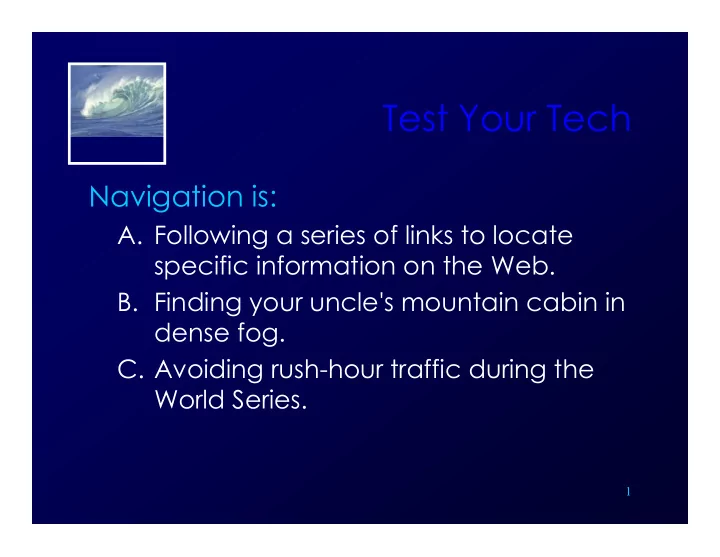
Test Your Tech FIT100 FIT100 FIT100 Navigation is: A. Following - - PowerPoint PPT Presentation

test your tech
SMART_READER_LITE
LIVE PREVIEW

Test Your Tech FIT100 FIT100 FIT100 Navigation is: A. Following - - PowerPoint PPT Presentation

Test Your Tech FIT100 FIT100 FIT100 Navigation is: A. Following a series of links to locate A. Following a series of links to locate specific information on the Web. B. Finding your uncle's mountain cabin in g y dense fog. C. Avoiding


slide-1
SLIDE 1

FIT100 FIT100 FIT100

Test Your Tech

Navigation is:

  • A. Following a series of links to locate
  • A. Following a series of links to locate

specific information on the Web.

  • B. Finding your uncle's mountain cabin in

g y dense fog.

  • C. Avoiding rush-hour traffic during the

g g World Series.

1

slide-2
SLIDE 2

FIT100 FIT100 FIT100

Test Your Tech

Navigation is:

  • A. Following a series of links to locate
  • A. Following a series of links to locate

specific information on the Web.

  • B. Finding your uncle's mountain cabin in

g y dense fog.

  • C. Avoiding rush-hour traffic during the

g g World Series.

2

slide-3
SLIDE 3

FIT100 FIT100 FIT100

Announcements

  • Due by today

∗ Chapters 1-5 in F lue nc y

  • For Monday

∗ Read Chapter 6

3

slide-4
SLIDE 4

FIT100 FIT100 FIT100

NET WO RKING WRAP- UP

A little bit mo re

NET WO RKING WRAP UP

4

slide-5
SLIDE 5

FIT100 FIT100 FIT100

Activity

  • Dissecting URLs….

∗ http://224.127.199.8 http://224.127.199.8

  • Physical IP address

5

slide-6
SLIDE 6

FIT100 FIT100 FIT100

Networks

  • Servers

∗ Your own home computer Your own home computer

  • If you’re sharing files with someone else

∗ A single computer in a UW department g p p ∗ A cluster of many computers (Dante)

  • Server software distributes the “load”

among the servers

  • Server “farm” is across campus

6

slide-7
SLIDE 7

FIT100 FIT100 FIT100

SSH Secure File Transfer (SFTP)

  • Copy files between two computers
  • Use it at home or anywhere

Use it at home or anywhere

slide-8
SLIDE 8

FIT100 FIT100 FIT100

Why use SFTP?

Advantages:

  • Secure, encrypted transfers
  • Remote access from anywhere
  • Network space (storage/backup)
  • Network space (storage/backup)

∗ Dante = 300MB 1 CD ROM ≈ 700MB 1 CD-ROM ≈ 700MB 1 DVD ≈ Si l id d 4700GB (4 6GB) Single-sided: 4700GB (4.6GB) Double-sided: 9400GB (9.2GB)

slide-9
SLIDE 9

FIT100 FIT100 FIT100

What can I connect to?

  • UW SFTP Servers

∗ dante.u.washington.edu for students dante.u.washington.edu for students ∗ homer.u.washington.edu for faculty & staff

  • Maybe your own ISP?
slide-10
SLIDE 10

FIT100 FIT100 FIT100

SFTP Client/Server Model

Copy files to a server and and access them from

»Any computer! »Anywhere! »Anywhere!

slide-11
SLIDE 11

SFTP Client/Server Model

FIT100 FIT100 FIT100

Local CPU Keyboard Mouse Monitor

I nput Output

Local storage space space Hard Drive

Rem ote CPU

dante.u.w ashington.edu

SFTP UPLOAD SFTP DOW NLOAD

Your UW account directory UW NetI D:_ _ _ _ _ _ _ _ Passw ord :_ _ _ _ _ _ _ _ _ Hard Drive

slide-12
SLIDE 12

FIT100 FIT100 FIT100

SFTP Interface

Remote Server Local Computer

slide-13
SLIDE 13

FIT100 FIT100 FIT100

Video

  • Warriors of the Net

13

slide-14
SLIDE 14

FIT100 FIT100 FIT100

One Liner

  • One sentence

∗ Most interesting part of the video Most interesting part of the video

14

slide-15
SLIDE 15

FIT100 FIT100 FIT100

Quick Write

  • Two paragraphs
  • Five minutes

Five minutes

  • Topic:

H d th W ld Wid W b th ∗ How does the World Wide Web use the Internet and the http protocol?

15

slide-16
SLIDE 16

FIT100 FIT100 FIT100

Announcements

  • Chapter 6 for Monday
  • Due before Noon

Due before Noon

∗ Labs 3 and 4 ∗ HW2 ∗ HW2

16