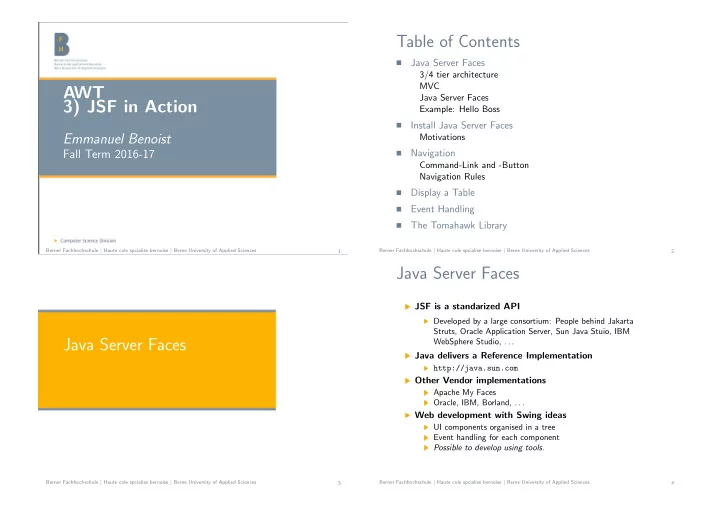
Table of Contents Java Server Faces 3/4 tier architecture MVC - - PowerPoint PPT Presentation

table of contents
SMART_READER_LITE
LIVE PREVIEW

Table of Contents Java Server Faces 3/4 tier architecture MVC - - PowerPoint PPT Presentation

Table of Contents Java Server Faces 3/4 tier architecture MVC AWT Java Server Faces 3) JSF in Action Example: Hello Boss Install Java Server Faces Emmanuel Benoist Motivations Fall Term 2016-17 Navigation Command-Link and


slide-1
SLIDE 1

AWT 3) JSF in Action

Emmanuel Benoist

Fall Term 2016-17

Berner Fachhochschule | Haute cole spcialise bernoise | Berne University of Applied Sciences 1

Table of Contents

  • Java Server Faces

3/4 tier architecture MVC Java Server Faces Example: Hello Boss

  • Install Java Server Faces

Motivations

  • Navigation

Command-Link and -Button Navigation Rules

  • Display a Table
  • Event Handling
  • The Tomahawk Library

Berner Fachhochschule | Haute cole spcialise bernoise | Berne University of Applied Sciences 2

Java Server Faces

Berner Fachhochschule | Haute cole spcialise bernoise | Berne University of Applied Sciences 3

Java Server Faces

JSF is a standarized API

Developed by a large consortium: People behind Jakarta Struts, Oracle Application Server, Sun Java Stuio, IBM WebSphere Studio, . . .

Java delivers a Reference Implementation

http://java.sun.com

Other Vendor implementations

Apache My Faces Oracle, IBM, Borland, . . .

Web development with Swing ideas

UI components organised in a tree Event handling for each component Possible to develop using tools.

Berner Fachhochschule | Haute cole spcialise bernoise | Berne University of Applied Sciences 4

slide-2
SLIDE 2

3/4 tier architecture

Berner Fachhochschule | Haute cole spcialise bernoise | Berne University of Applied Sciences 5

Three-tier JSF configuration

Java Virtual Machine JSF JSP Servlet Application Logic (POJO) Database JDBC HTML/HTTP Browser

(POJO= Plain old Java objects)

Berner Fachhochschule | Haute cole spcialise bernoise | Berne University of Applied Sciences 6

Four-tier JSF configuration

Database Single JVM Single JVM Browser JSP Servlet Event Classes Handler JSF Application Logic EJB CMP or BMP HTML/ HTTP Berner Fachhochschule | Haute cole spcialise bernoise | Berne University of Applied Sciences 7

MVC

Berner Fachhochschule | Haute cole spcialise bernoise | Berne University of Applied Sciences 8

slide-3
SLIDE 3

MVC: Model View Controler

An architecture for separating business logic from layout

View part is the most volatil Has to be addapted when changing OS, firm, . . . Highly coupled applications are difficult to maintain

MVC Pattern

To have different representations of the same application To provide different look and feels for a user interface To reuse one or more user interface components independently

  • f the application data.

Berner Fachhochschule | Haute cole spcialise bernoise | Berne University of Applied Sciences 9

Model View Controler

Model

Representation of application data (or state) And Functional logic It is the core of the application

View

Representations of application data This is the participant that a user directly interacts with

Controler

Processes user-driven events It may updatae the Model or direct manipulation of the View

Berner Fachhochschule | Haute cole spcialise bernoise | Berne University of Applied Sciences 10

Model View Controler (Cont.)

View Controler

Changes to data in the Model may require user interface components in the View to update themeselves User interface components in the view may request data from the Model Changes to the Model data may affect the behaviour of a Controler The Controler may translate some user−driven events to changes in model data Controler receives events resulting from user inferaction User−driven events may require manipulation of the View (changing one or more interface components or creating new ones)

Model

Berner Fachhochschule | Haute cole spcialise bernoise | Berne University of Applied Sciences 11

Model 2: MVC for the web

Browser Controler Model View Servlet Java Beans JSP XML HTML etc Request Response Forward Updates Displays

(Model 1 = JSP handling almost everything: forms, logic, sessions variables,. . . )

Berner Fachhochschule | Haute cole spcialise bernoise | Berne University of Applied Sciences 12

slide-4
SLIDE 4

Java Server Faces

Berner Fachhochschule | Haute cole spcialise bernoise | Berne University of Applied Sciences 13

Java Server Faces

Event / Component Framework

Application contains a component tree Action Handlers and Event Listeners interract with these components

JSF = Swing for the web

Components are composable (a set of components can form

  • ne big component)

Components are event-driven They can change their apparence to fit common look and feel

Berner Fachhochschule | Haute cole spcialise bernoise | Berne University of Applied Sciences 14

JSF Model-2

Controler

Faces Servlet

Action Handlers & Event Listeners

Tree Component

Component Model Java Beans Delegates Converters Validators Renderers Resources Java Beans Propery Files XML Business Objects EJB JDO JavaBeans/ JDBC

View Model

config

Request Response

Berner Fachhochschule | Haute cole spcialise bernoise | Berne University of Applied Sciences 15

Example: Hello Boss

Berner Fachhochschule | Haute cole spcialise bernoise | Berne University of Applied Sciences 16

slide-5
SLIDE 5

Example: Hello Boss

One page for login,

the user types its username (for the password, just double the code) This is stored in a ManagedBean called HelloBean

How does it work:

display page hello.xhtml Populate to the bean HelloBean Execute method response() If the answer is hello go to hello.xhtml If the answer is response go to response.xhtml

Berner Fachhochschule | Haute cole spcialise bernoise | Berne University of Applied Sciences 17

HelloBean

@ManagedBean @SessionScoped public class HelloBean implements Serializable { private String name; public String getName() { return name;} public void setName(String name) { this.name = name; } private String greeting; public String getGreeting() { return greeting;} public void setGreeting(String greeting) { this.greeting = greeting; } public String response(){ if (name!=null && name.equals(”Emmanuel”)){ return ”response”; } greeting=”This is the wrong name”; return ”hello”; } }

Berner Fachhochschule | Haute cole spcialise bernoise | Berne University of Applied Sciences 18

View: hello.xhtml

<!DOCTYPE html PUBLIC ”−//W3C//DTD XHTML 1.0 Transitional//ց

→EN” ”http://www.w3.org/TR/xhtml1/DTD/xhtml1−transitional.dtd”>

<html xmlns=”http://www.w3.org/1999/xhtml” xmlns:f=”http://java.sun.com/jsf/core” xmlns:h=”http://java.sun.com/jsf/html”> <f:view contentType=”text/html”/> <h:head> <title>Hello World!</title> </h:head> <h:body bgcolor=”white”> <h2>My name is Duke. What is yours?</h2> <h2>#{helloBean.greeting}</h2> <h:form id=”helloForm” > <h:graphicImage id=”waveImg” url=”#{resource[’wave.med.gifց

→’]}” />

<h:inputText id=”username” value=”#{helloBean.name}”/> <h:commandButton id=”submit” action=”#{helloBean.ց

→response}” value=”Submit”/>

</h:form></h:body></html>

Berner Fachhochschule | Haute cole spcialise bernoise | Berne University of Applied Sciences 19

View: response.xhtml

<!DOCTYPE html PUBLIC ”−//W3C//DTD XHTML 1.0 ց

→Transitional//EN” ”http://www.w3.org/TR/xhtml1/DTD/xhtml1−ց →transitional.dtd”>

<html xmlns=”http://www.w3.org/1999/xhtml” xmlns:f=”http://java.sun.com/jsf/core” xmlns:h=”http://java.sun.com/jsf/html”> <f:view contentType=”text/html; charset=iso−8859−1”/> <head><title>Response</title></head> <body> <h:form id=”responseform”> <h:graphicImage id=”waveImg” url=”#{resource[’wave.med.gif’]}ց

→” />

<h2>Hi, #{helloBean.name}</h2> <h:commandButton id=”back” value=”Back” action=”hello” /ց

→>

</h:form> </body> </html>

Berner Fachhochschule | Haute cole spcialise bernoise | Berne University of Applied Sciences 20

slide-6
SLIDE 6

JSF is event driven

Two types of events Value Changed (javax.faces.event.ValueChangeEvent)

  • bserves changes to the user interface component property

◮ Expanding a tree, ◮ changing the text of a field

Action (javax.faces.event.ActionEvent) Observes the activation of a descendent of a UICommand

◮ buttons and hyperlinks

Example I: Value Changed listener on an input text field <h:inputText id=”userId” value=”#{login.userId}”> <f:valueChangedListener type=”ch.bfh.jsf.UserLoginChanged”ց

→/>

<h:/inputText> Example II: Action event listener on a command button <h:commandButton id=”login” commandName=”login”> <f:actionListener type=”ch.bfh.jsf.LoginActionListener” /> </h:commandButton>

Berner Fachhochschule | Haute cole spcialise bernoise | Berne University of Applied Sciences 21

Java Server Faces

Partialy page oriented JSF is a descendant of Struts Value returned and navigation rules Core: Event and Component driven JSF has the same parents than Swing and belongs to the same familly.

Berner Fachhochschule | Haute cole spcialise bernoise | Berne University of Applied Sciences 22

Install Java Server Faces

Berner Fachhochschule | Haute cole spcialise bernoise | Berne University of Applied Sciences 23

Motivations

Berner Fachhochschule | Haute cole spcialise bernoise | Berne University of Applied Sciences 24

slide-7
SLIDE 7

Motivations

Mojarra - Reference Implementation

Used in the examples last week Does contain mainly standard components

Apache MyFaces JSF implementation

Does contain the same set of components Contains also custom components Is the most used JSF implementation Is linked with other libraries: Tomahawk, Tobago, Trinidad

Other implementations

Any vendor can develop his own implementation of JSF Anybody can also develop his own set of new reusable components

Berner Fachhochschule | Haute cole spcialise bernoise | Berne University of Applied Sciences 25

Install Apache MyFaces

Download the MyFaces libraries http://myfaces.apache.org/download.html Copy all the jar files into your lib directory commons-beanutils.jar Provides services for collections of beans commons-codec.jar Provides implementation of common encoders and decoders such as Base64, Hexadecimal, Phonetic, and URL commons-collections.jar The standard for collection handling in Java (org.apache.commons.collections packages) commons-digester.jar The Rules-based processing of arbitrary XML documents commons-logging.jar Providing a wrap-around for common Logging API’s

Berner Fachhochschule | Haute cole spcialise bernoise | Berne University of Applied Sciences 26

Install Apache MyFaces (Cont.)

myfaces-api.jar and myfaces-impl.jar the core MyFaces library tomahawk.jar contains other new components commons-discovery.jar used for locating classes that implement a given interface commons-el.jar the interpreter for the Expression Language defined in JSP 2.0 jstl.jar JSP Standard Template Library

Berner Fachhochschule | Haute cole spcialise bernoise | Berne University of Applied Sciences 27

Use JSF tags in an XHTML file

Need to declare the JSF tag-libraries at the beginning of the file Encapsulate all the <f:..> and <h:...> tags inside a <f:view> Encapsulate all navigation items inside a <h:form > <!DOCTYPE html PUBLIC ”−//W3C//DTD XHTML 1.0 Transitional//ց

→EN” ”http://www.w3.org/TR/xhtml1/DTD/xhtml1−transitional.dtd”>

<html xmlns=”http://www.w3.org/1999/xhtml” xmlns:f=”http://java.sun.com/jsf/core” xmlns:h=”http://java.sun.com/jsf/html”> <f:view contentType=”text/html”/> <h:head> <title>Hello World!</title> </h:head> <h:body bgcolor=”white”> <h2>Hello World?</h2> <h:form id=”helloForm” > <h:commandLink id=”submit” action=”menu” value=”Back”/> </h:form> </h:body> </html>

Berner Fachhochschule | Haute cole spcialise bernoise | Berne University of Applied Sciences 28

slide-8
SLIDE 8

Encapsulate texts of your application

No text should be written inside the application

Text can be changed from outside Text can be easily internationalized

Define a text file called : src/mylib/Messages.properties hello=hello title=Hello Me back=Back send=Send

Berner Fachhochschule | Haute cole spcialise bernoise | Berne University of Applied Sciences 29

Encapsulate texts of your application (Cont.)

Declare the bundle in the XHTML file <f:loadBundle basename=”mylib.Messages” var=”messages” /> Use the value to display the content (inside the view) <f:view> <body> <h1>#{messages.hello}</h1> Content of the bundle is accessible using JSF EL (expression language) in any JSF tag (as value for instance).

Berner Fachhochschule | Haute cole spcialise bernoise | Berne University of Applied Sciences 30

Backing Beans

Objects can be accessed in the JSF Expression Language

They are called backing beans Need to be registered in the faces-config.xml Or to be registered using annotations “Properties” are automatically matched to values

Declaration in the faces-config.xml <managed−bean> <description> The ”backing file” bean that backs up the name </description> <managed−bean−name>myuser</managed−bean−name> <managed−bean−class> ch.bfh.ti.awt.exampleMyFaces.User </managed−bean−class> <managed−bean−scope>request</managed−bean−scope> </managed−bean>

Berner Fachhochschule | Haute cole spcialise bernoise | Berne University of Applied Sciences 31

Baking Bean (Cont.)

The previous declaration corresponds to the following class

It is a bean containing one String property called name

package ch.bfh.ti.awt.exampleMyFaces; public class User{ private String name; public void setName(String n){ name = n; } public String getName(){ return name; } }

Berner Fachhochschule | Haute cole spcialise bernoise | Berne University of Applied Sciences 32

slide-9
SLIDE 9

Baking Bean (Cont.)

One can also simply “annotate” the Java Bean file package mylib; import javax.faces.bean.ManagedBean; import javax.faces.bean.SessionScoped; import java.io.Serializable; @ManagedBean @SessionScoped public class HelloBean implements Serializable { private String name; public String getName() { return name;} public void setName(String name) { this.name = name; } }

Berner Fachhochschule | Haute cole spcialise bernoise | Berne University of Applied Sciences 33

Bean properties and EL

The property can be linked inside any XHTML file using JSF Expression Language Can be used inside an output text (similar to message bundles) <f:loadBundle basename=”mylib.Messages” var=”messages” /> ... <h1>#{messages.hello} #{myuser.name}</h1> The property can be used inside a form (both geter and seter are used) <h:form> Type your name: <h:inputText value=”#{myuser.name}” /> <h:commandButton id=”submit” action=”sendname” value=”Send”ց

→/>

<h:commandLink value=”Back” action=”back” /> </h:form>

Berner Fachhochschule | Haute cole spcialise bernoise | Berne University of Applied Sciences 34

Components corresponding to html tags

Password (i.e. a field that one can not see) <h:form> <h:inputSecret value=”#{user.pwd}” /> </h:form> Image - file to be placed in resources/ in the project (or web/resources/ in our development environment <h:form><br> <h:graphicImage id=”gi” alt=”The image could not be found.ց

→”

url=”#{resource[’bfh.jpg’]}” width=”250” heightց

→=”250”

title=”This is demo for ’graphicImage’ tag” > </h:graphicImage> </h:form>

Berner Fachhochschule | Haute cole spcialise bernoise | Berne University of Applied Sciences 35

The messages

A message can be associated with an input tag.

Messages will not appear normally During validation/conversion process, the component may receive some “messages”. They are displayed in the <h:message> tag when existing Provide a way to display error messages not only by the object.

<h:inputText id=”input text” value=”#{MessageBean.a}” required=”true”/> <h:message for=”input text” />

Berner Fachhochschule | Haute cole spcialise bernoise | Berne University of Applied Sciences 36

slide-10
SLIDE 10

Navigation

Berner Fachhochschule | Haute cole spcialise bernoise | Berne University of Applied Sciences 37

Command-Link and -Button

Berner Fachhochschule | Haute cole spcialise bernoise | Berne University of Applied Sciences 38

Navigation in a JSF application

HTML navigation is not JSF conform

<a href="hello.jsf"> a link <form action="myprog.jsf"> a form Both remove the consistency of a JSF session. Component tree, status, session, are lost using those links

Use JSF navigation instead

Command link Is rendered like a link, but must be put inside a form Value is the text displayed inside the link (can be any EL expression) Action corresponds to JSF navigation (can also be the return value of an EL expression)

<h:form> <h:commandLink value=”Hello World” action=”hello”> </h:commandLink> </h:form>

Berner Fachhochschule | Haute cole spcialise bernoise | Berne University of Applied Sciences 39

JSF Navigation

Actions can also be generated by Buttons

Command Button <h:form> Type your name: <h:inputText value=”#{myuser.name}” ց

→/>

<h:commandButton id=”submit” action=”hello” value=”ց

→Send”/>

<h:commandLink value=”Back” action=”menu” /> </h:form> Must be included in a form Is rendered with a Button Text in value is displayed in the button Action is sent to the navigation of JSF (goes to the files hello.xhtml or menu.xhtml)

Berner Fachhochschule | Haute cole spcialise bernoise | Berne University of Applied Sciences 40

slide-11
SLIDE 11

Action returned by a method

The action of a command link or button can be an EL expression Can be a string Or the value returned by a method The XHTML file: <h:form> <h:outputLabel for=”userid”> <h:outputText value=”User ID” /> </h:outputLabel> <h:inputText id=”userId” value=”#{login.userId}”/><br/> <h:outputLabel for=”password”> <h:outputText value=”password” /> </h:outputLabel> <h:inputSecret id=”password” value=”#{login.password}”/><brց

→/>

<h:commandButton action=”#{login.login}” value=”Login”/> </h:form>

Berner Fachhochschule | Haute cole spcialise bernoise | Berne University of Applied Sciences 41

Action returned by a method (Cont.)

The corresponding Java Bean public String login(){ if((userId==null) || (userId.length()<1)) return ”failure”; if ((password == null) || (password.length()<1)) return ”failure”; User user = null; UserSecurityService service = new ց

→UserSecurityService();

user = service.login(userId,password); //user = new User(””,””); if(user == null) return ”failure”; return ”success”; }

Berner Fachhochschule | Haute cole spcialise bernoise | Berne University of Applied Sciences 42

Navigation Rules

Berner Fachhochschule | Haute cole spcialise bernoise | Berne University of Applied Sciences 43

Navigation Rules

If no navigation rules are defined, the files failure.xhtml and success.xhtml will be executed.

Berner Fachhochschule | Haute cole spcialise bernoise | Berne University of Applied Sciences 44

slide-12
SLIDE 12

Navigation Rules

Navigation can to be declared in the faces-config.xml

Define a navigation link: A page to come from An action (the value written in the action attributes) A page to go to.

<navigation−rule> <description> The main page, dispatching requests over the different JSF ց

→examples

</description> <from−view−id>/menu.xhtml</from−view−id> <navigation−case> <description> The Hello World application (simple Hello world in JSF) </description> <from−outcome>hello</from−outcome> <to−view−id>/hello.xhtml</to−view−id> </navigation−case> </navigation−rule>

Berner Fachhochschule | Haute cole spcialise bernoise | Berne University of Applied Sciences 45

Navigation Rules (Cont.)

Per default, the navigation does display the name of

  • rigin file

If form is menu.xhtml we click on a link The URL remains menu.xhtml

We can change it by defining the navigation case to be a “redirect” <navigation−case> <description> The Hello World application (simple Hello world in JSF) </description> <from−outcome>hello</from−outcome> <to−view−id>/hello.xhtml</to−view−id> <redirect /> </navigation−case>

Berner Fachhochschule | Haute cole spcialise bernoise | Berne University of Applied Sciences 46

Display a Table

Berner Fachhochschule | Haute cole spcialise bernoise | Berne University of Applied Sciences 47

The component for displaying tables

The DataTable component

Can display the content of any table Takes a collection as input, and displays each of the elements

A table is composed of columns

Elements in a component are displayed how they are placed (in the same order)

A column can contain a “header”

This should not be placed anywhere We use a facet

A facet represents a specific role in a component

Facet is recognized using its name (“header” in our case)

Berner Fachhochschule | Haute cole spcialise bernoise | Berne University of Applied Sciences 48

slide-13
SLIDE 13

A table (dataTable component)

<h:dataTable id=”dataTable” styleClass=”scrollerTable” var=”module” value=”#{modules.data}” rows=”3”ց

→>

<h:column> <f:facet name=”header”> <h:outputText value=”#{messages.tableHeaderNb}” /> </f:facet> <h:outputText value=”#{module.number}” /> </h:column> <h:column> <f:facet name=”header”> <h:outputText value=”#{messages.tableHeaderDesc}” /> </f:facet> <h:outputText value=”#{module.name}” /> </h:column> </h:dataTable>

Berner Fachhochschule | Haute cole spcialise bernoise | Berne University of Applied Sciences 49

The Java Bean

package mylib; import java.util.∗; @ManagedBean @SessionScoped public class DataBean implements Serializable{ List data; public DataBean(){ data = new LinkedList(); // The following Data should be hold out of a Database data.add(new Module(”2405”,”Marketing”)); data.add(new Module(”7083”,”Ergonomie, Psychologie”)); ... } public List getData(){ return data; } public void setData(List l){ return; } }

Berner Fachhochschule | Haute cole spcialise bernoise | Berne University of Applied Sciences 50

Event Handling

Berner Fachhochschule | Haute cole spcialise bernoise | Berne University of Applied Sciences 51

Event Handling

Navigation and Event Handling

Navigation moves between pages Even Handling is fired even if the page remains the same

Two types of events

Value Changed Event When the value contained in a component is changed Typical for Input fields Action Event A link or a button have been clicked There is no need to use an action and a navigation

Berner Fachhochschule | Haute cole spcialise bernoise | Berne University of Applied Sciences 52

slide-14
SLIDE 14

Event Handling

For instance define links without action <h:form> <h:commandLink id=”fr” value=”#{bundle.french}”> <f:actionListener type=”mypackage.LanguageChangedActionEvent” ց

→/>

</h:commandLink> <h:commandLink id=”de” value=”#{bundle.german}”> <f:actionListener type=”mypackage.LanguageChangedActionEvent” ց

→/>

</h:commandLink> Define an event handling public class LanguageChangedActionEvent implements ActionListener { public void processAction(ActionEvent e) throws AbortProcessingException{ String language = e.getComponent().getId(); FacesContext context = FacesContext.getCurrentInstance(); context.getViewRoot().setLocale(new Locale(language)); } }

Berner Fachhochschule | Haute cole spcialise bernoise | Berne University of Applied Sciences 53

The Tomahawk Library

Berner Fachhochschule | Haute cole spcialise bernoise | Berne University of Applied Sciences 54

The Tomahawk Library

Supported by the Apache Fundation

Part of MyFaces project (but not in the core API) Contains useful components

Examples of MyFaces Tomahawk Components

Calendar (inline or popup) Data Scroller (for paging of tables) jscookmenu (for creating a dynamic menu) newspaperTable (for displaying Data on many columns, like a newspaper) tabbedPane tree2 . . .

Berner Fachhochschule | Haute cole spcialise bernoise | Berne University of Applied Sciences 55

Install Tomahawk

Download Tomahawk

From the apache web site.

Install tomahawk.jar in your library path

Be sure it will be accordingly deployed

Insert the Tomahawk taglib in your JSP files <html xmlns=”http://www.w3.org/1999/xhtml” xmlns:f=”http://java.sun.com/jsf/core” xmlns:h=”http://java.sun.com/jsf/html” xmlns:t=”http://myfaces.apache.org/tomahawk”>

Berner Fachhochschule | Haute cole spcialise bernoise | Berne University of Applied Sciences 56

slide-15
SLIDE 15

Example: The DataScroller

Suppose we have a List of modules

It is stored in a Java Bean The list is displayed in a dataTable

We want to add paging functionality

We need the DataScroller Tomahawk Component (<t:dataScroller>) But we need to use tomahawk dataTable also

Berner Fachhochschule | Haute cole spcialise bernoise | Berne University of Applied Sciences 57

A Paged table

<h:form> <t:dataTable id=”dataTable” styleClass=”scrollerTable” var=”module” value=”#{modules.data}” rows=”3”> <h:column> <f:facet name=”header”> <h:outputText value=”#{messages.tableHeaderRowNumber}” /> </f:facet> <h:outputText value=”#{module.number}” /> </h:column> <h:column> <f:facet name=”header”> <h:outputText value=”#{messages.tableHeaderRowDescription}” /> </f:facet> <h:outputText value=”#{module.name}” /> </h:column> </t:dataTable> <h:panelGrid columns=”1” styleClass=”scrollerTable2” columnClasses=”standardTable ColumnCentered”> <t:dataScroller id=”pagination” for=”dataTable” fastStep=”20” pageCountVar=”pageCount” pageIndexVar=”pageIndex” styleClass=”scroller” paginator=”true” paginatorMaxPages=”ց →14” paginatorTableClass=”paginator” paginatorActiveColumnStyle=”font−weight:bold;”> <f:facet name=”previous”> <t:outputText value=”<” /> </f:facet> <f:facet name=”next”> <t:outputText value=”>” /> </f:facet> <f:facet name=”fastforward”> <t:outputText value=”>>” /> </f:facet> </t:dataScroller> Berner Fachhochschule | Haute cole spcialise bernoise | Berne University of Applied Sciences 58

Conclusion

Building a JSF Application

Create the Business Logic Create the Data Beans Define the pages and the connection to beans (using EL) Define Navigation between the pages

JSF is powerful

You can implement your own new components You can import new libraries of components (like Tomahawk)

Berner Fachhochschule | Haute cole spcialise bernoise | Berne University of Applied Sciences 59

References

Books

Mastering Java Server Faces B.Dudney et al. - Wiley Pro JSF and Ajax - Building Rich Internet Components J.Jacobi and J. R. Fallows - Apress (2006) The definitive guide to Apache MyFaces and Facelets Z Wadia et al. - Apress (2008)

MyFaces web site http://myfaces.apache.org/ Tomahawk Web Site http://myfaces.apache.org/tomahawk/index.html mojarra JSF 2 Reference Implementation, https://javaserverfaces.dev.java.net/

Berner Fachhochschule | Haute cole spcialise bernoise | Berne University of Applied Sciences 60