Supplement 189: Parametric Blending Presentation State Storage 1 - - PowerPoint PPT Presentation

supplement 189 parametric blending presentation state
SMART_READER_LITE
LIVE PREVIEW

Supplement 189: Parametric Blending Presentation State Storage 1 - - PowerPoint PPT Presentation

Supplement 189: Parametric Blending Presentation State Storage 1 Overview Objective Input data Blending operation Example 2 Blending Presentation State introduction Objective Allowing to show spatial relationship of


slide-1
SLIDE 1

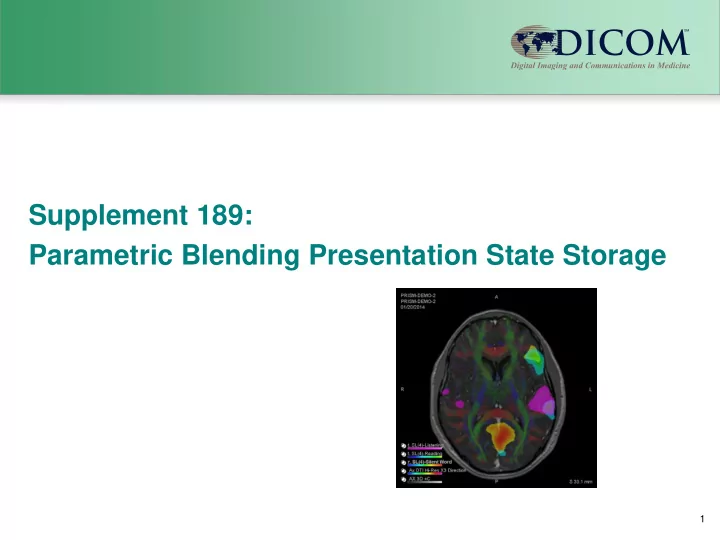
Supplement 189: Parametric Blending Presentation State Storage

1
slide-2
SLIDE 2

Overview

  • Objective
  • Input data
  • Blending operation
  • Example

2 Blending Presentation State introduction

slide-3
SLIDE 3

Objective

Allowing to show spatial relationship of the parametric maps and structural images without loosing the ability to use:

  • Geometry
  • Spatial and Parametric Information
  • Thresholds

Major usage for Surgery and Therapy planning Is Modality independent

3 Blending Presentation State introduction

slide-4
SLIDE 4

Input Data

Describing the different information sets that will be blended:

  • Structural dataset(s) for anatomy
  • Parametric Maps for Functional Information

4 Blending Presentation State introduction

slide-5
SLIDE 5

Blending operation

  • Apply Threshold to highlight the important

areas

  • Supports the use of the Color information in

the input datasets

  • Blends the different datasets in specified
  • rder without losing the color information

5 Blending Presentation State introduction

slide-6
SLIDE 6

Blending operation

Requires Frame of Reference Supports usage of

  • Padding
  • Graphics overlays
  • Segmented Color LUT description
  • Real World value measurements

Expects CP 1584 to be finalized for color support in Parametric maps.

6 Blending Presentation State introduction

slide-7
SLIDE 7

Example

Blending Presentation State introduction 7

Use case is brain mapping for pre-treatment planning. The goal is to visualize white matter, eloquent cortex for language with respect to the anatomy

  • White matter is done by Color DTI
  • Eloquent cortex is done by multiple language fMRI

paradigms

  • Anatomy is post contrast T1
slide-8
SLIDE 8

Example Result

Blending Presentation State introduction 8

View combining:

  • Anatomical image
  • 3 parametric maps
  • DTI map

Using:

  • Thresholds
  • Opacity
slide-9
SLIDE 9

Individual Images

9

  • Anatomical

Blending Presentation State introduction

slide-10
SLIDE 10

Individual Images

10

  • Parametric map showing coloring and applying

threshold coloring of the image

Blending Presentation State introduction

slide-11
SLIDE 11

Individual Images

11

  • Parametric map showing coloring and applying

threshold coloring of the image

Blending Presentation State introduction

slide-12
SLIDE 12

Individual Images

12

  • Parametric map showing coloring and applying

threshold coloring of the image

Blending Presentation State introduction

slide-13
SLIDE 13

Individual Images

13

  • RGB image showing the DTI information having no

threshold

Blending Presentation State introduction

slide-14
SLIDE 14

Result view

14

  • Result view after blending of the different images

Blending Presentation State introduction

slide-15
SLIDE 15

Result view

15

  • Result view after blending of the different images

with application added information.

Blending Presentation State introduction

slide-16
SLIDE 16

What is not specified

16

  • The algorithms used to make the different spatial

datasets map to each other

  • Windowing of gray scale information before it is

colored and blended

Blending Presentation State introduction