State of Collaboration 2019 Fall Conference | October 2223 - - PDF document

state of collaboration
SMART_READER_LITE
LIVE PREVIEW

State of Collaboration 2019 Fall Conference | October 2223 - - PDF document

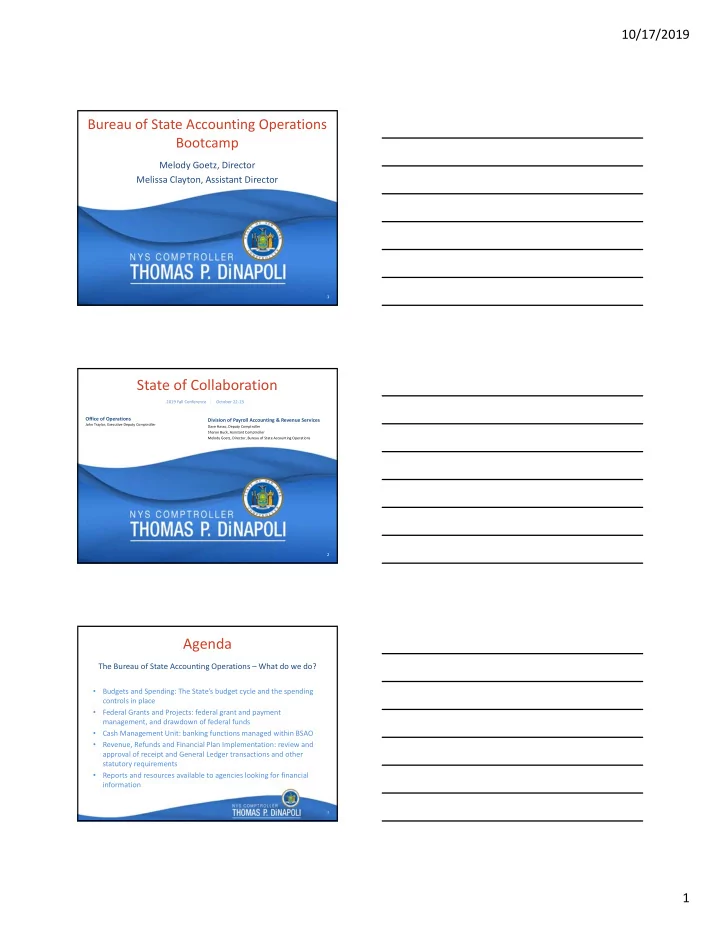
10/17/2019 Bureau of State Accounting Operations Bootcamp Melody Goetz, Director Melissa Clayton, Assistant Director 1 1 State of Collaboration 2019 Fall Conference | October 2223 Office of Operations Division of Payroll Accounting


slide-1
SLIDE 1

10/17/2019 1

1 1

Bureau of State Accounting Operations Bootcamp

Melody Goetz, Director Melissa Clayton, Assistant Director

2 2

State of Collaboration

Office of Operations

John Traylor, Executive Deputy Comptroller

Division of Payroll Accounting & Revenue Services

Dave Hasso, Deputy Comptroller Sharon Buck, Assistant Comptroller Melody Goetz, Director, Bureau of State Accounting Operations

2019 Fall Conference | October 22‐23 3

Agenda

  • Budgets and Spending: The State’s budget cycle and the spending

controls in place

  • Federal Grants and Projects: federal grant and payment

management, and drawdown of federal funds

  • Cash Management Unit: banking functions managed within BSAO
  • Revenue, Refunds and Financial Plan Implementation: review and

approval of receipt and General Ledger transactions and other statutory requirements

  • Reports and resources available to agencies looking for financial

information

The Bureau of State Accounting Operations – What do we do?

slide-2
SLIDE 2

10/17/2019 2

4

  • June – September/October:

Agency Budget Preparation

  • September/October – December:

Division of Budget Review

  • November – January:

The Governor’s Decisions

  • January – March: Legislative Action
  • April – March: Budget Execution

See GFO Chapter II, Section 3 – New York State Financial Cycle for more information

The Budget Process

5

  • Includes budgeting, allocating and controlling funds in

accordance with State Laws.

  • Ensures funds are not obligated or disbursed in excess of

those appropriated and segregated.

  • Provides agencies with tools for managing appropriations.

Budget Management

6

An appropriation is a statutory authorization to make expenditures during a specific State fiscal year, and to make disbursements for the purposes designated, up to the stated amount of the appropriation:

  • By a State Dept or Agency
  • For a Named Program
  • Payable from a Specified Fund
  • For Specified Purposes, Account

Appropriation – Defined

slide-3
SLIDE 3

10/17/2019 3

7

  • State Operations
  • Local Assistance
  • Debt Service
  • Capital
  • Member Items

Appropriation Types

8

Appropriation Types – State Operations

Personal Service

  • Includes the payment of salaries and compensation for State employees.

Non‐Personal Service

  • Includes payments for miscellaneous contractual obligations, supplies and

materials, travel, rentals and repairs, utilities, postage and shipping, printing, telephone, and other operating costs. General State Charges

  • Includes costs mandated by statute, collective bargaining agreements or court
  • rder. Charges in this category can be further subdivided into the following:
  • Fringe Benefits
  • Fixed Costs

9

  • Used for GRANT Payments to:
  • Local Governments
  • School Districts
  • Not‐for‐Profit Organizations
  • Financial Assistance To, Or On Behalf Of, Individuals

Appropriation Types – Local Assistance

slide-4
SLIDE 4

10/17/2019 4

10

  • Principal & Interest on State Debt
  • Principal & Interest on Public Authority Debt
  • Lease‐Purchase and Contractual Obligations for State Facilities

and Programs Financed with Non‐State Debt

  • Debt‐Related Expenses

Appropriation Types – Debt Service

11

  • State Construction Projects
  • State Assistance for Local Government Projects
  • Construction Management (e.g. Design & Supervision)

Appropriation Types – Capital Projects

12

  • State Constitution – 2‐Year Life Maximum
  • State Finance Law – Section 40 provides Liability Periods,

Appropriation Periods and Lapse Dates

  • Budget Bills oftentimes NOTWITHSTAND State Finance Law

and permit liabilities ‘Heretofore’ or ‘Hereafter’ to be paid from Current Year appropriations

Appropriation Periods

slide-5
SLIDE 5

10/17/2019 5

13

Lapsing Periods

14

  • Business Unit
  • Department
  • Program
  • Fund
  • Account
  • Budget reference
  • Project/Activity
  • Other Fields: Product, Operating Unit, Chartfield1,

etc.

Chart of Accounts

15

“Roll‐ups” and Trees – Transactional to Budget

Accounting entries for source transactions (vouchers, deposits, journal entries, etc.) use “transactional” values. The transactional values “roll‐up” to different levels on each type of tree.

  • KK_SW_PRGM – Commitment Control Statewide Program Tree
  • KK_SW_ACCOUNT – Commitment Control Statewide Account Tree
  • KK_SW_DEPT – Commitment Control Statewide Department Tree
  • KK_DB_PRGM – Commitment Control DOB Program Tree
  • RPT_SW_PRGM – Statewide Program Reporting Tree

Job Aid – JAA‐KK215‐018 Using Tree Viewer

slide-6
SLIDE 6

10/17/2019 6

16

Statewide Program Trees

New Program Value Process:

  • The Bureau of State Accounting Operations will reach out to

agencies, based on the new 2019‐20 budget, to determine if a new program value is needed.

  • Agencies will be contacted for transactional value needs and

placement on the trees.

  • Agency responses will be reviewed and approved by OSC’s

Bureaus of State Accounting Operations and Financial Reporting and Oil Spill Remediation and the Division of Budget.

  • OSC will submit the request for new Program values to SFS.

17

  • SFS will make the budgetary and transactional values available

for use once the budget is enacted and they are approved for placement on the trees.

  • Length of time taken to create a new program value depends on

timeliness of agency responses regarding the placement of the new value.

Program values are maintained in KK and Reporting trees. The trees are located in tree manager with the name KK_SW_PRGM, KK_DB_PRGM and RPT_SW_PRGM.

Statewide Program Trees

18

Budget Transactions and Movement of Appropriation Authority

slide-7
SLIDE 7

10/17/2019 7

19

  • Only OSC uses KK_SEG Regular Budget Journals to put up

budgets

  • Agencies use Regular Budget Journals for KK_PRJC or Agency

KK only

  • Journals dealing with appropriations always use the KK_SEG

ledger and are either Budget Transfer or Interunit Transfer journals

  • See GFO Chapter VI, Section 1 – Budget Control for

additional information

Types of Budget Transactions

20

  • There are 6 types:
  • Interchange: Budget Transfer Journal
  • Departmental Suballocation: Budget Transfer Journal
  • Apportionment: Budget Transfer Journal, InterUnit Budget Transfer

Journal

  • Transfer: Budget Transfer Journal, InterUnit Budget Transfer Journal
  • Consolidated Transfer: Budget Transfer Journal, InterUnit Budget Transfer

Journal

  • Suballocation: InterUnit Budget Transfer Journal
  • It is important to understand the difference between these and the

proper way to reappropriate the available funds if necessary.

  • See GFO Chapter VI, Section 3.A – Overview for more information

Movement of Appropriation Authority

21

Adjustment Voucher (Refund of Appropriation)

slide-8
SLIDE 8

10/17/2019 8

22

An AP Adjustment Voucher in SFS is used to apply a full or partial refund received from a vendor or employee against the payment it was originally made from. An Adjustment Voucher is also referred to as a “Refund of Appropriation” (ROA).

Adjustment Voucher

23

Effects of an Adjustment Voucher

  • Increases the segregation balance allowing agencies

to spend the funds again

  • Increases cash in the fund after the voucher is

approved by OSC

  • Updates the withholdings for a vendor to report the

correct 1099 amount, if applicable

  • Updates contract balance allowing the funds to be

spent again, if applicable

Adjustment Voucher

24

Reasons for Adjustment Vouchers

  • Vendor check received for an overpayment or a

duplicate payment, where a check will not be reissued

  • Reducing or closing a cash advance account
  • Refunds owed to the State by an employee due to

Travel and Expenses charges made in error

  • WIC Rebates (due to Federal regulations requiring

the treatment of these receipts)

  • Fraudulently cashed checks

Adjustment Voucher

slide-9
SLIDE 9

10/17/2019 9

25

Reissuing or Canceling a Vendor Check

  • State check returns are handled via an automatic

process which reverses the original expenditure and credits the original appropriation charged.

  • BSAO does not see these transactions.
  • See GFO Chapter XII, Section 9.C – Reissuing or

Canceling a Vendor Check

Adjustment Voucher

26

Refunds Against Lapsed Appropriations

  • Entered as an AP Adjustment Voucher with a lapsed revenue

account code on the credit line(s)

  • Updates contract and vendor withholdings, if applicable
  • Increases cash in the fund, but not the segregation balance

Adjustment Voucher

27

  • AP Journal Vouchers should be used whenever possible for

corrections to voucher coding (however they cannot cross funds)

  • GL Journal Entries are used whenever crossing funds
  • Proper Accounting Date and Obligation Date (GFO Chapter

XIV, Section 2 – Obligation, Accounting and Budget Dates)

  • Proper supporting documentation must be present
  • Analysis Type of GLE for expenditure accounts and GLR for

revenue accounts when using the Project field on a journal

  • See GFO Chapter VIII, Section 1 – Accounts Payable Journal

Vouchers & General Ledger Journal Entries Overview for more information

General Ledger Journal Entries & AP Journal Vouchers

slide-10
SLIDE 10

10/17/2019 10

28

For questions related to the information just presented, email Appropriations@osc.ny.gov

Budgets and Spending Section Contact

29

Federal Grants and Projects

30

  • Federal funds = Roughly $61.3 billion Fiscal Year 18‐19,

which is approximately 1/3 of all State receipts.

  • OSC drew down approximately $55.6 billion on behalf of

State Agencies with Federal Grants

Federal Grants

slide-11
SLIDE 11

10/17/2019 11

31

  • Grant application
  • Grant awarded
  • Establishment of necessary records within SFS
  • Spending against award (with the exception of pre‐awards

that could have spending prior to receiving a grant award)

  • Reimbursement of spending – Federal Draw
  • Monitoring
  • Reporting
  • Closeout

Grant Lifecycle

32

  • Agency provides information (including GAD) to OSC on 3286‐S

form for new and updated federal grant awards (for all non‐on boarded agencies)

  • OSC establishes the federal grant in the Contract, Award, and

Project Costing modules

  • Once an agency on‐boards – setup done by agency and customer

contract reviewed and activated by OSC Project Staff

  • Key data elements are:
  • Federal Grant amount
  • Start, End, Liquidation Dates
  • CFDA Number
  • Activity
  • Federal Agency

Federal Grant Award Establishment

33

  • Agency creates Budget Journal for Project Child and

Project Parent is automatically generated

  • Budget Attributes included in Child Budgets
  • Appropriation, Segregation and Project Parent &

Child budgets must exist in order for Federal transactions to occur

Budgets & Control

slide-12
SLIDE 12

10/17/2019 12

34

  • Who performs the draw?
  • Drawdown Process for OSC managed awards–disbursement

based

  • Custom OSC draw page that summarizes all charges by award

and various draw attributes

  • Reconciliation performed daily to ensure all funds are

received into NYS General Checking and deposits posted

Drawdown of Federal Funds

35

  • ASAP (Automated Standard Application for Payments) ‐

Department of the Treasury FMS – Mainly USDA

  • PMS (Payment Management System) ‐ Mainly Department of

Health and Human Services (DHHS)

  • G5 – Department of Education

Major Federal Draw Systems

36

  • After a grant’s budget period ends, agencies have a defined

amount of time within which to pay any obligations that were incurred within that budget period before they lose the ability to draw down federal funds. This is called the liquidation period.

  • Controlled by the End Date in the Project’s budget definition
  • NYGR0010 displays this date – agencies should actively monitor
  • Liquidation Date Guidance
  • G5 – Federal System end date back dated 2‐3 business days
  • PMS – 90 days past Federal System end date
  • ASAP – Federal System end date

Liquidation Date

slide-13
SLIDE 13

10/17/2019 13

37

SFS Project Specific Reports

  • Numerous reports are available:
  • Navigation:
  • Grants
  • Interactive Reports
  • SFS Query capability
  • Queries run to Report Manager (NYF_AGY_GM_REPORTS)
  • FEDERAL_PROJ_AWARD_CROSSWALK
  • FEDERAL DRAW SYSTEM ATTRIBUTES
  • A goal is to develop a comprehensive end‐to‐end reporting solution that

will show a Federal grant transaction from the time of expenditure through to reimbursement from the Feds

38

  • Most HHS grants drawn down from the Payment

Management System are reconciled by OSC on a quarterly basis and reported on in PMS on a cash basis.

  • Any other reporting is the responsibility of the awarded

agency

Quarterly PMS Reconciliations

39

  • Grant Fully Spent ‐ Check to see if you have any grant award

authority that has not been spent but can still be appropriately charged.

  • Reconciliation ‐ Ensure that the disbursements and

expenditures in SFS match what is reported on the final report and the amount drawn down from the Federal government. If you don’t have access to the Federal system and are unable to establish access on your own, contact us via FederalGrants@osc.ny.gov. For projects that OSC draws, let us know if you see any discrepancies prior to or during closeout.

Grant Closeouts

slide-14
SLIDE 14

10/17/2019 14

40

  • Be pro‐active with your grant awards
  • Monitor spending and budgets and end dates
  • Submit AC3286‐S form to update award changes

(FederalGrants@osc.ny.gov)

  • Do not wait until the last minute! Spend timely!
  • Get inquiry access to Federal Draw Systems
  • Notify OSC of potential issues or upcoming closeouts
  • Pay attention to coding
  • Proper Analysis Type on GL Journal Entries is important

Improvement Opportunities

41

  • Spend down older year awards first to ensure no loss of funding
  • If OSC does your draw do not process anything in the federal draw

system – inquiry only!

  • Do not spend against a grant after the grant has been cut‐back to a

level equal to or below LTD disbursements – monitor payroll pools

  • Timely resolution of overspending
  • See GFO Chapter IX Federal Grants

Improvement Opportunities

42

  • A new automated Fringe Benefit and Indirect Cost Allocation

process was implemented July 1, 2018

  • Each PS disbursement posted in SFS to funds other than the

General Fund generates a journal entry in the General Ledger charging the same chartstring, unless otherwise redirected or waived.

  • Certain recurring Federal grants may incur charges prior to

receiving an award (pre‐award process). If award is not received, all charges must be moved.

  • Any errored lines on the GL journal (due to budget check

errors or invalid chartstrings) should be corrected within 3 business days

Fringe Benefit and Indirect Cost Allocations

slide-15
SLIDE 15

10/17/2019 15

43

FederalGrants@osc.ny.gov

Federal Grant Contact Information

44

Cash Management and Banking

45

  • State Finance Law §98‐a requires the Comptroller to invest any

monies held in any fund that is not needed for payments.

  • On a daily basis, our staff monitor the balances in agency sole

custody accounts, Federal monies that are being drawn into the State, any large revenues expected, and compare those receipts to the payments expected for that night.

  • Any residual monies are reported to OSC’s Pension Investment and

Cash Management Unit who then purchase securities with the idle monies.

  • These investments are know as the Short Term Investment Pool and

monies earned are distributed on a monthly basis to eligible funds.

Management of New York State Monies

slide-16
SLIDE 16

10/17/2019 16

46

  • Email CashManagement@osc.ny.gov if you know a significant

deposit will be coming in to the State via your agency

  • This will help us have better estimates of cash available to invest
  • Similarly, if any large unexpected payments will be made, we’d

like to know about those too

  • What’s significant/material? XXXX

How can you help manage the State’s cash?

47

  • Contact Cash Management Unit to discuss the need for account and to request

new account. CMU will also discuss the services needed on the bank account.

  • Account should be for NYS monies. List the name and purpose of the account,

justification for establishment of the account and the account (bank and account number) that the new account will replace, if any.

  • These justifications will be reviewed thoroughly, as DOB/OSC/SFS have an initiative

to reduce the number of bank accounts held by State agencies. In some cases, we may be able to recommend an alternative to a new bank account.

  • Is there a bank you wish to use?
  • If approved, we will contact the bank and give them new account name and

agency contact information.

  • See GFO Chapter XIV, Section 4.B – Establishment and Closing of Bank Accounts

Setting Up a New Bank Account

48

If a bank account is deemed as necessary ‐

  • The Bank will work with the agency to set up the account with any

services needed such as bank checks for sending funds to Treasury, deposit slips and monthly statements.

  • Once the account is established, the account number and name must be

submitted to Cash Management.

  • Agencies will work with our Revenue Refunds and Financial Plan

Implementation section to establish accounting codes if there will be sweeps of the account.

  • We will set the account up on the SFS system.
  • We will set up agency users for on‐line bank statements as needed.

Setting Up a New Bank Account

slide-17
SLIDE 17

10/17/2019 17

49

Cash Advance Accounts

50

  • Authorized in Section 115 of the State Finance Law
  • Established from money appropriated to the agency
  • Special Cash Advance expenditure accounts used ONLY to

increase/reduce advance amount (59001‐59005)

  • Special Cash Advance revenue accounts used ONLY to

reduce advances charged against a lapsed appropriation (32209‐32213)

  • Operated on the imprest basis, i.e. the fund is

replenished for the exact amount of the expenditures reported

Cash Advance Accounts Overview

51

Cash Advance Overview

  • Accounts must be reconciled monthly
  • NPS account codes should be used on replenishment

voucher

  • All cash shortages are the responsibility of the custodian in

charge of the advance and must be reported to OSC immediately

  • Annual confirmation and reconciliation request sent to

agencies in April and must be returned promptly with requested backup See GFO Chapter VII, Section 10 – Cash Advances

Reporting Cash Advance Accounts

slide-18
SLIDE 18

10/17/2019 18

52

OSC is actively requiring that agencies reduce their advances by:

  • Using purchasing cards (P‐cards) instead of Petty Cash advances
  • Using travel cards (T‐cards) instead of Travel advances
  • Utilizing expense reports for employee reimbursable expenses
  • Reviewing appropriate funding levels for advances that are still

needed and reduce the advance to the necessary amount

  • Returning advance funds and closing bank accounts when there

has been no activity within the past year

Reducing Cash Advance Accounts

53

Cash Management Contact Information

For daily inflows and outflows and to request sweeps or transfers between bank accounts, email CashManagement@osc.ny.gov For bank account questions and online access, email BankingServices@osc.ny.gov For cash advance account questions, email CashAdvance@osc.ny.gov

54

Revenue Receipts

slide-19
SLIDE 19

10/17/2019 19

55

Governmental Funds Receipts 2018‐19

  • Misc. Receipts

Taxes Federal Receipts Amts in billions

56

  • Personal Income (64%)
  • Consumption/Use (23%)
  • Sales and Use
  • Cigarette/Tobacco Products
  • Business (10%)
  • Corporation Franchise
  • Insurance
  • Other (3%)
  • Estate and Gift

Types of Taxes

*Percentages based on Fiscal Year 2018‐19

57

  • OSC Managed Awards
  • Non‐OSC Managed Awards

(Agency Drawn)

Federal Receipts

slide-20
SLIDE 20

10/17/2019 20

58

Category Amount (in millions) Percentage

Abandoned Property $ 625.9 2% Assessments 6,949.9 22% Fees, Licenses & Permits 3,664.7 12% Fines, Penalties & Forfeitures 1,538.9 5% Gaming 3,767.1 12% Interest Earnings 344.4 1% Public Authority Receipts 6,743.4 22% Municipality Receipts 344.2 1% Rentals 453.1 1% State Dept. Revenue (Rebates, Settlements, etc.) 5,001.1 16% Sales 26.1 <1% Tuition 1,726.1 6% TOTAL $ 31,184.9 100%

Miscellaneous Receipts (FY 2018‐19)

59

Revenue Determination

60

  • State Finance Law
  • Guide to Financial Operations (GFO)
  • OSC Fund Classification Manual
  • Division of Budget’s Revenue Deposit List
  • Agency Specific Consolidated Law
  • Operational Advisories

Resources

slide-21
SLIDE 21

10/17/2019 21

61

Accounting for Revenues

62

Flow of Receipts

Agency Revenue OSC – Revenue Unit

Treasury SFS Bank

63

  • Direct Journals (Regular Deposits)
  • Wires, ACH’s and checks sent to General Checking
  • Cash Management – Sole Custody Sweeps
  • AR Worksheets
  • General Ledger Journals
  • Revenue Transfers
  • Operating Transfers
  • Adjustment Voucher (ROA)
  • Additional Guidance: GFO Chapters VII – State Revenues

and Appropriated Loan Receivable

Types of Revenue Transactions

slide-22
SLIDE 22

10/17/2019 22

64

  • In 2018‐2019, a new ‘risk based’ workflow was

implemented

  • No longer based on the amount of the journal entry –
  • nly journals that meet certain OSC‐established criteria

are subject to OSC pre‐audit review

  • All other journals are auto‐approved in SFS once they

have gone through all levels at the agency

General Ledger Journal Workflow

65

Revenue, Refunds and Financial Plan Implementation Contact Information

For questions regarding:

  • For Tax related questions, email RevTaxRptg@osc.ny.gov
  • For Refund questions, email Refunds@osc.ny.gov
  • For Revenue Deposits, Revenue Transfers, STIP or any other

revenue related questions, email RevenueAccounting@osc.ny.gov

66

Information Resources

  • SFS Reports (via various

Modules)

  • General Ledger Inquiry
  • SFS Query
slide-23
SLIDE 23

10/17/2019 23

67

Information Resources

  • SFS Analytics

68

Information Resources

  • SFS Analytics

69