Spring School on Integrated Operational Problems May 14-16, 2018, - - PowerPoint PPT Presentation

spring school on integrated operational problems may 14
SMART_READER_LITE
LIVE PREVIEW

Spring School on Integrated Operational Problems May 14-16, 2018, - - PowerPoint PPT Presentation

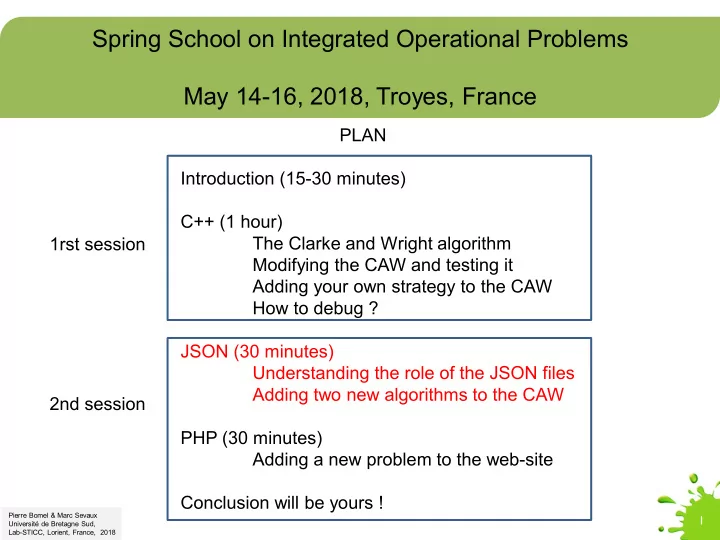
Spring School on Integrated Operational Problems May 14-16, 2018, Troyes, France PLAN Introduction (15-30 minutes) C++ (1 hour) The Clarke and Wright algorithm 1rst session Modifying the CAW and testing it Adding your own strategy to the CAW


slide-1
SLIDE 1

Spring School on Integrated Operational Problems May 14-16, 2018, Troyes, France

1

Pierre Bomel & Marc Sevaux Université de Bretagne Sud, Lab-STICC, Lorient, France, 2018

PLAN Introduction (15-30 minutes) C++ (1 hour) The Clarke and Wright algorithm Modifying the CAW and testing it Adding your own strategy to the CAW How to debug ? JSON (30 minutes) Understanding the role of the JSON files Adding two new algorithms to the CAW PHP (30 minutes) Adding a new problem to the web-site Conclusion will be yours ! 2nd session 1rst session

slide-2
SLIDE 2

Spring School on Integrated Operational Problems May 14-16, 2018, Troyes, France

2

JSON or "How to customize the web-services ?"

slide-3
SLIDE 3

JSON customization

3

<dir>\services\problems.json A JSON file contains the description

  • f the list of problems the web-site offers.
slide-4
SLIDE 4

JSON customization

4

We cannot (and do not want to) teach you full JSON syntax in 20 minutes. We’ll give you here a simple procedure to follow « blindly ». Hopefully, it’s not so complex. But, if you want to acquire more knowledge about JSON have a look on Internet, there are thousands of on-line documentations about it.

slide-5
SLIDE 5

JSON customization

5

Each element of the JSON array in problems.json describes one web-service, with the help of several attributes.

slide-6
SLIDE 6

JSON customization

6

Some will be displayed on the screen to help the user. If you click on « info » You will see this.

slide-7
SLIDE 7

JSON customization

7

Some will be used « internally » to find the algorithms and data model definitions. If you remember the structure of the files under <dir> you will instantaneously understand that the values of problem_location instance_location and algorithms_location are « pointers » (or path references) to the files stored bellow in the hierarchy.

slide-8
SLIDE 8

JSON customization - problem

8

Let’s create a new problem. Go at <dir>\services\problems and duplicate the CAW directory into WAC

slide-9
SLIDE 9

JSON customization - problem

9

One step « upstairs » add at the end of the problems.json file a copy of the description of CAW and modify it to become WAC Don’t forget to add a column here !

slide-10
SLIDE 10

JSON customization - problem

10

Restart your web-browser. It should look like this now. The WAC appears last with the following help text.

slide-11
SLIDE 11

JSON customization - algorithm

11

Because WAC is a strict copy of CAW, everything will be identical to CAW if you decide to play with the WAC problem. So, no need to test this. To deeper customize our web-services, instead of adding more problems, we now want to add more algorithms. We want to add a second algorithm to WAC. Modify the WAC\algorithms.json file like this. Don’t forget to add a column here !

slide-12
SLIDE 12

JSON customization - algorithm

12

Rename CAW.php into WAC1.php Duplicate WAC1.php into WAC2.php Don’t modify WAC1.php and WAC2.php, for they execute the same CAW algorithm located under program.

slide-13
SLIDE 13

JSON customization - algorithm

13

Restart your web-browser, and select the WAC problem until you reach the algorithms sub-window. You should see this now.

slide-14
SLIDE 14

JSON customization - algorithm

14

If you click on « ? » you will see some helping text displayed.

slide-15
SLIDE 15

JSON customization - algorithm

15

Click on « run » for WAC1 and WAC2 to see the resulting paths. Of course, both will display the same paths, because they execute the same code.

slide-16
SLIDE 16

JSON customization - algorithm

16

We want to create a different executable for WAC2 Duplicate WAC\program into program2 Modify WAC\program\main.cc to call Clarke_and_Wrigth() Modify WAC\program2\main.cc to call Random_Clarke_and_Wrigth() Compile and test them.

slide-17
SLIDE 17

JSON customization - algorithm

17

Modify WAC\WAC2.php file like this to point on the good executable, which is now located under WAC\program2. (You will learn more about PHP coding, just after the JSON part)

slide-18
SLIDE 18

JSON customization - algorithm

18

Restart your browser, and click on « run » for WAC1 and WAC2 to see the resulting paths. Now the paths are different and you can compare them easily. Click here to see WAC1’s paths

slide-19
SLIDE 19

JSON customization - algorithm

19

Click here to see WAC2’s paths Restart your browser, and click on « run » for WAC1 and WAC2 to see the resulting paths. Now the paths are different and you can compare them easily.

slide-20
SLIDE 20

Spring School on Integrated Operational Problems May 14-16, 2018, Troyes, France

20

Pierre Bomel & Marc Sevaux Université de Bretagne Sud, Lab-STICC, Lorient, France, 2018

PLAN Introduction (15-30 minutes) C++ (1 hour) The Clarke and Wright algorithm Modifying the CAW and testing it Adding your own strategy to the CAW How to debug ? JSON (30 minutes) Understanding the role of the JSON files Adding two new algorithms to the CAW PHP (30 minutes) Adding a new problem to the web-site Conclusion will be yours ! 2nd session 1rst session