Spark Technology 1. Spark main objectives 2. RDD concepts and - - PDF document

spark technology
SMART_READER_LITE
LIVE PREVIEW

Spark Technology 1. Spark main objectives 2. RDD concepts and - - PDF document

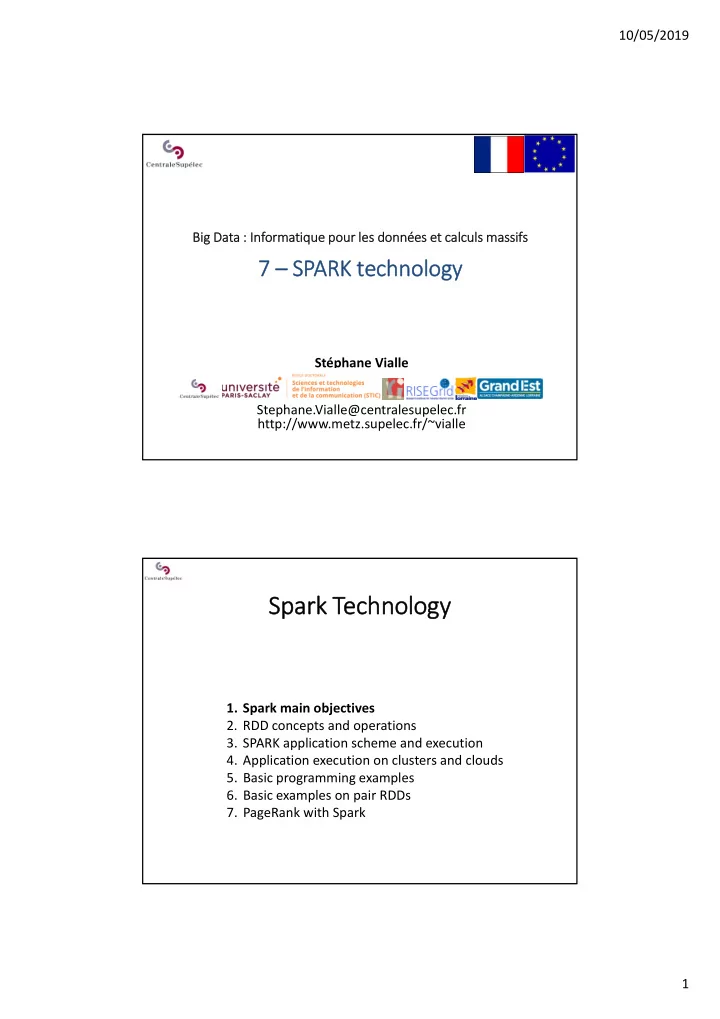
10/05/2019 Big Data : Informatique pour les donnes et calculs massifs 7 SPARK technology Stphane Vialle Stephane.Vialle@centralesupelec.fr http://www.metz.supelec.fr/~vialle Spark Technology 1. Spark main objectives 2. RDD concepts


slide-1
SLIDE 1

10/05/2019 1 Big Data : Informatique pour les données et calculs massifs

7 – SPARK technology

Stéphane Vialle Stephane.Vialle@centralesupelec.fr http://www.metz.supelec.fr/~vialle

Spark Technology

  • 1. Spark main objectives
  • 2. RDD concepts and operations
  • 3. SPARK application scheme and execution
  • 4. Application execution on clusters and clouds
  • 5. Basic programming examples
  • 6. Basic examples on pair RDDs
  • 7. PageRank with Spark
slide-2
SLIDE 2

10/05/2019 2

1 ‐ Spark main objectives

Spark has been designed:

  • To efficiently run iterative and interactive applications

 keeping data in‐memory between operations

  • To provide a low‐cost fault tolerance mechanism

 low overhead during safe executions  fast recovery after failure

  • To be easy and fast to use in interactive environment

 Using compact Scala programming language

  • To be « scalable »

 able to efficiently process bigger data on larger computing clusters Spark is based on a distributed data storage abstraction: − the « RDD » (Resilient Distributed Datasets) − compatible with many distributed storage solutions

1 ‐ Spark main objectives

  • RDD
  • Transformations

& Actions (Map‐Reduce)

  • Fault‐Tolerance

Spark design started in 2009, with the PhD thesis of Matei Zaharia at Berkeley Univ. Matei Zaharia co‐founded DataBricks in 2013.

slide-3
SLIDE 3

10/05/2019 3

Spark Technology

  • 1. Spark main objectives
  • 2. RDD concepts and operations
  • 3. SPARK application scheme and execution
  • 4. Application execution on clusters and clouds
  • 5. Basic programming examples
  • 6. Basic examples on pair RDDs
  • 7. PageRank with Spark

2 ‐ RDD concepts and operations

A RDD (Resilient Distributed Dataset) is:

  • an immutable (read only) dataset
  • a partitioned dataset
  • usually stored in a distributed file system (like HDFS)

When stored in HDFS: − One RDD  One HDFS file − One RDD partition block  One HDFS file block − Each RDD partition block is replicated by HDFS

slide-4
SLIDE 4

10/05/2019 4

2 ‐ RDD concepts and operations

Source: http://images.backtobazics.com/

Example of a 4 partition blocks stored on 2 data nodes (no replication)

2 ‐ RDD concepts and operations

Source : Stack Overflow

Initial input RDDs:

  • are usually created from distributed files (like HDFS files),
  • Spark processes read the file blocks that become in‐memory RDD

Operations on RDDs:

  • Transformations : read RDDs, compute, and generate a new RDD
  • Actions : read RDDs and generate results out of the RDD world

Map and Reduce are parts of the operations

slide-5
SLIDE 5

10/05/2019 5

2 ‐ RDD concepts and operations

Exemple of Transformations and Actions

Source : Resilient Distributed Datasets: A Fault‐Tolerant Abstraction for In‐Memory Cluster

  • Computing. Matei Zaharia et al. Proceedings of the 9th USENIX conference on Networked

Systems Design and Implementation. San Jose, CA, USA, 2012

2 ‐ RDD concepts and operations

Fault tolerance:

  • Transformation are coarse grained op: they apply on all data of

the source RDD

  • RDD are read‐only, input RDD are not modified
  • A sequence of transformations (a lineage) can be easily stored

In case of failure: Spark has just to re‐apply the lineage of the missing RDD partition blocks.

Source : Stack Overflow

slide-6
SLIDE 6

10/05/2019 6

2 ‐ RDD concepts and operations

5 main internal properties of a RDD:

  • A list of partition blocks

getPartitions()

  • A function for computing each partition block

compute(…)

  • A list of dependencies on other RDDs: parent

RDDs and transformations to apply

getDependencies()

  • A Partitioner for key‐value RDDs: metadata

specifying the RDD partitioning

partitioner()

  • A list of nodes where each partition block

can be accessed faster due to data locality

getPreferredLocations(…)

Optionally:

To compute and re‐compute the RDD when failure happens To control the RDD partitioning, to achieve co‐ partitioning… To improve data locality with HDFS & YARN…

2 ‐ RDD concepts and operations

Narrow transformations

  • In case of sequence of Narrow transformations:

possible pipelining inside one step

Map() Filter() Map(); Filter()

  • Map()
  • Filter()
  • Union()

RDD RDD

  • Local computations applied to each partition block

 no communication between processes/nodes  only local dependencies (between parent & son RDDs)

slide-7
SLIDE 7

10/05/2019 7

RDD RDD

2 ‐ RDD concepts and operations

Narrow transformations

  • Map()
  • Filter()
  • Union()

RDD RDD

  • Local computations applied to each partition block

 no communication between processes/nodes  only local dependencies (between parent & son RDDs)

  • In case of failure:

 recompute only the damaged partition blocks  recompute/reload only its parent blocks

2 ‐ RDD concepts and operations

Wide transformations

  • groupByKey()
  • reduceByKey()
  • Computations requiring data from all parent RDD blocks

 many communication between processes/nodes (shuffle & sort)  non‐local dependencies (between parent & son RDDs)

  • In case of sequence of transformations:

 no pipelining of transformations  wide transformation must be totally achieved before to enter next transformation

reduceByKey filter

slide-8
SLIDE 8

10/05/2019 8

2 ‐ RDD concepts and operations

Wide transformations

  • groupByKey()
  • reduceByKey()
  • Computations requiring data from all parent RDD blocks

 many communication between processes/nodes (shuffle & sort)  non‐local dependencies (between parent & son RDDs)

  • In case of sequence of failure:

 recompute the damaged partition blocks  recompute/reload all blocks of the parent RDDs

2 ‐ RDD concepts and operations

Avoiding wide transformations with co‐partitioning

Join with inputs not co‐partitioned

  • With identical partitioning of inputs:

wide transformaon → narrow transformation

Join with inputs co‐partitioned

  • less expensive communications
  • possible pipelining
  • less expensive fault tolerance

Control RDD partitioning Force co‐partitioning

(using the same partition map)

slide-9
SLIDE 9

10/05/2019 9

2 ‐ RDD concepts and operations

Persistence of the RDD RDD are stored:

  • in the memory space of the Spark Executors
  • or on disk (of the node) when memory space of the Executor is full

By default: an old RDD is removed when memory space is required (Least Recently Used policy)  An old RDD has to be re‐computed (using its lineage) when needed again  Spark allows to make a « persistent » RDD to avoid to recompute it

2 ‐ RDD concepts and operations

Persistence of the RDD to improve Spark application performances

myRDD.persist(StorageLevel) // or myRDD.cache() … // Transformations and Actions myRDD.unpersist()

Spark application developper has to add instructions to force RDD storage, and to force RDD forgetting: Available storage levels:

  • MEMORY_ONLY : in Spark Executor memory space
  • MEMORY_ONLY_SER : + serializing the RDD data
  • MEMORY_AND_DISK : on local disk when no memory space
  • MEMORY_AND_DISK_SER : + serializing the RDD data in memory
  • DISK_ONLY : always on disk (and serialized)

RDD is saved in the Spark executor memory/disk space  limited to the Spark session

slide-10
SLIDE 10

10/05/2019 10

2 ‐ RDD concepts and operations

Persistence of the RDD to improve fault tolerance

myRDD.sparkContext.setCheckpointDir(directory) myRDD.checkpoint() … // Transformations and Actions myRDD.persist(storageLevel.MEMORY_AND_DISK_SER_2) … // Transformations and Actions myRDD.unpersist()

To face short term failures: Spark application developper can force RDD storage with replication in the local memory/disk of several Spark Executors To face serious failures: Spark application developper can checkpoint the RDD outside of the Spark data space, on HDFS or S3 or…  Longer, but secure!

Spark Technology

  • 1. Spark main objectives
  • 2. RDD concepts and operations
  • 3. SPARK application scheme and execution
  • 4. Application execution on clusters and clouds
  • 5. Basic programming examples
  • 6. Basic examples on pair RDDs
  • 7. PageRank with Spark
slide-11
SLIDE 11

10/05/2019 11

3 – SPARK application scheme and execution

Transformations are lazy operations: saved and executed further Actions trigger the execution of the sequence of transformations A Spark application is a set of jobs to run sequentially or in parallel A job is a sequence of RDD transformations, ended by an action

RDD Transformation RDD Action Result

3 – SPARK application scheme and execution

The Spark application driver controls the application run

  • It creates the Spark context
  • It analyses the Spark program
  • It schedules the DAG of tasks on the available worker nodes

(the Spark Executors) in order to maximize parallelism (and to reduce the execution time)

  • It creates a DAG of tasks for each job
  • It optimizes the DAG

− pipelining narrow transformations − identifying the tasks that can be run in parallel

slide-12
SLIDE 12

10/05/2019 12

3 – SPARK application scheme and execution

The Spark application driver controls the application run

  • It attempts to keep in‐memory the intermediate RDDs

 in order the input RDDs of a transformation are already in‐memory (ready to be used)

  • A RDD obtained at the end of a transformation can be

explicitely kept in memory, when calling the persist() method

  • f this RDD (interesting if it is re‐used further).

Spark Technology

  • 1. Spark main objectives
  • 2. RDD concepts and operations
  • 3. SPARK application scheme and execution
  • 4. Application execution on clusters and clouds
  • 5. Basic programming examples
  • 6. Basic examples on pair RDDs
  • 7. PageRank with Spark
slide-13
SLIDE 13

10/05/2019 13

spark-submit --master spark://node:port … myApp

4 – Application execution on clusters and clouds

Spark Master  Cluster Manager

1 ‐ with Spark Master as cluster manager (standalone mode) Spark cluster configuration:

Cluster worker node Cluster worker node Cluster worker node Cluster worker node Cluster worker node Cluster worker node

  • Add the list of cluster worker nodes in the Spark Master config.
  • Specify the maximum amount of memory per Spark Executor

spark-submit

  • -executor-memory XX …
  • Specify the total amount of CPU cores used to process one

Spark application (through all its Spark executors)

spark-submit

  • -total-executor-cores YY …

spark-submit --master spark://node:port … myApp

4 – Application execution on clusters and clouds

Spark Master  Cluster Manager

1 ‐ with Spark Master as cluster manager (standalone mode) Spark cluster configuration:

Cluster worker node Cluster worker node Cluster worker node Cluster worker node Cluster worker node Cluster worker node

  • Default config :

− (only) 1GB/Spark Executor − Unlimited nb of CPU cores per application execution − The Spark Master creates one mono‐core Executor on all Worker nodes to process each job

  • You can limit the total nb of cores per job
  • You can concentrate the cores into few multi‐core Executors
slide-14
SLIDE 14

10/05/2019 14

spark-submit --master spark://node:port … myApp

4 – Application execution on clusters and clouds

Spark Master  Cluster Manager

1 ‐ with Spark Master as cluster manager (standalone mode) Spark app. Driver

  • DAG builder
  • DAG scheduler‐
  • ptimizer
  • Task scheduler

Client deployment mode: Interactive control of the application: development mode

Spark Master  Cluster Manager

Spark executor Spark executor Spark executor Spark executor Spark executor Spark executor Cluster worker node Cluster worker node Cluster worker node Cluster worker node Cluster worker node Cluster worker node Spark app. Driver

  • DAG builder
  • DAG scheduler‐optimizer
  • Task scheduler

Spark executor Spark executor Spark executor Spark executor Spark executor

Spark Master  Cluster Manager

4 – Application execution on clusters and clouds

Cluster deployment mode: Laptop connection can be turn off: production mode 1 ‐ with Spark Master as cluster manager (standalone mode)

spark-submit --master spark://node:port … myApp Spark Master  Cluster Manager

Cluster worker node Cluster worker node Cluster worker node Cluster worker node Cluster worker node Cluster worker node

slide-15
SLIDE 15

10/05/2019 15

Spark Master  Cluster Manager

Cluster worker node & Hadoop Data Node Cluster worker node & Hadoop Data Node Cluster worker node & Hadoop Data Node

HDFS Name Node

4 – Application execution on clusters and clouds

1 ‐ with Spark Master as cluster manager (standalone mode)

spark-submit --master spark://node:port … myApp

The Cluster Worker nodes should be the Data nodes, storing initial RDD values or new generated (and saved) RDD Will improve the global data‐computations locality When using HDFS: the Hadoop data nodes should be re‐used as worker nodes for Spark Executors

4 – Application execution on clusters and clouds

1 ‐ with Spark Master as cluster manager (standalone mode)

spark-submit --master spark://node:port … myApp Spark Master  Cluster Manager

Cluster worker node & Hadoop Data Node Cluster worker node & Hadoop Data Node Cluster worker node & Hadoop Data Node

HDFS Name Node

The Cluster Worker nodes should be the Data nodes, storing initial RDD values or new generated (and saved) RDD When using the Spark Master as Cluster Manager: …there is no way to localize the Spark Executors on the data nodes hosting the right RDD blocks!

slide-16
SLIDE 16

10/05/2019 16

4 – Application execution on clusters and clouds

1 ‐ with Spark Master as cluster manager (standalone mode)

spark-submit --master spark://node:port … myApp Spark Master  Cluster Manager

Cluster worker node & Hadoop Data Node Cluster worker node & Hadoop Data Node Cluster worker node & Hadoop Data Node

HDFS Name Node

Spark app. Driver

  • DAG builder
  • DAG scheduler‐optimizer
  • Task scheduler

Spark Master  Cluster Manager HDFS Name Node

Spark executor Spark executor Spark executor Spark executor Spark executor

Cluster deployment mode:

4 – Application execution on clusters and clouds

1 ‐ with Spark Master as cluster manager (standalone mode)

spark-submit --master spark://node:port … myApp Spark Master  Cluster Manager

Cluster worker node & Hadoop Data Node Cluster worker node & Hadoop Data Node Cluster worker node & Hadoop Data Node

HDFS Name Node

Strenght and weakness of standalone mode:

  • Nothing more to install (included in Spark)
  • Easy to configure
  • Can run different jobs concurrently
  • Can not share the cluster with non‐Spark applications
  • Can not launch Executors on data node hosting input data
  • Limited scheduling mechanism (unique queue)
slide-17
SLIDE 17

10/05/2019 17

export HADOOP_CONF_DIR = ${HADOOP_HOME}/conf spark-submit --master yarn … myApp

4 – Application execution on clusters and clouds

2 ‐ with YARN cluster manager

YARN Resource Manager

Cluster worker node & Hadoop Data Node Cluster worker node & Hadoop Data Node Cluster worker node & Hadoop Data Node

HDFS Name Node

Spark cluster configuration:

  • Add an env. variable defining the path to Hadoop conf directory
  • Specify the maximum amount of memory per Spark Executor
  • Specify the amount of CPU cores used per Spark executor

spark-submit

  • -executor-cores YY …
  • Specify the nb of Spark Executors per job: --num-executors

export HADOOP_CONF_DIR = ${HADOOP_HOME}/conf spark-submit --master yarn … myApp

4 – Application execution on clusters and clouds

2 ‐ with YARN cluster manager

YARN Resource Manager

Cluster worker node & Hadoop Data Node Cluster worker node & Hadoop Data Node Cluster worker node & Hadoop Data Node

HDFS Name Node

Spark cluster configuration:

  • By default:

− (only) 1GB/Spark Executor − (only) 1 CPU core per Spark Executor − (only) 2 Spark Executors per job

  • Usually better with few large Executors (RAM & nb of cores)…
slide-18
SLIDE 18

10/05/2019 18

export HADOOP_CONF_DIR = ${HADOOP_HOME}/conf spark-submit --master yarn … myApp

4 – Application execution on clusters and clouds

2 ‐ with YARN cluster manager

YARN Resource Manager

Cluster worker node & Hadoop Data Node Cluster worker node & Hadoop Data Node Cluster worker node & Hadoop Data Node

HDFS Name Node

Spark cluster configuration:

  • Link Spark RDD meta‐data « prefered locations » to HDFS meta‐

data about « localization of the input file blocks »

val sc = new SparkContext(sparkConf, InputFormatInfo.computePreferredLocations( Seq(new InputFormatInfo(conf, classOf[org.apache.hadoop.mapred.TextInputFormat], hdfspath ))…

Spark Context construction

YARN Resource Manager HDFS Name Node export HADOOP_CONF_DIR = ${HADOOP_HOME}/conf spark-submit --master yarn … myApp

4 – Application execution on clusters and clouds

2 ‐ with YARN cluster manager

YARN Resource Manager

Cluster worker node & Hadoop Data Node Cluster worker node & Hadoop Data Node Cluster worker node & Hadoop Data Node

HDFS Name Node

Client deployment mode:

Spark Driver

  • DAG builder
  • DAG scheduler‐
  • ptimizer
  • Task scheduler
  • App. Master

Executor launcher

slide-19
SLIDE 19

10/05/2019 19

export HADOOP_CONF_DIR = ${HADOOP_HOME}/conf spark-submit --master yarn … myApp

4 – Application execution on clusters and clouds

2 ‐ with YARN cluster manager

YARN Resource Manager

Cluster worker node & Hadoop Data Node Cluster worker node & Hadoop Data Node Cluster worker node & Hadoop Data Node

HDFS Name Node

  • App. Master

« Executor » launcher

YARN Resource Manager HDFS Name Node

Spark executor Spark executor

Client deployment mode:

Spark Driver

  • DAG builder
  • DAG scheduler‐
  • ptimizer
  • Task scheduler

YARN Resource Manager HDFS Name Node export HADOOP_CONF_DIR = ${HADOOP_HOME}/conf spark-submit --master yarn … myApp

4 – Application execution on clusters and clouds

2 ‐ with YARN cluster manager

YARN Resource Manager

Cluster worker node & Hadoop Data Node Cluster worker node & Hadoop Data Node Cluster worker node & Hadoop Data Node

HDFS Name Node

Spark executor Spark executor

Cluster deployment mode:

  • App. Master / Spark Driver
  • DAG builder
  • DAG scheduler‐optimizer
  • Task scheduler
slide-20
SLIDE 20

10/05/2019 20

export HADOOP_CONF_DIR = ${HADOOP_HOME}/conf spark-submit --master yarn … myApp

4 – Application execution on clusters and clouds

2 ‐ with YARN cluster manager

YARN Resource Manager

Cluster worker node & Hadoop Data Node Cluster worker node & Hadoop Data Node Cluster worker node & Hadoop Data Node

HDFS Name Node

YARN vs standalone Spark Master:

  • Usually available on HADOOP/HDFS clusters
  • Allows to run Spark and other kinds of applications on HDFS

(better to share a Hadoop cluster)

  • Advanced application scheduling mechanisms

(multiple queues, managing priorities…)

export HADOOP_CONF_DIR = ${HADOOP_HOME}/conf spark-submit --master yarn … myApp

4 – Application execution on clusters and clouds

2 ‐ with YARN cluster manager

YARN Resource Manager

Cluster worker node & Hadoop Data Node Cluster worker node & Hadoop Data Node Cluster worker node & Hadoop Data Node

HDFS Name Node

YARN vs standalone Spark Master:

  • Improvement of the data‐computation locality…but is it critical ?

− Spark reads/writes only input/output RDD from Disk/HDFS − Spark keeps intermediate RDD in‐memory − With cheap disks: disk‐IO time > network time  Better to deploy many Executors on unloaded nodes ?

slide-21
SLIDE 21

10/05/2019 21

spark-submit --master mesos://node:port … myApp

4 – Application execution on clusters and clouds

3 ‐ with MESOS cluster manager

Mesos Master  Cluster Manager

Cluster worker node & Hadoop Data Node Cluster worker node & Hadoop Data Node Cluster worker node & Hadoop Data Node

HDFS Name Node

Mesos is a generic cluster manager

  • Supporting to run both:

− short term distributed computations − long term services (like web services)

  • Compatible with HDFS

spark-submit --master mesos://node:port … myApp

4 – Application execution on clusters and clouds

3 ‐ with MESOS cluster manager

Mesos Master  Cluster Manager

Cluster worker node & Hadoop Data Node Cluster worker node & Hadoop Data Node Cluster worker node & Hadoop Data Node

HDFS Name Node

  • Specify the maximum amount of memory per Spark Executor

spark-submit

  • -executor-memory XX …
  • Specify the total amount of CPU cores used to process one Spark

application (through all its Spark executors)

spark-submit

  • -total-executor-cores YY …
  • Default config:

− create few Executors with max nb of cores (≠ standalone…) − use all available cores to process each job (like standalone…)

slide-22
SLIDE 22

10/05/2019 22

spark-submit --master mesos://node:port … myApp

4 – Application execution on clusters and clouds

3 ‐ with MESOS cluster manager

Mesos Master  Cluster Manager

Cluster worker node & Hadoop Data Node Cluster worker node & Hadoop Data Node Cluster worker node & Hadoop Data Node

HDFS Name Node Mesos Master  Cluster Manager HDFS Name Node

Spark executor Spark executor

Client deployment mode:

Spark Driver

  • DAG builder
  • DAG scheduler‐
  • ptimizer
  • Task scheduler

With just Mesos:

  • No Application Master
  • No Input Data – Executor locality

spark-submit --master mesos://node:port … myApp

4 – Application execution on clusters and clouds

3 ‐ with MESOS cluster manager

Mesos Master  Cluster Manager

Cluster worker node & Hadoop Data Node Cluster worker node & Hadoop Data Node Cluster worker node & Hadoop Data Node

HDFS Name Node Mesos Master  Cluster Manager HDFS Name Node

Cluster deployment mode:

Spark Driver

  • DAG builder
  • DAG scheduler‐
  • ptimizer
  • Task scheduler
slide-23
SLIDE 23

10/05/2019 23

spark-submit --master mesos://node:port … myApp

4 – Application execution on clusters and clouds

3 ‐ with MESOS cluster manager

Mesos Master  Cluster Manager

Cluster worker node & Hadoop Data Node Cluster worker node & Hadoop Data Node Cluster worker node & Hadoop Data Node

HDFS Name Node

  • Coarse grained mode: number of cores allocated to each Spark

Executor are set at launching time, and cannot be changed

  • Fine grained mode: number of cores associated to an Executor

can dynamically change, function of the number of concurrent jobs and function of the load of each executor Better solution/mechanism to support many shell interpretors But latency can increase (Spark Streaming lib can be disturbed)

spark-ec2 … -s <#nb of slave nodes>

  • t <type of slave nodes>

launch MyCluster-1

4 – Application execution on clusters and clouds

4 – on Amazon Elastic Compute Cloud « EC2 »

Standalone Spark Master

MyCluster‐1

slide-24
SLIDE 24

10/05/2019 24

Standalone Spark Master spark-ec2 … -s <#nb of slave nodes>

  • t <type of slave nodes>

launch MyCluster-1

4 – Application execution on clusters and clouds

4 – on Amazon Elastic Compute Cloud « EC2 »

Spark app. Driver

  • DAG builder
  • DAG scheduler‐optimizer
  • Task scheduler

Standalone Spark Master HDFS Name Node

Spark executor Spark executor Spark executor Spark executor Spark executor MyCluster‐1

spark-ec2 … -s <#nb of slave nodes>

  • t <type of slave nodes>

launch MyCluster-2

4 – Application execution on clusters and clouds

4 – on Amazon Elastic Compute Cloud « EC2 »

MyCluster‐1 Spark app. Driver

  • DAG builder
  • DAG scheduler‐optimizer
  • Task scheduler

Standalone Spark Master HDFS Name Node

Spark executor Spark executor Spark executor Spark executor Spark executor

Spark Master HDFS Name Node

MyCluster‐2

slide-25
SLIDE 25

10/05/2019 25

4 – Application execution on clusters and clouds

4 – on Amazon Elastic Compute Cloud « EC2 »

MyCluster‐1 Spark app. Driver

  • DAG builder
  • DAG scheduler‐optimizer
  • Task scheduler

Standalone Spark Master HDFS Name Node

Spark executor Spark executor Spark executor Spark executor Spark executor

Spark Master HDFS Name Node

MyCluster‐2

spark-ec2 … -s <#nb of slave nodes>

  • t <type of slave nodes>

launch MyCluster-2 spark-ec2 destroy MyCluster-2

4 – Application execution on clusters and clouds

4 – on Amazon Elastic Compute Cloud « EC2 »

MyCluster‐1 Spark app. Driver

  • DAG builder
  • DAG scheduler‐optimizer
  • Task scheduler

Standalone Spark Master HDFS Name Node

Spark executor Spark executor Spark executor Spark executor Spark executor

spark-ec2 … launch MyCluster-1 spark-ec2 destroy MyCluster-1 spark-ec2 get-master MyCluster-1  MasterNode scp … myApp.jar root@MasterNode spark-ec2 … login MyCluster-1 spark-submit --master spark://node:port … myApp

slide-26
SLIDE 26

10/05/2019 26

4 – Application execution on clusters and clouds

4 – on Amazon Elastic Compute Cloud « EC2 »

MyCluster‐1

spark-ec2 … launch MyCluster-1 spark-ec2 destroy MyCluster-1 spark-ec2 get-master MyCluster-1  MasterNode scp … myApp.jar root@MasterNode spark-ec2 … login MyCluster-1 spark-submit --master spark://node:port … myApp Standalone Spark Master HDFS Name Node spark-ec2 stop MyCluster-1 spark-ec2 … start MyCluster-1

 Stop billing  Restart billing

4 – Application execution on clusters and clouds

4 – on Amazon Elastic Compute Cloud « EC2 » : Bilan Starting to learn to deploy HDFS and Spark architectures Then, learn to deploy these architectecture in a CLOUD Lear to minimize the cost (€) of a Spark cluster

  • Allocate the right number of nodes
  • Stop when you do not use, and re‐start further

Choose to allocate reliable or preemptible machines:

  • Reliable machines during all the session

(standard)

  • Preemptibles machines

(5x less expensive!)  require to support to loose some tasks, or to checkpoint…

  • Machines in a HPC cloud

(more expensive) … or you can use a ‘’Spark Cluster service’’ ready to use in a CLOUD!

slide-27
SLIDE 27

10/05/2019 27

Spark Technology

  • 1. Spark main objectives
  • 2. RDD concepts and operations
  • 3. SPARK application scheme and execution
  • 4. Application execution on clusters and clouds
  • 5. Basic programming examples
  • 6. Basic examples on pair RDDs
  • 7. PageRank with Spark

5 – Basic programming examples

rdd : {1, 2, 3, 3} Python: rdd.map(lambda x: x+1)  rdd: {2, 3, 4, 4} Scala : rdd.map(x => x+1)  rdd: {2, 3, 4, 4} Scala : rdd.map(x => x.to(3))  rdd: {(1,2,3), (2,3), (3), (3)} Scala : rdd.flatMap(x => x.to(3))  rdd: {1, 2, 3, 2, 3, 3, 3} Scala : rdd.filter(x => x != 1)  rdd: {2, 3, 3} Scala : rdd.distinct()  rdd: {1, 2, 3} Scala : rdd.sample(false,0.5)  rdd: {1} or {2,3} or … Scala: rdd.filter(x => x != 1).map(x => x+1)  rdd: {3, 4, 4}

Sequence of transformations:

  • Ex. of transformations on one RDD:

Some sampling functions exist:

with replacement = false

slide-28
SLIDE 28

10/05/2019 28 rdd : {1, 2, 3} rdd2: {3, 4, 5} Scala : rdd.union(rdd2)  rdd: {1, 2, 3, 3, 4, 5} Scala : rdd.intersection(rdd2) rdd: {3} Scala : rdd.subtract(rdd2)  rdd: {1, 2}

  • Ex. of transformations on two RDDs:

Scala : rdd.cartesian(rdd2)  rdd: {(1,3), (1,4), (1,5), (2,3), (2,4), (2,5), (3,3), (3,4), (3,5)}

5 – Basic programming examples

Computing the sum of the RDD values: Python : rdd.reduce(lambda x,y: x+y)  9 Scala : rdd.reduce((x,y) => x+y)  9

  • Ex. of actions on a RDD:

Examples of « aggregations »: computing a sum rdd : {1, 2, 3, 3} Specifying the initial value of the accumulator: Scala : rdd.fold(0)((accu,value) => accu+value)  9 Specifying to start to accumulate from Left or from Right: Scala : rdd.foldLeft(0)((accu,value) => accu+value)  9 Scala : rdd.foldRight(0)((accu,value) => accu+value) 9

Results are NOT RDD

5 – Basic programming examples

slide-29
SLIDE 29

10/05/2019 29 Scala:

  • Specifying the initial value of the accumulator (0 = sum, 0 = nb)
  • Specifying a function to add a value to an accumulator (in a rdd

partition block)

  • Specifying a function to add two accumulators (from two rdd

partition blocks)

val SumNb = rdd.aggregate((0,0))( (acc,v) => (acc._1+v, acc._2+1), (acc1,acc2) => (acc1._1+acc2._1, acc1._2+acc2._2))

  • Ex. of actions on a RDD:

Examples of « aggregations » : computing an average value using aggregate(…)(…,…)

  • Division of the sum by the nb of values

val avg = SumNb._1/SumNb._2.toDouble Type inference!

5 – Basic programming examples

  • Ex. of actions on a RDD:

Scala : rdd.collect()  {1, 2, 3, 3} rdd : {1, 2, 3, 3} Scala : rdd.count()  4 Scala : rdd.countByValue()  {(1,1), (2,1), (3,2)} Scala : rdd.take(2)  {1, 2} Scala : rdd.top(2)  {3, 3} Scala : rdd.takeOrdered(3,Ordering[Int].reverse)  {3,3,2} Scala : rdd.takeSample(false,2)  {?,?}

takeSample(withReplacement, NbEltToGet, [seed])

Scala : var sum = 0

rdd.foreach(sum += _)  does not return any value println(sum)

 9

5 – Basic programming examples

slide-30
SLIDE 30

10/05/2019 30

Spark Technology

  • 1. Spark main objectives
  • 2. RDD concepts and operations
  • 3. SPARK application scheme and execution
  • 4. Application execution on clusters and clouds
  • 5. Basic programming examples
  • 6. Basic examples on pair RDDs
  • 7. PageRank with Spark

rdd : {(1, 2), (3, 3), (3, 4)} Scala : rdd.reduceByKey((x,y) => x+y)  rdd: {(1, 2), (3, 7)} Reduce values associated to the same key

  • Ex. of transformations on one RDD:

Scala : rdd.groupByKey((x,y) => x+y)  rdd: {(1, [2]), (3, [3, 4])} Group values associated to the same key Scala : rdd.mapValues(x => x+1)  rdd: {(1, 3), (3, 4), (3, 5)} Apply to each value (keys do not change) Scala : rdd.flatMapValues(x => x to 3) rdd: {(1,2), (1,3), (3,3)} key: 1, 2 to 3  (2, 3)  (1, 2), (1, 3), key: 3, 3 to 3  (3)  (3, 3) key: 3, 4 to 3  ()  nothing Apply to each value (keys do not change) and flatten (1,2), (1,3), (3,3)

6 – Basic examples on pair RDDs

slide-31
SLIDE 31

10/05/2019 31 rdd : {(1, 2), (3, 3), (3, 4)} Scala : rdd.keys()  rdd: {1, 3, 3} Return an RDD of just the keys

  • Ex. of transformations on one RDD:

Scala : rdd.values()  rdd: {2, 3, 4} Return an RDD of just the values Scala : rdd.sortByKeys()  rdd: {(1, 2), (3, 3), (3, 4)} Return a pair RDD sorted by the keys

6 – Basic examples on pair RDDs

Scala : rdd. combineByKey(

…, // createCombiner function …, // mergeValue function …, // mergeCombiners function)

≈ Hadoop Combiner ≈ Hadoop Reduce Voir plus loin…

  • Ex. of transformations on two pair RDDs

6 – Basic examples on pair RDDs

rdd : {(1, 2), (3, 4), (3, 6)} rdd2: {(3, 9)} Scala : rdd.subtractByKey(rdd2)  rdd: {(1, 2)} Remove pairs with key present in the 2nd pairRDD Scala : rdd.join(rdd2)  rdd: {(3, (4, 9)), (3, (6, 9))} Inner Join between the two pair RDDs Scala : rdd.cogroup(rdd2)  rdd: {(1, ([2], [])), (3, ([4, 6], [9]))} Group data from both RDDs sharing the same key

slide-32
SLIDE 32

10/05/2019 32

  • Ex. of classic transformations applied on a pair RDD

6 – Basic examples on pair RDDs

rdd : {(1, 2), (3, 4), (3, 6)} Scala : rdd.filter{case (k,v) => v < 5}  rdd: {(1, 2), (3, 4)} Scala : rdd.map{case (k,v) => (k,v*10)}  rdd: {(1, 20), (3, 40), (3, 60)} A pair RDD remains a RDD of tuples (key, values)  Classic transformations can be applied

  • Ex. of actions on pair RDDs

6 – Basic examples on pair RDDs

rdd : {(1, 2), (3, 4), (3, 6)} Scala : rdd.countByKey()  {(1, 1), (3, 2)} Return a tuple of couple, counting the number of pairs per key Scala : rdd.collectAsMap()  Map{(1, 2), (3, 4), (3, 6)} Return a ‘Map’ datastructure containing the RDD Scala : rdd.lookup(3)  [4, 6] Return an array containing all values associated with the provided key

slide-33
SLIDE 33

10/05/2019 33

val theSums = theMarks .mapValues(v => (v, 1)) .reduceByKey((vc1, vc2) => (vc1._1 + vc2._1, vc1._2 + vc2._2)) .collectAsMap() // Return a ‘Map’ datastructure

  • Ex. of transformation: Computing an average value per key

theMarks: {(‘’julie’’, 12), (‘’marc’’, 10), (‘’albert’’, 19), (‘’julie’’, 15), (‘’albert’’, 15),…} theSums.foreach( kvc => println(kvc._1 + " has average:" + kvc._2._1/kvc._2._2.toDouble)) Bad performances! Break parallelism!

  • Solution 1: mapValues + reduceByKey + collectAsMap + foreach

6 – Basic examples on pair RDDs

val theSums = theMarks .combineByKey( // createCombiner function (valueWithNewKey) => (valueWithNewKey, 1), // mergeValue function (inside a partition block) (acc:(Int, Int), v) =>(acc._1 + v, acc._2 + 1), // mergeCombiners function (after shuffle comm.) (acc1:(Int, Int), acc2:(Int, Int)) => (acc1._1 + acc2._1, acc1._2 + acc2._2)) .collectAsMap() theSums.foreach( kvc => println(kvc._1 + " has average:" + kvc._2._1/kvc._2._2.toDouble))

  • Ex. of transformation: Computing an average value per key

theMarks: {(‘’julie’’, 12), (‘’marc’’, 10), (‘’albert’’, 19), (‘’julie’’, 15), (‘’albert’’, 15),…}

  • Solution 2: combineByKey + collectAsMap + foreach

Still bad performances! Break parallelism! Type inference needs some help!

6 – Basic examples on pair RDDs

slide-34
SLIDE 34

10/05/2019 34

val theSums = theMarks .combineByKey( // createCombiner function (valueWithNewKey) => (valueWithNewKey, 1), // mergeValue function (inside a partition block) (acc:(Int, Int), v) =>(acc._1 + v, acc._2 + 1), // mergeCombiners function (after shuffle comm.) (acc1:(Int, Int), acc2:(Int, Int)) => (acc1._1 + acc2._1, acc1._2 + acc2._2)) .map{case (k,vc) => (k, vc._1/vc._2.toDouble)} theSums.collectAsMap().foreach( kv => println(kv._1 + " has average:" + kv._2))

  • Ex. of transformation: Computing an average value per key

theMarks: {(‘’julie’’, 12), (‘’marc’’, 10), (‘’albert’’, 19), (‘’julie’’, 15), (‘’albert’’, 15),…}

  • Solution 2: combineByKey + map + collectAsMap + foreach

6 – Basic examples on pair RDDs

Tuning the level of parallelism

6 – Basic examples on pair RDDs

  • By default: level of paralelism set by the nb of partition blocks of

the input RDD

  • When the input is a in‐memory collection (list, array…), it needs

to be parallelized:

val theData = List(("a",1), ("b",2), ("c",3),……) sc.parallelize(theData).theTransformation(…)

Or :

val theData = List(1,2,3,……).par theData.theTransformation(…)

Spark adopts a distribution adapted to the cluster… … but it can be tuned

slide-35
SLIDE 35

10/05/2019 35

Tuning the level of parallelism

6 – Basic examples on pair RDDs

  • Most of transformations support an extra parameter to control

the distribution (and the parallelism)

val theData = List(("a",1), ("b",2), ("c",3),……) sc.parallelize(theData).reduceByKey((x,y) => x+y)

  • Example:

Default parallelism: Tuned parallelism:

val theData = List(("a",1), ("b",2), ("c",3),……) sc.parallelize(theData).reduceByKey((x,y) => x+y,8)

8 partition blocks imposed for the result of the reduceByKey

Spark Technology

  • 1. Spark main objectives
  • 2. RDD concepts and operations
  • 3. SPARK application scheme and execution
  • 4. Application execution on clusters and clouds
  • 5. Basic programming examples
  • 6. Basic examples on pair RDDs
  • 7. PageRank with Spark
slide-36
SLIDE 36

10/05/2019 36 PageRank objectives

6 – PageRank with Spark

url 1 url 4 url 3 url 2

Compute the probability to arrive at a web page when randomly clicking on web links…

  • If a URL is referenced by many other URLs then its rank increases

(because being referenced means that it is important – ex: URL 1)

  • If an important URL (like URL 1) references other URLs (like URL 4)

this will increase the destination’s ranking

Important URL (referenced by many pages) Rank increases (referenced by an important URL)

PageRank principles

6 – PageRank with Spark

𝑄𝑆 𝑣 𝑄𝑆𝑤 𝑀𝑤

  • Simplified algorithm:

𝐶 𝑣 : the set containing all pages linking to page u 𝑄𝑆 𝑦 : PageRank of page x 𝑀 𝑤 : the number of outbound links of page v

Contribution of page v to the rank of page u

  • Initialize the PR of each page with an equi‐probablity
  • Iterate k times:

compute PR of each page

slide-37
SLIDE 37

10/05/2019 37 PageRank principles

6 – PageRank with Spark

𝑄𝑆 𝑣 1 𝑒 𝑂 𝑒. 𝑄𝑆𝑤 𝑀𝑤

  • The damping factor:

the probability a user continues to click is a damping factor: d

𝑂: Nb of documents in the collection Usually : d = 0.85

Sum of all PR is 1

𝑄𝑆 𝑣 1 𝑒 𝑒. 𝑄𝑆𝑤 𝑀𝑤

Usually : d = 0.85

Sum of all PR is Npages Variant:

6 – PageRank with Spark

PageRank first step in Spark (Scala)

// read text file into Dataset[String] -> RDD1 val lines = spark.read.textFile(args(0)).rdd val pairs = lines.map{ s => // Splits a line into an array of // 2 elements according space(s) val parts = s.split("\\s+") // create the parts<url, url> // for each line in the file (parts(0), parts(1)) } // RDD1 <string, string> -> RDD2<string, iterable> val links = pairs.distinct().groupByKey().cache()

url 4 [url 3, url 1] url 3 [url 2, url 1] url 2 [url 1] url 1 [url 4]

links RDD

‘’url 4 url 3’’ ‘’url 4 url 1’’ ‘’url 2 url 1’’ ‘’url 1 url 4’’ ‘’url 3 url 2’’ ‘’url 3 utl 1’’

slide-38
SLIDE 38

10/05/2019 38

6 – PageRank with Spark

PageRank second step in Spark (Scala)

// links <key, Iter> RDD  ranks <key,one> RDD var ranks = links.mapValues(v => 1.0) url 1 url 4 url 3 url 2 // links <key, Iter> RDD  ranks <key,1.0/Npages> RDD var ranks = links.mapValues(v => 1.0/4.0)

Other strategy: Initialization with 1/N equi‐probability:

links.mapValues(…) is an immutable RDD var ranks is a mutable variable var ranks = RDD1 ranks = RDD2

« ranks » is re‐associated to a new RDD RDD1 is forgotten … …and will be removed from memory

url 4 1.0 url 3 1.0 url 2 1.0 url 1 1.0

ranks RDD

url 4 [url 3, url 1] url 3 [url 2, url 1] url 2 [url 1] url 1 [url 4]

links RDD

for (i <- 1 to iters) { val contribs = }

PageRank third step in Spark (Scala)

6 – PageRank with Spark

url 4 1.0 url 3 1.0 url 2 1.0 url 1 1.0 url 4 [url 3, url 1] url 3 [url 2, url 1] url 2 [url 1] url 1 [url 4]

links RDD ranks RDD

url 4 ([url 3, url 1], 1.0) url 3 ([url 2, url 1], 1.0) url 2 ([url 1], 1.0) url 1 ([url 4], 1.0) ([url 3, url 1], 1.0) ([url 2, url 1], 1.0) ([url 1], 1.0) ([url 4], 1.0) url 3 0.5 url 1 0.5 url 2 0.5 url 1 0.5 url 1 1.0 url 4 1.0

contribs RDD

url 3 0.5 url 1 2.0 url 2 0.5 url 4 1.0 url 4 1.0 url 3 0.57 url 2 0.57 url 1 1.849 new ranks RDD

RDD’ RDD’’

var ranks

url 1 url 4 url 3 url 2

input contributions Output links

.join .values .flatmap .reduceByKey .mapValues

Output links & contributions individual input contributions Individual & cumulated input contributions links.join(ranks) .values .flatMap{ case (urls, rank) => urls.map(url => (url, rank/urls.size )) } ranks = contribs.reduceByKey(_ + _) .mapValues(0.15 + 0.85 * _)
slide-39
SLIDE 39

10/05/2019 39 PageRank third step in Spark (Scala)

6 – PageRank with Spark

val lines = spark.read.textFile(args(0)).rdd val pairs = lines.map{ s => val parts = s.split("\\s+") (parts(0), parts(1)) } val links = pairs.distinct().groupByKey().cache() var ranks = links.mapValues(v => 1.0) for (i <- 1 to iters) { val contribs = links.join(ranks) .values .flatMap{ case (urls, rank) => urls.map(url => (url, rank / urls.size )) } ranks = contribs.reduceByKey(_ + _).mapValues(0.15 + 0.85 * _) }

  • Sparc & Scala allow a short/compact implementation of the

PageRank algorithm

  • Each RDD remains in‐memory from one iteration to the next one

Spark Technology