Recognition Topics that we will try to cover: Indexing for fast - - PowerPoint PPT Presentation

recognition
SMART_READER_LITE
LIVE PREVIEW

Recognition Topics that we will try to cover: Indexing for fast - - PowerPoint PPT Presentation

Recognition Topics that we will try to cover: Indexing for fast retrieval (we still owe this one) Object classification (we did this one already) Neural Networks Object class detection Hough-voting techniques Support Vector Machines (SVM)


slide-1
SLIDE 1

Recognition

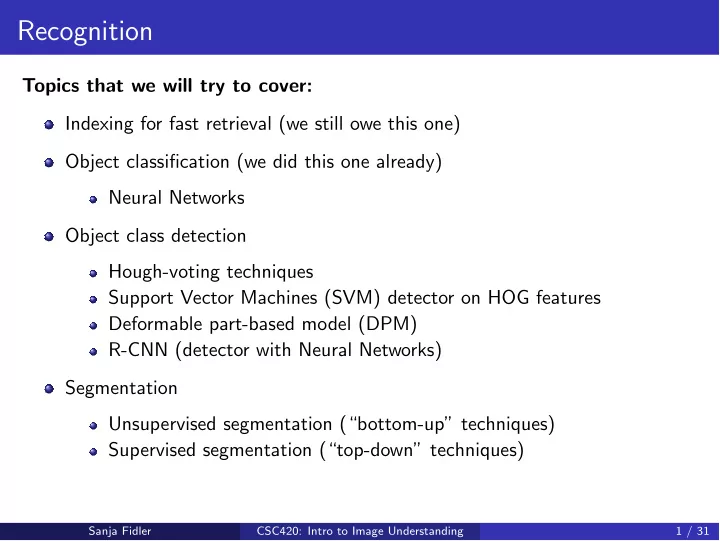
Topics that we will try to cover: Indexing for fast retrieval (we still owe this one) Object classification (we did this one already) Neural Networks Object class detection Hough-voting techniques Support Vector Machines (SVM) detector on HOG features Deformable part-based model (DPM) R-CNN (detector with Neural Networks) Segmentation Unsupervised segmentation (“bottom-up” techniques) Supervised segmentation (“top-down” techniques)

Sanja Fidler CSC420: Intro to Image Understanding 1 / 31

slide-2
SLIDE 2

Recognition:

Indexing for Fast Retrieval

Sanja Fidler CSC420: Intro to Image Understanding 2 / 31

slide-3
SLIDE 3

Recognizing or Retrieving Specific Objects

Example: Visual search in feature films Demo: http://www.robots.ox.ac.uk/~vgg/research/vgoogle/

[Source: J. Sivic, slide credit: R. Urtasun]

Sanja Fidler CSC420: Intro to Image Understanding 3 / 31

slide-4
SLIDE 4

Recognizing or Retrieving Specific Objects

Example: Search photos on the web for particular places [Source: J. Sivic, slide credit: R. Urtasun]

Sanja Fidler CSC420: Intro to Image Understanding 4 / 31

slide-5
SLIDE 5

Sanja Fidler CSC420: Intro to Image Understanding 5 / 31

slide-6
SLIDE 6

Why is it Difficult?

Objects can have possibly large changes in scale, viewpoint, lighting and partial occlusion. [Source: J. Sivic, slide credit: R. Urtasun]

Sanja Fidler CSC420: Intro to Image Understanding 6 / 31

slide-7
SLIDE 7

Why is it Difficult?

There is tones of data.

Sanja Fidler CSC420: Intro to Image Understanding 7 / 31

slide-8
SLIDE 8

Our Case: Matching with Local Features

For each image in our database we extracted local descriptors (e.g., SIFT)

Sanja Fidler CSC420: Intro to Image Understanding 8 / 31

slide-9
SLIDE 9

Our Case: Matching with Local Features

For each image in our database we extracted local descriptors (e.g., SIFT)

Sanja Fidler CSC420: Intro to Image Understanding 8 / 31

slide-10
SLIDE 10

Our Case: Matching with Local Features

Let’s focus on descriptors only (vectors of e.g. 128 dim for SIFT)

Sanja Fidler CSC420: Intro to Image Understanding 8 / 31

slide-11
SLIDE 11

Our Case: Matching with Local Features

Sanja Fidler CSC420: Intro to Image Understanding 8 / 31

slide-12
SLIDE 12

Our Case: Matching with Local Features

Sanja Fidler CSC420: Intro to Image Understanding 8 / 31

slide-13
SLIDE 13

Our Case: Matching with Local Features

Sanja Fidler CSC420: Intro to Image Understanding 8 / 31

slide-14
SLIDE 14

Indexing!

Sanja Fidler CSC420: Intro to Image Understanding 9 / 31

slide-15
SLIDE 15

Indexing Local Features: Inverted File Index

For text documents, an efficient way to find all pages on which a word

  • ccurs is to use an index.

We want to find all images in which a feature occurs. To use this idea, well need to map our features to “visual words”. Why? [Source: K. Grauman, slide credit: R. Urtasun]

Sanja Fidler CSC420: Intro to Image Understanding 10 / 31

slide-16
SLIDE 16

How would “visual words” help us?

Sanja Fidler CSC420: Intro to Image Understanding 11 / 31

slide-17
SLIDE 17

How would “visual words” help us?

Sanja Fidler CSC420: Intro to Image Understanding 11 / 31

slide-18
SLIDE 18

How would “visual words” help us?

Sanja Fidler CSC420: Intro to Image Understanding 11 / 31

slide-19
SLIDE 19

How would “visual words” help us?

Sanja Fidler CSC420: Intro to Image Understanding 11 / 31

slide-20
SLIDE 20

But What Are Our Visual “Words”?

Sanja Fidler CSC420: Intro to Image Understanding 12 / 31

slide-21
SLIDE 21

But What Are Our Visual “Words”?

Sanja Fidler CSC420: Intro to Image Understanding 12 / 31

slide-22
SLIDE 22

But What Are Our Visual “Words”?

Sanja Fidler CSC420: Intro to Image Understanding 12 / 31

slide-23
SLIDE 23

But What Are Our Visual “Words”?

Sanja Fidler CSC420: Intro to Image Understanding 12 / 31

slide-24
SLIDE 24

But What Are Our Visual “Words”?

Sanja Fidler CSC420: Intro to Image Understanding 12 / 31

slide-25
SLIDE 25

But What Are Our Visual “Words”?

Sanja Fidler CSC420: Intro to Image Understanding 12 / 31

slide-26
SLIDE 26

But What Are Our Visual “Words”?

Sanja Fidler CSC420: Intro to Image Understanding 12 / 31

slide-27
SLIDE 27

Visual Words

All example patches on the right belong to the same visual word. [Source: R. Urtasun]

Sanja Fidler CSC420: Intro to Image Understanding 13 / 31

slide-28
SLIDE 28

Now We Can do Our Fast Matching

Sanja Fidler CSC420: Intro to Image Understanding 14 / 31

slide-29
SLIDE 29

Inverted File Index

Now we found all images in the database that have at least one visual word in common with the query image But this can still give us lots of images... What can we do?

Sanja Fidler CSC420: Intro to Image Understanding 15 / 31

slide-30
SLIDE 30

Inverted File Index

Now we found all images in the database that have at least one visual word in common with the query image But this can still give us lots of images... What can we do? Idea: Compute meaningful similarity (efficiently) between query image and retrieved images. Then just match query to top K most similar images and forget about the rest.

Sanja Fidler CSC420: Intro to Image Understanding 15 / 31

slide-31
SLIDE 31

Inverted File Index

Now we found all images in the database that have at least one visual word in common with the query image But this can still give us lots of images... What can we do? Idea: Compute meaningful similarity (efficiently) between query image and retrieved images. Then just match query to top K most similar images and forget about the rest. How can we do compute a meaningful similarity, and do it fast?

Sanja Fidler CSC420: Intro to Image Understanding 15 / 31

slide-32
SLIDE 32

Relation to Documents

[Slide credit: R. Urtasun]

Sanja Fidler CSC420: Intro to Image Understanding 16 / 31

slide-33
SLIDE 33

Bags of Visual Words

[Slide credit: R. Urtasun]

Summarize entire image based on its distribution (histogram) of word

  • ccurrences.

Analogous to bag of words representation commonly used for documents.

Sanja Fidler CSC420: Intro to Image Understanding 17 / 31

slide-34
SLIDE 34

Compute a Bag-of-Words Description

Sanja Fidler CSC420: Intro to Image Understanding 18 / 31

slide-35
SLIDE 35

Compute a Bag-of-Words Description

Sanja Fidler CSC420: Intro to Image Understanding 18 / 31

slide-36
SLIDE 36

Compute a Bag-of-Words Description

Sanja Fidler CSC420: Intro to Image Understanding 18 / 31

slide-37
SLIDE 37

Comparing Images

Compute the similarity by normalized dot product between their representations (vectors) sim(tj, q) = < tj, q > ||tj|| · ||q|| Rank images in database based on the similarity score (the higher the better) Take top K best ranked images and do spatial verification (compute transformation and count inliers)

Sanja Fidler CSC420: Intro to Image Understanding 19 / 31

slide-38
SLIDE 38

Comparing Images

Compute the similarity by normalized dot product between their representations (vectors) sim(tj, q) = < tj, q > ||tj|| · ||q|| Rank images in database based on the similarity score (the higher the better) Take top K best ranked images and do spatial verification (compute transformation and count inliers)

Sanja Fidler CSC420: Intro to Image Understanding 19 / 31

slide-39
SLIDE 39

Compute a Better Bag-of-Words Description

Sanja Fidler CSC420: Intro to Image Understanding 20 / 31

slide-40
SLIDE 40

Compute a Better Bag-of-Words Description

Sanja Fidler CSC420: Intro to Image Understanding 20 / 31

slide-41
SLIDE 41

Compute a Better Bag-of-Words Description

Instead of a histogram, for retrieval it’s better to re-weight the image description vector t = [t1, t2, . . . , ti, . . . ] with term frequency-inverse document frequency (tf-idf), a standard trick in document retrieval: ti = nid nd log N ni where: nid . . . is the number of occurrences of word i in image d nd . . . is the total number of words in image d ni . . . is the number of occurrences of word i in the whole database N . . . is the number of documents in the whole database

Sanja Fidler CSC420: Intro to Image Understanding 20 / 31

slide-42
SLIDE 42

Compute a Better Bag-of-Words Description

Instead of a histogram, for retrieval it’s better to re-weight the image description vector t = [t1, t2, . . . , ti, . . . ] with term frequency-inverse document frequency (tf-idf), a standard trick in document retrieval: ti = nid nd log N ni where: nid . . . is the number of occurrences of word i in image d nd . . . is the total number of words in image d ni . . . is the number of occurrences of word i in the whole database N . . . is the number of documents in the whole database The weighting is a product of two terms: the word frequency nid

nd , and the

inverse document frequency log N

ni

Sanja Fidler CSC420: Intro to Image Understanding 20 / 31

slide-43
SLIDE 43

Compute a Better Bag-of-Words Description

Instead of a histogram, for retrieval it’s better to re-weight the image description vector t = [t1, t2, . . . , ti, . . . ] with term frequency-inverse document frequency (tf-idf), a standard trick in document retrieval: ti = nid nd log N ni where: nid . . . is the number of occurrences of word i in image d nd . . . is the total number of words in image d ni . . . is the number of occurrences of word i in the whole database N . . . is the number of documents in the whole database The weighting is a product of two terms: the word frequency nid

nd , and the

inverse document frequency log N

ni

Intuition behind this: word frequency weights words occurring often in a particular document, and thus describe it well, while the inverse document frequency downweights the words that occur often in the full dataset

Sanja Fidler CSC420: Intro to Image Understanding 20 / 31

slide-44
SLIDE 44

Comparing Images

Compute the similarity by normalized dot product between their tf-idf representations (vectors) sim(tj, q) = < tj, q > ||tj|| · ||q|| Rank images in database based on the similarity score (the higher the better) Take top K best ranked images and do spatial verification (compute transformation and count inliers)

Sanja Fidler CSC420: Intro to Image Understanding 21 / 31

slide-45
SLIDE 45

Spatial Verification

Both image pairs have many visual words in common Only some of the matches are mutually consistent [Source: O. Chum]

Sanja Fidler CSC420: Intro to Image Understanding 22 / 31

slide-46
SLIDE 46

Visual Words/Bags of Words

Good flexible to geometry / deformations / viewpoint compact summary of image content provides vector representation for sets very good results in practice Bad background and foreground mixed when bag covers whole image

  • ptimal vocabulary formation remains unclear

basic model ignores geometry must verify afterwards, or encode via features

Sanja Fidler CSC420: Intro to Image Understanding 23 / 31

slide-47
SLIDE 47

Summary – Stuff You Need To Know

Fast image retrieval: Compute features in all images from database, and query image. Cluster the descriptors from the images in the database (e.g., k-means) to get k clusters. These clusters are vectors that live in the same dimensional space as the descriptors. We call them visual words. Assign each descriptor in database and query image to the closest cluster. Build an inverted file index For a query image, lookup all the visual words in the inverted file index to get a list of images that share at least one visual word with the query Compute a bag-of-words (BoW) vector for each retrieved image and query. This vector just counts the number of occurrences of each word. It has as many dimensions as there are visual words. Weight the vector with tf-idf. Compute similarity between query BoW vector and all retrieved image BoW

  • vectors. Sort (highest to lowest). Take top K most similar images (e.g, 100)

Do spatial verification on all top K retrieved images (RANSAC + affine or homography + remove images with too few inliers)

Sanja Fidler CSC420: Intro to Image Understanding 24 / 31

slide-48
SLIDE 48

Summary – Stuff You Need To Know

Matlab function: [IDX, W] = kmeans(X, k); where rows of X are descriptors, rows of W are visual words vectors, and IDX are assignments of rows of X to visual words Once you have W , you can quickly compute IDX via the dist2 function (Assignment 2): D = dist2(X’, W’); [∼,IDX] = min(D, [], 2); A much faster way of computing the closest cluster (IDX) is via the FLANN library: http://www.cs.ubc.ca/research/flann/ Since X is typically super large, kmeans will run for days... A solution is to randomly sample a few descriptors from X and cluster those. Another great possibility is to use this: http://www.robots.ox.ac.uk/~vgg/software/fastanncluster/

Sanja Fidler CSC420: Intro to Image Understanding 25 / 31

slide-49
SLIDE 49

Even Faster?

Can we make the retrieval process even more efficient?

Sanja Fidler CSC420: Intro to Image Understanding 26 / 31

slide-50
SLIDE 50

Vocabulary Trees

Hierarchical clustering for large vocabularies, [Nister et al., 06]. k defines the branch factor (number of children of each node) of the tree.

Sanja Fidler CSC420: Intro to Image Understanding 27 / 31

slide-51
SLIDE 51

Vocabulary Trees

Hierarchical clustering for large vocabularies, [Nister et al., 06]. k defines the branch factor (number of children of each node) of the tree. First, an initial k-means process is run on the training data, defining k cluster centers (same as we did before).

Sanja Fidler CSC420: Intro to Image Understanding 27 / 31

slide-52
SLIDE 52

Vocabulary Trees

Hierarchical clustering for large vocabularies, [Nister et al., 06]. k defines the branch factor (number of children of each node) of the tree. First, an initial k-means process is run on the training data, defining k cluster centers (same as we did before). The same process is then recursively applied to each group.

Sanja Fidler CSC420: Intro to Image Understanding 27 / 31

slide-53
SLIDE 53

Vocabulary Trees

Hierarchical clustering for large vocabularies, [Nister et al., 06]. k defines the branch factor (number of children of each node) of the tree. First, an initial k-means process is run on the training data, defining k cluster centers (same as we did before). The same process is then recursively applied to each group. The tree is determined level by level, up to some maximum number of levels L.

Sanja Fidler CSC420: Intro to Image Understanding 27 / 31

slide-54
SLIDE 54

Vocabulary Trees

Hierarchical clustering for large vocabularies, [Nister et al., 06]. k defines the branch factor (number of children of each node) of the tree. First, an initial k-means process is run on the training data, defining k cluster centers (same as we did before). The same process is then recursively applied to each group. The tree is determined level by level, up to some maximum number of levels L.

Sanja Fidler CSC420: Intro to Image Understanding 27 / 31

slide-55
SLIDE 55

Constructing the tree

Offline phase: hierarchical clustering (e.g., k-means at leach level).

Vocabulary Tree

Sanja Fidler CSC420: Intro to Image Understanding 28 / 31

slide-56
SLIDE 56

Constructing the tree

Offline phase: hierarchical clustering (e.g., k-means at leach level).

Vocabulary Tree

Sanja Fidler CSC420: Intro to Image Understanding 28 / 31

slide-57
SLIDE 57

Constructing the tree

Offline phase: hierarchical clustering (e.g., k-means at leach level).

Vocabulary Tree

Sanja Fidler CSC420: Intro to Image Understanding 28 / 31

slide-58
SLIDE 58

Constructing the tree

Offline phase: hierarchical clustering (e.g., k-means at leach level).

Vocabulary Tree

Sanja Fidler CSC420: Intro to Image Understanding 28 / 31

slide-59
SLIDE 59

Assigning Descriptors to Words

Sanja Fidler CSC420: Intro to Image Understanding 29 / 31

slide-60
SLIDE 60

Assigning Descriptors to Words

Sanja Fidler CSC420: Intro to Image Understanding 29 / 31

slide-61
SLIDE 61

Assigning Descriptors to Words

Each descriptor vector is propagated down the tree by at each level comparing the descriptor vector to the k candidate cluster centers (represented by k children in the tree) and choosing the closest one.

Sanja Fidler CSC420: Intro to Image Understanding 29 / 31

slide-62
SLIDE 62

Assigning Descriptors to Words

Each descriptor vector is propagated down the tree by at each level comparing the descriptor vector to the k candidate cluster centers (represented by k children in the tree) and choosing the closest one.

Sanja Fidler CSC420: Intro to Image Understanding 29 / 31

slide-63
SLIDE 63

Assigning Descriptors to Words

The tree allows us to efficiently match a descriptor to a very large vocabulary

Sanja Fidler CSC420: Intro to Image Understanding 29 / 31

slide-64
SLIDE 64

Assigning Descriptors to Words

Sanja Fidler CSC420: Intro to Image Understanding 29 / 31

slide-65
SLIDE 65

Vocabulary Size

Complexity: branching factor and number of levels Most important for the retrieval quality is to have a large vocabulary

Sanja Fidler CSC420: Intro to Image Understanding 30 / 31

slide-66
SLIDE 66

Next Time

Object Detection

Sanja Fidler CSC420: Intro to Image Understanding 31 / 31