Quick Sort Undoubtedly the most popular sorting algorithm. - - PowerPoint PPT Presentation

quick sort
SMART_READER_LITE
LIVE PREVIEW

Quick Sort Undoubtedly the most popular sorting algorithm. - - PowerPoint PPT Presentation

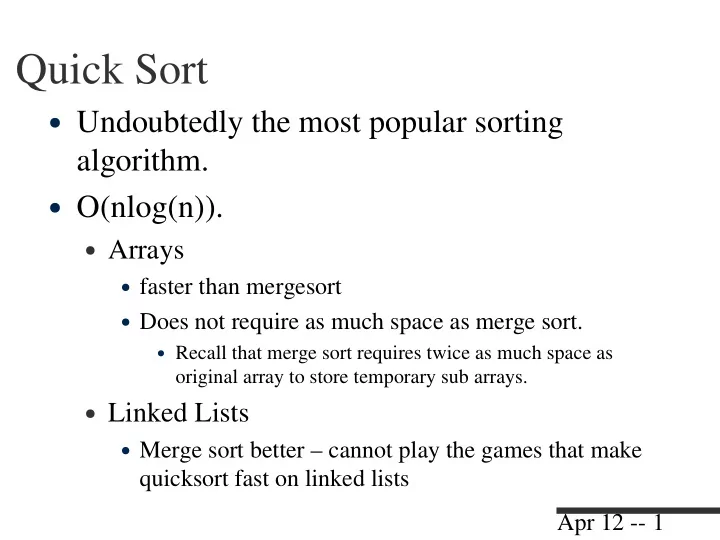
Quick Sort Undoubtedly the most popular sorting algorithm. O(nlog(n)). Arrays faster than mergesort Does not require as much space as merge sort. Recall that merge sort requires twice as much space as original array to


slide-1
SLIDE 1

Apr 12 -- 1

Quick Sort

  • Undoubtedly the most popular sorting

algorithm.

  • O(nlog(n)).
  • Arrays
  • faster than mergesort
  • Does not require as much space as merge sort.
  • Recall that merge sort requires twice as much space as
  • riginal array to store temporary sub arrays.
  • Linked Lists
  • Merge sort better – cannot play the games that make

quicksort fast on linked lists

slide-2
SLIDE 2

Apr 12 -- 2

Partitioning

  • Divide data into two groups, such that all

items with a key value higher than a specified amount will be in one group, and the ones with lower key value in the other.

  • Important: the items in each group are NOT

sorted.

  • The threshold value used to determine

which group an item belongs is called the “pivot value”.

slide-3
SLIDE 3

Apr 12 -- 3

Partitioning Algorithm

  • Starts with two indices, l and r, each will be

moving towards each other.

  • Advance the left index through the array until the

first element larger than the pivot is encountered.

  • Similarly advance the right index until the first

element smaller than pivot is found.

  • Swap the elements pointed to by left and right

indices – thus they end up on the right side.

  • Stop when two indices meet or cross each other.
slide-4
SLIDE 4

Apr 12 -- 4

  • If array looks like this:

12, 2, 5, 89, 0, 7, 19, 25, 67, 49, 88, 59

  • Partition with pivot value 50:

12, 2, 5, 89, 0, 7, 19, 25, 67, 49, 88, 59

  • First swap (89, 49)

12, 2, 5, 49, 0, 7, 19, 25, 67, 89, 88, 59

Example

l l r R l R

slide-5
SLIDE 5

Apr 12 -- 5

Partitioning

mid = (l+r)/2; pivot = theArray[mid]; while( l <= hi ) { while((l<hi0) && (theArray[l]<pivot)) l++; while((r>lo0)&& (theArray[r]>pivot)) r--; if( l <= r ) { swap(l, r); l++; r--; } }

slide-6
SLIDE 6

Apr 12 -- 6

Quicksort

  • Partition the array into two subarrays

according to some pivot value.

  • Call itself recursively on each subarray.
  • Somewhat like merge sort, except that there

is no merge, as partitioning guarantees that left side is smaller than right side.

slide-7
SLIDE 7

Apr 12 -- 7

recQsort

public void sort(int left, int right) { if (right-left<=0) //size 1, already sorted return; //partition sort(l, mid-1); sort(mid+1, r); }

slide-8
SLIDE 8

Apr 12 -- 8

How to Choose a Pivot?

  • The pivot should be the key value of an

actual data item.

  • The choice can be more or less random.
  • Let us always pick the last element.
  • After partition, if the pivot is inserted

between left and right partitions, it will be at its correct location.

  • Bad pivot choice can result in O(n2) time
slide-9
SLIDE 9

Apr 12 -- 9

Putting it together

  • Make partition a method
  • problem partition returns two values
  • new lo and new hi
  • Create a class tht holds these values
  • only needed inside the QuickSort class
  • Java allows such things
  • public class QuickSort {

private class Parter {

  • the private class exists ONLY within the public class
slide-10
SLIDE 10

Apr 12 -- 10

Stable and Unstable Sorting

  • Stable
  • elements with equal keys retain order
  • Unstable
  • order of elements with equal keys is arbitrary
  • When do you care?
  • Insterion, Selection, Bubble, Merge, Quick
  • which are they?
slide-11
SLIDE 11

Apr 12 -- 11

Quicksort example applets

  • http://java.sun.com/applets/jdk/1.0/demo/Sor

tDemo/example1.html

  • http://mainline.brynmawr.edu/Courses/cs206

/fall2004/WorkshopApplets/Chap07/QuickS

  • rt1/QuickSort1.html