Public Service Announcement Help nonprofits solve real world - - PowerPoint PPT Presentation

public service announcement
SMART_READER_LITE
LIVE PREVIEW

Public Service Announcement Help nonprofits solve real world - - PowerPoint PPT Presentation

Public Service Announcement Help nonprofits solve real world problems at Berkeley Builds! Join us on April 30 for two days of hacking and designing with industry professionals. Gain experience in design thinking and deliver a product that


slide-1
SLIDE 1

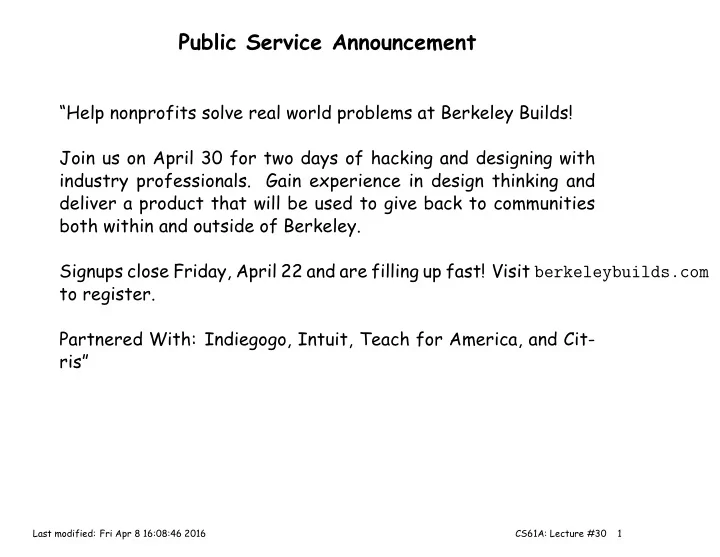
Public Service Announcement

“Help nonprofits solve real world problems at Berkeley Builds! Join us on April 30 for two days of hacking and designing with industry professionals. Gain experience in design thinking and deliver a product that will be used to give back to communities both within and outside of Berkeley. Signups close Friday, April 22 and are filling up fast! Visit berkeleybuilds.com to register. Partnered With: Indiegogo, Intuit, Teach for America, and Cit- ris”

Last modified: Fri Apr 8 16:08:46 2016 CS61A: Lecture #30 1

slide-2
SLIDE 2

Other Announcements

  • Homework 7 to be released.
  • Extra Credit point for completing Part I of Project 4 by Monday,

18 April.

Last modified: Fri Apr 8 16:08:46 2016 CS61A: Lecture #30 2

slide-3
SLIDE 3

Lecture 30: User-Defined Special Forms and Streams, Project 4

Last modified: Fri Apr 8 16:08:46 2016 CS61A: Lecture #30 3

slide-4
SLIDE 4

Defining Syntax

  • Scheme provides a powerful (but rather tricky) way to create new

special forms: define-syntax.

  • One of the extensions of our project is a simpler, more traditional

form of this: define-macro.

  • Macros are like functions, but

– Do not evaluate their arguments (this is what makes them special forms). – Automatically treat the returned value as a Scheme expression and execute it.

  • Thus, macros “write” programs that then get executed.

Last modified: Fri Apr 8 16:08:46 2016 CS61A: Lecture #30 4

slide-5
SLIDE 5

Macro Example

(define-macro (while cond stmt) ‘(begin (define ($loop$) (if ,cond (begin ,stmt ($loop$)))) ($loop$)))

  • This uses the convenient quasiquote (backquote), another project
  • extension. Quasiquote is like quote, but

– Everything preceded by a comma is replaced by its value: – Everything preceded by ‘,@’ is evaluated and its value spliced in.

‘(a b ,(+ 2 3)) ===> (a b 5) ‘(a b ,@(list (+ 2 3) (- 2 1)) d) ===> (a b 5 1 d)

  • So (while (> x y) (set!

x (f y))) first yields (begin (define ($loop$) (if (> x y) (begin (set! x (f y)) ($loop$)))) ($loop$))

  • And then this is executed.

Last modified: Fri Apr 8 16:08:46 2016 CS61A: Lecture #30 5

slide-6
SLIDE 6

A Macro for Streams

  • Syntax extension allows us to define a convenient kind of stream in

Scheme.

  • As we did in Python, a stream in Scheme will consist of a head, and

either a function to compute the tail or the tail itself.

(define-macro (cons-stream head tail) ‘(cons ,head (lambda () ,tail)))

  • We’ll need a special cdr function that calls the tail computation (if

it is a function).

(define (cdr-stream str) (if (procedure? (cdr str)) ; Compute and memoize tail (set-cdr! str ((cdr str)))) (cdr str))

  • Actually, these are built into our (fully extended) project.

Last modified: Fri Apr 8 16:08:46 2016 CS61A: Lecture #30 6

slide-7
SLIDE 7

Streams in Scheme

;; The stream of all 1’s (define ones (cons-stream 1 ones)) (car ones) ===> 1 (car (cdr-stream ones)) ===> 1 (define (add-streams a b) ; Infinite streams, that is (cons-stream (+ (car a) (car b)) (add-streams (cdr-stream a) (cdr-stream b)))) ;; The stream 1 2 3 ... (define nums ) ;; The Fibonacci sequence (define fib (cons-stream 1 (cons-stream 1 )))

Last modified: Fri Apr 8 16:08:46 2016 CS61A: Lecture #30 7

slide-8
SLIDE 8

Streams in Scheme

;; The stream of all 1’s (define ones (cons-stream 1 ones)) (car ones) ===> 1 (car (cdr-stream ones)) ===> 1 (define (add-streams a b) ; Infinite streams, that is (cons-stream (+ (car a) (car b)) (add-streams (cdr-stream a) (cdr-stream b)))) ;; The stream 1 2 3 ... (define nums (cons-stream 1 (add-streams ones nums))) ;; The Fibonacci sequence (define fib (cons-stream 1 (cons-stream 1 )))

Last modified: Fri Apr 8 16:08:46 2016 CS61A: Lecture #30 7

slide-9
SLIDE 9

Streams in Scheme

;; The stream of all 1’s (define ones (cons-stream 1 ones)) (car ones) ===> 1 (car (cdr-stream ones)) ===> 1 (define (add-streams a b) ; Infinite streams, that is (cons-stream (+ (car a) (car b)) (add-streams (cdr-stream a) (cdr-stream b)))) ;; The stream 1 2 3 ... (define nums (cons-stream 1 (add-streams ones nums))) ;; The Fibonacci sequence (define fib (cons-stream 1 (cons-stream 1 (add-streams fib (cdr-stream fib)))))

Last modified: Fri Apr 8 16:08:46 2016 CS61A: Lecture #30 7

slide-10
SLIDE 10

Project 4 Overview: General Comments

  • This project is about reading programs as well as writing them. Don’t

just treat the framework you’re given as a bunch of magic incanta-

  • tions. Try to understand and learn from it.
  • Don’t allow yourself to get lost. Keep asking about things you don’t

understand until you do understand.

  • You are always free to introduce auxiliary functions to help imple-

ment something. You do not have to restrict your changes to the specifically marked areas.

  • You are also free to modify the framework outside of the indicated

areas in any other way you want, as long as you meet the require- ments of the project. – Feel free to add new Turtle methods (or others) to scheme_primitives.py. – Feel free to refactor code. – ALWAYS feel free to fix bugs in the framework (and tell us!).

  • Stay in touch with your partner! If you’re having problems getting

along, tell us early, or we probably won’t be able to help.

Last modified: Fri Apr 8 16:08:46 2016 CS61A: Lecture #30 8

slide-11
SLIDE 11

Interpreting Scheme

  • Your project will have a structure similar to the calculator:

– Split input into tokens. – Parse the tokens into Scheme expressions. – Evaluate the expressions.

  • Evaluation breaks into cases:

– Numerals and booleans evaluate to themselves. – Symbols are evaluated in the current environment (needs a data structure). – Combinations are either

∗ Special forms (like define or if), each of which is a special

case, or

∗ Function calls

Last modified: Fri Apr 8 16:08:46 2016 CS61A: Lecture #30 9

slide-12
SLIDE 12

Major Pieces

  • read_eval_print is the main loop of the program, which takes over

after initialization. It simply reads Scheme expressions from an input source, evaluates them, and (if required) prints them, catching errors and repeating the process until the input source is exhausted.

  • tokenize_lines in scheme_tokens.py turns streams of characters

into tokens. You don’t have to write it, but you should understand it.

  • The function scheme_read parses streams of tokens into Scheme
  • expressions. It’s a very simple example of a recursive-descent parser.
  • The class Frame embodies environment frames. You fill in the method

that creates local environments.

  • The class Evaluation is used in the extra-credit part for evaluating

expressions in tail contents.

  • A hierarchy of classes represent functions.
  • scheme_primitives.py defines the basic Scheme expression data

structure (aside from functions) and implements the “native” meth-

  • ds (those implemented directly in the host language: Python, or in
  • ther compilers, C).

Last modified: Fri Apr 8 16:08:46 2016 CS61A: Lecture #30 10

slide-13
SLIDE 13

Function Calls

  • The idea here is a “mutually recursive dance” between two parties

(just like the calculator): – scheme_eval, which evaluates operator and operands, and – scheme_apply, which applies functions to the resulting values.

  • Interestingly, these just happen to be standard functions in the

language we are defining: we could in principle (and fact) interpret Scheme in Scheme metacircularly.

  • But if we want to do this in Python, we have to deal with proper tail

recursion (i.e., its lack in Python vs. its presence in Scheme).

  • That is, a purely tail-recursive function must be able to run arbi-

trarily long (without overflowing any internal stack).

Last modified: Fri Apr 8 16:08:46 2016 CS61A: Lecture #30 11

slide-14
SLIDE 14

Dealing With Tail Recursion

  • To handle tail recursion, you’ll actually implement a slightly modified

version of scheme_eval, one which partially evaluates its argument, performing one “evaluation step.”

  • Each evaluation step returns either a value (in which case, evaluation
  • f the expression is done), or another expression and the environ-

ment in which to evaluate it.

  • So now Python can iterate. Conceptually:

while expr is still an unevaluated expression, expr, environ = eval_step(expr, expression) return expr

Last modified: Fri Apr 8 16:08:46 2016 CS61A: Lecture #30 12

slide-15
SLIDE 15

Example

  • Consider problem of getting kth item in list:

;; Element #K of L (define (list-ref L k) (if (= k 0) (car L) (list-ref (cdr L) (- k 1))))

  • We want to evaluate (list-ref ’(3 5 7) 2).
  • Let’s represent the state of an evaluation as a stack of “evaluation

frames” (class Evaluation), each of which looks like this when par- tially evaluated: Expression Value Environment (list-ref (cdr L) (- n 1)) L: (3 5 7), k: 2, globals

  • r like this when fully evaluated:

7 L: (7), k: 0, globals

Last modified: Fri Apr 8 16:08:46 2016 CS61A: Lecture #30 13

slide-16
SLIDE 16

Example: list-ref

(define (list-ref L k) (if (= k 0) (car L) (list-ref (cdr L) (- k 1))))

First, the call: Expression Value Environment (list-ref ’(1 2 3) 2) globals After evaluating the quoted expression, we replace the call with the body: Expression Value Environment (if . . . ) L: (3 5 7), k: 2, globals Now evaluate the condition (recursively, in another Evaluation): Expression Value Environment (= k 0) L: (3 5 7), k: 2, globals (if . . . ) L: (3 5 7), k: 2, globals

Last modified: Fri Apr 8 16:08:46 2016 CS61A: Lecture #30 14

slide-17
SLIDE 17

Example (contd.)

Expression Value Environment (= k 0) L: (3 5 7), k: 2, globals (if . . . ) L: (3 5 7), k: 2, globals Evaluate the primitive function call =: Expression Value Environment #f L: (3 5 7), k: 2, globals (if . . . ) L: (3 5 7), k: 2, globals Which causes us to replace the if with its “false” branch: Expression Value Environment (list-ref (cdr L) (- k 1)))) L: (3 5 7), k: 2, globals

Last modified: Fri Apr 8 16:08:46 2016 CS61A: Lecture #30 15

slide-18
SLIDE 18

Example (contd.)

Expression Value Environment (list-ref (cdr L) (- k 1)))) L: (3 5 7), k: 2, globals After evaluating list-ref (to get a function), (cdr L), and (- k

1) (recursively, each in its own Evaluation), we replace the call on list-ref with the body:

Expression Value Environment (if . . . ) L: (5 7), k: 1, globals and so on. Thus, the stack of evaluations-in-progress does not keep growing.

Last modified: Fri Apr 8 16:08:46 2016 CS61A: Lecture #30 16

slide-19
SLIDE 19

Handling Special Forms

  • The “special” forms (expressions that don’t obey the usual evaluate-

all-operands-and-call rule) all get handled by eponymous methods in

Evaluation (e.g., do_cond_form).

  • Unlike apply, they exert explicit control over their operand’s evalu-

ation.

  • Some special forms can be rewritten into equivalent Scheme expres-

sions that replace the original, but this is up to the implementor.

Last modified: Fri Apr 8 16:08:46 2016 CS61A: Lecture #30 17