PC BUILDING PRESENTED BY WHAT IS A PC General purpose Personal - - PowerPoint PPT Presentation

pc building
SMART_READER_LITE
LIVE PREVIEW

PC BUILDING PRESENTED BY WHAT IS A PC General purpose Personal - - PowerPoint PPT Presentation

PC BUILDING PRESENTED BY WHAT IS A PC General purpose Personal Computer for individual usage Macintosh 1984 WHAT IS A PC General purpose Personal Computer for individual usage IBM Personal Computer XT 1988 WHAT IS A PC General purpose


slide-1
SLIDE 1

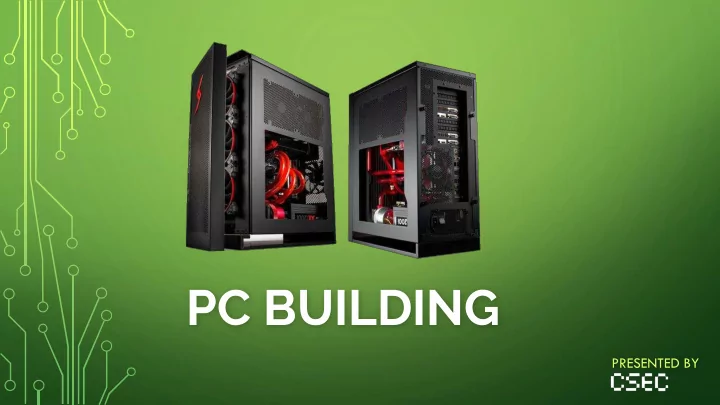
PC BUILDING

PRESENTED BY
slide-2
SLIDE 2

WHAT IS A PC

General purpose Personal Computer for individual usage

Macintosh 1984

slide-3
SLIDE 3

WHAT IS A PC

General purpose Personal Computer for individual usage

IBM Personal Computer XT 1988

slide-4
SLIDE 4

WHAT IS A PC

General purpose Personal Computer for individual usage

Dell OptiPlex Education 2003 - Present

slide-5
SLIDE 5

WHAT IS A PC

General purpose Personal Computer for individual usage

Some Alienware Garbage

slide-6
SLIDE 6

THE MAIN COMPONENTS

  • Central Processing Unit

(CPU)

  • Graphics Processing Unit

(GPU)

  • Motherboard
  • Random Access Memory

(RAM)

  • Storage

(HDD/SSD/SSHD)

  • Power Supply Unit

(PSU)

  • PC Case
slide-7
SLIDE 7

WHAT ARE WE BUILDING TODAY?

Component Part We’re Using CPU Intel Core i5-6400 2.7Ghz Quad-Core Processor GPU GIGABYTE Radeon RX-470 G1 Gaming 4GB Motherboard ASUS B150M-A/M 1151 Socket Intel B150 Chipset RAM

  • G. Skill Ripjaws 4 8GB (2x4GB) DDR4 2133MHz

Storage ADATA SX930 120GB Solid State Drive Power Supply Corsair CX500 500 Watt 80PLUS Bronze Cert. PSU PC Case Corsair Carbide Series 200R USB3 ATX Mid Tower

slide-8
SLIDE 8

IS THAT GOOD? WHAT DOES IT MEAN?

slide-9
SLIDE 9

CENTRAL PROCESSING UNIT

  • Electronic circuitry “Brain” within a computer
  • Carries out the instructions of a computer program by performing the basic

arithmetic, logical, control and input/output

  • Has ‘clock speed’ – the processing speed, more or less
  • Has ability to be overclocked - turbo charged
  • Threads and Multithreading
slide-10
SLIDE 10

THE GREAT DEBATE

slide-11
SLIDE 11

THE GREAT DEBATE

Intel AMD No overclocking on mid-tier CPUs Offers overclocking on mid-tier CPUs Less cores than AMD More cores than Intel Integrated Graphics are not very good Most APUs deliver passable gaming performance Better single core performance Better multi core performance Better power consumption Worse power consumption Better cost-per-dollar Worst cost-per-dollar except for low-end builds Better CPU-intensive performance Worse CPU-intensive performance

slide-12
SLIDE 12

WHAT DID WE BUY?

Intel Core i5-6400k 2.6GHz Quad-Core Processor

Microarchitecture: Intel Skylake Series: Core-i5 Clock Rate: 2.6Ghz Cores: 4 Overclockable: No Socket Type: LGA1151

slide-13
SLIDE 13

GRAPHICS PROCESSING UNIT

  • Specialized processing unit for creation of images and display
  • Originally was integrated with the CPU
  • Still have integrated graphics! Intel Integrated Graphics and Accelerated Processing Units
  • Does calculations for 3D computer graphics, texture mapping, rendering
  • Uses own RAM – called VRAM, or Video RAM
  • Optimization for DX11, DX12, and other graphics technology
slide-14
SLIDE 14
slide-15
SLIDE 15

THE [OTHER] GREAT DEBATE

slide-16
SLIDE 16

THE [OTHER] GREAT DEBATE

  • Direct X11/Direct X12 Support
  • G-Sync vs Freesync Support
  • NVIDIA Shadowplay vs AMD GVR
  • Streaming Capabilities
  • RAM and Reliance
  • HAIR HAIR HAIR (Hairworks vs TressFX)
slide-17
SLIDE 17
slide-18
SLIDE 18

WHAT DID WE BUY?

GIGABYTE Radeon RX-470 G1 Gaming 4GB

Redistributor: GIGABYTE Series: AMD Radeon RX-470 VRAM: 4GB Benchmark Score: 7239

slide-19
SLIDE 19

THE MOTHERBOARD

  • Main printed circuit board (PCB) for communication
  • Connectors for Peripheral Component Interconnect Express (PCIe)
  • Size differences (MicroATX, MiniATX, and ATX)
  • Chipset support for different microarchitecture of CPUs
  • Serial ATA (SATA) bus interfaces for storage devices
slide-20
SLIDE 20

GPU CPU Dual Channel RAM PCIE Ports Power Supply Ports Utility Ports

slide-21
SLIDE 21

WHAT DID WE BUY?

  • ASUS B150M-A/M 1151 Socket Intel B150 Chipset

Manufacturer: ASUS Architecture: ATX B150 for LGA-1151 Chipset RAM: Dual Channel DDR4-2133 Support PCIe Slots: 2 x PCIe 3.0 x16 slots SATA Ports: 6 x SATA 6Gb/s

slide-22
SLIDE 22
slide-23
SLIDE 23

RANDOM ACCESS MEMORY

  • Fast access of data and items regardless of physical location
  • Example is a lot of books on a table vs a categorized library
  • RAM is volatile memory, requires power to keep data accessible
  • RAM Speed is measured in MHz: Often 1600Mhz, 2100Mhz, etc.
  • CAS Latency: How long RAM responds when CPU makes a request
  • DDR4 Ram: Double Data Rate 4th-Gen Synchronous Dynamic RAM
slide-24
SLIDE 24

WHAT DID WE BUY?

  • G. Skill Ripjaws 4 8GB (2x4GB) DDR4 2133MHz

Redistributor: G. Skill RAM: 2 Sticks of 4GB each (8GB) CAS Latency: 15 Type: DDR4 Ram 2133MH

slide-25
SLIDE 25

STORAGE

Hard Disk Drive (HDD) Solid State Drive (SSD) Hybrid Drive (SSHD) Lots of storage space Not a lot of storage space Lots of storage space Very cheap storage Expensive storage Somewhat cheap storage Slow read/write time Extremely fast read/write time Medium slow read/write time More energy consumption Less energy consumption More energy consumption Magnet and Vibration sensitive Safe against both Magnet and Vibration sensitive

slide-26
SLIDE 26

WHAT DID WE BUY?

ADATA SX930 120GB Solid State Drive

Redistributor: ADATA Storage Type: Solid State Drive Capacity: 120 GB Speed: 6 GB/s write and read rate Size: 2.5”

slide-27
SLIDE 27

POWER SUPPLY UNIT

  • Supplies power to most components of the PC
  • Non-modular, semi-modular, and fully modular PSUs exist
  • VERY VERY IMPORTANT. DO NOT CHEAP OUT ON THIS
  • Divided into efficiency tiers, None, Bronze, Silver, Gold, and Platinum
slide-28
SLIDE 28

WHAT DID WE BUY?

Corsair CX500 500 Watt 80PLUS Bronze Cert. PSU

Manufacturer: Corsair Series: CX Builder Series Power: 500 Watt Efficiency Rating: ECO 80PLUS Bronze Modularity: Non-modular

slide-29
SLIDE 29

PC CASING

  • Various sizes (Smaller towers, ATX Mid Tower, ATX Full Tower)
  • Inclusion of in-built power supply
  • 5.25”, 2.5”, 3.5” bays for SSD, HDD, and other things
  • Standoff placement / holes for motherboard
  • Ventilation and dust mangement
  • Wire management and organization
slide-30
SLIDE 30

THEY LOOK SICK

slide-31
SLIDE 31

WHAT DID WE BUY?

  • Yuck.
slide-32
SLIDE 32

WHAT DID WE BUY?

Corsair Carbide Series 200R USB3 ATX Mid Tower

Manufacturer: Corsair Series: Carbide 200R Size: ATX Mid-Tower In-built PSU: None Bays: 3x5.25”, 4x2.5”, 4x3.5”

slide-33
SLIDE 33

BY THEIR POWERS COMBINED

PC CASE CPU GPU Motherboard RAM SSD Storage PSU

slide-34
SLIDE 34

Take a Break

while we set up

slide-35
SLIDE 35

HELPFUL RESOURCES

www.pcpartpicker.com Build creation and compatibility site www.reddit.com/r/buildapc Common questions, build review, etc. www.reddit.com/r/buildapcsales General PC and peripheral sales www.reddit.com/r/bapcsalescanada Same as above, but only Canada www.reddit.com/r/hardwareswap Trade hardware or buy for cheap www.tomshardware.com Helpful guides, reviews, and forums