Overview DW Source Integration, Tools, and Architecture DW Front - - PowerPoint PPT Presentation

overview dw source integration tools and architecture
SMART_READER_LITE
LIVE PREVIEW

Overview DW Source Integration, Tools, and Architecture DW Front - - PowerPoint PPT Presentation

Overview DW Source Integration, Tools, and Architecture DW Front End Tools Source Integration DW architecture Original slides were written by Torben Bach Pedersen Aalborg University 2007 - DWML course 2 End User Applications


slide-1
SLIDE 1

DW Source Integration, Tools, and Architecture

Original slides were written by Torben Bach Pedersen

Aalborg University 2007 - DWML course 2

Overview

  • DW Front End Tools
  • Source Integration
  • DW architecture

Aalborg University 2007 - DWML course 3

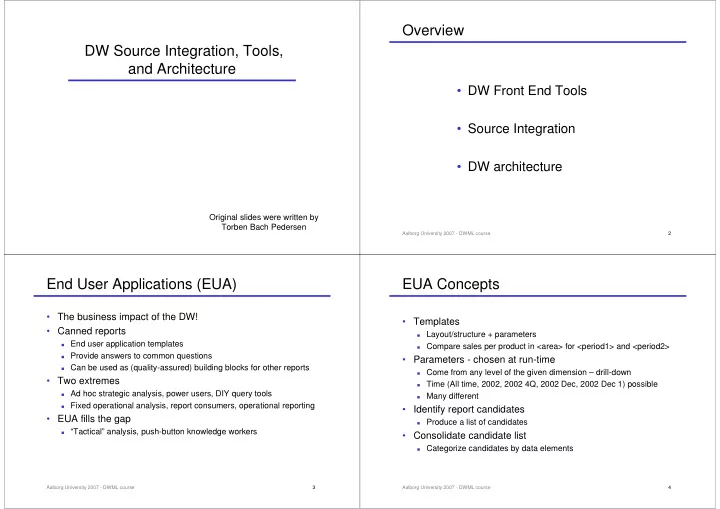
End User Applications (EUA)

  • The business impact of the DW!
  • Canned reports

End user application templates Provide answers to common questions Can be used as (quality-assured) building blocks for other reports

  • Two extremes

Ad hoc strategic analysis, power users, DIY query tools Fixed operational analysis, report consumers, operational reporting

  • EUA fills the gap

“Tactical” analysis, push-button knowledge workers

Aalborg University 2007 - DWML course 4

EUA Concepts

  • Templates

Layout/structure + parameters Compare sales per product in <area> for <period1> and <period2>

  • Parameters - chosen at run-time

Come from any level of the given dimension – drill-down Time (All time, 2002, 2002 4Q, 2002 Dec, 2002 Dec 1) possible Many different

  • Identify report candidates

Produce a list of candidates

  • Consolidate candidate list

Categorize candidates by data elements

slide-2
SLIDE 2

Aalborg University 2007 - DWML course 5

What Templates to Choose?

  • “Analytical Cycle” Steps (repeats)

1)

How’s business? – current performance

2)

What are the trends? – performance over time

3)

What’s unusual? – quick identification of exceptions (+/-)

4)

What is driving the exceptions? – find causes for exceptions

5)

What if …? – play around with parameters and see effect

6)

Make a business decision – small as well as big decisions

7)

Implement the decision – feed analysis results into op. systems

  • Prioritize template list
  • Rank or group templates – implement 15 most important at first

Aalborg University 2007 - DWML course 6

Overview

  • DW Front End Tools
  • Source Integration
  • DW architecture

Aalborg University 2007 - DWML course 7

Data Integration Research Projects

  • Focus on source integration and update propagation
  • Wrapper: convert source data into a standard format
  • Information Manifold

Sources: databases, SGML docs, unstructured files,… Relational integration data model

  • TSIMMIS

Wrapper/mediator Semi-structured OEM integration data model

  • Squirrel

Powerful “integration mediator”

  • WHIPS

Wrapper/mediator Relational integration data model

Aalborg University 2007 - DWML course 8

Views on DW Metadata

  • Most DW projects: DW architecture as

a “stepwise flow” of information from source to analyst

  • No conceptual domain model used for

integration

  • Some questions cannot be answered
  • DWQ project: extended metamodel to

capture all relevant aspects

slide-3
SLIDE 3

Aalborg University 2007 - DWML course 9

Using DW Metadata in the Enterprise

(1) (2) (3) (4) (5)

  • Analyst wants to analyze data
  • Gather data from operational

departments through OLTP

  • Question travels through (1)-(5)
  • Traditional DW (previous slide)
  • nly describes step (3)-(4)
  • Cannot solve problems like

“why can’t I answer quest. X?”

  • Conceptual relationships between

enterprise model, operational models + DW must be captured

  • Everything is a view on the

enterprise model ! (“local as view”) – unlike previous slide

Aalborg University 2007 - DWML course 10

Analyst: “Why can’t I answer question X?”

  • Possible reasons

Certain measures not included in fact table Granularity of facts too coarse Particular dimensions not in DW Descriptive attributes missing from dimensions Meaning of attributes/measures deviate from the

analyst’s expectation

…… Aalborg University 2007 - DWML course 11

DWQ Metadata

  • Three metadata perspectives

must be captured

  • Conceptual (enterprise)
  • Logical (data model)
  • Physical (data flow)
  • Framework instantiated by

conceptual, logical, and physical information models

  • DW quality heavily depends on

DW processes rather than schemas

  • A process meta model is needed

to capture process definitions, and the relationships to DW quality

Aalborg University 2007 - DWML course 12

Source integration practice

  • Focus on information integration in databases

(schema and data)

  • Two main approaches

Constructing integrated enterprise model Focus on mappings between sources and DW

  • Tools for DW management

Schema integration Metadata management Based on modeling tools

  • Tools for data integration

Mapping specification ETL tools – like last lecture

slide-4
SLIDE 4

Aalborg University 2007 - DWML course 13

Schema Integration

  • Producing one global schema (one-shot or incremental)
  • Pre-integration
  • Analyzing and annotating source schemata
  • Semantic enrichment of schema, often in richer data model
  • Schema comparison
  • Determine correlations/conflicts among schema concepts
  • Heterogeneity conflicts – different source data models
  • Naming conflicts – homonyms and synonyms
  • Semantic conflicts –different abstraction levels
  • Structural – different constructs
  • Schema conforming
  • Conform/align schemas to make them compatible
  • Typically semi-automatic process
  • Schema merging and restructuring
  • “Superimpose” conformed schemas
  • Quality: completeness, correctness, minimality, understandability

Aalborg University 2007 - DWML course 14

Virtual Data Integration

  • Only data definition is integrated
  • Data only in sources, queries on views, queries shipped to sources
  • Not suited for DW?
  • Carnot
  • Individual schemata mapped onto rich GCL ontology (1. order logic)
  • Articulation axioms specify mappings, queries mapped to GCL
  • SIMS
  • Creates common class-based domain model to describe sources
  • Sources are dynamically chosen and integrated at query time
  • Query reformulation, access planning, optimization, execution
  • Information Manifold
  • Relational world view + information source description + correspondences
  • Metamodel enriched using description logic/Datalog rules
  • Datalog queries, optimized by choosing ”minimal” sources
  • TSIMMIS
  • Wrappers wrap sources using semi-structured OEM model
  • Mediator performs its own integration – no global integration (global as view)

Aalborg University 2007 - DWML course 15

Materialized Data Integration

  • Views on source data are materialized in integrated DB
  • Squirrel

Integration mediators incrementally maintain materialized views

  • Cooperation of sources required
  • WHIPS

Relational SPJ + aggregation views specified in view tree View manager computes view and handles updates Integrator ensures view maintainability Global query processor queries sources using wrappers/mediators

  • In combination with virtual integration?

Aalborg University 2007 - DWML course 16

DWQ Source Integration

  • Current DW tools cannot fully support DW quality

No support for validation of interschema assertions and other

specified relationships, i.e., the DW design process

  • Conceptual perspective

Domain model = enterprise model + source models Consolidated and reconciled description of important concepts ◆ Not all enterprise data captured (at first, incremental approach) Logic-based formalism allows reasoning over metadata Intermodel assertions capture interdependencies

  • Logical perspective

Source schemata + DW schema in logical data model (relational) Defined as queries over the corresponding conceptual component

  • Physical perspective

The actual data stores

slide-5
SLIDE 5

Aalborg University 2007 - DWML course 17

DWQ Source Integration Architecture

Note explicit mappings!

Aalborg University 2007 - DWML course 18

DWQ Source Integration Methodology

  • Source-driven integration

Enterprise and source model construction Source model integration (into the domain model) Source and DW schema specification (+ mappings) Data integration and reconciliation Quality analysis steps in all phases above

  • Client-driven integration

New client query considered Reasoning determines whether query can be answered by

materialized views already in DW

◆ Query containment reasoning If DW not sufficient, materialize new concepts in domain model? Otherwise, new sources must be added using source-driven integr.

Aalborg University 2007 - DWML course 19

Overview

  • DW Front End Tools
  • Source Integration
  • DW architecture

Aalborg University 2007 - DWML course 20

Technical Architecture Design Technical Architecture Design Product Selection& Installation Product Selection& Installation End-User Application Specification End-User Application Specification End-User Application Development End-User Application Development Business Requirements Definition Business Requirements Definition Deployment Deployment Maintenance and Growth Maintenance and Growth Project Management Project Management Dimensional Modeling Dimensional Modeling Physical Design Physical Design Data Staging Design & Development Data Staging Design & Development Project Planning Project Planning

Lifecycle Overview

slide-6
SLIDE 6

Aalborg University 2007 - DWML course 21

DB DB DB DB DB

Appl. Appl. Appl. ETL

DW DM DM DM

OLAP Visua- lization Appl. Appl. Data mining

Data Marts Data Warehouse Existing databases and systems (OLTP) New databases and systems (OLAP)

Technical DW Architecture

How to organize DW and DMs? Clients

Aalborg University 2007 - DWML course 22

Central DW

  • All data in one, central DW
  • All client queries directly on the

central DW

  • Pros
  • Simplicity
  • Easy to manage
  • Cons
  • Bad performance due to no

redundancy/ workload distribution

Central DW Source Source

Clients

Aalborg University 2007 - DWML course 23

Federated DW

  • Data stored in separate data marts,

aimed at special departments

  • Logical DW (i.e., virtual)
  • Data marts contain detail data
  • Pros
  • Performance due to distribution
  • Cons
  • More complex

Logical DW Source Source

Clients

Finance mart Mrktng mart Distr. mart

Aalborg University 2007 - DWML course 24

Tiered Architecture

  • Central DW is materialized
  • Data is distributed to data marts in
  • ne or more tiers
  • Only aggregated data in cube tiers
  • Data is aggregated/reduced as it

moves through tiers

  • Pros
  • Best performance due to

redundancy+distribution

  • Cons
  • Most complex
  • Hard to manage

2000 2001 Aalborg Copenhagen Milk Bread 123 127 57 45 56 67 211 2000 2001 Aalborg Copenhagen Milk Bread 123 127 57 45 56 67 211 2000 2001 Aalborg Copenhagen Milk Bread 123 127 57 45 56 67 211

Central DW

2000 2001 Aalborg Copenhagen Milk Bread 123 127 57 45 56 67 211 2000 2001 Aalborg Copenhagen Milk Bread 123 127 57 45 56 67 211
slide-7
SLIDE 7

Aalborg University 2007 - DWML course 25

Coordination w. Development Strategy

  • Different development strategies pose different demands

to the architecture elements

  • Example: Kimball Dimensional Modeling

Centralized design of (conforming) dimensions First, design of a single-source data mart Later, design of multi-source data marts Integration of existing data marts into new data marts The DW is just the union of the marts it is composed of Entails top-down (“Bus Architecture”) and bottom-up elements

  • Consequences

No initial design of DW, from which data marts are extracted Data is extracted directly from sources to data marts Allows distribution of data marts and computation on them

Aalborg University 2007 - DWML course 26

Operational Data Store (ODS)

DB DB DB DB DB

Appl. Appl. Appl. ETL

DW DM DM DM

OLAP Visua- lization Appl. Appl. Data mining

Existing databases and systems (OLTP)

ODS New DB

Aalborg University 2007 - DWML course 27

Operational Data Store I

a “subject oriented, integrated, volatile, current valued data store containing only corporate detailed data” (Inmon et al.)

  • A database which integrates and accumulates operational

data in a subject-oriented structure

  • Not dimensional, but ordinary relational
  • An extra level between operational systems and

dimensional structures

  • Two benefits sought

Integration of operational systems Basis for data warehouse

Aalborg University 2007 - DWML course 28

Operational Data Store II

  • ODS - pros

More modeling choices ◆ The dimensional “straightjacket” can force sub-optimal design

decisions hiding the true semantics of data

◆ No need to choose a granularity, and no need to exclude data ◆ In summary, no need to make design decisions that cannot be

changed subsequently

This means extra flexibility

  • ODS – cons

Not feasible to do analysis directly on ODS extra complexity

  • Separate ODS unnecessary, DW = ODS (Kimball et al.)
slide-8
SLIDE 8

Aalborg University 2007 - DWML course 29

MS Analysis Services

  • Cheap
  • Easy to use
  • (R/M/H)OLAP technology

Data placement as desired

  • Intelligent pre-aggregation
  • Server and client parts

Reporting Services a separate tool

  • Built-in data mining

Decision trees Clustering

  • MS OLE DB for OLAP interface

Aalborg University 2007 - DWML course 30

IBM DB2 OLAP Server

  • “Light” version of Hyperion Essbase (OLAP market leader)

Extra product “on top of” DB2

  • (R/M/H)OLAP

Data in DB2 or in multidimensional structures

  • Interfaces

Hyperion Essbase API OLE DB for OLAP (promised)

  • DB2 can also handle aggregates

Automatic summary tables Used by DB2 optimizer Automatic maintenance by DB2

Aalborg University 2007 - DWML course 31

Oracle 10g BI

  • Based on Express OLAP product

On the market since 1970!

  • (R/M/H)OLAP

Flexible data placement Integrates ROLAP strategy and Express OLAP

  • Total integration with Oracle 10g RDBMS

Storage, security, management,… Best integration compared to MS and IBM

  • Add-on data mining (10g Data Mining)

Associations, classification, prediction, clustering

Aalborg University 2007 - DWML course 32

Architecture Alternatives

  • Cubes are smart

Intuitive model Better overview Better suited for data analysis

  • But logical cubes suffice

Implementation hidden from user

  • Architecture alternatives

MS, IBM, Oracle Virtual cubes, physical cubes ROLAP, MOLAP Separate relational DW, cubes directly on source data Client tools 3*23 = 24 different possibilities (without clients) – less in reality

slide-9
SLIDE 9

Aalborg University 2007 - DWML course 33

MS vs. IBM vs. Oracle

  • All

Good scalability Good analysis facilities Flexible storage (MOLAP, ROLAP, HOLAP) Incremental update Many client tools

  • MS Analysis Server

Built-in mining + good integration with MS SQL Server

  • DB2 OLAP Server

Good integration with DB2

  • Oracle

Best RDBMS/MOLAP integration of the three

  • All three products are good

Dependent on the other choices + existing technical architecture

Aalborg University 2007 - DWML course 34

Virtual vs. Physical Cubes

  • Virtual cubes

Logical cube specification directly on source data ROLAP implementation without aggregates + flexible, design can be changed quickly

  • performance, constant load on source DB
  • Physical cubes

Data for cube extracted and stored on OLAP server Several implementation choices possible + good performance, only source DB load at creation/update

  • harder to change design

Aalborg University 2007 - DWML course 35

MOLAP vs. ROLAP

  • MOLAP

Data in specialized data structure, optimized for OLAP + best performance, least space consumption

  • changing design requires rebuilding, scalability at detail level?,

detail data stored several times

  • ROLAP

Data in RDBMS + more flexible change of design, scalable for detail data

  • not as good performance, larger space consumption
  • HOLAP

Detail data in RDBMS (can be source DB) Aggregates in multidimensional structure + good performance for higher-level queries, detail data only stored

  • nce
  • handling design changes, operational complexity

Aalborg University 2007 - DWML course 36

Separate Data Warehouse?

  • Separate DW

Integration of source data in DW Cubes built from DW Sometimes the only solution + better integration and cleansing, less load on existing servers

  • larger complexity, design changes, updating DW
  • Cubes directly on source data

Cubes built directly from source data Cannot handle all cases + less complexity, easier to change design, no update of DW

  • cannot handle all forms of integration and cleansing, more load
  • n operational servers
slide-10
SLIDE 10

Aalborg University 2007 - DWML course 37

Choosing Client Tools

  • Many OLAP clients on the market, e.g.,

Hyperion, Targit, Oracle MS Reporting Services

  • Client and server communicates via an API
  • MS OLE DB for OLAP

De facto standard Supported by almost all client tools

  • Hyperion Essbase API

Supported by many client tools

  • Some criteria

Functionality (web distribution, analysis, reporting, …) Support Price

Aalborg University 2007 - DWML course 38

Architecture Alternatives - Conclusion

  • Architecture alternatives, their pros and cons
  • No simple general choices
  • Choices dependent on the concrete situation

Look at books Look at requirements specs Look at the latest products Think about prototyping

Aalborg University 2007 - DWML course 39

Summary

  • DW Front End Tools
  • Source Integration
  • DW architecture

Aalborg University 2007 - DWML course 40

Mini Project

  • New subtask

Build a few reports in Reporting Services to answer important

business questions you proposed in part (1a)

Discuss the architecture of your DW system Discuss source integration in your system

  • MS Reporting Services Tutorial

http://msdn2.microsoft.com/en-us/library/ms170246.aspx