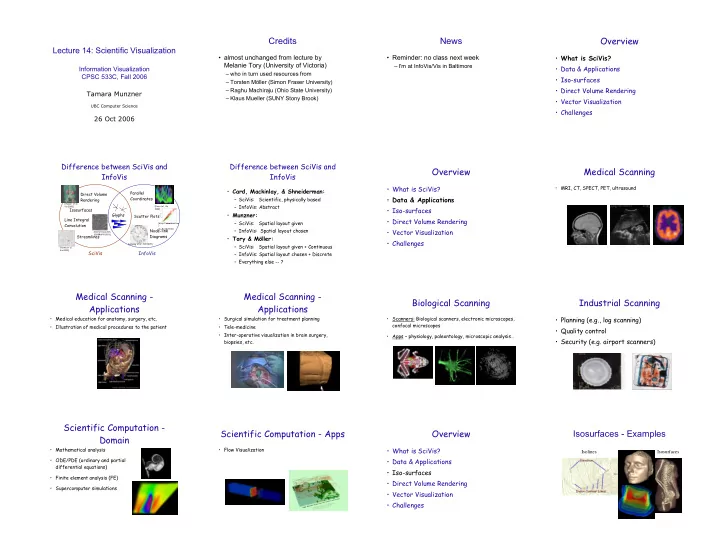
Overview Credits News Lecture 14: Scientific Visualization What - - PowerPoint PPT Presentation

overview credits news
SMART_READER_LITE
LIVE PREVIEW

Overview Credits News Lecture 14: Scientific Visualization What - - PowerPoint PPT Presentation

Overview Credits News Lecture 14: Scientific Visualization What is SciVis? almost unchanged from lecture by Reminder: no class next week Melanie Tory (University of Victoria) I'm at InfoVis/Vis in Baltimore Data &


slide-1
SLIDE 1

Lecture 14: Scientific Visualization

Information Visualization CPSC 533C, Fall 2006 Tamara Munzner

UBC Computer Science

26 Oct 2006

Credits

  • almost unchanged from lecture by

Melanie Tory (University of Victoria)

– who in turn used resources from – Torsten Möller (Simon Fraser University) – Raghu Machiraju (Ohio State University) – Klaus Mueller (SUNY Stony Brook)

News

  • Reminder: no class next week

– I'm at InfoVis/Vis in Baltimore

Overview

  • What is SciVis?
  • Data & Applications
  • Iso-surfaces
  • Direct Volume Rendering
  • Vector Visualization
  • Challenges

Difference between SciVis and InfoVis

Direct Volume Rendering Streamlines Line Integral Convolution Glyphs Isosurfaces

SciVis

Scatter Plots Parallel Coordinates Node-link Diagrams

InfoVis

[Verma et al., Vis 2000] [Hauser et al., Vis 2000] [Cabral & Leedom, SIGGRAPH 1993] [Fua et al., Vis 1999] [http://www.axon.com / gn_Acuity.html] [Lamping et al., CHI 1995]

Difference between SciVis and InfoVis

  • Card, Mackinlay, & Shneiderman:

– SciVis: Scientific, physically based – InfoVis: Abstract

  • Munzner:

– SciVis: Spatial layout given – InfoVis: Spatial layout chosen

  • Tory & Möller:

– SciVis: Spatial layout given + Continuous – InfoVis: Spatial layout chosen + Discrete – Everything else -- ?

Overview

  • What is SciVis?
  • Data & Applications
  • Iso-surfaces
  • Direct Volume Rendering
  • Vector Visualization
  • Challenges

Medical Scanning

  • MRI, CT, SPECT, PET, ultrasound

Medical Scanning - Applications

  • Medical education for anatomy, surgery, etc.
  • Illustration of medical procedures to the patient

Medical Scanning - Applications

  • Surgical simulation for treatment planning
  • Tele-medicine
  • Inter-operative visualization in brain surgery,

biopsies, etc.

Biological Scanning

  • Scanners: Biological scanners, electronic microscopes,

confocal microscopes

  • Apps – physiology, paleontology, microscopic analysis…

Industrial Scanning

  • Planning (e.g., log scanning)
  • Quality control
  • Security (e.g. airport scanners)

Scientific Computation - Domain

  • Mathematical analysis
  • ODE/PDE (ordinary and partial

differential equations)

  • Finite element analysis (FE)
  • Supercomputer simulations

Scientific Computation - Apps

  • Flow Visualization

Overview

  • What is SciVis?
  • Data & Applications
  • Iso-surfaces
  • Direct Volume Rendering
  • Vector Visualization
  • Challenges

Isosurfaces - Examples

Isolines Isosurfaces

slide-2
SLIDE 2

Isosurface Extraction

  • by contouring

– closed contours – continuous – determined by iso-value

  • several methods

– marching cubes is most common

1 2 3 4 3 2 7 8 6 2 3 7 9 7 3 1 3 6 6 3 1 1 3 2 Iso-value = 5

MC 1: Create a Cube

  • Consider a Cube defined by eight data values:

(i,j,k) (i+1,j,k) (i,j+1,k) (i,j,k+1) (i,j+1,k+1) (i+1,j+1,k+1) (i+1,j+1,k) (i+1,j,k+1)

MC 2: Classify Each Voxel

  • Classify each voxel according to whether it lies
  • utside the surface (value > iso-surface value)
inside the surface (value <= iso-surface value) 8

Iso=7

8 8 5 5 10 10 10

Iso=9 =inside =outside

MC 3: Build An Index

  • Use the binary labeling of each voxel to create an index

v1 v2 v6 v3 v4 v7 v8 v5

inside =1

  • utside=0

11110100 00110000 Index:

v1 v2 v3 v4 v5 v6 v7 v8

MC 4: Lookup Edge List

  • For a given index, access an array storing a list of edges
  • all 256 cases can be derived from 15 base cases

MC 4: Example

  • Index = 00000001
  • triangle 1 = a, b, c

a b c

MC 5: Interp. Triangle Vertex

  • For each triangle edge, find the vertex location along the edge using linear
interpolation of the voxel values

=10 =0 T=8 T=5 i i+1 x

[] [ ] []

  • +
  • +

= i v i v i v T i x 1

MC 6: Compute Normals

  • Calculate the normal at each cube vertex
1 , , 1 , , , 1 , , 1 , , , 1 , , 1
  • +
  • +
  • +
  • =
  • =
  • =
k j i k j i z k j i k j i y k j i k j i x

v v G v v G v v G

  • Use linear interpolation to compute the polygon

vertex normal

MC 7: Render! Overview

  • What is SciVis?
  • Data & Applications
  • Iso-surfaces
  • Direct Volume Rendering
  • Vector Visualization
  • Challenges

Direct Volume Rendering Examples

Rendering Pipeline (RP)

Classify

Classification

  • original data set has application specific

values (temperature, velocity, proton density, etc.)

  • assign these to color/opacity values to make

sense of data

  • achieved through transfer functions

Transfer Functions (TF’s)

  • Simple (usual) case: Map data

value f to color and opacity Human Tooth CT

(f)

RGB(f)

f

RGB

Shading, Compositing…

  • Gordon Kindlmann

TF’s

  • Setting transfer functions is difficult, unintuitive,

and slow

f

  • f
  • f
  • f
  • Gordon Kindlmann

Transfer Function Challenges

  • Better interfaces:

– Make space of TFs less confusing – Remove excess “flexibility” – Provide guidance

  • Automatic / semi-automatic transfer function generation

– Typically highlight boundaries Gordon Kindlmann

slide-3
SLIDE 3

Rendering Pipeline (RP)

Classify Shade

Light Effects

  • Usually only considering

reflected part

Light

absorbed transmitted reflected Light=refl.+absorbed+trans.

Light

ambient specular diffuse s s d d a a

I k I k I k I + + =

Light=ambient+diffuse+specular

Rendering Pipeline (RP)

Classify Shade Interpolate

Interpolation

  • Given:
  • Needed:

2D 1D

  • Given:
  • Needed:

Interpolation

  • Very important; regardless of algorithm
  • Expensive => done very often for one image
  • Requirements for good reconstruction

– performance – stability of the numerical algorithm – accuracy

Nearest neighbor Linear

Rendering Pipeline (RP)

Classify Shade Interpolate Composite

Ray Traversal Schemes

Depth Intensity Max Average Accumulate First

Ray Traversal - First

Depth Intensity First

  • First: extracts iso-surfaces (again!)

done by Tuy&Tuy ’84

Ray Traversal - Average

Depth Intensity Average

  • Average: produces basically an X-ray picture

Ray Traversal - MIP

Depth Intensity Max

  • Max: Maximum Intensity Projection

used for Magnetic Resonance Angiogram

Ray Traversal - Accumulate

Depth Intensity Accumulate

  • Accumulate: make transparent layers visible!

Levoy ‘88

Volumetric Ray Integration

color

  • pacity
  • bject (color, opacity)

1.0

Overview

  • What is SciVis?
  • Data & Applications
  • Iso-surfaces
  • Direct Volume Rendering
  • Vector Visualization
  • Challenges

Flow Visualization

  • Traditionally – Experimental Flow Vis
  • Now – Computational Simulation
  • Typical Applications:

– Study physics of fluid flow – Design aerodynamic objects

Traditional Flow Experiments Techniques

Contours Streamlines

Jean M. Favre

Glyphs (arrows)

slide-4
SLIDE 4

Techniques Techniques - Stream-ribbon

  • Trace one streamline and a constant size

vector with it

  • Allows you to see places where flow twists

Techniques - Stream-tube

  • Generate a stream-line and widen it to a tube
  • Width can encode another variable

Mappings - Flow Volumes

  • Instead of tracing a line - trace a small

polyhedron

LIC (Line Integral Convolution)

  • Integrate noise texture along a streamline
H.W. Shen

Overview

  • What is SciVis?
  • Data & Applications
  • Iso-surfaces
  • Direct Volume Rendering
  • Vector Visualization
  • Challenges

Challenges - Accuracy

  • Need metrics -> perceptual metric
(a) Original (b) Bias-Added (c) Edge-Distorted

Challenges - Accuracy

  • Deal with unreliable data (noise,

ultrasound)

Challenges - Accuracy

  • Irregular data sets

regular rectilinear uniform curvilinear Structured Grids: regular irregular hybrid curved Unstructured Grids:

Challenges - Speed/Size

  • Efficient algorithms
  • Hardware developments (VolumePro)
  • Utilize current hardware (nVidia, ATI)
  • Compression schemes
  • Terabyte data sets

Challenges - HCI

  • Need better

interfaces

  • Which method

is best?

Challenges - HCI

  • “Augmented” reality
  • Explore novel I/O devices