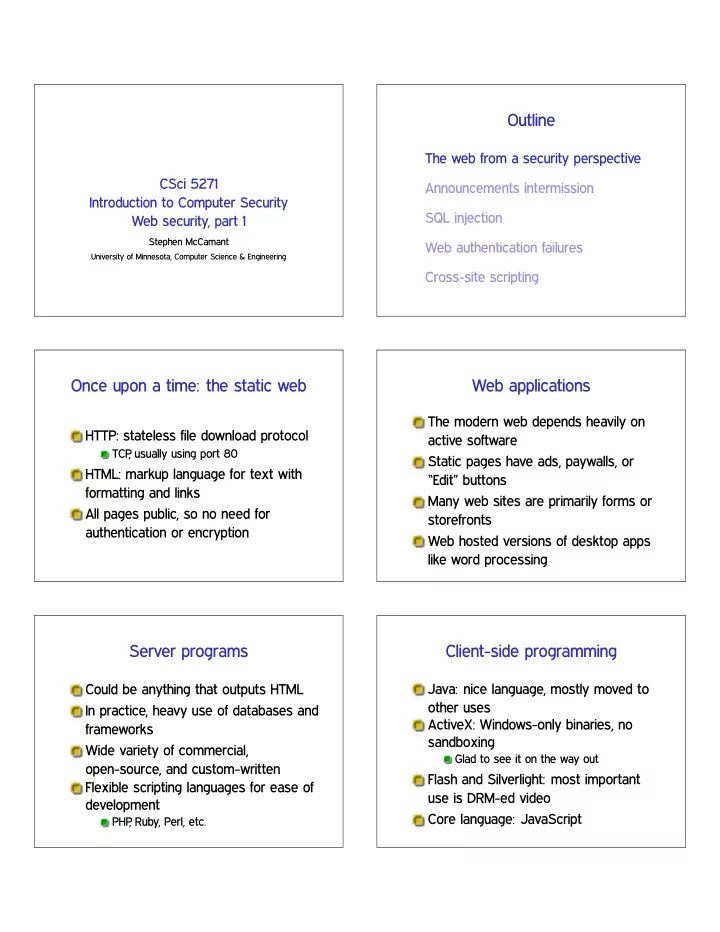
SLIDE 1 CSci 5271 Introduction to Computer Security Web security, part 1
Stephen McCamant
University of Minnesota, Computer Science & Engineering
Outline
The web from a security perspective Announcements intermission SQL injection Web authentication failures Cross-site scripting
Once upon a time: the static web
HTTP: stateless file download protocol
TCP , usually using port 80
HTML: markup language for text with formatting and links All pages public, so no need for authentication or encryption
Web applications
The modern web depends heavily on active software Static pages have ads, paywalls, or “Edit” buttons Many web sites are primarily forms or storefronts Web hosted versions of desktop apps like word processing
Server programs
Could be anything that outputs HTML In practice, heavy use of databases and frameworks Wide variety of commercial,
- pen-source, and custom-written
Flexible scripting languages for ease of development
PHP , Ruby, Perl, etc.
Client-side programming
Java: nice language, mostly moved to
ActiveX: Windows-only binaries, no sandboxing
Glad to see it on the way out
Flash and Silverlight: most important use is DRM-ed video Core language: JavaScript
SLIDE 2 JavaScript and the DOM
JavaScript (JS) is a dynamically-typed prototype-OO language
No real similarity with Java
Document Object Model (DOM): lets JS interact with pages and the browser Extensive security checks for untrusted-code model
Same-origin policy
Origin is a tuple (scheme, host, port)
E.g., (http, www.umn.edu, 80)
Basic JS rule: interaction is allowed
Different sites are (mostly) isolated applications
GET, POST, and cookies
- ❊❚ request loads a URL, may have
parameters delimited with ❄, ✫, ❂
Standard: should not have side-effects
P❖❙❚ request originally for forms
Can be larger, more hidden, have side-effects
Cookie: small token chosen by server, sent back on subsequent requests to same domain
User and attack models
“Web attacker” owns their own site (✇✇✇✳❛tt❛❝❦❡r✳❝♦♠)
And users sometimes visit it Realistic reasons: ads, SEO
“Network attacker” can view and sniff unencrypted data
Unprotected coffee shop WiFi
Outline
The web from a security perspective Announcements intermission SQL injection Web authentication failures Cross-site scripting
Note to early readers
This is the section of the slides most likely to change in the final version If class has already happened, make sure you have the latest slides for announcements
SLIDE 3 Outline
The web from a security perspective Announcements intermission SQL injection Web authentication failures Cross-site scripting
Relational model and SQL
Relational databases have tables with rows and single-typed columns Used in web sites (and elsewhere) to provide scalable persistent storage Allow complex queries in a declarative language SQL
Example SQL queries
❙❊▲❊❈❚ ♥❛♠❡✱ ❣r❛❞❡ ❋❘❖▼ ❙t✉❞❡♥ts ❲❍❊❘❊ ❣r❛❞❡ ❁ ✻✵ ❖❘❉❊❘ ❇❨ ♥❛♠❡❀ ❯P❉❆❚❊ ❱♦t❡s ❙❊❚ ❝♦✉♥t ❂ ❝♦✉♥t ✰ ✶ ❲❍❊❘❊ ❝❛♥❞✐❞❛t❡ ❂ ✬❏♦❤♥✬❀
Template: injection attacks
Your program interacts with an interpreted language Untrusted data can be passed to the interpreter Attack data can break parsing assumptions and execute arbitrary commands
SQL + injection
Why is this named most critical web
Easy mistake to make systematically Can be easy to exploit Database often has high-impact contents
E.g., logins or credit cards on commerce site
Strings do not respect syntax
Key problem: assembling commands as strings ✧❲❍❊❘❊ ♥❛♠❡ ❂ ✬✩♥❛♠❡✬❀✧ Looks like ✩♥❛♠❡ is a string Try ✩♥❛♠❡ ❂ ✧♠❡✬ ❖❘ ❣r❛❞❡ ❃ ✽✵❀ ✲✲✧
SLIDE 4
Using tautologies
Tautology: formula that’s always true Often convenient for attacker to see a whole table Classic: ❖❘ ✶❂✶
Non-string interfaces
Best fix: avoid constructing queries as strings SQL mechanism: prepared statement
Original motivation was performance
Web languages/frameworks often provide other syntax
Retain functionality: escape
Sanitizing data is transforming it to prevent an attack Escaped data is encoded to match language rules for literal
E.g., ❭✧ and ❭♥ in C
But many pitfalls for the unwary:
Differences in escape syntax between servers Must use right escape for context: not everything’s a string
Lazy sanitization: whitelisting
Allow only things you know to be safe/intended Error or delete anything else Short whitelist is easy and relatively easy to secure E.g., digits only for non-negative integer But, tends to break benign functionality
Poor idea: blacklisting
Space of possible attacks is endless, don’t try to think of them all Want to guess how many more comment formats SQL has? Particularly silly: blacklisting ✶❂✶
Attacking without the program
Often web attacks don’t get to see the program
Not even binary, it’s on the server
Surmountable obstacle:
Guess natural names for columns Harvest information from error messages
SLIDE 5
Blind SQL injection
Attacking with almost no feedback Common: only “error” or “no error” One bit channel you can make yourself: if (x) delay 10 seconds Trick to remember: go one character at a time
Injection beyond SQL
XPath/XQuery: queries on XML data LDAP: queries used for authentication Shell commands: example from Ex. 1 More web examples to come
Outline
The web from a security perspective Announcements intermission SQL injection Web authentication failures Cross-site scripting
Per-website authentication
Many web sites implement their own login systems
✰ If users pick unique passwords, little systemic risk ✲ Inconvenient, many will reuse passwords ✲ Lots of functionality each site must implement correctly ✲ Without enough framework support, many possible pitfalls
Building a session
HTTP was originally stateless, but many sites want stateful login sessions Building by tying requests together with a shared session ID Must protect confidentiality and integrity
Session ID: what
Must not be predictable
Not a sequential counter
Should ensure freshness
E.g., limited validity window
If encoding data in ID, must be unforgeable
E.g., data with properly used MAC Negative example: crypt(username ❦ server secret)
SLIDE 6 Session ID: where
Session IDs in URLs are prone to leaking
Including via user cut-and-paste
Usual choice: non-persistent cookie
Against network attacker, must send only under HTTPS
Because of CSRF (next time), should also have a non-cookie unique ID
Session management
Create new session ID on each login Invalidate session on logout Invalidate after timeout
Usability / security tradeoff Needed to protect users who fail to log
Account management
Limitations on account creation
CAPTCHA? Outside email address?
See previous discussion on hashed password storage Automated password recovery
Usually a weak spot But, practically required for large system
Client and server checks
For usability, interface should show what’s possible But must not rely on client to perform checks Attackers can read/modify anything on the client side Easy example: item price in hidden field
Direct object references
Seems convenient: query parameter names resource directly
E.g., database key, filename (path traversal)
Easy to forget to validate on each use Alternative: indirect reference like per-session table
Not fundamentally more secure, but harder to forget check
Function-level access control
E.g. pages accessed by URLs or interface buttons Must check each time that user is authorized
Attack: find URL when authorized, reuse when logged off
Helped by consistent structure in code
SLIDE 7 Outline
The web from a security perspective Announcements intermission SQL injection Web authentication failures Cross-site scripting
XSS: HTML/JS injection
Note: CSS is “Cascading Style Sheets” Another use of injection template Attacker supplies HTML containing JavaScript (or occasionally CSS) OWASP’s most prevalent weakness
A category unto itself Easy to commit in any dynamic page construction
Why XSS is bad (and named that)
❛tt❛❝❦❡r✳❝♦♠ can send you evil JS directly But XSS allows access to ❜❛♥❦✳❝♦♠ data Violates same-origin policy Not all attacks actually involve multiple sites
Reflected XSS
Injected data used immediately in producing a page Commonly supplied as query/form parameters Classic attack is link from evil site to victim site
Persistent XSS
Injected data used to produce page later For instance, might be stored in database Can be used by one site user to attack another user
E.g., to gain administrator privilege
DOM-based XSS
Injected occurs in client-side page construction Flaw at least partially in code running
Many attacks involve mashups and inter-site communication
SLIDE 8
No string-free solution
For server-side XSS, no way to avoid string concatenation Web page will be sent as text in the end
Research topic: ways to change this?
XSS especially hard kind of injection
Danger: complex language embedding
JS and CSS are complex languages in their own right Can appear in various places with HTML
But totally different parsing rules
Example: ✧✳✳✳✧ used for HTML attributes and JS strings
What happens when attribute contains JS?
Danger: forgiving parsers
History: handwritten HTML, browser competition Many syntax mistakes given “likely” interpretations Handling of incorrect syntax was not standardized
Sanitization: plain text only
Easiest case: no tags intended, insert at document text level Escape HTML special characters with entities like ✫❧t❀ for ❁ OWASP recommendation: ✫ ❁ ❃ ✧ ✬ ✴
Sanitization: context matters
An OWASP document lists 5 places in a web page you might insert text
For the rest, “don’t do that”
Each one needs a very different kind of escaping
Sanitization: tag whitelisting
In some applications, want to allow benign markup like ❁❜❃ But, even benign tags can have JS attributes Handling well essentially requires an HTML parser
But with an adversarial-oriented design
SLIDE 9
Don’t blacklist
Browser capabilities continue to evolve Attempts to list all bad constructs inevitably incomplete Even worse for XSS than other injection attacks
Filter failure: one-pass delete
Simple idea: remove all occurrences of ❁s❝r✐♣t❃ What happens to ❁s❝r❁s❝r✐♣t❃✐♣t❃?
Filter failure: UTF-7
You may have heard of UTF-8
Encode Unicode as 8-bit bytes
UTF-7 is similar but uses only ASCII Encoding can be specified in a ❁♠❡t❛❃ tag, or some browsers will guess ✰❆❉✇✲s❝r✐♣t✰❆❉✹✲
Filter failure: event handlers
❁■▼● ♦♥♠♦✉s❡♦✈❡r❂✧❛❧❡rt✭✬①ss✬✮✧❃ Put this on something the user will be tempted to click on There are more than 100 handlers like this recognized by various browsers
Use good libraries
Coding your own defenses will never work Take advantage of known good implementations Best case: already built into your framework
Disappointingly rare
Content Security Policy
New HTTP header, W3C candidate recommendation Lets site opt-in to stricter treatment of embedded content, such as:
No inline JS, only loaded from separate URLs Disable JS ❡✈❛❧ et al.
Has an interesting violation-reporting mode