Observing Facts Andreas Zeller 1 Reasoning about Runs - - PDF document

observing facts
SMART_READER_LITE
LIVE PREVIEW

Observing Facts Andreas Zeller 1 Reasoning about Runs - - PDF document

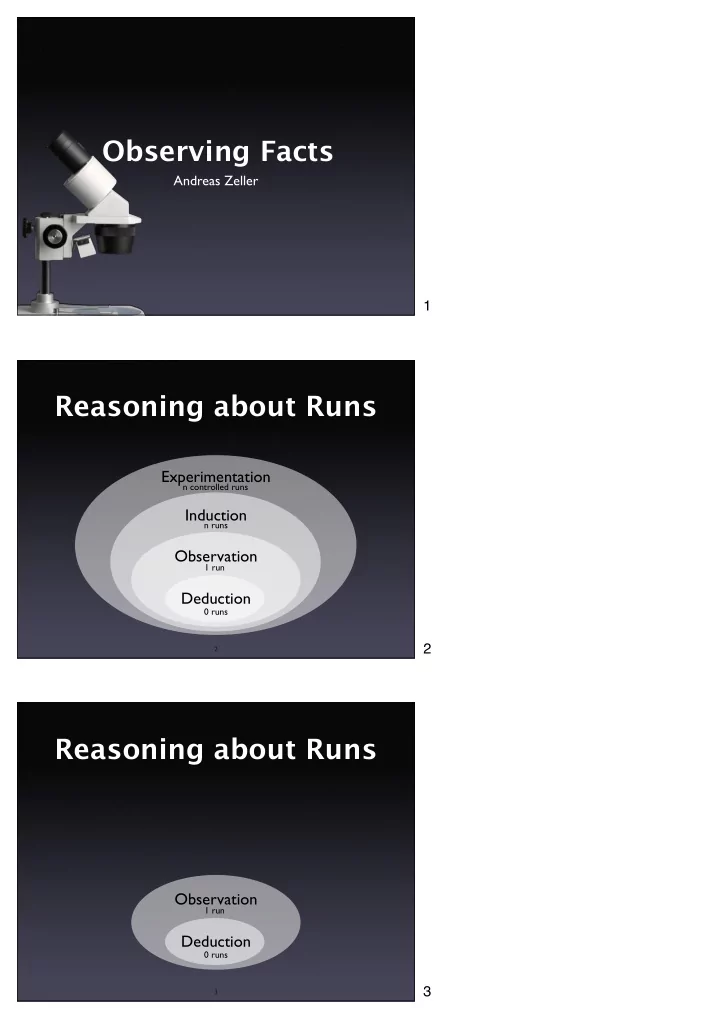
Observing Facts Andreas Zeller 1 Reasoning about Runs Experimentation n controlled runs Induction n runs Observation 1 run Deduction 0 runs 2 2 Reasoning about Runs Observation 1 run Deduction 0 runs 3 3 Principles of


slide-1
SLIDE 1

Andreas Zeller

Observing Facts

2

Experimentation Induction Observation Deduction

Reasoning about Runs

0 runs 1 run n runs n controlled runs

3

Observation

Reasoning about Runs

Deduction

0 runs 1 run
1 2 3

slide-2
SLIDE 2

4

Principles of Observation

  • Don’t interfere.
  • Know what and when to observe.
  • Proceed systematically.

5

Logging execution

  • General idea: Insert output statements at

specific places in the program

  • Also known as printf debugging

6

Printf Problems

  • Clobbered code
  • Clobbered output
  • Slow down
  • Possible loss of data (due to buffering)

4 Demonstrate technique, using sample program 5 6

slide-3
SLIDE 3

7

Better Logging

  • Use standard formats
  • Make logging optional
  • Allow for variable granularity
  • Be persistent

8

Logging Functions

  • Have specific functions for logging

(e.g. dprintf() to print to a specific logging channel)

  • Have specific macros that can be turned on
  • r off–for focusing as well as for production

code

Logging Frameworks

  • Past: home-grown logging facilities
  • Future: standard libraries for logging
  • Example: The LOGFORJ framework

9

7 Again, demonstrate the use of LOG() interactively 8 9

slide-4
SLIDE 4

LOGFORJ

10

// Initialize a logger. final ULogger logger = LoggerFactory.getLogger(TestLogging.class); // Try a few logging methods public static void main(String args[]) { logger.debug("Start of main()"); logger.info ("A log message with level set to INFO"); logger.warn ("A log message with level set to WARN"); logger.error("A log message with level set to ERROR"); logger.fatal("A log message with level set to FATAL"); new TestLogging().init(); }

Customizing Logs

11

# Set root logger level to DEBUG and its only appender to A1. log4j.rootLogger=DEBUG, A1 # A1 is set to be a ConsoleAppender. log4j.appender.A1=org.apache.log4j.ConsoleAppender # A1 uses PatternLayout. log4j.appender.A1.layout=org.apache.log4j.PatternLayout log4j.appender.A1.layout.ConversionPattern=\ %d [%t] %-5p %c %x - %m%n 2005-02-06 20:47:31,508 [main] DEBUG TestLogging - Start of main() 2005-02-06 20:47:31,529 [main] INFO TestLogging - A log message with level set to INFO

Chainsaw

12

The core idea of LOGFORJ is to assign each class in an application an individual or common logger. A logger is a component which takes a request for logging and logs it. Each logger has a level, from DEBUG over INFO, WARN, and ERROR to FATAL (very important messages). 10 The core idea of LOGFORJ is to assign each class in an application an individual or common logger. A logger is a component which takes a request for logging and logs it. Each logger has a level, from DEBUG over INFO, WARN, and ERROR to FATAL (very important messages). 11 12

slide-5
SLIDE 5

13

Logging with Aspects

  • Basic idea: Separate concerns into individual

syntactic entities (aspects)

  • Aspect code (advice) is woven into the

program code at specific places (join points)

  • The same aspect code can be woven into

multiple places (pointcuts)

14

A Logging Aspect

public aspect LogBuy { pointcut buyMethod(): call(public void Article.buy()); before(): buyMethod() { System.out.println("Entering Article.buy()") } after(): buyMethod() { System.out.println("Leaving Article.buy()") } }

$ ajc logBuy.aj Article.java $ java Article

15

Using Pointcuts

public aspect LogArticle { pointcut allMethods(): call(public * Article.*(..)); before(): allMethods() { System.out.println("Entering " + thisJoinPoint) } after(): allMethods() { System.out.println("Leaving " + thisJoinPoint) } }

13 14 15

slide-6
SLIDE 6

16

Aspect Arguments

public aspect LogMoves { pointcut setP(Line a_line, Point p): call(void a_line.setP*(p)); after(Line a_line, Point p): setP(a_line, p) { System.out.println(a_line + " moved to " + p + "."); } }

17

Observation Tools

  • Getting started fast – without altering the

program code at hand

  • Flexible observation of arbitrary events
  • Transient sessions – no code is written

18

Debuggers

  • Execute the program and make it stop

under specific conditions

  • Observe the state of the stopped program
  • Change the state of the program

16 17 18

slide-7
SLIDE 7

19

static void shell_sort(int a[], int size) { int i, j; int h = 1; do { h = h * 3 + 1; } while (h <= size); do { h /= 3; for (i = h; i < size; i++) { int v = a[i]; for (j = i; j >= h && a[j - h] > v; j -= h) a[j] = a[j - h]; if (i != j) a[j] = v; } } while (h != 1); }

A Debugging Session

20

More Features

  • Control environment
  • Post mortem debugging
  • Logging data
  • Fix and continue

21

More on Breakpoints

  • Data breakpoints (watchpoints)
  • Conditional breakpoints

Show this interactively with GDB or DDD 19 20 Demonstrate watchpoints and conditionals interactively 21

slide-8
SLIDE 8

22

Debugger Caveats

  • A debugger is a tool, not a toy!

23

Visualizing Data

24

Concepts

Logging functions (”printf debugging”) are easy to use, but clobber code and output To encapsulate and reuse debugging code, use dedicated logging functions or aspects

22 Again, demonstrate DDD interactively 23 24

slide-9
SLIDE 9

25

Concepts (2)

Logging functions can be turned on or off (and may even remain in the source code) Aspects elegantly keep all logging code in

  • ne place

Debuggers allow flexible + quick

  • bservation of arbitrary events

26

Concepts (3)

To observe the final state of a crashing program, use a debugger Advanced debuggers allow to query events in a declarative fashion… …as well as visualizing events and data

27 This work is licensed under the Creative Commons Attribution License. To view a copy of this license, visit http://creativecommons.org/licenses/by/1.0

  • r send a letter to Creative Commons, 559 Abbott Way, Stanford, California 94305, USA.

25 26 27