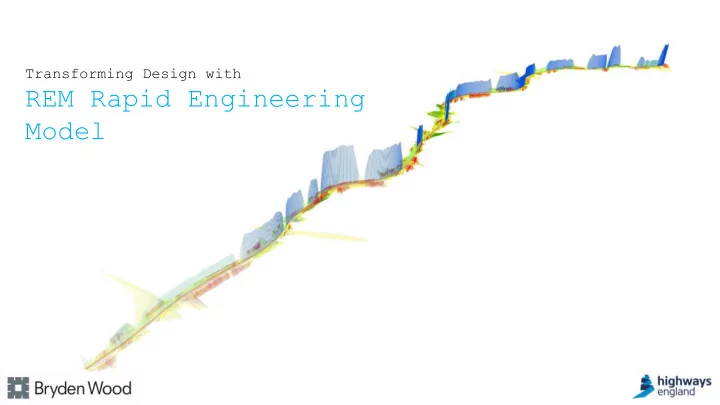
Model REM Rapid Engineering Model What is REM? REM Rapid - - PowerPoint PPT Presentation

model rem rapid engineering model
SMART_READER_LITE
LIVE PREVIEW

Model REM Rapid Engineering Model What is REM? REM Rapid - - PowerPoint PPT Presentation

Transforming Design with REM Rapid Engineering Model REM Rapid Engineering Model What is REM? REM Rapid Engineering Model What is REM? REM Rapid Engineering Model A workflow NOT a piece of software REM Rapid Engineering Model The


slide-1
SLIDE 1

Transforming Design with

REM Rapid Engineering Model

slide-2
SLIDE 2

What is REM?

REM Rapid Engineering Model

slide-3
SLIDE 3

What is REM?

REM Rapid Engineering Model

slide-4
SLIDE 4

A workflow NOT a piece of software

REM Rapid Engineering Model

slide-5
SLIDE 5

The step-by-step Rapid Engineering Model process is as follows;

  • 1. Analysis of digitally captured topographic and environmental data
  • 2. Evaluation of suitability of analysed data
  • 3. Automation of design layout, following SMP design rules
  • 4. Optimisation of design layout according to project specific criteria
  • 5. Generation of BIM model

REM Rapid Engineering Model

slide-6
SLIDE 6

Rapid Engineering Model process uses the following software eco-system;

  • 1. Analysis of digitally captured topographic and environmental data
  • RHINO + GRASSHOPPER
  • QGIS + PYTHON
  • 2. Evaluation of suitability of topographic data analysis
  • RHINO + GRASSHOPPER
  • TABLEAU
  • 3. Automation of design layout, following SMP design rules
  • RHINO + GRASSHOPPER
  • 4. Optimisation of design layout according to project specific criteria
  • RHINO + GRASSHOPPER
  • 5. Generation of BIM model = BIM model
  • REVIT + DYNAMO

REM Rapid Engineering Model

slide-7
SLIDE 7
  • 1. Analysis of digitally captured topographic and

environmental data

REM Rapid Engineering Model

slide-8
SLIDE 8
  • 2. Evaluation of suitability of topographic

data analysis

REM Rapid Engineering Model

slide-9
SLIDE 9
  • 3. Automation of design layout, following SMP design

rules

REM Rapid Engineering Model

slide-10
SLIDE 10
  • 4. Optimisation of design layout according to project

specific criteria

REM Rapid Engineering Model

slide-11
SLIDE 11
  • 5. Generation of BIM model

REM Rapid Engineering Model

slide-12
SLIDE 12

Visibility Analysis - Gantry

REM Rapid Engineering Model

slide-13
SLIDE 13

Visibility Analysis - EA

REM Rapid Engineering Model

slide-14
SLIDE 14

The data model

REM Rapid Engineering Model

Data repository

slide-15
SLIDE 15

The data outputs

REM Rapid Engineering Model

slide-16
SLIDE 16

Other features

REM Rapid Engineering Model

slide-17
SLIDE 17

Knowledge transfer and training

REM Rapid Engineering Model

slide-18
SLIDE 18

REM Rapid Engineering Model