
SLIDE 1
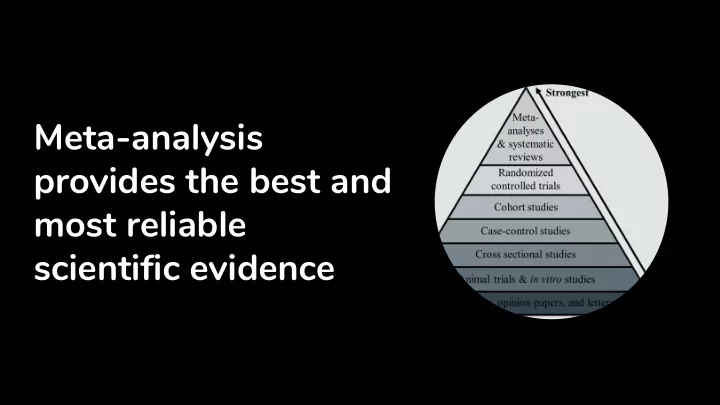
Meta-analysis provides the best and most reliable scientific - - PowerPoint PPT Presentation
Meta-analysis provides the best and most reliable scientific evidence Meta-analysis aggregates evidence across several studies 1. Search literature 3. Select the studies of interest 5. Calculate effect sizes and 2. Screen articles for 4.
Twitter: @nagyt https://github.com/nthun/metamanager
Twitter: @nagyt https://github.com/nthun/metamanager
Twitter: @nagyt https://github.com/nthun/metamanager
Twitter: @nagyt https://github.com/nthun/metamanager
Twitter: @nagyt https://github.com/nthun/metamanager
init_gdrive(): Creates a folder structure on google drive. Can be self specified or a
init_team(): Creates a google sheet with team member data. Accepts a tibble or
init_meta(): Does both, using defaults literature_search/ screening/ fulltext/ screening_consensus/ extraction/ extraction_consensus/
Twitter: @nagyt https://github.com/nthun/metamanager
merged_records %>% assign_articles(team_df, “screening_effort”, seed = 42) %>% add_columns(c("decision", "reason")) %>% save_locally(local_path = "temp/screening/", nesting = "reviewer", postfix = "screening",
# A tibble: 4,390 x 15 decision reason identifier id source title journal authors year abstract type level position <chr> <chr> <chr> <chr> <chr> <chr> <chr> <chr> <dbl> <chr> <chr> <chr> <chr> 1 NA NA pmid 24357~ pubmed 'Res~ Journa~ Silk, ~ 2013 "Whilst n~ NA NA reviewe~ 2 NA NA pq_id 33710~ proqu~ 'U G~ NA Young,~ 2007 Backgroun~ THES NA reviewe~ 3 NA NA doi 10.10~ Scopus "\"B~ Accide~ Mammar~ 2013 Two studi~ Arti~ NA reviewe~ 4 NA NA doi 10.11~ Scopus "\"B~ Entrep~ Wolfe ~ 2015 In this s~ Arti~ NA reviewe~ 5 NA NA doi 10.10~ Scopus "\"C~ Femini~ De E.N. 2012 "This art~ Arti~ NA reviewe~ 6 NA NA doi 10.10~ Scopus "\"G~ Comput~ Charsk~ 2011 Does usin~ Arti~ NA reviewe~ 7 NA NA doi 10.10~ Scopus "\"I~ Journa~ Balzar~ 2014 "Human-hu~ Arti~ NA reviewe~ 8 NA NA doi 10.11~ Scopus "\"I~ Artifi~ Davies~ 2011 Simple di~ Arti~ NA reviewe~ 9 NA NA doi 10.10~ Scopus "\"J~ Games ~ Lin J.~ 2015 "Objectiv~ Arti~ NA reviewe~ 10 NA NA pmid 11850~ Scopus "\"S~ Americ~ Howard~ 2002 "We recen~ Arti~ NA reviewe~ # ... with 4,380 more rows, and 2 more variables: reviewer <chr>, name <chr>
Twitter: @nagyt https://github.com/nthun/metamanager
#This also converts files to google sheets that can be edited online upload_to_gdrive(local_path = "temp/screening/", gdrive_path = "research/meta-analysis/screening",
# Downloads all files from a google folder as a nested dataframe screening <- get_from_gdrive(gdrive_path = "research/meta-analysis/screening", all_char = FALSE)
Twitter: @nagyt https://github.com/nthun/metamanager
Twitter: @nagyt https://github.com/nthun/metamanager
screening %>% unnest() %>% calculate_agreement() # A tibble: 6 x 6 name_pair irr include_both exclude_both no_agreement invalid_decision <chr> <dbl> <dbl> <dbl> <dbl> <dbl> 1 Ali_Lydia 0.52 23 122 50 11 2 Ali_Tamas 0.79 32 111 43 5 3 Ali_Andreas 0.82 15 203 19 12 4 Lydia_Tamas 0.66 26 63 53 10 5 Lydia_Andreas 0.56 33 95 32 0 6 Tamas_Andreas 0.89 22 99 11 0
Twitter: @nagyt https://github.com/nthun/metamanager
# Correct typos in the reasons for excluded studies correct_terms <- read_lines(“valid_exclude_reasons.txt”) screening %>% unnest() %>% mutate(exclude_reason = correct_categories(exclude_reason, correct_terms)) %>% count(exclude_reason) # Safely convert col_types with human readable errors articles %>% conversion_errors(c(“year”, “measurement_n”), as.integer)
# A tibble: 2 x 3 file fun conversion_errors <chr> <chr> <dbl> 1 Ali_extract.csv as.integer 25 2 Tamas_extract.csv as.integer 3
Twitter: @nagyt https://github.com/nthun/metamanager
variables_to_add <- c("subsample_id", “subsample_age", "subsample_female%", "measurement_point", "measurement_n", "measurement_mean", "measurement_sd", "study_design", "study_quality") get_from_gdrive(screening_path) %>% unnest() %>% filter(is.na(exclude_reason)) %>% assign_articles(team_df, “extraction_effort”, seed = 42) %>% add_columns(variables_to_add) %>% save_locally(local_path = "temp/extraction/", nesting = "reviewer", postfix = "screening", overwrite = TRUE) upload_to_gdrive(local_path = "temp/extraction/", gdrive_path = "research/meta-analysis/extraction",
Please star, fork, open issues, PR on github! https://github.com/nthun/metamanager It is a work in progress, so don’t expect perfection just yet Installation:
devtools::install_github(“nthun/metamanager”) Twitter: @nagyt