Lecture #2: Functions, Expressions Recap Administrative From last - - PDF document

lecture 2 functions expressions recap
SMART_READER_LITE
LIVE PREVIEW

Lecture #2: Functions, Expressions Recap Administrative From last - - PDF document

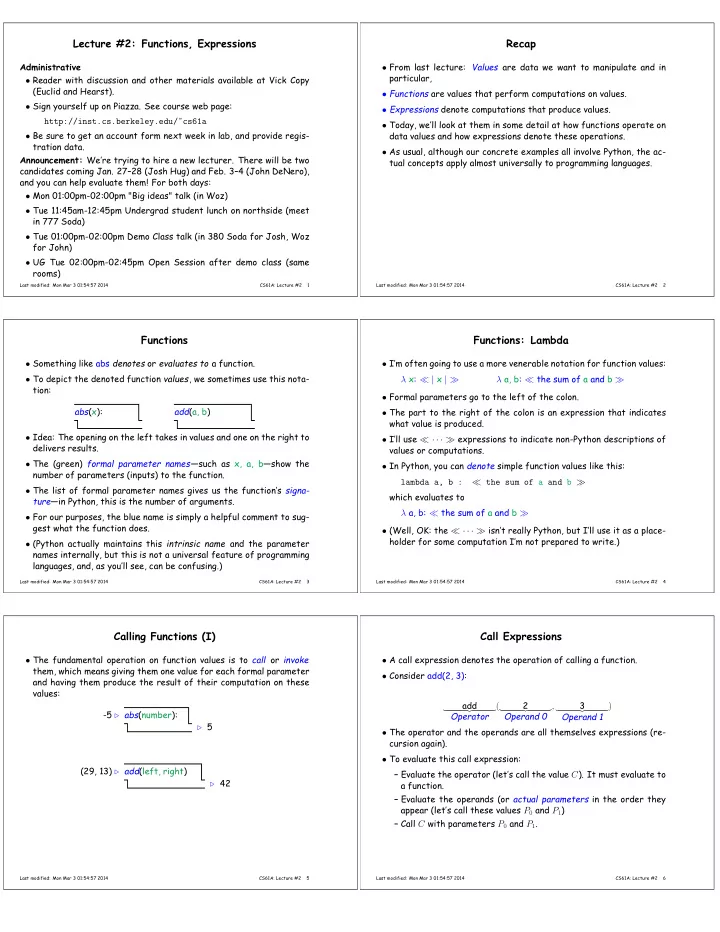
Lecture #2: Functions, Expressions Recap Administrative From last lecture: Values are data we want to manipulate and in particular, Reader with discussion and other materials available at Vick Copy (Euclid and Hearst). Functions are


slide-1
SLIDE 1

Lecture #2: Functions, Expressions

Administrative

  • Reader with discussion and other materials available at Vick Copy

(Euclid and Hearst).

  • Sign yourself up on Piazza. See course web page:

http://inst.cs.berkeley.edu/~cs61a

  • Be sure to get an account form next week in lab, and provide regis-

tration data. Announcement: We’re trying to hire a new lecturer. There will be two candidates coming Jan. 27–28 (Josh Hug) and Feb. 3–4 (John DeNero), and you can help evaluate them! For both days:

  • Mon 01:00pm-02:00pm "Big ideas" talk (in Woz)
  • Tue 11:45am-12:45pm Undergrad student lunch on northside (meet

in 777 Soda)

  • Tue 01:00pm-02:00pm Demo Class talk (in 380 Soda for Josh, Woz

for John)

  • UG Tue 02:00pm-02:45pm Open Session after demo class (same

rooms)

Last modified: Mon Mar 3 01:54:57 2014 CS61A: Lecture #2 1

Recap

  • From last lecture: Values are data we want to manipulate and in

particular,

  • Functions are values that perform computations on values.
  • Expressions denote computations that produce values.
  • Today, we’ll look at them in some detail at how functions operate on

data values and how expressions denote these operations.

  • As usual, although our concrete examples all involve Python, the ac-

tual concepts apply almost universally to programming languages.

Last modified: Mon Mar 3 01:54:57 2014 CS61A: Lecture #2 2

Functions

  • Something like abs denotes or evaluates to a function.
  • To depict the denoted function values, we sometimes use this nota-

tion: abs(x): add(a, b)

  • Idea: The opening on the left takes in values and one on the right to

delivers results.

  • The (green) formal parameter names—such as x, a, b—show the

number of parameters (inputs) to the function.

  • The list of formal parameter names gives us the function’s signa-

ture—in Python, this is the number of arguments.

  • For our purposes, the blue name is simply a helpful comment to sug-

gest what the function does.

  • (Python actually maintains this intrinsic name and the parameter

names internally, but this is not a universal feature of programming languages, and, as you’ll see, can be confusing.)

Last modified: Mon Mar 3 01:54:57 2014 CS61A: Lecture #2 3

Functions: Lambda

  • I’m often going to use a more venerable notation for function values:

λ x: ≪ | x | ≫ λ a, b: ≪ the sum of a and b ≫

  • Formal parameters go to the left of the colon.
  • The part to the right of the colon is an expression that indicates

what value is produced.

  • I’ll use ≪ · · · ≫ expressions to indicate non-Python descriptions of

values or computations.

  • In Python, you can denote simple function values like this:

lambda a, b : ≪ the sum of a and b ≫ which evaluates to λ a, b: ≪ the sum of a and b ≫

  • (Well, OK: the ≪ · · · ≫ isn’t really Python, but I’ll use it as a place-

holder for some computation I’m not prepared to write.)

Last modified: Mon Mar 3 01:54:57 2014 CS61A: Lecture #2 4

Calling Functions (I)

  • The fundamental operation on function values is to call or invoke

them, which means giving them one value for each formal parameter and having them produce the result of their computation on these values: abs(number):

  • 5 ⊲

⊲ 5 add(left, right) (29, 13) ⊲ ⊲ 42

Last modified: Mon Mar 3 01:54:57 2014 CS61A: Lecture #2 5

Call Expressions

  • A call expression denotes the operation of calling a function.
  • Consider add(2, 3):

add

  • Operator

( 2

  • Operand 0

, 3

  • Operand 1

)

  • The operator and the operands are all themselves expressions (re-

cursion again).

  • To evaluate this call expression:

– Evaluate the operator (let’s call the value C). It must evaluate to a function. – Evaluate the operands (or actual parameters in the order they appear (let’s call these values P0 and P1) – Call C with parameters P0 and P1.

Last modified: Mon Mar 3 01:54:57 2014 CS61A: Lecture #2 6
slide-2
SLIDE 2

Calling a Function (I): Substitution

  • Once we have the values for the operator and operands, we must

still actually evaluate the call.

  • A simple way to understand this (which will work for simple expres-

sions) is to think of the process as substitution.

  • Once you have a value:

λ a, b: ≪ sum of a and b ≫

  • and values for the operands (let’s say 2 and 3),
  • substitute the operand values for the formal parameters, replacing

the whole call with ≪ sum of 2 and 3 ≫

  • which in turn evaluates to 5.
Last modified: Mon Mar 3 01:54:57 2014 CS61A: Lecture #2 7

Side Trip: Values versus Denotations

  • Expressions such as 2 in a programming language are called literals.
  • To evaluate them, we replace them with whatever values they are

supposed to stand for.

  • This is confusing:

– Q: What is the value of the literal 2? – A: 2.

  • . . . and then you get into long, technical explanations about how the

second “2” is really in a different language than the first, and ac- tually is just another notation for some mystical Platonic “2” that is floating off somewhere.

  • I’ll just try to be practical and distinguish values from literals by

surrounding values in a boxes: the value of 2 is 2 .

  • One way to see the distinction between literals and values: the lit-

erals 0x10 and 16 are obviously different, but both denote the same value: 16 .

Last modified: Mon Mar 3 01:54:57 2014 CS61A: Lecture #2 8

Example: From Expression to Value

Let’s evaluate the expression mul(add(2, mul(0x4, 0x6)), add(0x3, 005)). In the following sequence, values are shown in boxes . Everything outside a box is an expression.

  • mul
(add ( 2 , mul(0x4 , 0x6 )
  • )
  • , add(0x3
, 005 )
  • )
  • λ a, b: ≪ a × b≫ (add(2, mul(0x4, 0x6)), add(0x3, 005))
  • λ a, b: ≪ a × b≫ ( λ a, b: ≪ a + b≫ ( 2 , λ a, b: ≪ a × b≫ ( 4 , 6 )),

add(0x3, 005))

  • λ a, b: ≪ a × b≫ ( λ a, b: ≪ a + b≫ ( 2 , ≪ 4 × 6 ≫,add(0x3, 005))
  • λ a, b: ≪ a × b≫ ( λ a, b: ≪ a + b≫ ( 2 , 24 ), add(0x3, 005))
  • λ a, b: ≪ a × b≫ (≪ 2 + 24 ≫, add(0x3, 005))
  • λ a, b: ≪ a × b≫ ( 26 , add(0x3, 005))
  • λ a, b: ≪ a × b≫ ( 26 , λ a, b: ≪ a + b≫ ( 3 , 5 ))
  • . . . λ a, b: ≪ a × b≫ ( 26 , 8 )
  • . . . 208 .
Last modified: Mon Mar 3 01:54:57 2014 CS61A: Lecture #2 9

Puzzle I

Evaluate (lambda a: lambda b: a + b)(1)(3)

  • First, must understand how it’s grouped:

( (lambda a: lambda b: a + b)

  • (1) )
  • (3)
Last modified: Mon Mar 3 01:54:57 2014 CS61A: Lecture #2 10

Puzzle I (contd.)

  • (lambda a: lambda b: a + b)(1)(3)
  • λ a: lambda b: a + b ( 1 )(3)
  • (lambda b: 1 + b)(3)
  • λ b: 1 + b ( 3 )
  • 1 + 3
  • 4
Last modified: Mon Mar 3 01:54:57 2014 CS61A: Lecture #2 11

Impure Functions

  • The functions so far have been pure: their output depends only on

their input parameters’ values, and they do nothing in response to a call but compute a value.

  • Functions may do additional things when called besides returning a

value.

  • We call such things side effects.
  • Example: the built-in print function:

print(• • •)

  • 5 ⊲

⊲ None display text ’-5’

  • Displaying text is print’s side effect. It’s value, in fact, is generally

useless (always the null value).

  • For this lecture (at least), I’ll use λ! (“lambda bang”) to denote func-

tion values with side effects.

Last modified: Mon Mar 3 01:54:57 2014 CS61A: Lecture #2 12
slide-3
SLIDE 3

Example: Print

What about an expression with side effects?

  • 1. print(print(1), print(2))
  • 2. λ! x: ≪ print x ≫ ( λ! x: ≪ print x ≫ ( 1 ), print(2))
  • 3. λ! x: ≪ print x ≫ ( None , print(2))

and print ‘1’.

  • 4. λ! x: ≪ print x ≫ ( None , λ! x: ≪ print x ≫ ( 2 ))
  • 5. λ! x: ≪ print x ≫ ( None , None ))

and print ‘2’.

  • 6. None

and print ‘None None’.

Last modified: Mon Mar 3 01:54:57 2014 CS61A: Lecture #2 13