Knowledge v2.0 A general approach to write a 2.0 version of a module - - PowerPoint PPT Presentation

knowledge v2 0
SMART_READER_LITE
LIVE PREVIEW

Knowledge v2.0 A general approach to write a 2.0 version of a module - - PowerPoint PPT Presentation

Knowledge v2.0 A general approach to write a 2.0 version of a module From Legacy to Module v2.0 From SQL to SQLAlchemy Model. How to write upgrade's recipes. Refactoring API: re-implement and deprecate. Write REST API. Write


slide-1
SLIDE 1

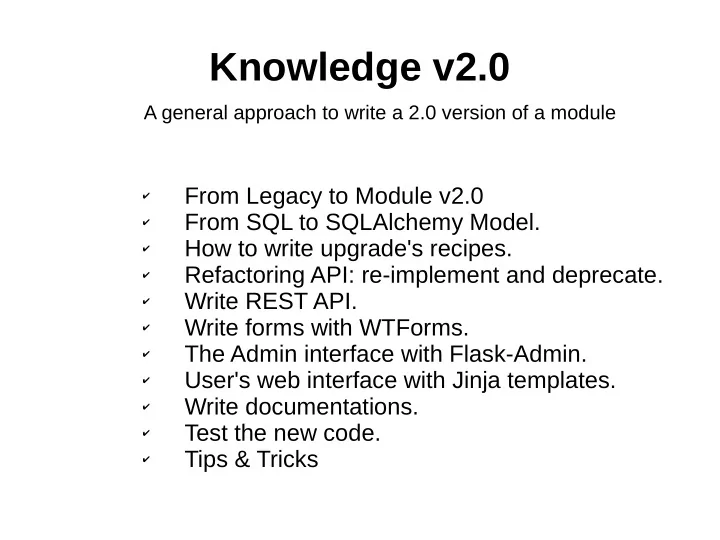
Knowledge v2.0

✔ From Legacy to Module v2.0 ✔ From SQL to SQLAlchemy Model. ✔ How to write upgrade's recipes. ✔ Refactoring API: re-implement and deprecate. ✔ Write REST API. ✔ Write forms with WTForms. ✔ The Admin interface with Flask-Admin. ✔ User's web interface with Jinja templates. ✔ Write documentations. ✔ Test the new code. ✔ Tips & Tricks

A general approach to write a 2.0 version of a module

slide-2
SLIDE 2

From Legacy to Module v2.0

In the beginning was the legacy code

invenio/legacy/bibknowledge/

slide-3
SLIDE 3

From Legacy to Module v2.0

Then, Legacy transition to “module v2.0”

invenio/legacy/bibknowledge/ invenio/module/knowledge/

admin.py adminlib.py citation_indexer.py Note: the legacy code use our new module.

slide-4
SLIDE 4

From Legacy to Module v2.0

In the end, only “module v2.0” survive

invenio/legacy/bibknowledge/ invenio/module/knowledge/

slide-5
SLIDE 5

From Legacy to Module v2.0

How a module is composed?

Admin UI with Flask-Admin API accessible from outside All your defined WTForms SQLALchemy models REST API implementation Jinja2 templates Testsuites Upgrade recipes User UI

slide-6
SLIDE 6

From SQL to SQLAlchemy Model

From run_sql() To models.py Where in legacy code is used run_sql(), now it'll be replaced with the usage of SQLAlachemy (better if incapsulate the use

  • f the model inside your api)
slide-7
SLIDE 7

How to write upgrade's recipes (1/2)

Old data model vs New data model: how to upgrade your database in production environment without break all?

# Use the old Database $> git checkout pu $> inveniomanage database recreate –yes-i-know # With the new Codebase $> git checkout mybranch $> inveniomanage upgrader create recipe -a -p invenio.modules.knowledge # Finish to prepare your recipe $> vim invenio/modules/knowledge/upgrades/knowledge_2015_02_16_rename_me.py

slide-8
SLIDE 8

How to write upgrade's recipes (2/2)

Alembic is a database migrations tool written

It help you to write python code to upgrade the database

slide-9
SLIDE 9

Refactoring API: re-implement and deprecate.

  • Each request have to pass from api (no direct access to models).
  • Respect the old API (backward compatibility), meanwhile deprecate

not useful code and implement a new cool API.

API

Black Box Input Output Models

slide-10
SLIDE 10

Write REST API

Define the endpoints Define the object structure Define a resource

slide-11
SLIDE 11

Write forms with WTForms

slide-12
SLIDE 12

The Admin interface with Flask-Admin

Admin interface for Knowledge Define endpoints

slide-13
SLIDE 13

The Admin interface with Flask-Admin

slide-14
SLIDE 14

User's web interface with Jinja templates

Define where load the templates (in this case invenio/modules/groups/templates) Your template The objects passed to the template

slide-15
SLIDE 15

Write documentations

E.g. docs/modules/redirector.rst Generate documentation

$> sphinx-build -qnNW docs docs/_build/html

E.g: Define where find the documentation for the section “Model”

slide-16
SLIDE 16

Test the new code

  • Start your test:

$> cd invenio/modules/knowledge/testsuite $> py.test test_knowledge_restful.py

Note: import only when you need it (inside the function where you use it). Load db interface

slide-17
SLIDE 17

Tips & Tricks

  • Use devscrips to install invenio2:

https://github.com/tiborsimko/invenio-devscripts

  • Database create/drop:

inveniomanage database create inveniomanage database drop –yes-i-know inveniomanage database recreate –yes-i-know

  • Start server:

inveniomanage runserver

  • Install all dependency:

pip install -e . --process-dependency-links

  • Install Kwalitee:

pip install kwalitee kwalitee githooks install

  • Debugging configuration:

SQLALCHEMY_ECHO=True ASSETS_DEBUG = True DEBUG = True TESTING = True

  • Configuration file:

cdvirtualenv var/invenio.base-instance/ vim invenio.cfg

  • Jasmine tests:

http://0.0.0.0:8080/jasmine/specrunner

  • Python tests:

python setup.py test