
SLIDE 1
Kanade-Lucas-Tomasi (KLT) Tracker
16-385 Computer Vision (Kris Kitani)
Carnegie Mellon University
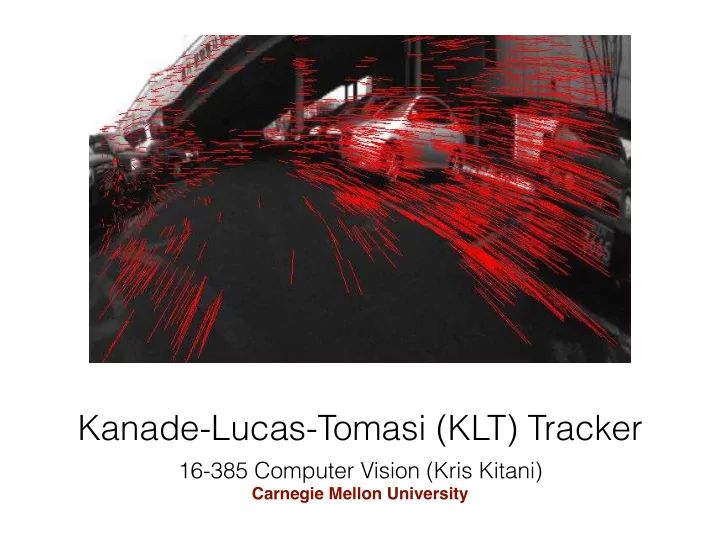
Kanade-Lucas-Tomasi (KLT) Tracker 16-385 Computer Vision (Kris - - PowerPoint PPT Presentation
Kanade-Lucas-Tomasi (KLT) Tracker 16-385 Computer Vision (Kris Kitani) Carnegie Mellon University https://www.youtube.com/watch?v=rwIjkECpY0M Feature-based tracking Up to now, weve been aligning entire images but we can also track just
16-385 Computer Vision (Kris Kitani)
Carnegie Mellon University
https://www.youtube.com/watch?v=rwIjkECpY0M
How should we select features? How should we track them from frame to frame? Up to now, we’ve been aligning entire images but we can also track just small image regions too!
An Iterative Image Registration Technique with an Application to Stereo Vision.
1981
Lucas Kanade Detection and Tracking of Feature Points.
1991
Kanade Tomasi Good Features to Track.
1994
Tomasi Shi
History of the
The original KLT algorithm
Method for aligning (tracking) an image patch
Method for choosing the best feature (image patch) for tracking
How should we select features? How should we track them from frame to frame?
What are good features for tracking?
What are good features for tracking? Intuitively, we want to avoid smooth regions and edges. But is there a more is principled way to define good features?
Can be derived from the tracking algorithm What are good features for tracking?
Can be derived from the tracking algorithm What are good features for tracking? ‘A feature is good if it can be tracked well’
Recall the Lucas-Kanade image alignment method:
X x [I(W(x; p)) − T(x)]2 X x [I(W(x; p + ∆p)) − T(x)]2
incremental update error function (SSD)
Recall the Lucas-Kanade image alignment method:
X x [I(W(x; p)) − T(x)]2 X x [I(W(x; p + ∆p)) − T(x)]2
incremental update error function (SSD)
X x I(W(x; p)) + rI ∂W ∂p ∆p T(x) 2
linearize
Recall the Lucas-Kanade image alignment method:
X x [I(W(x; p)) − T(x)]2 X x [I(W(x; p + ∆p)) − T(x)]2
incremental update error function (SSD)
X x I(W(x; p)) + rI ∂W ∂p ∆p T(x) 2
linearize H = X x rI ∂W ∂p > rI ∂W ∂p
x rI ∂W ∂p > [T(x) I(W(x; p))]
Gradient update
Recall the Lucas-Kanade image alignment method:
X x [I(W(x; p)) − T(x)]2 X x [I(W(x; p + ∆p)) − T(x)]2
incremental update error function (SSD)
X x I(W(x; p)) + rI ∂W ∂p ∆p T(x) 2
linearize H = X x rI ∂W ∂p > rI ∂W ∂p
x rI ∂W ∂p > [T(x) I(W(x; p))]
Gradient update Update
p ← p + ∆p
Stability of gradient decent iterations depends on …
∆p = H1 X x rI ∂W ∂p > [T(x) I(W(x; p))]
Stability of gradient decent iterations depends on … H = X x rI ∂W ∂p > rI ∂W ∂p
x rI ∂W ∂p > [T(x) I(W(x; p))]
Inverting the Hessian When does the inversion fail?
Stability of gradient decent iterations depends on … H = X x rI ∂W ∂p > rI ∂W ∂p
x rI ∂W ∂p > [T(x) I(W(x; p))]
Inverting the Hessian When does the inversion fail? H is singular. But what does that mean?
Above the noise level λ1 0 λ2 0 Well-conditioned
both Eigenvalues are large both Eigenvalues have similar magnitude
Concrete example: Consider translation model W(x; p) = x + p1 y + p2
∂p = 1 1
X x rI ∂W ∂p > rI ∂W ∂p
X x 1 1 Ix Iy ⇥ Ix Iy ⇤ 1 1
P x IxIx P x IyIx P x IxIy P x IyIy
How are the eigenvalues related to image content?
λ1 λ2 λ2 >> λ1 λ1 >> λ2
λ1 ∼ 0 λ2 ∼ 0
What kind of image patch does each region represent?
horizontal edge vertical edge flat corner
λ1 λ2 λ2 >> λ1 λ1 >> λ2
λ1 ~ λ2
horizontal edge vertical edge flat corner
λ1 λ2 λ2 >> λ1 λ1 >> λ2
λ1 ~ λ2
What are good features for tracking?
What are good features for tracking? min(λ1, λ2) > λ
using the Lucas-Kanade method
min(λ1, λ2) > λ