INTRODUCTION TO ECE477 OUTLINE Course Overview Communications - - PowerPoint PPT Presentation

introduction to ece477 outline
SMART_READER_LITE
LIVE PREVIEW

INTRODUCTION TO ECE477 OUTLINE Course Overview Communications - - PowerPoint PPT Presentation

INTRODUCTION TO ECE477 OUTLINE Course Overview Communications Staff and TAs Schedule and Calendar Policies Grade Determination Sample ECE477 Projects Project Specific Success Criteria Action Items to


slide-1
SLIDE 1

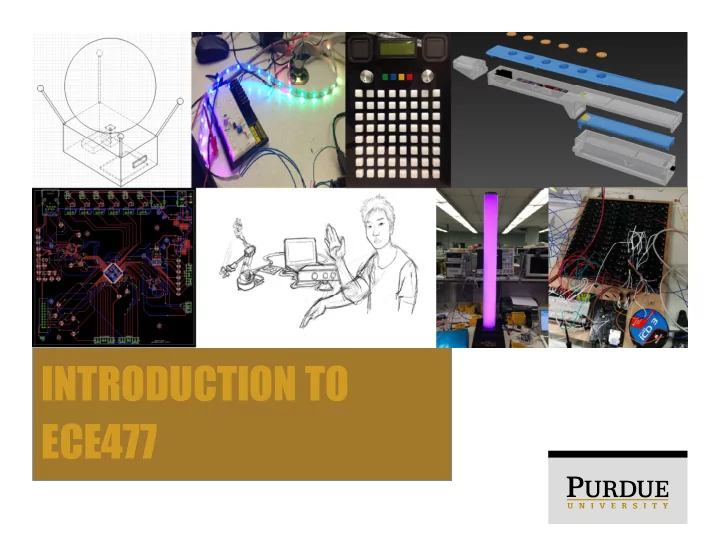
INTRODUCTION TO ECE477

slide-2
SLIDE 2

OUTLINE

  • Course Overview
  • Communications
  • Staff and TAs
  • Schedule and Calendar
  • Policies
  • Grade Determination
  • Sample ECE477 Projects
  • Project Specific Success Criteria
  • Action Items to Get Started
  • Mandatory Lab Hours
slide-3
SLIDE 3

COURSE OVERVIEW

  • Purpose and Objectives:
  • To provide students with a practical, hands-on design

project to apply their electrical engineering knowledge

  • To simulate conditions students are expected to

experience in industry and/or research settings

  • Teams:
  • Teams of 4 (team members chosen prior to semester)
  • Projects:
  • Chosen by student teams (must be of interest to 2+

members)

  • Embedded design projects (utilize MCU, FPGA, or CPLD)
  • Project success evaluated through use of project-specific

success criteria (PSSCs)

slide-4
SLIDE 4

COURSE OVERVIEW

  • Laboratory Space:
  • EE007
  • Available by appointment only
  • Laboratory Equipment:
  • Permanent equipment (To remain in ECE477 lab areas)
  • Student laboratory equipment (hand tools, development

boards, etc) available for check-out and use

  • Mandatory Laboratory Times:
  • Students will arrange a time with their TA for a weekly

meeting with their TA and team.

slide-5
SLIDE 5

COURSE OVERVIEW

  • Lectures:
  • Provided by Professor Thottethodi and Todd Wild (occasional guest

lecturers)

  • Will be posted online weekly with an accompanying participation

quiz.

  • Consult course calendar for lecture dates and topics
  • Midterm and Final Presentations:
  • Formal presentations given before classmates and staff
  • Opportunity to showcase design and/or prototype, detail progress
  • Weekly Progress Reports:
  • Used to detail individual design activities and progress
  • An important part of student grades and a REQUIRED COURSE

OUTCOME (60%+ average required on progress reports to pass course).

  • Evaluated many times throughout the semester.
slide-6
SLIDE 6

COURSE COMMUNICATIONS

  • Individual Emails:
  • Used to communicate with staff members or TAs
  • Available in the About/Staff section of the course site
  • ECE477 Course Email (ece477@ecn.purdue.edu)
  • Primary method of communicating issues, grades, course

information, etc.

  • Monitored by multiple ECE477 staff members
  • ECE477 Course Website
  • https://engineering.purdue.edu/ece477
  • Tested with Firefox, Chrome, IE, and Safari
  • Mobile device support not presently implemented
  • Please address any website issues to Todd Wild

(toddwild@purdue.edu)

slide-7
SLIDE 7

COURSE COMMUNICATIONS

  • Project Websites:
  • Website template available for teams by default
  • Created and maintained by ECE477 student teams
  • Primary method of sharing and communicating design

and project progress with the world

  • Should be hosted in the webspace provided by course

staff

slide-8
SLIDE 8

COURSE STAFF

  • Professor Mithuna Thottethodi (mithuna@purdue.edu)

Professor

  • Todd Wild (toddwild@purdue.edu)

Course Coordinator, Course Development

  • Joseph Bougher (bougher@purdue.edu)

Digital Systems Laboratory Engineer

  • Additional staff details can be found on the About/Staff

section of the course website

slide-9
SLIDE 9

COURSE TAS

  • Rohan Sarkar (sarkarr@purdue.edu)
  • Head Teaching Assistant
  • Calvin Jones (jone1773@purdue.edu)
  • Teaching Assistant
  • Sree Gundabolu (sgundabo@purdue.edu)
  • Teaching Assistant
  • Akhil Babu (babu1@purdue.edu)
  • Teaching Assistant
  • Additional staff details can be found on the About/Staff section
  • f the course website
slide-10
SLIDE 10

COURSE WEBSITE

  • About – General course overview, staff information,

history

  • Course – Assignments, lectures, documents, policies,

processes

  • Teams – Information about current teams and links to

websites

  • Archive – Information about past teams and links to

websites

  • Sponsors – Information for corporate sponsors
  • Incoming – Information for students looking to register for

ECE477

  • Contact – Course account email link for communications
slide-11
SLIDE 11

COURSE SCHEDULE/CALENDAR

  • Weeks 1-4: Concept Development:
  • Functional Project Proposal: “Our idea seems sound…

what do we need to get started?”

  • Functional Analysis: “How will our project be used?

What are our project’s requirements?”

  • Electrical and Software Overviews: “At a high level, how

will our project function?”

  • Component Analysis and Bill of Materials: “What parts

does our project need to use?”

  • Ordering/Acquisition of parts, tools, and prototyping

hardware

slide-12
SLIDE 12

COURSE SCHEDULE/CALENDAR

  • Weeks 5-9: Design:
  • Mechanical Overview: “What will our project look like?

What form factor does it need to fit within?”

  • Software Formalization: “What software components

will our design use? How will we verify and test the software?”

  • Printed Circuit Board Layout
  • Midterm Design Review
  • PCB Submission and Verification
slide-13
SLIDE 13

COURSE SCHEDULE/CALENDAR

  • Weeks 10-15: Testing and Integration:
  • Legal Analysis: “What steps must be taken to ensure
  • ur project can be legally sold to our customers?”
  • Reliability and Safety Analysis: “What risks are

associated with use of our product? What parts are most likely to fail?”

  • Ethical and Environmental Analysis: “What resources

does our project use? How can we responsibly manage

  • ur project’s life cycle? What ethical issues does our

project present?”

  • User Manual: Guide to your project for the end user
  • Week 16: Demos, Final Presentations, and Final

Documentation

slide-14
SLIDE 14

COURSE POLICIES

  • The Golden Rule: ECE477 course staff are the final

arbiters of all course policies

  • The Golden Guideline: In the event of an ECE477 issue

(team issue, absence, course issue, etc.), always Always ALWAYS contact course staff

  • Email is preferred (easier to recall a well-documented paper trail)
  • All ECE477 course policies are subject to the above rule

and guideline, even where not explicitly stated

  • Course policies are available for viewing and download

from the ECE477 course website

slide-15
SLIDE 15

COURSE POLICIES

  • Lab Equipment and Usage Policy:
  • Common sense (don’t intentionally break things, no

food/drink/drugs/alcohol, etc.)

  • Safety (wear proper safety gear, 2 people in the lab at

all times, etc.)

  • Certain lab equipment can be checked out of the lab

(consult the Digital Systems Laboratory Engineer for details)

  • Lab equipment must be checked back in at the end of

the semester to avoid academic penalties

  • Do not sabotage, steal from, or otherwise interfere with
  • ther ECE477 teams (members, workspaces, projects,

etc.)

slide-16
SLIDE 16

COURSE POLICIES

  • Project Hardware:
  • Prototyping Hardware: any hardware you use to

prototype aspects of your design

  • Final Hardware: hardware used to satisfy PSSCs,

grades, and course outcomes

  • Q: Can we use <x> to prototype our design?

A: Sure, go right ahead.

  • Q: Can we use <Arduino or similar, trivial breakout

board, etc.> in our final design? A: Probably not.

  • Q: We’re unsure if <piece of hardware> is allowed, what

should we do? A: Contact course staff

slide-17
SLIDE 17

COURSE POLICIES

  • Online Collaboration Policy:
  • use of github, Sourceforge, Google Code, etc. is

allowed BUT:

  • All students must maintain an online progress report

using provided formatting

  • All students must maintain a project website hosted on

the provided server space

  • Open source and third-party libraries may be used,

provided they are properly attributed

  • Accepting patches and modifications from third parties

to team member source code is explicitly forbidden

  • Cheating and other academic dishonesty will result in

automatic course failure (so don’t do it)

slide-18
SLIDE 18

GRADE DETERMINATION

slide-19
SLIDE 19

GRADE DETERMINATION

  • Late Policy
  • Deliverables in this class are like project deliverables to

a customer

  • A late penalty of -10% per day will be assessed for any

items turned in after the deadline

  • If an assignment is more than 3 days late, course staff

will have final determination on whether to grade the assignment or not

slide-20
SLIDE 20

GRADE DETERMINATION

  • Learning Outcomes: (must be satisfied in order to pass the course)

i. An ability to apply engineering design to create a product that meets the specified needs of this engineering design experience with consideration of public health, safety, and welfare, as well as global, cultural, social, environmental, and economic factors. ii. An ability to develop and conduct experimentation, analyze and interpret data, and use engineering judgment to draw conclusions related to the development of the product of this engineering design experience. iii. An ability to identify, formulate, and solve complex engineering problems arising from this engineering design experience by applying principles of engineering, science, and mathematics. iv. An ability to function effectively on a team whose members together provide leadership, create a collaborative and inclusive environment, establish goals, plan tasks, and meet objectives associated with this design experience. v. An ability to communicate effectively with a range of audiences appropriate to this design experience in both a written report and oral presentation. vi. An ability to acquire and apply new knowledge as needed, using appropriate learning strategies to complete the engineering design experience associated with this course. vii. An ability to recognize ethical and professional responsibilities associated with this engineering design experience and make informed judgments which must consider the impact of the product of this engineering design experience in global, economic, environmental, and societal contexts.

slide-21
SLIDE 21

GRADE DETERMINATION

  • Failures, Conditional Failures, and Incompletes
  • Students are responsible for their actions in ECE477;

some actions may lead to failing grades

  • Be aware of your academic situation in ECE477 and
  • ther courses before considering post-graduation plans
  • r accepting job offers
  • In some situations, students may be assigned an

incomplete (I) or conditional failure (E) in lieu of a failing grade (F)

  • Report all University-eligible absences (death, illness,

family emergency, etc.) to course staff

slide-22
SLIDE 22

GRADE DETERMINATION

  • Cheating and Academic Dishonesty
  • Not tolerated at Purdue
  • Automatic failure from ECE477, possible

disciplinary action

  • All cases of academic dishonesty will be

reported to the Office of the Dean of Students

  • In Summary…
  • Don’t.
  • A professional does not take credit for the work
  • f somebody else
slide-23
SLIDE 23

PROJECT SPECIFIC SUCCESS CRITERIA (PSSCS)

  • What are PSSCs?
  • Used to measure the degree to which teams have

successfully implemented their projects

  • 5 objectives that should be accomplished by the final

design (Approved by course staff); begin each PSSC with the phrase “An ability to…”

  • Each PSSC should describe some aspect of the

functionality of the final design

  • In order to pass the course, 3 PSSCs must be

successfully demonstrated

  • 2 of the PSSCs must focus on hardware built by team
  • 1 of the PSSCs can focus on an external item (such as an app)
slide-24
SLIDE 24

PROJECT SPECIFIC SUCCESS CRITERIA (PSSCS)

  • Default Functionality of a Component Rule
  • PSSCs cannot be based on functionality that an aspect
  • f the design is able to do trivially or out of the box
  • Examples:
  • “An ability to transmit data over a wireless connection”
  • “An ability to take pictures with a camera”
  • “An ability to emit light from a light emitting diode”
  • Preliminary and Final PSSCs
  • Preliminary PSSCs: Aspects of the project can be demonstrated

without full integration; used to pass outcomes

  • Final PSSCs: Must be demonstrated with a fully-integrated project;

used to receive points and for early completion bonus credit

slide-25
SLIDE 25

PROJECT SPECIFIC SUCCESS CRITERIA (PSSCS)

  • Examples of Unacceptable PSSCs:
  • “Interface with the flight controller to achieve stable

flight” (Start all PSSCs with the phrase “an ability to”)

  • “An ability to design a motor controller for our project”

(PSSCs must be based on the capabilities of your end project)

  • “An ability to receive GPS coordinates and send them to

the microcontroller” (Default functionality of a component rule)

  • “An ability to filter out high frequency noise from a

received RF signal” (Unacceptable if being done by a filter IC; acceptable if performed by a user design)

slide-26
SLIDE 26

PROJECT SPECIFIC SUCCESS CRITERIA (PSSCS)

  • Common subjects for PSSCs:
  • Communication interfaces (acceptable IF you specify

the types of data being transmitted over the interface)

  • User interfaces (define types of data being displayed to

the user interface as well as the nature of the UI)

  • Motor control and robotics techniques (GPS waypoint

navigation, obstacle avoidance, PID control, etc.)

  • Power techniques (battery monitoring/charging/

notifications, backup power supplies, low power modes)

  • Audio techniques (sound effects, audio synthesis, voice

recognition, video/audio/signal processing, FFTs – may be acceptable depending on circumstances of use)

slide-27
SLIDE 27

ACTION ITEMS TO GET STARTED

  • This week:
  • Meet with your team (if you haven’t already)
  • Determine roles, schedules, meeting times, methods
  • f contacting one another, etc.
  • Set up progress reports and course website
  • Use of HTML/CSS/Javascript templates is acceptable
  • Course accounts come with a web template that may

be used

  • Access information is available in the download folder

for your team

slide-28
SLIDE 28

ACTION ITEMS TO GET STARTED

  • This week (cont.):
  • Homework 1 – Final Project Proposal
  • Due Friday at 11:59pm (use website submission tool)
  • Determine and state team member roles and

responsibilities (including homework assignment responsibilities)

  • Determine project-specific success criteria (see PSSC

Policy for specific course mandates on selecting PSSCs)

slide-29
SLIDE 29

MANDATORY LAB HOURS

  • This week (and subsequent weeks):
  • Meet with course staff via WebEx on
  • Meet the ECE477 laboratory staff
  • Send team photo
  • Receive TA assignments and discuss office hour

availability with assigned TA