Introduction to Cloud Computing Corso di Sistemi Distribuiti e Cloud - - PDF document

introduction to cloud computing
SMART_READER_LITE
LIVE PREVIEW

Introduction to Cloud Computing Corso di Sistemi Distribuiti e Cloud - - PDF document

Macroarea di Ingegneria Dipartimento di Ingegneria Civile e Ingegneria Informatica Introduction to Cloud Computing Corso di Sistemi Distribuiti e Cloud Computing A.A. 2020/21 Valeria Cardellini Laurea Magistrale in Ingegneria Informatica A


slide-1
SLIDE 1

Corso di Sistemi Distribuiti e Cloud Computing A.A. 2020/21 Valeria Cardellini Laurea Magistrale in Ingegneria Informatica

Introduction to Cloud Computing

Macroarea di Ingegneria Dipartimento di Ingegneria Civile e Ingegneria Informatica

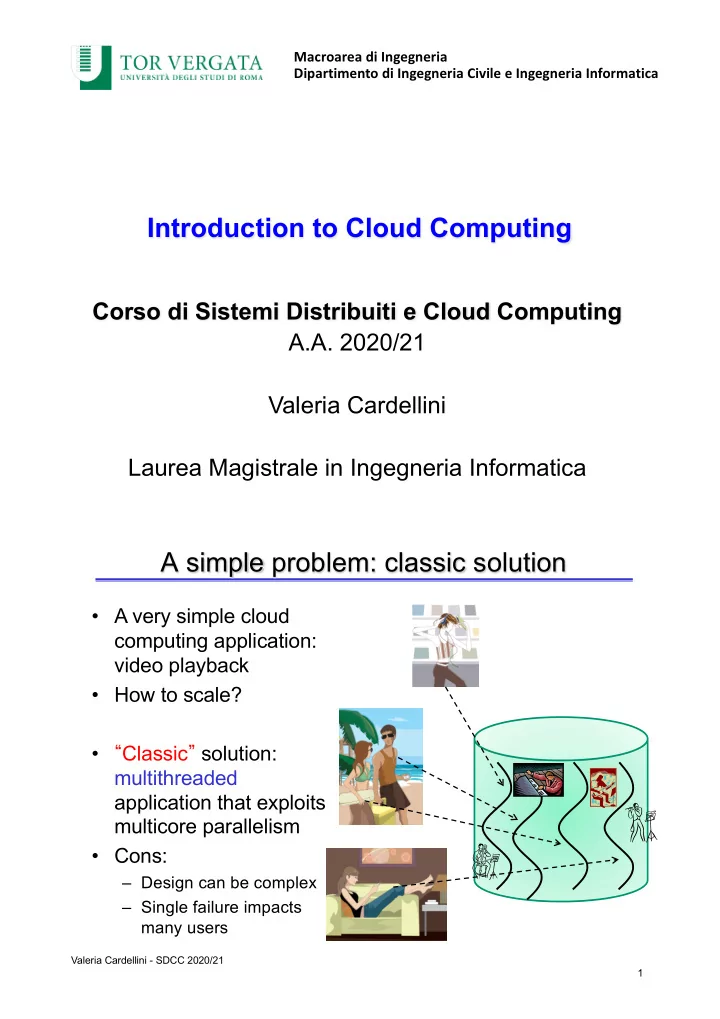
A simple problem: classic solution

  • A very simple cloud

computing application: video playback

  • How to scale?
  • “Classic” solution:

multithreaded application that exploits multicore parallelism

  • Cons:

– Design can be complex – Single failure impacts many users

1

1 Valeria Cardellini - SDCC 2020/21

slide-2
SLIDE 2

A simple problem: cloud solution

  • A simpler cloud-hosted

solution: a single- threaded video server instantiated once per user and running in a virtual machine or a container

  • Pros:

– Dramatically simpler design – If a player crashes, only a single user is affected

2

2 Valeria Cardellini - SDCC 2020/21

The real problem: scale and complexity

  • How to realize a system/service with the

following requirements?

– Million requests per day to serve – Increase/decrease in the request rate of one order

  • f magnitude (or even more) in a quite short period

– Exabytes to store (1 EB = 260 B = 1018 B)

  • There is a problem of scale of services!
  • And scale changes every well known problem

in computer research and industry

3 Valeria Cardellini - SDCC 2020/21

slide-3
SLIDE 3

A taste of scale: scenario in 2019

  • More than 3G smartphone users
  • More than 4G Internet users
  • YouTube: 300 hours of video

uploaded every minute, 6G hours

  • f video watched each month
  • Twitter: 500M tweets per day
  • Akamai: 15-30% of the world’s

Web traffic, delivers more than 30Tbps daily

  • Google: 5.5G search queries daily

(10K in 1998!), over 2T per year

  • WhatsApp: 55G messages daily,

4.5G photos daily, 100M voice calls daily

  • Dropbox: 500M MAU, 1.2G files

saved daily, 4K files edited every second

  • Netflix: 100M worldwide

subscribers, 35% of traffic on North America fixed networks

4 Valeria Cardellini - SDCC 2020/21

Impact of Covid-19 on Internet services

“The Virus Changed the Way We Internet”, NY Times

Data from January 21 to March 24 2020 https://www.nytimes.com/interactive/2020/04/07/technology/coronavirus- internet-use.html

5 Valeria Cardellini - SDCC 2020/21

slide-4
SLIDE 4

Impact of Covid-19 on Internet services

  • Overall impact:

– Total traffic grew by almost 40% – Video, Gaming, and Social Sharing grew the most

6 Valeria Cardellini - SDCC 2020/21

Some “old” and partial answers

  • Utility computing
  • Grid computing
  • Autonomic computing
  • Software as a Service (SaaS)

– An “old” idea: application delivery on Internet

  • … before Cloud computing (2006)

– Cloud represents one step towards the solution of the scale problem

7 Valeria Cardellini - SDCC 2020/21

slide-5
SLIDE 5

The origin: from 4 fundamental utilities…

  • Water
  • Gas
  • Electricity
  • Telephony/Network

… to computing as the fifth utility

8 Valeria Cardellini - SDCC 2020/21

Utility computing: new idea?

  • But this “computer utility” vision is not new!
  • 1961: John McCarthy

– “If computers of the kind I have advocated become the computers of the future, then computing may someday be organized as a public utility just as the telephone system is a public utility... The computer utility could become the basis of a new and important industry.”

9 Valeria Cardellini - SDCC 2020/21

slide-6
SLIDE 6

Utility computing: new idea?

  • 1969: Leonard Kleinrock, ARPANET project

– “As of now, computer networks are still in their infancy, but as they grow up and become sophisticated, we will probably see the spread of “computer utilities”, which, like present electric and telephone utilities, will service individual homes and

  • ffices across the country.”
  • Some computer re-definitions

– 1984: John Gage, Sun Microsystems

  • “The network is the computer”

– 2008: David Patterson, Univ. Berkeley

  • “The data center is the computer. There are dramatic

differences between of developing software for millions to use as a service versus distributing software for millions to run their PCs”

10 Valeria Cardellini - SDCC 2020/21

Towards cloud computing

  • 2006: Jeff Bezos, Amazon: “Let us use our spare

resource for making profit by offering them as services to the public”

– In August 2006 Amazon launched Elastic Compute Cloud (EC2) and a paired online storage service called Simple Storage Service (S3) – Basic idea: let users rent data storage and computer server time from Amazon like a utility – Cloud computing was finally born

  • 2011: “Cloud is the computer” (Rajkumar Buyya, Univ.

Melbourne)

11 Valeria Cardellini - SDCC 2020/21

slide-7
SLIDE 7

How do computing paradigms differ?

Distributed computing

  • Loosely coupled
  • Heterogeneous
  • Single administration

Cluster computing

  • Tightly coupled
  • Homogeneous
  • Single System Image

Grid computing

  • Large scale
  • Cross-organizational
  • Geographical distribution
  • Distributed management

Source: R. Buyya

Cloud computing

  • Provisioned on demand
  • Service guarantee
  • VMs and Web 2.0-based

12 Valeria Cardellini - SDCC 2020/21

Cloud computing?

  • What does it mean?
  • How does it differ from other computing paradigms?
  • How does it extend other computing paradigms?

13 Valeria Cardellini - SDCC 2020/21

slide-8
SLIDE 8

Many technologies, concepts and ideas

Containers Storage Virtualization Service Level Agreement Provisioning on demand Scalability I a a S P a a S S a a S Pricing P a y p e r u s e Utility computin g Security I T

  • u

t s

  • u

r c i n g P u b l i c C l

  • u

d Private Cloud G r e e n c

  • m

p u t i n g Cloud bursting Virtual data centers Privacy & Trust E l a s t i c i t y No capital investments Quality of Service Hypervisors C l

  • u

d f e d e r a t i

  • n

14 Valeria Cardellini - SDCC 2020/21

Cloud computing

Computing includes:

  • Computation
  • Storage
  • Coordination

“Cloud” is the graphic symbol we use to represent Internet

Cloud computing

Cloud computing is about the shift of computing from a single server/data center to Internet

15 Valeria Cardellini - SDCC 2020/21

slide-9
SLIDE 9

A myriad of definitions…

  • [Armbrust et al., 2009]: : “Cloud Computing refers to both the applications

delivered as services over the Internet and the hardware and software systems in the data centers that provide those services. The services themselves have long been referred to as Software as a Service (SaaS), so we use that term. The data center hardware and software is what we will call a Cloud. … Cloud computing has the following characteristics: (1) The illusion of infinite computing resources… (2) The elimination of an up-front commitment by cloud users… (3) The ability to pay for use… as needed.”

  • [NIST, 2011]: Cloud computing is a model for enabling ubiquitous,

convenient, on-demand network access to a shared pool of configurable computing resources (e.g., networks, servers, storage, applications, and services) that can be rapidly provisioned and released with minimal management effort or service provider interaction. (16th definition!)

  • [Vaquero et al., 2009] Clouds are a large pool of easily usable and

accessible virtualized resources (such as hardware, development platforms and/or services). These resources can be dynamically reconfigured to adjust to a variable load (scale), allowing also for an optimum resource utilization. This pool of resources is typically exploited by a pay-per-use model in which guarantees are offered by the infrastructure provider by means of customized SLAs.

16 Valeria Cardellini - SDCC 2020/21

… that share some essential characteristics

  • On-demand self-service

– Cloud resources can be provisioned on-demand by the users, without requiring interactions with the cloud service provider

  • Broad network access

– Cloud resources accessed over Internet using standard access mechanisms that provide platform-independent access – Published service interface/API

  • Rapid elasticity

– Elasticity: ability for customers to quickly request, receive, and later release as many resources as needed – Cloud resources can be provisioned rapidly and elastically. Cloud resources can be rapidly scaled out/in based on demand

17 Valeria Cardellini - SDCC 2020/21

slide-10
SLIDE 10

… that share some essential characteristics

  • Resource pooling

– Cloud resources are pooled to serve multiple users using multi-tenancy – Multi-tenancy: multiple users served by the same physical hardware

  • Resources virtualization

– Resources: storage, processing, memory, network bandwidth, and even data centers

  • Pay-per-use pricing model

– No large up-front acquisition cost

  • Measured service

– Usage of cloud resources is measured and user is charged based on some specific metric

18 Valeria Cardellini - SDCC 2020/21

Cloud deployment models

19 Valeria Cardellini - SDCC 2020/21

slide-11
SLIDE 11

Deployment models: public and private

  • Public cloud

– Cloud infrastructure: provisioned for open use by the general public (multi-tenancy) – Owned, managed, and operated by a business, academic,

  • r government organization, or some combination of them

– Exists on premise of the cloud provider – Services can be free or fee-based

  • Private/enterprise cloud

– Cloud infrastructure: provisioned for exclusive use by a single organization comprising multiple consumers (e.g., business units) – Owned, managed, and operated by the organization, a third party, or some combination of them – Exists on or off premise – Pros: stronger security, customization – Cons: lower economic advantages, scalability more laborious

20 Valeria Cardellini - SDCC 2020/21

Deployment models: hybrid

  • Hybrid cloud

– Cloud infrastructure: composition of two or more distinct cloud infrastructures (private or public) that remain unique entities, but are bound together by standardized or proprietary technology that enables data and application portability – Mixed use of private and public clouds

  • Motivations

– Balance resources and costs – Differentiate privacy (keep sensitive data in private cloud) – Improve availability: public cloud for disaster recovery purposes in the event of an unexpected outage – Improve performance: cloud bursting

21 Valeria Cardellini - SDCC 2020/21

slide-12
SLIDE 12

Hybrid cloud: cloud bursting

  • Use a dynamic hybrid cloud (private + public clouds) to manage

variable workload when private cloud capacity is insufficient

⎼ Private cloud used to provide the application under average workload ⎼ Plus a public cloud used to manage load spikes that the private cloud is unable to sustain

  • Example: ticketmaster used hybrid cloud to handle big event

launches

ticketmaster traffic rank trend (average rank: 1059)

Hybrid = private + public Only private

Source: www.alexa.com

Position in global rank

22 Valeria Cardellini - SDCC 2020/21

Evolution: Multi-cloud

  • Concurrent usage of multiple Cloud environments

(hybrid, 2 or more only private, 2 or more only public)

  • Increasingly popular
  • Motivations

– Reduce vendor lock-in risks – Improve cost efficiency – Increase flexibility – Satisfy data storage constraints (i.e., data physically stored in a given country) – Improve geographic distribution

23 Valeria Cardellini - SDCC 2020/21

slide-13
SLIDE 13

Data Centers Clusters Storage Other Grids/Clouds Virtualization VM Management & Deployment Amazon S3, EC2 OpenNebula, Eucalyptus, OpenStack Mosso

Rackspace

Web 2.0 Interface Programming API Scripting & Programming Languages Google AppEngine Microsoft Azure Force.com Google Apps (Gmail, Docs,…) Salesforce.com

QoS Metering SLA Negotiation Admission Control Pricing and Billing Accounting

Public Cloud Private Cloud S

  • c

i a l N e t w

  • r

k s Scientific Computing Amusement C D N s Financial Applications

Platform as a Service Software as a Service

Hybrid Cloud

Infrastructure as a Service

Cloud stack: service models

24 Valeria Cardellini - SDCC 2020/21

Service models: IaaS

  • Infrastructure as a Service (IaaS)

– Compute, storage and network resources as services – Customer capability

  • To provision processing, storage, networks, and other

fundamental computing resources where the consumer is able to deploy and run arbitrary software (including

  • perating systems and applications)

– Customer control or management

  • No control over underlying cloud infrastructure
  • Control over operating systems, storage, deployed

applications

  • Possibly limited control of selected networking

components (e.g., host firewalls)C

25 Valeria Cardellini - SDCC 2020/21

slide-14
SLIDE 14

Service models: PaaS

  • Platform as a Service (PaaS)

– Platforms that allow customers to develop, run and manage scalable applications, without the complexity of building and maintaining the underlying infrastructure – Customer capability

  • To develop, deploy and test onto the cloud consumer-

created or consumer-acquired applications realized using programming languages, application frameworks, development tools supported by PaaS provider

– Customer control or management

  • No control over underlying cloud infrastructure (network,

servers, operating systems, storage)

  • Control over deployed applications and possibly

application hosting environment configurations

26 Valeria Cardellini - SDCC 2020/21

Service models: SaaS

  • Software as a Service (SaaS)

– Applications made available to customers over Internet, still the largest market – Customer capability

  • To use SaaS provider’s applications running on a cloud

infrastructure

  • Applications accessible from various client devices

through Web or provider APIs

– Customer control or management

  • No control over underlying cloud infrastructure

– Network, servers, operating systems, storage, or even individual application capabilities

  • Possible exception: limited user-specific application

configuration settings

27 Valeria Cardellini - SDCC 2020/21

slide-15
SLIDE 15

Wrapping up the service models

28 Valeria Cardellini - SDCC 2020/21

IaaS: examples

  • Akamai: Intelligent Platform
  • Alibaba Cloud: e.g., Elastic Compute Service
  • Amazon Web Services: e.g., EC2 and S3
  • Aruba Cloud
  • CityCloud
  • CloudSigma
  • DigitalOcean
  • Google Cloud Platform: e.g., Compute Engine and Cloud

Storage

  • IBM Bluemix: e.g., Virtual Servers and Object Storage
  • Microsoft Azure: e.g., Virtual Machines and Storage
  • Flexera (previously Rackspace): e.g., Cloud Servers and

Cloud Files

29 Valeria Cardellini - SDCC 2020/21

slide-16
SLIDE 16

Example of IaaS service: AWS EC2

  • Let us launch a virtual machine on EC2 from the AWS

Management Console

  • Few steps in 2-3 minutes:

1. Sign in to AWS Management Console https://signin.aws.amazon.com/ 2. Open the Amazon EC2 console by choosing EC2 under Compute 3. Choose the AWS Region (e.g., EU Frankfurt) 4. From the Amazon EC2 dashboard, choose Launch Instance 5. Choose the software configuration (operating system, application server, and applications) from available Amazon Machine Images (AMIs)

  • AMI provided by AWS, user community, or AWS Marketplace

6. Choose the instance type

  • T-shirt sizes: various combinations of CPU, memory, storage, and

networking capacity

7. Select the security group to open or block a specific network port for the launched instance 8. Select an existing key pair or create a new one to securely connect to the instance after it launches

30 Valeria Cardellini - SDCC 2020/21

PaaS examples

  • Apprenda
  • AWS Elastic Beanstalk
  • Google App Engine
  • Flexera (RightScale), Heroku
  • IBM Bluemix Application Services
  • Joyent (e.g., Triton for CaaS)
  • Microsoft Azure Cloud Services
  • Oracle Cloud Platform
  • Redhat OpenShift

31 Valeria Cardellini - SDCC 2020/21

slide-17
SLIDE 17

Example of PaaS service: AWS Elastic Beanstalk

  • Supports applications developed in Go, Java, .NET,

Node.js, PHP, Python, and Ruby

  • Allows to deploy and manage applications in AWS

Cloud without having to learn about the infrastructure

  • Reduces management complexity

– User uploads the application source bundle (e.g., .war file) to Elastic Beanstalk and provides some information about the application – Elastic Beanstalk automatically launches an environment and creates and configures the AWS resources needed to run the code, handling the details of capacity provisioning, load balancing, scaling, and application health monitoring

32 Valeria Cardellini - SDCC 2020/21

Comparing IaaS and PaaS

  • Using IaaS provider

⎼ “Pure” virtualized resources: CPU, memory, storage, network bandwidth, load balancer, ... ⎼ Operating system included ⎼ “T-shirt” size

  • Using PaaS provider

⎼ Virtualized resources plus application framework ⎼ Additional services, e.g., automatic scaling without having to configure it ⎼ Constraints on the application and data architecture ⎼ Greater risk of vendor lock-in

33 Valeria Cardellini - SDCC 2020/21

slide-18
SLIDE 18

SaaS examples

  • Communication & collaboration: Adobe Connect,

Cisco WebEx, Google Mail, Yahoo! Mail, Zoom

  • Personal productivity: Google Drive, Google

Calendar

  • File storage and sharing: Dropbox, OneDrive,

iCloud, SugarSync

  • CRM (Customer Relationship Management):

salesforce.com

  • Enterprise-level (accounting, ERP, HR, marketing,

sales): NetSuite, SAP Business ByDesign, Workday, Zoho

34 Valeria Cardellini - SDCC 2020/21

Cloud pricing models

  • Cloud service providers offer a number of billing

models:

  • Pay-per-use

– Users are charged based on cloud resources usage – E.g.,

  • Fixed

– Users are charged a fixed amount per month for cloud resources

35 Valeria Cardellini - SDCC 2020/21

slide-19
SLIDE 19

Cloud pricing models

  • Spot

– Variable pricing for cloud resources driven by market demand (supply and demand) – Pro: significant savings

  • E.g., AWS EC2 spot instances can be acquired at up a 90%

discount compared to on-demand pricing https://aws.amazon.com/ec2/spot/

– Con: interruptible by cloud provider → use for fault-tolerant workloads

36 Valeria Cardellini - SDCC 2020/21

Which use of clouds?

  • According to Flexera 2020 State of the Cloud Report

– As cloud use grows, organizations struggle to handle growing cloud spend – Enterprises choose a multi-cloud strategy (93%) and enterprises with a hybrid strategy grows to 87% in 2020

  • Average of 2.2 public and 2.2 private clouds

– Public cloud adoption is evolving

  • Top 3 public cloud providers remain AWS, Azure and Google
  • Use of public cloud PaaS services (relational DBaaS and IoT

services) is rising

– Containers are now mainstream

  • 65% of organizations use Docker, 58% Kubernetes

– Top challenge in cloud migration is understanding application dependencies – Adoption of cloud configuration tools (Ansible, Terraform) is shifting

37 Valeria Cardellini - SDCC 2020/21

slide-20
SLIDE 20

Who use cloud?

  • The back-end infrastructure used by the largest

companies to provide popular and successful Internet services that are:

– Scalable and elastic – Affordable – Reliable – Secure

  • Some examples: Airbnb, Baidu, Dropbox,

Foursquare, LinkedIn, Netflix, Shazam, Twitch and Twitter use commercial clouds

38 Valeria Cardellini - SDCC 2020/21

Capacity planning

  • Multi-tier applications (e.g., e-commerce, social

networking, B2B) can experience rapid changes in their traffic

  • Capacity planning: determines right sizing of each tier
  • f the application deployment in terms of:

– Number of resources – Capacity of each resource – May be for computing, storage, memory or network resources

  • How? Forecast demand and scale-out(in) and/or

scale-up(down) to manage workload variations

  • Key benefit for capacity planning provided by Cloud

computing: rapid elasticity

39 Valeria Cardellini - SDCC 2020/21

slide-21
SLIDE 21

Traditional approach: over-provisioning

  • Over-provisioning: resource provisioning by taking into

account peak loads

  • Leads to excess capacity and under-utilization

– Server utilization in traditional data centers

  • Typically < 20%; rarely 30%

Higher costs than required Increased energy requirement and consumption

40 Valeria Cardellini - SDCC 2020/21

  • Under-provisioning leads to overload, poor performance

and loss of opportunity to serve customers

Traditional approach: under-provisioning

41 Valeria Cardellini - SDCC 2020/21

slide-22
SLIDE 22

Elasticity

  • Elasticity is the degree to which a system is able to

adapt to workload changes by provisioning and de- provisioning resources in an autonomic manner, such that at each point in time the available resources match the current demand as closely as possible

N.R. Herbst et al., “Ready for Rain? A View from SPEC Research

  • n the Future of Cloud Metrics”, Tech. Rep. SPEC-RG-2016-01, 2016.

42 Valeria Cardellini - SDCC 2020/21

Elasticity: example of Cloud scale-out

  • Animoto app on Facebook

(april 2008)

– From 25K to 750K users just in 3 days – A peak of 20K new users in one hour

43 Valeria Cardellini - SDCC 2020/21

slide-23
SLIDE 23

How to measure elasticity

  • Consider over-provisioning and under-provisioning
  • Some elasticity metrics
  • Accuracy: sum of areas of over-provisioning (O) and under-

provisioning (U) for the duration of the measurement period T

  • Timing: total amount of time spent in the over-provisioning (B)

and under-provisioning (A) states over the measurement period T

44 Valeria Cardellini - SDCC 2020/21

Elasticity from an architectural point of view

  • How to manage load distribution

among multiple replicas resulting from scaling-out?

  • Load balancer

– Can be centralized or distributed

  • Goals of load balancing

techniques:

– Maximize resource utilization – Minimize response time – Maximize throughput

45 Valeria Cardellini - SDCC 2020/21

slide-24
SLIDE 24

Service Level Agreement (SLA)

  • Formal agreement

(contract) between a provider and a consumer of a service

  • Composed of one or more

Service Level Objectives (SLOs):

– SLO: condition on a measure

  • f a specific QoS parameter

(e.g., maximum response time, mean response time, availability)

  • Includes penalty and/or

compensation in case of SLA violation

46 Valeria Cardellini - SDCC 2020/21

Source: Sun Microsystems Internet Data Center Group

SLA life cycle

47 Valeria Cardellini - SDCC 2020/21

Require runtime monitoring of the service

slide-25
SLIDE 25

Example: SLA for AWS Compute Service

https://aws.amazon.com/compute/sla/

  • Service Commitment

AWS will use commercially reasonable efforts to make the Included Services (EC2, ed.) available for each AWS region with a Monthly Uptime Percentage of at least 99.99% during any monthly billing cycle. In the event the Included Services (EC2, ed.) does not meet the Service Commitment, you will be eligible to receive a Service Credit as described below.

– Monthly Uptime Percentage 99.99% = 4 min 23 sec of downtime per month

  • Service Commitment and Service Credits

Service Credits are calculated as a percentage of the total charges paid by you (excluding one-time payments such as upfront payments made for Reserved Instances). We will apply any Service Credits only against future payments… To receive a Service Credit, you must submit a claim…

Uptime? https://uptime.is/

48 Valeria Cardellini - SDCC 2020/21

Example: SLA for Amazon S3

  • Service Commitment

AWS will use commercially reasonable efforts to make Amazon S3 available with a Monthly Uptime Percentage during any monthly billing

  • cycle. In the event Amazon S3 does not meet the Service Commitment,

you will be eligible to receive a Service Credit as described below.

  • Monthly Uptime Percentage 99.9% = 43 min 49 sec of downtime per month
  • Definitions

– “Error Rate” means: (i) the total number of internal server errors returned by Amazon S3 as error status “InternalError” or “ServiceUnavailable” divided by (ii) the total number of requests during that 5-minute period. We will calculate the Error Rate for each Amazon S3 account as a percentage for each 5- minute period in the monthly billing cycle. The calculation of the number of internal server errors will not include errors that arise directly or indirectly as a result of any of the Amazon S3 SLA Exclusions. – “Monthly Uptime Percentage” is calculated by subtracting from 100% the average of the Error Rates from each 5-minute period in the monthly billing

  • cycle. If you did not make any requests in a given 5-minute interval, that

interval is assumed to have a 0% Error Rate.

http://aws.amazon.com/s3/sla

49 Valeria Cardellini - SDCC 2020/21

slide-26
SLIDE 26

Issues with Cloud SLAs

  • Another SLA example:

https://cloud.google.com/compute/sla

  • Some issues on Cloud SLAs:
  • SLA jargon
  • Lack of guarantees in terms of service performance
  • No end-to-end response time (network not controlled by Cloud

provider)

  • Weak uptime guarantee: per data center basis (i.e., AWS region)

instead of per instance basis

  • Service credits only for future payments
  • Burden of detecting SLA violation on Cloud customers
  • Non-negotiable or customizable SLA for most users
  • SLA violation reporting time period
  • Difficult to compare SLAs of different providers
  • S. Basat, “Cloud SLAs: Present and Future”, ACM SIGOPS Oper. Syst. Rev. 46(2), 2012.

50 Valeria Cardellini - SDCC 2020/21

Cloud monitoring

  • Goal: to keep track of the health of applications and

services deployed in the cloud

  • Monitoring service: allows cloud users to collect and

analyze data on various system-oriented and application-oriented metrics from cloud resources

– E.g., Amazon CloudWatch, Google Cloud Monitoring

Type Metrics CPU CPU utilization Disk Disk utilization, throughput (MB/sec for read/write, operations/sec) Memory Memory-Used, Memory-Free, Page- Cache Interface Throughput (Mbps incoming/outgoing)

Some system-oriented monitoring metrics

51 Valeria Cardellini - SDCC 2020/21

slide-27
SLIDE 27

Cloud applications

52 Valeria Cardellini - SDCC 2020/21

  • Scientific/technical apps
  • Business apps
  • Consumer/social apps
  • Healthcare apps
  • Many more

Scientific and technical apps Consumer/social apps Business apps

Cloud application example: Shazam

53 Valeria Cardellini - SDCC 2020/21

  • Shazam samples music and identifies what the song is

by matching it to its database of audio fingerprints

– Client side: the app captures an audio snippet, transforms it into an audio fingerprint and sends the latter to Shazam – Server side: Shazam checks if this fingerprint matches with

  • ne of its fingerprints
  • Precomputed search indexes of fingerprints are used to speed up the

search, with a fine-grained match to improve accuracy

– Shazam used initially AWS and later Google Cloud Platform

https://blog.acrcloud.com/how-does-shazam-work

slide-28
SLIDE 28

Cloud-native application example

Valeria Cardellini - SDCC 2020/21 54

Cloud application deployment

Valeria Cardellini - SDCC 2020/21 55

  • Iterative process that involves:

– Deployment design

  • Type and capacity of cloud resources in each tier

(computing, memory and storage), interconnection, load balancing and replication strategies

– Performance evaluation

  • Verify whether app meets performance requirements
  • Involve monitoring app workload, performance parameters

(e.g., response time, throughput) and resource utilization (CPU, memory, disk, I/O, etc.)

– Deployment refinement

  • Consider various alternatives

– Scaling (horizontal and vertical) – App components interconnections – Load balancing and replication strategies

slide-29
SLIDE 29

Next-generation Cloud applications

  • Convergence of different technologies, all in the

Cloud:

– Internet of Things – Big Data – Artificial Intelligence

Valeria Cardellini - SDCC 2020/21 56

Next generation computing scenario: Fog/edge computing

  • How to manage computing- and data-intensive apps

(e.g., speech recognition, assisted vision, augmented reality) with data originated from mobile and IoT devices?

  • Cloud-only solutions can be impractical due to latency
  • Idea: offload computation and storage to nearby,
  • ne-hop resources in a micro data center (cloudlet)

located at the network edge

57 Valeria Cardellini - SDCC 2020/21

slide-30
SLIDE 30

Fog computing: definitions

  • “Fog Computing is a highly virtualized platform that

provides compute, storage, and networking services between end devices and traditional Cloud computing data centers, typically, but not exclusively located at the edge of network.” (Bonomi et al., 2012)

  • “A horizontal, system-level architecture that distributes

computing, storage, control and networking functions closer to the users along a cloud-to-thing continuum.” (OpenFog consortium, 2017)

58 Valeria Cardellini - SDCC 2020/21

Fog vs. edge computing

  • Both have their roots in content delivery networks

and peer-to-peer trends of the early millennium

  • Both have a decentralized IT architecture
  • Edge computing: similar to Fog computing, but Fog is

more tightly integrated with Cloud

59 Valeria Cardellini - SDCC 2020/21

slide-31
SLIDE 31

Putting all together: example of next-generation applications

Valeria Cardellini - SDCC 2020/21 60

  • Road traffic regulation

Summing up: main Cloud benefits

  • Scalability, elasticity, flexibility

– “Infinite” amount of resources

  • Anytime and anywhere accessibility

– Cloud services accessible through Internet/Web

  • Organizational and operation agility
  • Simple management

– E.g., software updates and versioning

  • No advanced payment

– Costs scale with use – CapEx to OpEx

  • Rapid business innovation
  • Increase in productivity
  • Lower environmental impact due to ICT

IT benefits Business benefits Environment benefits

61 Valeria Cardellini - SDCC 2020/21

slide-32
SLIDE 32

Issues for Cloud customers

  • Privacy and security

– Who can access my data? – Where are my data? – Data integrity, tracing and recovery?

  • Legal and political issues

– Who owns data? – Who can use data? – Where are data?

  • E.g., different AWS Regions for storage
  • Storm clouds?

– “You have zero privacy anyway. Get over it.” (Scott McNealy, co-founder of SUN, 1999) – “If you have something that you don’t want anyone to know, maybe you shouldn’t be doing it in the first place.... The reality is that search engines do retain information... It could become available later...” (Eric Schmidt, Google CEO, 2009)

62 Valeria Cardellini - SDCC 2020/21

Issues for Cloud customers

  • Communication latency

– msec latency from users and devices to cloud providers – Real-time and low-latency apps?

  • Cloud portability

– Customers ability to move and suitably adapt their apps and data between their own systems and cloud services, and between cloud services of different providers and potentially different cloud deployment models – Risks of vendor lock-in

  • E.g., specific features offered by PaaS provider that complicate

switching to another provider

  • E.g., difficulty in getting data out and migrate to different provider

– Towards portability

  • Containers
  • Automation tools

63 Valeria Cardellini - SDCC 2020/21

slide-33
SLIDE 33

Issues for Cloud customers

  • Cloud interoperability

– Capability of public cloud services, private cloud services, and

  • ther diverse systems within the enterprise to understand each
  • ther’s application and service interfaces, configuration, forms
  • f authentication and authorization, data formats, etc. in order

to work with each other – Need of standards for Cloud portability and interoperability

  • Open Virtualization Format (OVF), Topology and Orchestration

Specification for Cloud Applications (TOSCA), Open Container Initiative (OCI), OpenShift

  • P2302 Standard for Intercloud Interoperability and Federation by

IEEE and NIST

  • Poor support for SLA negotiation and management

– Lack of SLAs based on end-user experience – Cloud customer often in charge of SLO monitoring

64 Valeria Cardellini - SDCC 2020/21

Issues for Cloud customers: scalability and elasticity

  • The two faces of scalability and elasticity

– Number of resources from a cloud provider is virtually infinite, but – Is your application able to scale similarly?

  • Rethink application design for the Cloud!

– Is your Cloud provider able to support real elasticity?

  • That is, to automatically provision and de-provision

resources on demand (without any manual reconfiguration) as workloads change, while maintaining availability and performance

65 Valeria Cardellini - SDCC 2020/21

slide-34
SLIDE 34

Issues for cloud customers: cloud infrastructure outage

  • February 28, 2017: AWS S3 went down for 4 hours,

taking Slack, Quora, Trello and several media sites down with it

– Due to human error http://amzn.to/2fJhcfg

  • June 2, 2019: Google networking outage affected

YouTube, Gmail, and Google Cloud users like Snapchat and Vimeo

⎼ Due to software bug combined with two misconfigurations during maintenance procedures

  • Other cloud outages in 2020: see CRN slideshows

66 Valeria Cardellini - SDCC 2020/21

  • On September 29, 2020: global Microsoft outage

brings down Teams, Office 365 and Outlook

Valeria Cardellini - SDCC 2020/21 67

Issues for cloud customers: cloud infrastructure outage

https://www.theguardian.com/technology/2020/sep/29/major-microsoft-outage- brings-down-office-365-outlook-and-teams

slide-35
SLIDE 35

Issues for cloud providers

  • Uncertainty and variability in service demands

– Example of solution: spot instance market to sell unused Amazon EC2 capacity

  • SLA management

– Cascade effects

  • Cloud customer requirements
  • Energy management
  • Cloud interoperability

68 Valeria Cardellini - SDCC 2020/21

Summing up

  • Cloud computing is:

– here to stay and continues to be one of the most hyped subjects in IT – increasingly becoming an integral concept in IT – a major trend in the way digital services are designed, implemented and delivered – a key factor for the digitalization of the whole society

  • However, Cloud systems are very complex

– Many heterogeneous resources and technologies, applications with heterogeneous workloads and complex interactions between systems and networks, i.e., all difficult aspects of large-scale distributed systems – Recall: “old” problems become new problems on a totally different scale and open to new solutions

69 Valeria Cardellini - SDCC 2020/21