Interactive Branched Video Eric Lindskog, Jesper Wrang, Madeleine - - PowerPoint PPT Presentation

interactive branched video
SMART_READER_LITE
LIVE PREVIEW

Interactive Branched Video Eric Lindskog, Jesper Wrang, Madeleine - - PowerPoint PPT Presentation

Generalized Playback Bar for Interactive Branched Video Eric Lindskog, Jesper Wrang, Madeleine Bckstrm, Linn Hallonqvist, Niklas Carlsson Proc. ACM Multimedia, Nice, France, Oct. 2019 . We have all seen a movie where we may have wanted our


slide-1
SLIDE 1

Eric Lindskog, Jesper Wrang, Madeleine Bäckström, Linn Hallonqvist, Niklas Carlsson

  • Proc. ACM Multimedia, Nice, France, Oct. 2019.
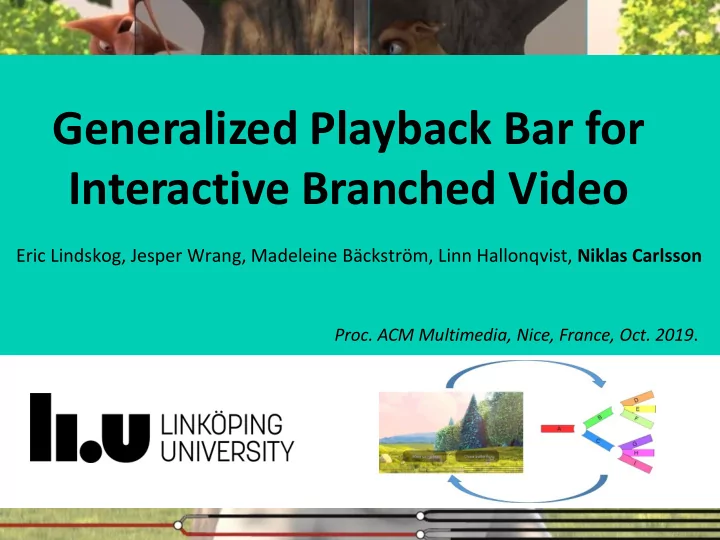
Generalized Playback Bar for Interactive Branched Video

slide-2
SLIDE 2

We have all seen a movie where we may have wanted

  • ur favorite character to make a different choice...

2

slide-3
SLIDE 3

We have all seen a movie where we may have wanted

  • ur favorite character to make a different choice...

3

slide-4
SLIDE 4

We have all seen a movie where we may have wanted

  • ur favorite character to make a different choice...

4

slide-5
SLIDE 5

We have all seen a movie where we may have wanted

  • ur favorite character to make a different choice...

5

… or that we would be more in control of their choices.

slide-6
SLIDE 6

In Interactive branched streaming

  • Clickable objects allow the user to make viewing

choices that impact the storyline

  • Puts user in control of viewing experience
  • Content creators have great flexibility how to

personalize viewing experience of users

slide-7
SLIDE 7

In Interactive branched streaming

  • Clickable objects allow the user to make viewing

choices that impact the storyline

  • Puts user in control of viewing experience
  • Content creators have great flexibility how to

personalize viewing experience of users

slide-8
SLIDE 8

In Interactive branched streaming

  • Clickable objects allow the user to make viewing

choices that impact the storyline

  • Puts user in control of viewing experience
  • Content creators have great flexibility how to

personalize viewing experience of users

slide-9
SLIDE 9

In Interactive branched streaming

  • Clickable objects allow the user to make viewing

choices that impact the storyline

  • Puts user in control of viewing experience
  • Content creators have great flexibility how to

personalize viewing experience of users

slide-10
SLIDE 10

In Interactive branched streaming

  • Clickable objects allow the user to make viewing

choices that impact the storyline

  • Puts user in control of viewing experience
  • Content creators have great flexibility how to

personalize viewing experience of users

slide-11
SLIDE 11

In Interactive branched streaming

  • Clickable objects allow the user to make viewing

choices that impact the storyline

  • Puts user in control of viewing experience
  • Content creators have great flexibility how to

personalize viewing experience of users

slide-12
SLIDE 12
  • Clickable objects allow the user to make viewing

choices that impact the storyline

  • Puts user in control of viewing experience
  • Content creators have great flexibility how to

personalize viewing experience of users

In Interactive branched streaming

slide-13
SLIDE 13

In Interactive branched streaming

  • Clickable objects allow the user to make viewing

choices that impact the storyline

  • Puts user in control of viewing experience
  • Content creators have great flexibility how to

personalize viewing experience of users

slide-14
SLIDE 14

In Interactive branched streaming

  • Clickable objects allow the user to make viewing

choices that impact the storyline

  • Puts user in control of viewing experience
  • Content creators have great flexibility how to

personalize viewing experience of users

slide-15
SLIDE 15

In Interactive branched streaming

  • Clickable objects allow the user to make viewing

choices that impact the storyline

  • Puts user in control of viewing experience
  • Content creators have great flexibility how to

personalize viewing experience of users

slide-16
SLIDE 16

In Interactive branched streaming

  • Clickable objects allow the user to make viewing

choices that impact the storyline

  • Puts user in control of viewing experience
  • Content creators have great flexibility how to

personalize viewing experience of users

slide-17
SLIDE 17

In Interactive branched streaming

  • Clickable objects allow the user to make viewing

choices that impact the storyline

  • Puts user in control of viewing experience
  • Content creators have great flexibility how to

personalize viewing experience of users

slide-18
SLIDE 18

In Interactive branched streaming

  • Clickable objects allow the user to make viewing

choices that impact the storyline

  • Puts user in control of viewing experience
  • Content creators have great flexibility how to

personalize viewing experience of users

slide-19
SLIDE 19

In Interactive branched streaming

  • Clickable objects allow the user to make viewing

choices that impact the storyline

  • Puts user in control of viewing experience
  • Content creators have great flexibility how to

personalize viewing experience of users

slide-20
SLIDE 20

Examples and some prior work

  • Branched video have not become mainstream yet
  • However, Bandersnatch: Black mirror (Dec. 2018)

won many prices and seen by many

  • Krishnamoorthi et al. [MM 2014] provides
  • ptimized prefetching and branch management

framework for HAS

slide-21
SLIDE 21

Examples and some prior work

  • Branched video have not become mainstream yet
  • However, Bandersnatch: Black mirror (Dec. 2018)

won many prices and seen by many

  • Krishnamoorthi et al. [MM 2014] provides
  • ptimized prefetching and branch management

framework for HAS

slide-22
SLIDE 22

Examples and some prior work

  • Branched video have not become mainstream yet
  • However, Bandersnatch: Black mirror (Dec. 2018)

won many prices and seen by many

  • Krishnamoorthi et al. [MM 2014] provides
  • ptimized prefetching and branch management

framework for HAS

slide-23
SLIDE 23

Examples and some prior work

  • Branched video have not become mainstream yet
  • However, Bandersnatch: Black mirror (Dec. 2018)

won many prices and seen by many

  • Krishnamoorthi et al. [MM 2014] provides
  • ptimized prefetching and branch management

framework for HAS

slide-24
SLIDE 24

Examples and some prior work

  • Branched video have not become mainstream yet
  • However, Bandersnatch: Black mirror (Dec. 2018)

won many prices and seen by many

  • Krishnamoorthi et al. [MM 2014] provides
  • ptimized prefetching and branch management

framework for HAS

slide-25
SLIDE 25

Examples and some prior work

  • Branched video have not become mainstream yet
  • However, Bandersnatch: Black mirror (Dec. 2018)

won many prices and seen by many

  • Krishnamoorthi et al. [MM 2014] provides
  • ptimized prefetching and branch management

framework for HAS

slide-26
SLIDE 26

Problem: Generalized playback bar

  • Traditional video players use general playback bar (e.g., shows

progress and buffer levels)

  • There currently does not exist any generic playback bar for

branched video that helps visualize the upcoming branch choices

  • Most branched videos use per-video custom-made user interfaces

(a) YouTube (linear) example

slide-27
SLIDE 27

Problem: Generalized playback bar

  • Traditional video players use general playback bar (e.g., shows

progress and buffer levels)

  • There currently does not exist any generic playback bar for

branched video that helps visualize the upcoming branch choices

  • Most branched videos use per-video custom-made user interfaces

(a) YouTube (linear) example (b) Netflix’s “Pussy in Boots”

slide-28
SLIDE 28

Problem: Generalized playback bar

  • Need for a generalized interface that easily can be reused for many

videos and that provides clear visual information about

  • upcoming branch choices,
  • playback progress, and
  • buffer levels.
  • Again, these aspects are expected by traditional video players, but not

yet available for branched players

slide-29
SLIDE 29

Problem: Generalized playback bar

  • Need for a generalized interface that easily can be reused for many

videos and that provides clear visual information about

  • upcoming branch choices,
  • playback progress, and
  • buffer levels.
  • Again, these aspects are expected by traditional video players, but not

yet available for branched players

slide-30
SLIDE 30

Contributions at a glance

1) Design and implementation of a novel branched video player

  • includes a generalized playback bar and other branch features
  • open source: dash.js

2) Results and insights from a three-step user study

  • evaluate the user perceived effort and the added value of the use
  • f such a playback bar,
  • compare alternative designs, and
  • evaluate the integration of the playback bar and other branch-

related featuresMay 2017 and a per-website-based analysis

slide-31
SLIDE 31

Contributions at a glance

1) Design and implementation of a novel branched video player

  • includes a generalized playback bar and other branch features
  • open source: dash.js

2) Results and insights from a three-step user study

  • evaluate the user perceived effort and the added value of the use
  • f such a playback bar,
  • compare alternative designs, and
  • evaluate the integration of the playback bar and other branch-

related featuresMay 2017 and a per-website-based analysis

slide-32
SLIDE 32

Contributions at a glance

1) Design and implementation of a novel branched video player

  • includes a generalized playback bar and other branch features
  • open source: dash.js

2) Results and insights from a three-step user study

  • evaluate the user perceived effort and the added value of the use
  • f such a playback bar,
  • compare alternative designs, and
  • evaluate the integration of the playback bar and other branch-

related featuresMay 2017 and a per-website-based analysis

slide-33
SLIDE 33

Chunk1 Chunk2 Chunk4 Chunk3 Chunk5

System design

  • HTTP-based Adaptive streaming (dash.js)
  • Extending dash.js for branched
  • Meta file format (in JSON) based on Krishnamoorthi et al. [MM

2014]: (i) branch points, and (ii) segments

  • Segments defined by (i) unique identifier, (ii) start/end times, (iii)

branch options, and (iv) a descriptive name

  • Player keeps track of playpoint, determines the next branch point,

presents branch options, prefetches data for upcoming segments

  • A novel customized playback bar
  • Javascrip using canvas elements for drawing the graphics
  • Playback bar consists of multiple segments. Each segment shows

what has been played (if any) and what has been buffered (if any)

slide-34
SLIDE 34

System design

  • HTTP-based Adaptive streaming (dash.js)
  • Extending dash.js for branched
  • Meta file format (in JSON) based on Krishnamoorthi et al. [MM

2014]: (i) branch points, and (ii) segments

  • Segments defined by (i) unique identifier, (ii) start/end times, (iii)

branch options, and (iv) a descriptive name

  • Player keeps track of playpoint, determines the next branch point,

presents branch options, prefetches data for upcoming segments

  • A novel customized playback bar
  • Javascrip using canvas elements for drawing the graphics
  • Playback bar consists of multiple segments. Each segment shows

what has been played (if any) and what has been buffered (if any)

slide-35
SLIDE 35

System design

  • HTTP-based Adaptive streaming (dash.js)
  • Extending dash.js for branched
  • Meta file format (in JSON) based on Krishnamoorthi et al. [MM

2014]: (i) branch points, and (ii) segments

  • Segments defined by (i) unique identifier, (ii) start/end times, (iii)

branch options, and (iv) a descriptive name

  • Player keeps track of playpoint, determines the next branch point,

presents branch options, prefetches data for upcoming segments

  • A novel customized playback bar
  • Javascrip using canvas elements for drawing the graphics
  • Playback bar consists of multiple segments. Each segment shows

what has been played (if any) and what has been buffered (if any)

slide-36
SLIDE 36

System design

  • HTTP-based Adaptive streaming (dash.js)
  • Extending dash.js for branched
  • Meta file format (in JSON) based on Krishnamoorthi et al. [MM

2014]: (i) branch points, and (ii) segments

  • Segments defined by (i) unique identifier, (ii) start/end times, (iii)

branch options, and (iv) a descriptive name

  • Player keeps track of playpoint, determines the next branch point,

presents branch options, prefetches data for upcoming segments

  • A novel customized playback bar
  • Javascrip using canvas elements for drawing the graphics
  • Playback bar consists of multiple segments. Each segment shows

what has been played (if any) and what has been buffered (if any)

slide-37
SLIDE 37

Example pla layer

slide-38
SLIDE 38

Pla layback bar features (designed/evaluated)

  • How much of the tree to show?
  • Compared alternatives; e.g., “full structure”, “simple zoom-and-

follow”, and “prune non-selected paths”

  • Position, visibility, and timing?
  • Placement and size of branch choice buttons?
  • How far in advance?
  • When to show (or not to show) the playback bar?
  • Visual appearance of branches?
  • Generalized shape of branches (e.g., arctan, log, step function, ...)?
  • Focus-based visual distortion (e.g., fish-eye effects)?
  • Integration and branch-choice labeling
  • Matching branch labeling?
  • Highlight path when hovering?
  • Clickable playback bar?
  • Explicit buttons in tree?
slide-39
SLIDE 39

Pla layback bar features (designed/evaluated)

  • How much of the tree to show?
  • Compared alternatives; e.g., “full structure”, “simple zoom-and-

follow”, and “prune non-selected paths”

  • Position, visibility, and timing?
  • Placement and size of branch choice buttons?
  • How far in advance?
  • When to show (or not to show) the playback bar?
  • Visual appearance of branches?
  • Generalized shape of branches (e.g., arctan, log, step function, ...)?
  • Focus-based visual distortion (e.g., fish-eye effects)?
  • Integration and branch-choice labeling
  • Matching branch labeling?
  • Highlight path when hovering?
  • Clickable playback bar?
  • Explicit buttons in tree?
slide-40
SLIDE 40

User stu tudy

  • 32 participants
  • University students from mix of programs
  • Ages 20-30 (mean = 22.7)
  • 10 female; 22 male
  • Half never seen a branched video before; rest 1-5 times
  • Bandersnatch dominated among first such video seen
  • Three steps

1. With vs without [default]: User perceived effort (NASA-TLX), complexity (SEQ), and measured response time 2. With vs without [default]: Tradeoffs (comparison questions, score) 3. List of feature comparisons [on-by-one vs default]: Demonstrate, express like/dislike, and motivate/explain answer

  • Tried to reduce potential influence
  • E.g., avoid leading questions
slide-41
SLIDE 41

User stu tudy

  • 32 participants
  • University students from mix of programs
  • Ages 20-30 (mean = 22.7)
  • 10 female; 22 male
  • Half never seen a branched video before; rest 1-5 times
  • Bandersnatch dominated among first such video seen
  • Three steps

1. With vs without [default]: User perceived effort (NASA-TLX), complexity (SEQ), and measured response time 2. With vs without [default]: Tradeoffs (comparison questions, score) 3. List of feature comparisons [one-by-one vs default]: Demonstrate, express like/dislike, and motivate/explain answer

  • Tried to reduce potential influence
  • E.g., avoid leading questions
slide-42
SLIDE 42

User stu tudy

  • 32 participants
  • University students from mix of programs
  • Ages 20-30 (mean = 22.7)
  • 10 female; 22 male
  • Half never seen a branched video before; rest 1-5 times
  • Bandersnatch dominated among first such video seen
  • Three steps

1. With vs without [default]: User perceived effort (NASA-TLX), complexity (SEQ), and measured response time 2. With vs without [default]: Tradeoffs (comparison questions, score) 3. List of feature comparisons [one-by-one vs default]: Demonstrate, express like/dislike, and motivate/explain answer

  • Tried to reduce potential influence
  • E.g., avoid leading questions
slide-43
SLIDE 43

Example result lts [s [step 1/3 /3]: Perceived effort

(with “default” version and in first step of study)

Scale: 1-20 (low to high)

  • Effort: Low effort (e.g., all < 9/20) and small (non-significant) differences
  • Value added: Playback bar can add value (e.g., > 13/20)

Branched playback bar can add value at the cost of very limited perceived client effort

slide-44
SLIDE 44

Example result lts [s [step 1/3 /3]: Perceived effort

(with “default” version and in first step of study)

Scale: 1-20 (low to high)

  • Effort: Low effort (e.g., all < 9/20) and small (non-significant) differences
  • Value added: Playback bar can add value (e.g., > 13/20)

Branched playback bar can add value at the cost of very limited perceived client effort

9

slide-45
SLIDE 45

Example result lts [s [step 1/3 /3]: Perceived effort

(with “default” version and in first step of study)

  • Effort: Low effort (e.g., all < 9/20) and small (non-significant) differences
  • Value added: Playback bar can add value (e.g., > 13/20)

Branched playback bar can add value at the cost of very limited perceived client effort

Scale: 1-20 (low to high)

9 20

slide-46
SLIDE 46

Example result lts [s [step 1/3 /3]: Perceived effort

(with “default” version and in first step of study)

  • Effort: Low effort (e.g., all < 9/20) and small (non-significant) differences
  • Value added: Playback bar can add value (e.g., > 13/20)

Branched playback bar can add value at the cost of very limited perceived client effort

slide-47
SLIDE 47

Example result lts [s [step 1/3 /3]: Perceived effort

(with “default” version and in first step of study)

  • Effort: Low effort (e.g., all < 9/20) and small (non-significant) differences
  • Value added: Playback bar can add value (e.g., > 13/20)

Branched playback bar can add value at the cost of very limited perceived client effort

slide-48
SLIDE 48

Example result lts [s [step 2/3 /3]: Added valu lue

(with “default” version and in first step of study)

Scale: 1-20 (low to high)

  • Effort: Low effort (e.g., all < 9/20) and small (non-significant) differences
  • Value added: Playback bar can add value (e.g., all > 13/20)

Branched playback bar can add value at the cost of very limited perceived client effort

slide-49
SLIDE 49

Example result lts [s [step 2/3 /3]: Added valu lue

(with “default” version and in first step of study)

Scale: 1-20 (low to high)

  • Effort: Low effort (e.g., all < 9/20) and small (non-significant) differences
  • Value added: Playback bar can add value (e.g., all > 13/20)

Branched playback bar can add value at the cost of very limited perceived client effort

slide-50
SLIDE 50

Example result lts [s [step 2/3 /3]: Added valu lue

(with “default” version and in first step of study)

Scale: 1-20 (low to high)

  • Effort: Low effort (e.g., all < 9/20) and small (non-significant) differences
  • Value added: Playback bar can add value (e.g., all > 13/20)

Branched playback bar can add value at the cost of very limited perceived client effort

slide-51
SLIDE 51

Example result lts [s [step 2/3 /3]: Added valu lue

(with “default” version and in first step of study)

Scale: 1-20 (low to high)

  • Effort: Low effort (e.g., all < 9/20) and small (non-significant) differences
  • Value added: Playback bar can add value (e.g., all > 13/20)

Branched playback bar can add value at the cost of very limited perceived client effort

slide-52
SLIDE 52

Example results [s [step 3/3]: Li Like/d /dislikes

slide-53
SLIDE 53

Example results [s [step 3/3]: Li Like/d /dislikes

slide-54
SLIDE 54

Example results [s [step 3/3]: Li Like/d /dislikes

slide-55
SLIDE 55

Example results [s [step 3/3]: Li Like/d /dislikes

slide-56
SLIDE 56

Example results [s [step 3/3]: Li Like/d /dislikes

slide-57
SLIDE 57

Example results [s [step 3/3]: Li Like/d /dislikes

slide-58
SLIDE 58

Example results [s [step 3/3]: Li Like/d /dislikes

  • No silver bullet, but some features provided significant differences (**)
slide-59
SLIDE 59

Example results [s [step 3/3]: Li Like/d /dislikes

Feature: Prune non-selected paths Example comments(+): “removes unnecessary information”, “focus on the part of interest”, “reduces the chance regretting past choices”, and “feels more realistic”

slide-60
SLIDE 60

Example results [s [step 3/3]: Li Like/d /dislikes

Feature: Highlight path when hovering over button Example comments (+): “simple”, “made it clear what path you consider choosing”, “feels more in control”, and “connects playback bar to the buttons”

slide-61
SLIDE 61

Conclusions and summary ry

1. Novel open-source player a generalized playback bar

  • Implemented in dash.js player and made available with this paper
  • Visualizes the tree-like branched video structure and the buffer

levels of the different branches

  • Playback bar and presentation of branch choices easily customized

2. Three-step user study in which we evaluated the playback bar and compared with alternative designs and branch-related features

  • Highlights that the branched playback bar can add value at the cost
  • f very limited perceived client effort
  • Further improvements by hiding the playback bar between branch

points and enhance the playback bar with high-scoring features such as pruning non-selected paths and highlighting path when hovering over button

  • We have implemented a version that incorporated our findings and

additional suggested features

slide-62
SLIDE 62

Conclusions and summary ry

1. Novel open-source player a generalized playback bar

  • Implemented in dash.js player and made available with this paper
  • Visualizes the tree-like branched video structure and the buffer

levels of the different branches

  • Playback bar and presentation of branch choices easily customized

2. Three-step user study in which we evaluated the playback bar and compared with alternative designs and branch-related features

  • Highlights that the branched playback bar can add value at the cost
  • f very limited perceived client effort
  • Further improvements by hiding the playback bar between branch

points and enhance the playback bar with high-scoring features such as pruning non-selected paths and highlighting path when hovering over button 3. Bonus: We have also implemented a version that incorporated our findings and additional suggested features

slide-63
SLIDE 63

Conclusions and summary ry

1. Novel open-source player a generalized playback bar

  • Implemented in dash.js player and made available with this paper
  • Visualizes the tree-like branched video structure and the buffer

levels of the different branches

  • Playback bar and presentation of branch choices easily customized

2. Three-step user study in which we evaluated the playback bar and compared with alternative designs and branch-related features

  • Highlights that the branched playback bar can add value at the cost
  • f very limited perceived client effort
  • Further improvements by hiding the playback bar between branch

points and enhance the playback bar with high-scoring features such as pruning non-selected paths and highlighting path when hovering over button 3. Bonus: We have also implemented a version that incorporated our findings and additional suggested features

slide-64
SLIDE 64

Conclusions and summary ry

1. Novel open-source player a generalized playback bar

  • Implemented in dash.js player and made available with this paper
  • Visualizes the tree-like branched video structure and the buffer

levels of the different branches

  • Playback bar and presentation of branch choices easily customized

2. Three-step user study in which we evaluated the playback bar and compared with alternative designs and branch-related features

  • Highlights that the branched playback bar can add value at the cost
  • f very limited perceived client effort
  • Further improvements by hiding the playback bar between branch

points and enhance the playback bar with high-scoring features such as pruning non-selected paths and highlighting path when hovering over button 3. Bonus: We have also implemented a version that incorporated our findings and additional suggested features

slide-65
SLIDE 65

Niklas Carlsson (niklas.carlsson@liu.se)

Generalized Playback Bar for Interactive Branched Video

Eric Lindskog, Jesper Wrang, Madeleine Bäckström, Linn Hallonqvist, Niklas Carlsson