SLIDE 1
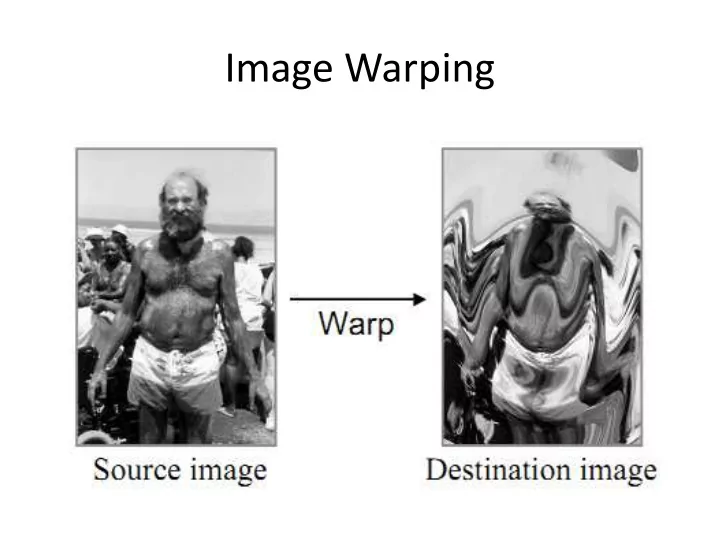
Image Warping
SLIDE 2
Image Mapping
SLIDE 3
Image Mapping - Examples
SLIDE 4
Forward Mapping
SLIDE 5
Forward Mapping - Disadvantages
SLIDE 6 Example – Forward Mapping
Original Rotated
Zoom In
SLIDE 7 Backward Mapping
𝑔"#
The Problem: (u,v) are not integers!
SLIDE 8
SLIDE 9
SLIDE 10
Nearest Neighbor
SLIDE 11
SLIDE 12 Example - Nearest Neighbor
Original Rotated
Zoom In
SLIDE 13 Bi-linear Interpolation
- Bi-linear interpolates four closest pixels.
- The weight for each pixel is proportional to its distance from the
sampling point (x,y)
SLIDE 14
Bi-linear Interpolation
SLIDE 15
Bi-linear Interpolation
SLIDE 16
Bi-linear Interpolation
SLIDE 17
Bi-linear Interpolation
SLIDE 18 Example Bi-linear
Original Rotated
Zoom In
SLIDE 19 Bi-cubic
(u,v)
- Bicubic interpolates 16 closest neighbors (4x4 neighborhood)
- The result is much more smooth
SLIDE 20
Bi-cubic Interpolation
SLIDE 21
Bi-cubic Interpolation
SLIDE 22
Bi-cubic Interpolation
SLIDE 23 Example Bi-cubic
Original Rotated
Zoom In
SLIDE 24
Nearest Neighbor
SLIDE 25
Bi-Linear Interpolation
SLIDE 26
Bi-Cubic Interpolation
SLIDE 27 Comparison
Nearest Neighbor Bi-linear Bi-cubic
SLIDE 28
Direct Rotation
SLIDE 29
Shear
SLIDE 30
Shear
SLIDE 31 Shear and Scale
Operating line by line, faster and simpler filters
SLIDE 32 Shear
÷ ÷ ø ö ç ç è æ = ÷ ÷ ø ö ç ç è æ y x A v u ÷ ÷ ø ö ç ç è æ = ÷ ÷ ø ö ç ç è æ ÷ ÷ ø ö ç ç è æ = ÷ ÷ ø ö ç ç è æ = ÷ ÷ ø ö ç ç è æ y x T y x A B v u B s r
÷ ÷ ø ö ç ç è æ + = ÷ ÷ ø ö ç ç è æ = ÷ ÷ ø ö ç ç è æ a a a a cos y sin x sin y
x y x T s r
SLIDE 33
Shear
÷ ÷ ø ö ç ç è æ = ÷ ÷ ø ö ç ç è æ = ÷ ÷ ø ö ç ç è æ y) f(x, x y x A v u
A preserve columns
÷ ÷ ø ö ç ç è æ = ÷ ÷ ø ö ç ç è æ = ÷ ÷ ø ö ç ç è æ v v) g(u, v u B s r
B preserve rows
SLIDE 34 Shear
÷ ÷ ø ö ç ç è æ = ÷ ÷ ø ö ç ç è æ = ÷ ÷ ø ö ç ç è æ ÷ ÷ ø ö ç ç è æ = ÷ ÷ ø ö ç ç è æ = ÷ ÷ ø ö ç ç è æ y) f(x, y)) f(x, g(x, y) f(x, x B y x A B v u B s r
We get
a a cos y sin x s y) f(x, + = =
÷ ÷ ø ö ç ç è æ + = ÷ ÷ ø ö ç ç è æ = ÷ ÷ ø ö ç ç è æ a a a a cos y sin x sin y
x y x T s r a a sin y cos x v) g(u,
SLIDE 35 Shear
We need to express it in terms of u,v We know that x=u, and
a a cos y sin x y) f(x, v + = = a a sin y cos x v) g(u,
We get
a a a a cos sin u
cos sin x
y = =
SLIDE 36 Shear
a a a a a a tan v sec u sin cos sin u
u v) g(u,
=
We put it all together and get
SLIDE 37 Shear
At last we get
÷ ÷ ø ö ç ç è æ + = ÷ ÷ ø ö ç ç è æ a a cos y sin x x y x A ÷ ÷ ø ö ç ç è æ
÷ ÷ ø ö ç ç è æ v tan v sec u v u B a a
SLIDE 38
Shear
Using a large angle (80 degree)
SLIDE 39
Shear
SLIDE 40
Shear
SLIDE 41
Shear
Second pass with Backward Mapping
SLIDE 42 Shear
- Rotate in 90 degree, then use shear
with a small angle
- We still have a scale factor in the shear which
create holes; one solution is to use filter
SLIDE 43 Shear
÷ ÷ ø ö ç ç è æ
÷ ø ö ç ç è æ ÷ ÷ ø ö ç ç è æ
÷ ÷ ø ö ç ç è æ
2 / tan 1 1 sin 1 1 2 / tan 1 cos sin sin cos a a a a a a a
The other solution is by using three shear transformations
We need Three passes instead of Two. But no scale! Just shift lines!
SLIDE 44
Shear
Two first shears
SLIDE 45
Shear
SLIDE 46
Shear
SLIDE 47
Shear
SLIDE 48
Shear
SLIDE 49
Shear