Image and Shape The beginning Analogies The middle A few pictures - - PowerPoint PPT Presentation

image and shape
SMART_READER_LITE
LIVE PREVIEW

Image and Shape The beginning Analogies The middle A few pictures - - PowerPoint PPT Presentation

Lecture overview Image and Shape The beginning Analogies The middle A few pictures Some more middle The transfer of color and motion The end Presented by: Lior Shapira, PhD student Find the analogies! Analogies An


slide-1
SLIDE 1

1

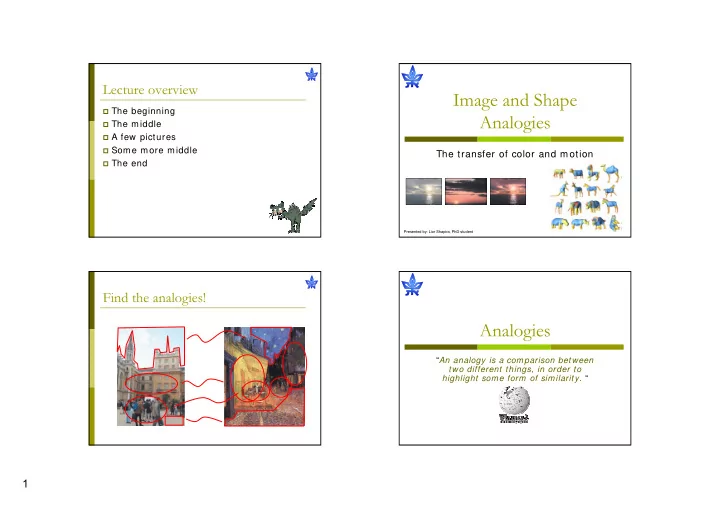
Image and Shape Analogies

The transfer of color and motion

Presented by: Lior Shapira, PhD student

Lecture overview

The beginning The middle A few pictures Some more middle The end

Analogies

“An analogy is a comparison between two different things, in order to highlight some form of similarity. “

Find the analogies!

slide-2
SLIDE 2

2

Find the analogies! Find the analogies! Find the analogies! Find the analogies!

slide-3
SLIDE 3

3

Find the analogies! Find the analogies!

Image Color Transfer

What’s our purpose?

Transfer the colors of one image to

another

Analyze images Find correspondence (which color goes

where?)

Perform a smooth transfer of the colors

slide-4
SLIDE 4

4

Finding a model for the data

Working in geometric coordinates

The RGB Domain

A regular image

The RGB Domain

Image pixels in RGB space

The RGB Domain

Image pixels in RGB space

slide-5
SLIDE 5

5

Clustering

To find analogies we’ll attempt to find

correspondences between clusters in the data

Clustering of data is a method by which

large sets of data is grouped together into clusters of smaller sets of similar data

K-means

A very simple way to cluster data

{ }

( )

,

5 2 , 1 1 ,

arg min

j i j

n i j i j j i C m

m x C

= =

∑ ∑

  • ,

5 , 1

1 the j-th cluster the j-th cluster 1 any a single cluster

i i j i i j j i

x m x m x

=

∈ ⎧ = ⎨ ∉ ⎩ = → ∈

  • K-means for Clustering

K-means

Start with a random

guess of cluster centers

Determine the

membership of each data points

Adjust the cluster

centers

K-means for Clustering

K-means

Start with a random

guess of cluster centers

Determine the

membership of each data points

Adjust the cluster

centers

slide-6
SLIDE 6

6

K-means for Clustering

K-means

Start with a random

guess of cluster centers

Determine the

membership of each data points

Adjust the cluster

centers

K-means

1. Ask user how many clusters they’d like. (e.g. k= 5)

K-means

1.

Ask user how many clusters they’d like. (e.g. k= 5)

2.

Randomly guess k cluster Center locations

K-means

1.

Ask user how many clusters they’d like. (e.g. k= 5)

2.

Randomly guess k cluster Center locations

3.

Each datapoint finds

  • ut which Center it’s

closest to. (Thus each Center “owns” a set of datapoints)

slide-7
SLIDE 7

7

K-means

1.

Ask user how many clusters they’d like. (e.g. k= 5)

2.

Randomly guess k cluster Center locations

3.

Each datapoint finds

  • ut which Center it’s

closest to.

4.

Each Center finds the centroid of the points it owns

K-means

1.

Ask user how many clusters they’d like. (e.g. k= 5)

2.

Randomly guess k cluster Center locations

3.

Each datapoint finds

  • ut which Center it’s

closest to.

4.

Each Center finds the centroid of the points it owns

Limitations of K-means

User inputs number of clusters Sensitive to initial guesses Converges to local minimum Problematic with clusters of

Differing sizes Differing densities Non globular shapes

Difficulty with outliers

Gaussians

Normal distribution (1D)

( )

2 2

1 ( , ) exp 2 2 x f x µ µ σ σ σ π ⎛ ⎞ − = − ⎜ ⎟ ⎜ ⎟ ⎝ ⎠

slide-8
SLIDE 8

8

Gaussians

2D Gaussians

d = 2 x = random data point (2D vector)

  • = mean value (2D vector)
  • = covariance matrix (2D matrix)

( ) ( ) ( )

1

1 ( , ) exp 2 2 det( )

T d

x x f x µ µ µ π

⎛ ⎞ − Σ − Σ = − ⎜ ⎟ ⎜ ⎟ Σ ⎝ ⎠ Σ µ

The same equation holds for a 3D Gaussian

Gaussians

( ) ( ) ( )

1

1 ( , ) exp 2 2 det( )

T d

x x f x µ µ µ π

⎛ ⎞ − Σ − Σ = − ⎜ ⎟ ⎜ ⎟ Σ ⎝ ⎠ µ Σ

Exploring Covariance Matrix

( )( )

2 2 1

( , ) cov( , ) 1 cov( , )

i i i N T w i i i h

x random vector w h w h x x N h w σ µ µ σ

=

= ⎛ ⎞ Σ = − − = ⎜ ⎟ ⎝ ⎠

  • is symmetric
  • has eigendecomposition (svd)
  • Σ

⇒ Σ * *

T

V D V Σ = Σ

1 2

...

d

λ λ λ ≥ ≥ ≥

Covariance Matrix Geometry

Σ

1 2

* * 1* 2*

T

V D V a v b v λ λ Σ = = = b a

slide-9
SLIDE 9

9

3D Gaussians

( )( )

2 2 1 2

( , , ) cov( , ) cov( , ) 1 cov( , ) cov( , ) cov( , ) cov( , )

i r N T i i g i b

x r g b g r b r x x r g b g N r b g b σ µ µ σ σ

=

= ⎛ ⎞ ⎜ ⎟ Σ = − − = ⎜ ⎟ ⎜ ⎟ ⎝ ⎠

GMMs – Gaussian Mixture Model

W H

Suppose we have 1000 data points in 2D space (w,h)

W H

GMMs – Gaussian Mixture Model

Assume each data point is normally distributed Obviously, there are 5 sets of underlying gaussians

The GMM assumption

There are K components (Gaussians) Each k is specified with three parameters:

weight, mean, covariance matrix

The total density function is:

( )

( ) ( )

1 1 1 1

1 ( ) exp 2 2 det( ) { , , } 1

T K j j j j d j j K j j j j K j j j

x x f x weight j µ µ α π α µ α α α

− = = =

⎛ ⎞ − Σ − ⎜ ⎟ Θ = − ⎜ ⎟ Σ ⎝ ⎠ Θ = Σ = ≥ ∀ =

∑ ∑

slide-10
SLIDE 10

10

The EM algorithm (Dempster, Laird and Rubin, 1977)

Raw data GMMs (K = 6) Total Density Function

i

Σ

i

µ

EM Basics

Objective:

Given N data points, find maximum likelihood estimation of :

Algorithm:

  • 1. Guess initial
  • 2. Perform E step (expectation)

Based on , associate each data point with specific gaussian

  • 3. Perform M step (maximization)

Based on data points clustering, maximize

  • 4. Repeat 2-3 until convergence (~ tens iterations)

Θ

1

arg max ( ,..., )

N

f x x

Θ

Θ = Θ

Θ Θ Θ

EM Details

  • E-Step (estimate probability that point t associated to gaussian j):
  • M-Step (estimate new parameters):

, 1

( , ) 1,..., 1,..., ( , )

j t j j t j K i t i i i

f x w j K t N f x α µ α µ

=

Σ = = = Σ

, 1 , 1 , 1 , 1 , 1

1 ( )( )

N new j t j t N t j t new t j N t j t N new new T t j t j t j new t j N t j t

w N w x w w x x w α µ µ µ

= = = = =

= = − − Σ =

∑ ∑ ∑ ∑ ∑

EM Example

Gaussian j data point t blue: wt,j

slide-11
SLIDE 11

11

EM Example EM Example EM Example EM Example

slide-12
SLIDE 12

12

EM Example EM Example EM Example Applying EM on RGB space

Suppose we cluster the points for 2 clusters

slide-13
SLIDE 13

13

Back to Clustering

We want to label “close” pixels with the same

label

Proposed metric: label pixels from the same

gaussian with same label

Label according to max probability: Number of labels = K

,

( ) arg max( )

t j j

label t w =

Pixel Clusters

The result in image space

A Problem: Noise Why? Pixel labeling is done independently for each pixel,

ignoring the spatial relationships between pixels!

Graph-Cut optimization

Previous model for labeling: A new model for labeling. Minimize E:

f = Labeling function, assigns label fp for each pixel p Edata = Data Term Esmooth = Smooth Term Lamda is a free parameter

Formalizing a New Labeling Problem

,

1,..., ( ) ( ) arg max( ) ( )

p p j j

j K gaussians f label p w p image pixels = = = ∈Ρ ( ) ( ) ( )

data smooth

E f E f E f λ = +

slide-14
SLIDE 14

14

Labels Set: { j= 1,…,K } Edata:

Penalize disagreement between pixel and the GMM

Esmooth:

Penalize disagreement between two pixels, unless it’s a

natural edge in the image

dist(p,q) = normalized color-distance between p,q

The Energy Function

,

( ) ( ) 1

p

p p p p p f p Pixels

D f D f w

= −

, , ,

( , ) ( , ) 1 ( , )

p q p q p q p q p q p q neighbors

f f V f f V f f dist p q

  • w

= ⎧ = ⎨ − ⎩

( ) ( ) ( )

data smooth

E f E f E f λ = + Solving Min(E) is NP-hard It is possible to approximate the solution using

iterative methods

Graph-Cuts based methods approximate the

global solution (up to constant factor) in polynomial time

Minimizing the Energy

When using iterative methods, each iteration some of the

pixels change their labeling

Given a label α, a move from partition P (labeling f) to a

new partition P’ (labeling f’) is called an α-expansion move if:

α-expansion moves

Current Labeling One Pixel Move α-β-swap Move α-expansion Move

' '

l l

P P P P l

α α

α ⊂ ∧ ⊂ ∀ ≠

Algorithm for Minimizing E(f)

  • 1. Start with an arbitrary labeling
  • 2. Set success = 0
  • 3. For each label j

3.1 Find f’ = argmin(E(f’)) among f’ within one α-expansion

  • f f

3.2 If E(f’) < E(f), set f = f’ and success = 1

  • 4. If (success = = 1) Goto 2
  • 5. Return f

How to find argmin(E(f’)) ?
slide-15
SLIDE 15

15

A Reminder: min-cut / max-flow

Given two terminal nodes α and β in G= (V,E), a cut is a set

  • f edges C E that separates α from β in G’= (V,E\ C)

Also, no proper subset of C separates α from β in G’. The cost of a cut is defined as the sum of all the edge

weights in the cut. The minimum-cut of G is the cut C with the lowest cost.

The minimum-cut problem is solvable in practically linear

time.

Finding the Optimal Expansion Move

Problem:

Find f’ = argmin(E(f’)) among f’ within one α-expansion of f

Solution:

Translate the problem to a min-cut problem on an appropriately defined graph.

Graph Structure for Optimal Expansion Move

p p p p

if nodet C f f if nodet C

α α

α ⎧ ∈ ⎪ = ⎨ ∈ ⎪ ⎩

Terminal α Terminal not(α) Cut C

1-1 correspondence between cut and labeling E(f) is minimized!

Each pixel gets a node

A Closer Look

P1 P2 Pα

slide-16
SLIDE 16

16

Add auxiliary nodes between pixel with different

labels

A Closer Look

P1 P2 Pα Add two terminal nodes for α and not(α)

A Closer Look

P1 P2 Pα

A Closer Look

P1 P2 Pα

A Closer Look

P1 P2 Pα

slide-17
SLIDE 17

17

A Closer Look

P1 P2 Pα

A Closer Look

P1 P2 Pα

A Closer Look

P1 P2 Pα

New labeling results

slide-18
SLIDE 18

18

Cluster matching

Once we cluster and label the pixels in

each picture we can match between them

Some results

source reference result

Color transfer between images/Reinhard, Ashikmin, Gooch & Shirley

Some results

source reference target

Some results

Source Reference Labeling Labeling

slide-19
SLIDE 19

19

Shape Analogies

Analogies in the 3D world Analogies in the 3D world

The dominant 3D object representation – Triangular meshes

Geometry Connectivity

1 2 3 (1.56, 2.76, 3) (0.17, 2.06, 1.5) (3.1, 2, 2.22) (x, y, z)

Analogies in the 3D world

What can ‘analogies’ mean in 3D?

Shape Matching Global Registration Complete Correspondence Part Correspondence

slide-20
SLIDE 20

20

Shape matching

Given a database of 3D models, and a

query model, retrieve all similar objects

Global Registration

Given two 3D models, find the best

matching alignment between them

Complete Correspondence

Find for each triangle in the

first model, a corresponding triangle in the second model.

Complete Correspondence

Sample application – deformation transfer

Deformation transfer for triangle meshes / Sumner, Popovic’. SIGGRAPH 2004

slide-21
SLIDE 21

21

Part Correspondence

Attempt to ‘think’ like a human, match logical

parts

Body Body Tail Tail Leg Leg …

Feature Space

We’re looking for a way to find analogies

between 3D models

3D triangular meshes are surface

representations of volumetric objects

A strong link between surface and volume

is the Medial Axis Transform ( MAT)

Medial Axis Transform (MAT)

We grow circles within the given shape, until we are blocked by the shape’s

  • boundaries. The collected center of these circles is the medial axis transform

MAT in 3D

Things get more complicated in 3D

Instead of circles we grow spheres The MAT is a complicated structure composed

  • f sheets and lines

The MAT is difficult to compute and hard to

handle

slide-22
SLIDE 22

22

MAT in 3D

Things get more complicated in 3D

The Shape Diameter Function (SDF)

Medial Axis Local shape radius Local shape diameter We wish to define a

scalar function which links the mesh’s surface to its volume

Calculating the SDF SDF Results

Highlights similar parts in similar 3D shapes

slide-23
SLIDE 23

23

SDF Results

Remains consistent through pose differences of the same

  • bject

Mesh Partitioning using the SDF

The SDF gives a good intuition by itself on

a logical partitioning, but not perfect

The rays in this part see a ‘larger’ part of the mesh

Mesh Partitioning using the SDF

We find good partitioning values, which

divide the mesh into significant parts

A partitioning is defined, but it is noisy

Mesh Partitioning using the SDF

We find good partitioning values, which

divide the mesh into significant parts

A mincut operation is performed to improve the boundaries between the different parts

slide-24
SLIDE 24

24

Mesh Correspondence

Given a logical partitioning of different meshes,

its easier to find correspondence between different parts

  • A signature is defined for each part consisting of
  • Relative size in mesh
  • Part valence (number of neighboring parts)
  • Average SDF value (normalized to mesh)
  • Local SDF histogram

Mesh Correspondence

Given a logical partitioning of different meshes,

its easier to find correspondence between different parts

  • A greedy algorithm is employed,

matching the best matching parts between two models

  • We attempt to match the

neighboring parts of the first matched parts

  • The algorithm continues

recursively until all parts are matched (if possible)

Partial Correspondence

Not all meshes have the same parts

In some cases we wish to find correspondence only between specific parts, possibly a one-to-many connection

Application – Motion Transfer

Here we transfer motion between

analogous parts of multiple models

slide-25
SLIDE 25

25

Application – Motion Transfer

Here we transfer motion between

analogous parts of multiple models

The End