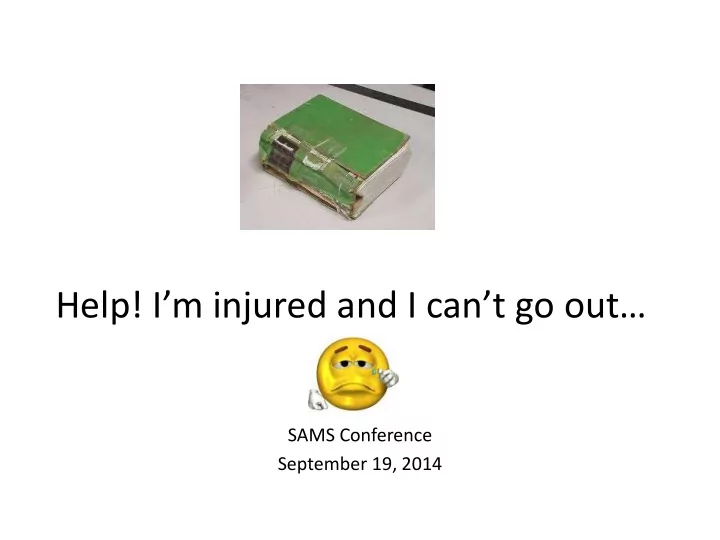
SLIDE 1 Help! I’m injured and I can’t go out…
SAMS Conference September 19, 2014
SLIDE 2 Presentation & Hand-outs
- http://www.ppl.lib.in.us/sams/
Repair handouts from patron classes.
SLIDE 3 Topics for the Day
- Supplies
- Where to Start
- Book Repairs
– Torn Page – Tip in Page – Corners – Wings – Spine / Hinge
SLIDE 4 Supplies
· Archival quality repair tape · Japanese papers · Awl · Mending Sticks · Blotting papers · Norbond Adhesive · Bone folders · Reddi-Corners · Binder tape, Single stitched · Rubber bands · Binder tape, Double stitched · Sandpaper · Book tape · Seam tape · Cheese cloth · Scissors · Cotton gloves · Xacto knife · Easy Bind Repair Tape · Waxed paper · Glue brushes · Weights · Hot glue gun · Wings ** Tape machine
SLIDE 5
SLIDE 6
Parts of a Book
Board Joint Crash (also called mull, or super) Lining Endsheet · Paste down Flyleaf · Spine Fore-edge Spine Piece Gutter Square Head Tail Hinge Text Block (also Book Content)
SLIDE 7
SLIDE 8
Planning Your Repairs
Just like any activity you don’t do often, book repairs should be planned and your work area prepared before you start.
SLIDE 9
- Read the directions for any repair thoroughly before attempting the
repair.
- Make sure the workspace is large enough to work comfortably.
Clear away excess objects and have the tools and materials needed close at hand.
- Think about where the repaired books will dry. Materials that are
glued or pasted must dry under weight or the paper will buckle.
- If the book has several problems, start with the simplest and work
toward the most complex. In general the text block is repaired first (torn pages, damaged signatures, etc.) then the cover (rebacking, mending damaged comers, etc.). The last part of the book to be repaired is the attachment of the text block to the cover (the crash and endpapers).
- Try to group similar types of repairs together. In addition
to saving time and materials, repeating the same repair several times is a good way to improve your repair techniques.
SLIDE 10
SLIDE 11 AV PROBLEM
DATE/ Initial____________________ C/O TO: BUCKET, MENDING, PATRON Circle Problem: Missing Disk#________ Missing/ Damaged: Booklet/ Cover Art Label: Missing/ Damaged/ Incorrect Disk: Skips/ Won’t Play #________ Disk: Pitted/ Scratched/ Broken #_______ Disk: Art Scratched #_______ Broken: Case/ Hinge/ Lid/ CenterHub Other_______________________________ ___________________________________ Patron Name_____________________________ Comments _________________________ ___________________________________ ___________________________________ Account Noted ____________________ Account Billed ____________________
BOOK REPAIR
DATE/ Initial:________________________ C/O TO: BUCKET/ BINDERY/ MENDING/ Patron Torn: Cover/ Page #s __________ Weakened Cover: Edges/ Corners/ Spine Loose Pages #s _________ Spine Problem: Inner Spine/ Cracked Missing: Labels/ Pages Dirty/ Stains/ Wet/ Wings/ Corners Torn Bag Broken: Lid / Tub / Toy________________ ____________________________________ ____________________________________ Missing:______________________________ ____________________________________ ____________________________________ Patron Name_______________________ Comments___________________________ _________________________________ Account Noted ______ Account Billed _____
SLIDE 12 Which Repair Method Should I Use?
It is important to determine why a book needs repair.
- Was it damaged through carelessness or simply through use?
- Could the way it was manufactured caused the damage?
- Did an old repair fail or cause more damage?
- Have previous repairs hindered the mechanics (the way the book
- pens and closes, the way the pages turn) of the book?
- How is the book constructed - signatures (folded pages that can be
sewn or glued together)?
- Or is the book constructed in single sheets glued or oversewn
together?
- Is the paper coated and shiny?
SLIDE 13
- All these factors should be considered when choosing to repair a
book and deciding what techniques to use.
- Examine the volume carefully and determine how it is constructed
- Determine which part of the structure failed so you can use the
most appropriate repair technique.
SLIDE 14 Repairs
- Cut or Torn Pages
- Tipping In Loose Pages
- Corners
- Wings
- Loose Hinge
- Broken Hinge
SLIDE 15 Repairing Cut or Torn Pages with Tape
Easy Bind Tape Scissors Bone Folder
SLIDE 16
SLIDE 17
Cut a piece of tape ¼ inch longer than the tear. Remove the center strip from the tape. Center over the tear allowing the tape to extend beyond the tear.
SLIDE 18
Working from the center, smooth out the individual sides as you remove the paper backing from the tape.
SLIDE 19
Smooth out with the bone folder to work the adhesive smoothly into the page and to remove any air bubbles.
SLIDE 20 Tipping In Loose Pages
Norbond Adhesive Mending Stick Waxed Paper Weights Rubber Bands
SLIDE 21 Before inserting the loose page, make sure that the inside edge is straight and not ragged. Trim with a paper cutter or xacto knife if
- needed. If trimming the page would make the print hard to read
after insertion, create a faux edge with onion skin paper or Easy Bind tape
SLIDE 22
Carefully apply Norbond Adhesive to the binding edge by gently roll a mending stick along the edge.
SLIDE 23
Insert the loose page deep into the “V” opening of the book, starting with a half inch extra at the top of the book. Draw the page into the gutter of the book, aligning the page evenly at the bottom and the top of the other pages.
SLIDE 24 Close the book, press the spine, wrap it with rubber bands
- r place it under a weight. You will know the adhesive is
dry when you can easily remove the waxed paper.
SLIDE 25 Protecting & Repairing Book Corners with Reddi-Corners
Reddi-Corners Bone Folder * Reddi-Corners provide extra strength to the book’s corners. For preventing damage, apply Reddi-Corners at the first sign of wear.
SLIDE 26
Trim ragged fabric or paper from the book corners before applying Reddi-Corners. Peel the corner from the sheet, placing the notch at the edge of the corner of the book.
SLIDE 27
Fold over the edges of the corner to the inner cover of the book. Make sure that you do not catch the lining page of the book under the corner.
SLIDE 28
Smooth the entire corner around the edge of the book and secure to the inner cover.
SLIDE 29
Smooth the entire corner with the bone folder to work the adhesive into the cover.
SLIDE 30 Repairing Headcaps with Tyvek Book Repair Wings
Tyvek Book Repair Wings Bone Folder * Wings provide extra strength by overlapping at the book’s edges. For preventing damage, apply Tyvek book repair wings at the first sign of wear.
SLIDE 31
Setting the book on its edge, peel the book repair wing from the sheet. Align the center of the wing to the top edge of the spine and press down to secure it. Gently crease the wing into the groove of the spine and across the cover.
SLIDE 32
Fold the edge of the book repair wing over the top edge of the book pressing firmly.
SLIDE 33
Open the book and secure the remainder of the flap to the inner cover. Make sure that you do not catch the lining page under the wing.
SLIDE 34
Smooth the entire wing with the bone folder to work the adhesive into the cover.
SLIDE 35 Repairing Loose Hinges of a Cover
Norbond Adhesive Mending Stick Hinge Tape Scissors Bone Folder Weights
SLIDE 36
A loose hinge is the first sign of trouble with the binding. It requires immediate correction and repair to prevent further damage during the life of the book.
SLIDE 37
Using a mending stick covered with Norbond Adhesive, carefully apply the adhesive only between the end sheet and the cover. Never place adhesive directly down the spine or tube of the book.
SLIDE 38
Smooth the cover down with a bone folder. Wipe any excess adhesive from the book’s edge. Place waxed paper in book. Place rubber bands on the book. Weight the book and allow to dry.
SLIDE 39
To add additional reinforcement of the loose hinge, cut a strip of hinge tape to the length of the book’s contents or pages. Lay the book open, apply the hinge tape to the inside cover, then gently place tape onto the contents. Use a bone folder to flatten the hinge tape and lightly crease the hinge.
SLIDE 40 Repairing a Broken Hinge
Single Stitched Binder Tape Norbond Adhesive Scissors Brush Waxed Paper Bone Folder Rubber Bands Weights
SLIDE 41
Cut and trim away all excess paper and threads of the super from the original hinge.
SLIDE 42
Cut and trim away all excess paper from the edge of the cover.
SLIDE 43 Cut a piece of single-stitched binder tape equal to the height
- f the book’s contents. Apply Norbond Adhesive with a brush
to one gummed surface of the tape.
SLIDE 44
Apply one tab of the moistened tape to the spine of the book. Apply the second tab around the corner of the contents and attach to the first or last page. Rub smoothly and firmly with the bone folder.
SLIDE 45
Place a piece of waxed paper cut to the size of the book’s content against the book content in the super.
SLIDE 46 Apply Norbond Adhesive to the other gummed surface of the
- tape. Then carefully press the spine of the cover against the
moistened tape and press firmly.
SLIDE 47
Attach the remaining tab of the tape to the cover board. Press firmly and smooth with the bone folder. The binder tape should now hold the firmly to the spine of the text block.
SLIDE 48 Insert a sheet of waxed paper between the cover and the
- contents. Close the cover, making sure the cover and the contents
are in proper alignment. Place rubber bands around the book and place it under weights. Set the book aside to dry.
SLIDE 49
Tips and Tricks
SLIDE 50 Extending the Life of a Book
- Extend the life of paperbacks by taping the
spine and edges of cover.
- Use of Kapco Easy Covers for paperbacks
- Training for shelvers and staff
SLIDE 51 DVDs, Blu-Rays and Music CDs
- Secure the artwork to the case
- FreeCovers.net
“the cds cover archive”
SLIDE 52
SLIDE 53 Sharing Tips & Tricks
- What’s your tips and tricks?
SLIDE 54
Now You Are Ready to Repair…
SLIDE 55 Christie Carnahan Whitton Assistant Director / Technical Services Librarian Peabody Public Library cwhitton@ppl.lib.in.us
2014