Geo-Tagging in Archaeology: Practical Experiences with the TUGeoWiki - - PowerPoint PPT Presentation

geo tagging in archaeology practical experiences with the
SMART_READER_LITE
LIVE PREVIEW

Geo-Tagging in Archaeology: Practical Experiences with the TUGeoWiki - - PowerPoint PPT Presentation

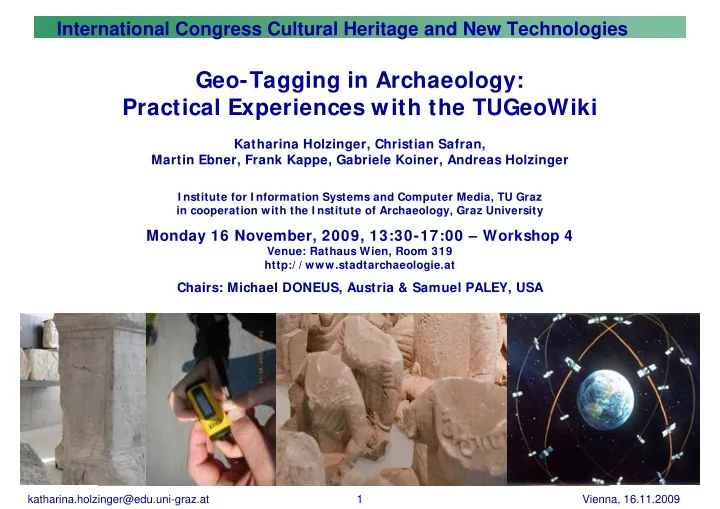
International Congress Cultural Heritage and New Technologies Geo-Tagging in Archaeology: Practical Experiences with the TUGeoWiki Katharina Holzinger, Christian Safran, Martin Ebner, Frank Kappe, Gabriele Koiner, Andreas Holzinger I nstitute


slide-1
SLIDE 1

katharina.holzinger@edu.uni-graz.at Vienna, 16.11.2009 1

International Congress Cultural Heritage and New Technologies

Geo-Tagging in Archaeology: Practical Experiences with the TUGeoWiki

Katharina Holzinger, Christian Safran, Martin Ebner, Frank Kappe, Gabriele Koiner, Andreas Holzinger

I nstitute for I nformation Systems and Computer Media, TU Graz in cooperation with the I nstitute of Archaeology, Graz University

Monday 16 November, 2009, 13:30-17:00 – Workshop 4

Venue: Rathaus Wien, Room 319 http:/ / www.stadtarchaeologie.at

Chairs: Michael DONEUS, Austria & Samuel PALEY, USA

slide-2
SLIDE 2

katharina.holzinger@edu.uni-graz.at Vienna, 16.11.2009 2

Overview

Images and their Location in Archaeology Mobile Geotagging Archaeological Documentation in the TUGeoWiki Use Case 1: Roman Stones (Graz) Use Case 2: Vindobona (Vienna) Use Case 3: Tavium (Turkey) Problems and Solutions

slide-3
SLIDE 3

katharina.holzinger@edu.uni-graz.at Vienna, 16.11.2009 3

Visual Information -> Photographs

Textual information (e.g.

Pausanias) often reflects the ideological, educational or mental background of the author

Visual information helps

identifying an object better than by reading a text

  • > Visual information

(drawings, photographs, or the

  • bject itself!) is essential for

Archaeologists

Introduction Methods Materials Discussion Conclusion Background (Alexandridis & Heilmeyer, 2004)

slide-4
SLIDE 4

katharina.holzinger@edu.uni-graz.at Vienna, 16.11.2009 4

Photographs + Location

slide-5
SLIDE 5

katharina.holzinger@edu.uni-graz.at Vienna, 16.11.2009 5

Geocoded digital images include

latitude and longitude altitude metadata, e.g., accuracy data, and place names, find spots and further

notes

Introduction Methods Materials Discussion Conclusion Background

slide-6
SLIDE 6

katharina.holzinger@edu.uni-graz.at Vienna, 16.11.2009 6

GPS as basis technology

24 satellites circle in 12-hour in evenly distributed orbits at

an altitude of 17,000 km

Each satellite carries a computer and a very accurate

atomic clock

Handheld GPS units operate by picking up the continuously

signals from at least 4 satellites

GPS is controlled by the US Department of Defense

Nyquist & Czech Introduction Methods Materials Discussion Conclusion Background

slide-7
SLIDE 7

katharina.holzinger@edu.uni-graz.at Vienna, 16.11.2009 7

Social Software: Blogs versus Wikis

Wiki Wikis allow many

contributors to add or edit content

No specific organization:

hyperlinks

It is always work in

progress

Beneficial for supporting

collaborative work

Blog Only the author can edit

the blog (others post just comments)

Posts are permanent and

the person owns it

Specific organization, e.g.

reverse chronological

Beneficial for information

sharing, starting a discussion, etc.

Introduction Methods Materials Discussion Conclusion Background

slide-8
SLIDE 8

katharina.holzinger@edu.uni-graz.at Vienna, 16.11.2009 8

Related Work (Example)

GeoWiki is an established term These are geographically contextualized wikis e.g. Priedhorsky & Terveen, 2008, cyclopath for

cyclists documenting cyclepaths

Introduction Methods Materials Discussion Conclusion Background

slide-9
SLIDE 9

katharina.holzinger@edu.uni-graz.at Vienna, 16.11.2009 9

GeoWikis have limitations …

Introduction Methods Materials Discussion Conclusion Background

Other GeoWikis implementations are focused on

the geographical aspect only, e.g. editable maps

the TUGeoWiki focuses on the documentation of

the individual locations and the connections between them, supports collaborative work

The design of the TUGeoWiki as a server-side and

client-side application was based on four central requirements

slide-10
SLIDE 10

katharina.holzinger@edu.uni-graz.at Vienna, 16.11.2009 10

Requirements

1) Geotagging Interface

Possibility of correcting errors manually

2) Mobile AND Desktop Interface

System must also be useful and useable during field

studies, i.e. create and edit information on the spot

3) Collaborative Environment

Educational benefit from WIKI principle

4) Map Mash-up

Integration of location-based material using a API to

Google Maps

Introduction Methods Materials Discussion Conclusion Background

slide-11
SLIDE 11

katharina.holzinger@edu.uni-graz.at Vienna, 16.11.2009 11

The TUGeoWiki: Desktop Scenario & Mobile Scenario

Mobile Domain Server Domain

Mobile Browser J2ME Application Webserver GPS Unit ...

Introduction Methods Materials Discussion Conclusion Background

slide-12
SLIDE 12

katharina.holzinger@edu.uni-graz.at Vienna, 16.11.2009 12

slide-13
SLIDE 13

katharina.holzinger@edu.uni-graz.at Vienna, 16.11.2009 13

What equipment did we use?

HOLUX M-241 (39 g device) Wireless logger shows position, speed, date time 130.000 positions can be stored including

longitude, latitude, time, and altitude

Camera (EXIF format jpg files and internal clock) Software to synchronize gps track with timestamp

  • f photo

Software to create google earth file (.kml) – or

put it directly into the TUGeoWiki

Introduction Methods Materials Discussion Conclusion Background

slide-14
SLIDE 14

katharina.holzinger@edu.uni-graz.at Vienna, 16.11.2009 14

Camera with Inbuilt-GPS and compass

Introduction Methods Materials Discussion Conclusion Background

3GS

slide-15
SLIDE 15

katharina.holzinger@edu.uni-graz.at Vienna, 16.11.2009 15

The classic discrepancy according to Norman (1986)

Norman,(1986), Holzinger (2005)

System

Information- Presentation Model Design Model COMPUTERS User Model ARCHAEOLOGY

Introduction Methods Materials Discussion Conclusion Background

slide-16
SLIDE 16

katharina.holzinger@edu.uni-graz.at Vienna, 16.11.2009 16

How to build systems for Archaeologists?

Understanding Archaeologists Understanding Domain and Context Optimal User Experience

e.g. Shackel (1991), Vredenburg (1999), Thimbleby (2007) Introduction Methods Materials Discussion Conclusion Background

slide-17
SLIDE 17

katharina.holzinger@edu.uni-graz.at Vienna, 16.11.2009 17

Methods

Introduction Methods Materials Discussion Conclusion Background

  • cf. Nielsen (1994), Andrews (2002), Holzinger (2003), Holzinger (2005)
slide-18
SLIDE 18

katharina.holzinger@edu.uni-graz.at Vienna, 16.11.2009 18

Methods used

  • cf. Nielsen (1994), Andrews (2002), Holzinger (2003), Holzinger (2005)

Introduction Methods Materials Discussion Conclusion Background

slide-19
SLIDE 19

katharina.holzinger@edu.uni-graz.at Vienna, 16.11.2009 19

Guiding principle

ISO 9241 Extent to which a product can be used by

specified users to achieve specified goals with effectiveness, efficiency and satisfaction in a specified context of use

Introduction Methods Materials Discussion Conclusion Background

slide-20
SLIDE 20

katharina.holzinger@edu.uni-graz.at Vienna, 16.11.2009 20

Use Case 1: Report from Roman Stone Documentation

Introduction Methods Materials Discussion Conclusion Background

slide-21
SLIDE 21

katharina.holzinger@edu.uni-graz.at Vienna, 16.11.2009 21

Use Case 1: Problems

Introduction Methods Materials Discussion Conclusion Background

slide-22
SLIDE 22

katharina.holzinger@edu.uni-graz.at Vienna, 16.11.2009 22

Use Case 2: Report from Vindobona

Introduction Methods Materials Discussion Conclusion Background

slide-23
SLIDE 23

katharina.holzinger@edu.uni-graz.at Vienna, 16.11.2009 23

Use Case 2: Report from Vindobona

Introduction Methods Materials Discussion Conclusion Background

slide-24
SLIDE 24

katharina.holzinger@edu.uni-graz.at Vienna, 16.11.2009 24

Use Case 3: Tavium (Turkey)

Introduction Methods Materials Discussion Conclusion Background

slide-25
SLIDE 25

katharina.holzinger@edu.uni-graz.at Vienna, 16.11.2009 25

Use Case 3: Tavium (Turkey)

Introduction Methods Materials Discussion Conclusion Background

slide-26
SLIDE 26

katharina.holzinger@edu.uni-graz.at Vienna, 16.11.2009 26

Conclusions (Pros)

KILL THREE BIRDS WITH ONE STONE – combine

visual, textual and geographical information

immediate exchange of information and the ability

to cooperate with other archaeologists etc.

Future possibilities of geotagging are manifold,

e.g. a navigation system which reconstructs antique routes (roman roads)

Introduction Methods Materials Discussion Conclusion Background

slide-27
SLIDE 27

katharina.holzinger@edu.uni-graz.at Vienna, 16.11.2009 27

Conclusions (Cons)

relative inaccuracy of the GPS location data; deviation between the distance of the camera and

the object;

Battery lifetime (keep reserve batteries at hand) data protection; archaeologists are extremely

worried about tomb raiders gaining access to sensitive archaeological information;

Introduction Methods Materials Discussion Conclusion Background

slide-28
SLIDE 28

katharina.holzinger@edu.uni-graz.at Vienna, 16.11.2009 28

Everything begins with small steps …

slide-29
SLIDE 29

katharina.holzinger@edu.uni-graz.at Vienna, 16.11.2009 29

International Congress Cultural Heritage and New Technologies

Thank you!

Contact: katharina.holzinger@edu-uni.graz.at

slide-30
SLIDE 30

katharina.holzinger@edu.uni-graz.at Vienna, 16.11.2009 30

Glossary API= Application Programming Interface is an interface that a

software program implements in order to allow other software to interact with it

Geotagging = is the process of adding geographical metadata to

various media such as photographs, videos, websites, etc.

GPS = Global Positioning System provides reliable positioning,

navigation, and timing services to worldwide users

Heuristic = is a experience based technique by application of "rules of

thumb" or principles

Mash-Up = is an application that combines external applications in

  • rder to create a new service by using an API

Wiki = A wiki is a website that allows the easy creation and editing of

any number of interlinked Web pages.