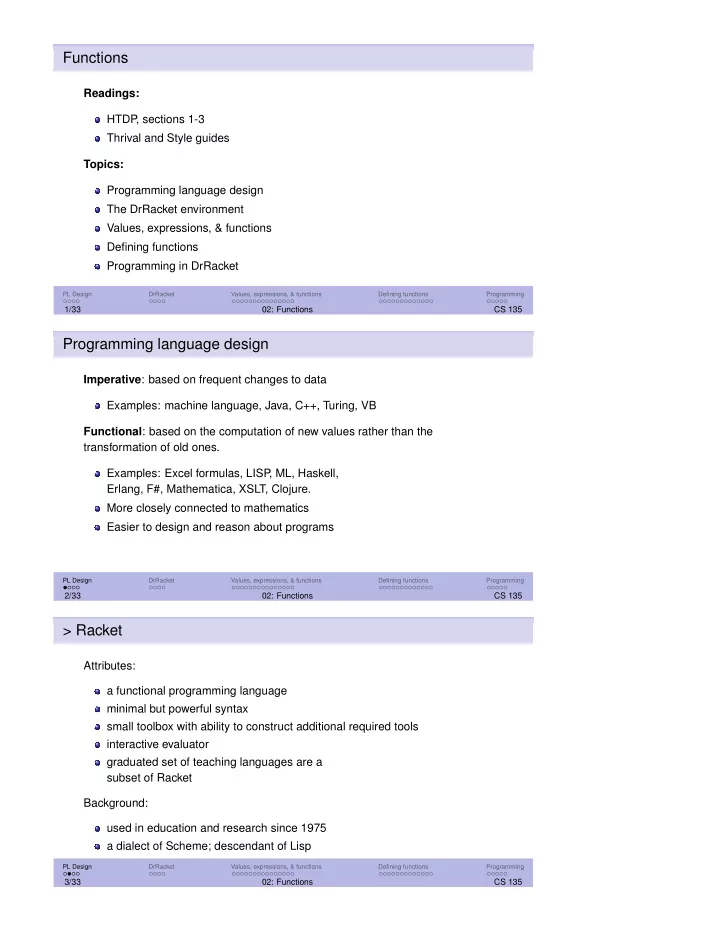
Functions Readings: HTDP , sections 1-3 Thrival and Style guides - - PDF document

functions
SMART_READER_LITE
LIVE PREVIEW

Functions Readings: HTDP , sections 1-3 Thrival and Style guides - - PDF document

Functions Readings: HTDP , sections 1-3 Thrival and Style guides Topics: Programming language design The DrRacket environment Values, expressions, & functions Defining functions Programming in DrRacket PL Design DrRacket Values,


slide-1
SLIDE 1

Functions

Readings: HTDP , sections 1-3 Thrival and Style guides Topics: Programming language design The DrRacket environment Values, expressions, & functions Defining functions Programming in DrRacket

PL Design DrRacket Values, expressions, & functions Defining functions Programming

1/33 02: Functions CS 135

Programming language design

Imperative: based on frequent changes to data Examples: machine language, Java, C++, Turing, VB Functional: based on the computation of new values rather than the transformation of old ones. Examples: Excel formulas, LISP , ML, Haskell, Erlang, F#, Mathematica, XSLT, Clojure. More closely connected to mathematics Easier to design and reason about programs

PL Design DrRacket Values, expressions, & functions Defining functions Programming

2/33 02: Functions CS 135

> Racket

Attributes: a functional programming language minimal but powerful syntax small toolbox with ability to construct additional required tools interactive evaluator graduated set of teaching languages are a subset of Racket Background: used in education and research since 1975 a dialect of Scheme; descendant of Lisp

PL Design DrRacket Values, expressions, & functions Defining functions Programming

3/33 02: Functions CS 135

slide-2
SLIDE 2

> Functional vs. imperative

Functional and imperative programming share many concepts. However, they require you to think differently about your programs. If you have had experience with imperative programming, you may find it difficult to adjust initially. By the end of CS 136, you will be able to express computations in both these styles, and understand their advantages and disadvantages.

PL Design DrRacket Values, expressions, & functions Defining functions Programming

4/33 02: Functions CS 135

Values, expressions, & functions (intro)

Values are numbers or other mathematical objects. Examples: 5, 4/9, π. Expressions combine values with operators and functions. Examples: 5 + 2, sin(2π),

√ 2 100π.

Functions generalize similar expressions. Example: 32 + 4(3) + 2 62 + 4(6) + 2 72 + 4(7) + 2 are generalized by the function f(x) = x2 + 4x + 2.

PL Design DrRacket Values, expressions, & functions Defining functions Programming

5/33 02: Functions CS 135

The DrRacket environment

Designed for education, powerful enough for “real” use Sequence of language levels keyed to textbook Includes good development tools Two windows: Interactions (now) and Definitions (later) Interactions window: a read-evaluate-print loop (REPL)

PL Design DrRacket Values, expressions, & functions Defining functions Programming

6/33 02: Functions CS 135

slide-3
SLIDE 3

Exercise 1

Install DrRacket www.racket-lang.org/download/ on your computer. Choose Distribution: Racket and Variant: Regular. If you have any trouble, ask in the discussion forum.

> Setting the language in DrRacket

CS 135 will progress through the Teaching Languages starting with Beginning

  • Student. Follow steps 3 - 5 each time you change the language.

1 Under the Language tab, select Choose Language ... 2 Select Beginning Student under Teaching Languages 3 Click the Show Details button in the bottom left 4 Under Constant Style, select true false empty 5 Under Fraction Style, select Mixed fractions

PL Design DrRacket Values, expressions, & functions Defining functions Programming

7/33 02: Functions CS 135

> Values (numbers) in Racket

Integers in Racket are unbounded. Rational numbers are represented exactly: 2, 31

7

Expressions whose values are not rational numbers are flagged as being inexact:

(sqrt 2) ⇒ #i1.414213562370951.

We will not use inexact numbers much. We will, in time, add other values: symbols, Booleans, strings, etc.

PL Design DrRacket Values, expressions, & functions Defining functions Programming

8/33 02: Functions CS 135

slide-4
SLIDE 4

> Functions in mathematics

Definitions: f(x) = x2, g(x, y) = x + y These definitions consist of: the name of the function (e.g. g) its parameters (e.g. x, y) an algebraic expression using the parameters as placeholders for values to be supplied in the future

PL Design DrRacket Values, expressions, & functions Defining functions Programming

9/33 02: Functions CS 135

> Function application

Definitions: f(x) = x2, g(x, y) = x + y An application of a function supplies arguments for the parameters, which are substituted into the algebraic expression. An example: g(1, 3) = 1 + 3 = 4 The arguments supplied may themselves be applications. Example: g(g(1, 3), f(3))

PL Design DrRacket Values, expressions, & functions Defining functions Programming

10/33 02: Functions CS 135

> Function application

Definitions: f(x) = x2, g(x, y) = x + y We evaluate each of the arguments to yield values. Evaluation by substitution: g(g(1, 3), f(3)) = g(1 + 3, f(3)) = g(4, f(3)) = g(4, 32) = g(4, 9) = 4 + 9 = 13

PL Design DrRacket Values, expressions, & functions Defining functions Programming

11/33 02: Functions CS 135

slide-5
SLIDE 5

> Many possible substitutions

Definitions: f(x) = x2, g(x, y) = x + y There are many mathematically valid substitutions: g(g(1, 3), f(3)) = g(1 + 3, f(3))... g(g(1, 3), f(3)) = g(g(1, 3), 32)... g(g(1, 3), f(3)) = g(1, 3) + f(3)... We’d like a canonical form for two reasons: Easier for us to think about When we extend this idea to programming, we’ll find cases where different orderings result in different values

PL Design DrRacket Values, expressions, & functions Defining functions Programming

12/33 02: Functions CS 135

Canonical form: a natural unique representation of an

  • bject, or a preferred notation

for some object

> Canonical substitutions

Two rules: Functions are applied to values When there is a choice of possible substitutions, always take the leftmost choice. Now, for any expression: there is at most one choice of substitution; the computed final result is the same as for other choices.

PL Design DrRacket Values, expressions, & functions Defining functions Programming

13/33 02: Functions CS 135

> The use of parentheses: function application

There are two uses of parentheses in our usual mathematical notation. We’ve just seen one of them: function application. The parentheses identify the arguments the function is applies to. f(3) g(1, 2)

PL Design DrRacket Values, expressions, & functions Defining functions Programming

14/33 02: Functions CS 135

slide-6
SLIDE 6

> The use of parentheses: ordering

In arithmetic expressions, we

  • ften place operators between

their operands. Example: 3 − 2 + 4/5. We have some rules (division before addition, left to right) to specify order of operation. Sometimes these do not suffice, and parentheses are required. Example: (6 − 4)/(5 + 7).

https://www.xkcd.com/992/

PL Design DrRacket Values, expressions, & functions Defining functions Programming

15/33 02: Functions CS 135

> The use of parentheses: harmonization

If we treat infix operators (+, −, etc.) like functions, we don’t need parentheses to specify order of operations: Example: 3 − 2 becomes −(3, 2) Example: (6 − 4)/(5 + 7) becomes /(−(6, 4), +(5, 7)) The substitution rules we developed for functions now work uniformly for functions and operators. Parentheses now have only one use: function application.

PL Design DrRacket Values, expressions, & functions Defining functions Programming

16/33 02: Functions CS 135

> Function application in Racket

Racket writes its functions slightly differently: the function name moves inside the parentheses, and the commas are changed to spaces. Example: g(1, 3) becomes (g 1 3) Example: (6 − 4)/(5 + 7) becomes (/ (- 6 4) (+ 5 7)) These are valid Racket expressions (once g is defined). Functions and mathematical operations are treated exactly the same way in Racket.

PL Design DrRacket Values, expressions, & functions Defining functions Programming

17/33 02: Functions CS 135

slide-7
SLIDE 7

> Expressions in Racket

3 − 2 + 4/5 becomes (+ (- 3 2) (/ 4 5)) (2 + 4/5 + 1)/3 becomes (/ (+ (+ 2 (/ 4 5)) 1) 3) Extra parentheses are harmless in arithmetic expressions. They are harmful in Racket. Only use parentheses when necessary (to signal a function application or some other Racket syntax).

PL Design DrRacket Values, expressions, & functions Defining functions Programming

18/33 02: Functions CS 135

Exercise 2

Guess how to translate each expression into Racket. Enter them in DrRacket’s interactions frame to check your work. 2 + 3 2 × 3 44 − 2

Exercise 3

Guess how to translate each expression into Racket. Enter them in DrRacket’s interactions frame to check your work. 3 × 4 + 2 2 + 4 5 − 1 3(1 + (6/2 + 5))

slide-8
SLIDE 8

> Evaluating a Racket expression

We use a process of substitution, just as with our mathematical expressions. Each step is indicated using the ‘yields’ symbol ⇒ .

(* (- 6 4) (+ 3 2)) ⇒ (* 2 (+ 3 2)) ⇒ (* 2 5) ⇒ 10

PL Design DrRacket Values, expressions, & functions Defining functions Programming

19/33 02: Functions CS 135

> Expressions in Racket

Racket has many built-in functions which can be used in expressions: Arithmetic operators: +, -, *, / Constants: e, pi Functions: (abs x), (max x y ...), (ceiling x) (expt x y), (exp x), ... Look in DrRacket’s “Help Desk”. The web page that opens has many sections. The most helpful is under Teaching, then “How to Design Programs Languages", section 1.5.

PL Design DrRacket Values, expressions, & functions Defining functions Programming

20/33 02: Functions CS 135

> Racket expressions causing errors

What is wrong with each of the following?

(5 * 14) (* (5) 3) (+ (* 2 4) (* + 3 5 2) (/ 25 0)

PL Design DrRacket Values, expressions, & functions Defining functions Programming

21/33 02: Functions CS 135

Syntax error: An error discovered when reading an expression. Run-time error: An error discovered when evaluating an expression.

slide-9
SLIDE 9

Defining functions

A function definition consists of: a name for the function, a list of parameters, a single body expression. (Racket definition on top; math

  • n the bottom.)

g(x,y) = x+y

name formal parameter(s) “binds” name to body body (expression)

The body expression typically uses the parameters together with other built-in and user-defined functions.

PL Design DrRacket Values, expressions, & functions Defining functions Programming

22/33 02: Functions CS 135

Defining functions

Our definitions f(x) = x2, g(x, y) = x + y become

(define (f x) (sqr x)) (define (g x y) (+ x y)) define is a special form (looks like a Racket function, but not

all of its arguments are evaluated). It binds a name to an expression (which uses the parameters that follow the name).

PL Design DrRacket Values, expressions, & functions Defining functions Programming

23/33 02: Functions CS 135

Exercise 4

In DrRacket’s definitions frame (the top one), use define to create a function

(add-twice a b) that calculates a + 2b.

Add an expression such as

(add-twice 3 5)

Click the “Run” button and verify that DrRacket prints the correct answer in the interactions pane (13 for the expression give above). Create and try out at least two other expressions that use add-twice.

slide-10
SLIDE 10

> Applying user-defined functions in Racket

An application of a user-defined function substitutes arguments for the corresponding parameters throughout the definition’s expression.

(define (g x y) (+ x y))

The substitution for (g 3 5) would be (+ 3 5).

PL Design DrRacket Values, expressions, & functions Defining functions Programming

24/33 02: Functions CS 135

Exercise 5

Given these definitions:

(define (foo x) (+ x 4)) (define (bar a b) (+ a a b))

What is the value of this expression? (* (foo 0) (bar 5 (/ 8 (foo 0)))) Try to figure it out by hand, then compare to the result calculated by DrRacket.

> Applying user-defined functions in Racket

When faced with choices of substitutions, we use the same rules defined earlier: 1 apply functions only when all arguments are simple values 2 when you have a choice, take the leftmost one

(g (g 1 3) (f 3)) ⇒ (g (+ 1 3) (f 3)) ⇒ (g 4 (f 3)) ⇒ (g 4 (sqr 3)) ⇒ (g 4 9) ⇒ (+ 4 9) ⇒ 13

g(g(1, 3), f(3)) = g(1 + 3, f(3)) = g(4, f(3)) = g(4, 32) = g(4, 9) = 4 + 9 = 13

PL Design DrRacket Values, expressions, & functions Defining functions Programming

25/33 02: Functions CS 135

slide-11
SLIDE 11

Parameters

Parameter names have meaning only within the body of the function. Implications: The use of x in f and g are independent of each other.

(define (f x y) (+ x y)) (define (g x z) (* x z))

The following two function definitions define the same function because the only difference is in the parameter names.

(define (f x y) (+ x y)) (define (f a b) (+ a b))

PL Design DrRacket Values, expressions, & functions Defining functions Programming

26/33 02: Functions CS 135

Defining constants

The definitions k = 3, p = k2 become

(define k 3) (define p (sqr k))

The effect of (define k 3) is to bind the name k to the value 3. In (define p (sqr k)), the expression (sqr k) is first evaluated to give 9, and then p is bound to that value.

PL Design DrRacket Values, expressions, & functions Defining functions Programming

27/33 02: Functions CS 135

> Advantages of constants

Can give meaningful names to useful values (e.g. interest-rate,

passing-grade, and starting-salary).

Reduces typing and errors when such values need to be changed Makes programs easier to understand Notes: Constants can be used in any expression, including the body of function definitions Sometimes (incorrectly) called variables, but their values cannot be changed (until CS 136)

PL Design DrRacket Values, expressions, & functions Defining functions Programming

28/33 02: Functions CS 135

slide-12
SLIDE 12

Exercise 6

Given the definitions, try to determine the value of each expression. Check your understanding by comparing to what DrRacket gives. 1 (define x 4)

(define (f x) (* x x)) (f 3) ; ⇒ ?

2 (define (huh? huh?) (+ huh? 2))

(huh? 7) ; ⇒ ?

3 (define y 3)

(define (g x) (+ x y)) (g 5) ; ⇒ ?

Exercise 7

Try out the following lines of code in the definitions pane. If you change the order

  • f the first two lines, what happens and why?

(define x (+ 2 3)) (define y (+ x 4.5)) x y

Scope

The scope of an identifier is where it has effect within the program. Two kinds of scope (for now): global and function The smallest enclosing scope has priority Duplicate identifiers within the same scope will cause an error

(define f 3) (define (f x) (sqr x)) Racket Error: f: this name was defined...

PL Design DrRacket Values, expressions, & functions Defining functions Programming

29/33 02: Functions CS 135

slide-13
SLIDE 13

Scoping tools in DrRacket

DrRacket can help you identify an identifier’s scope.

PL Design DrRacket Values, expressions, & functions Defining functions Programming

30/33 02: Functions CS 135

Programming in DrRacket

Use the definitions window: Can save and restore your work to/from a file Can accumulate definitions and expressions Run button loads contents into Interactions window Provides a Stepper to let one evaluate expressions step-by-step Features: error highlighting, subexpression highlighting, syntax checking

PL Design DrRacket Values, expressions, & functions Defining functions Programming

31/33 02: Functions CS 135

> Programs in Racket

A Racket program is a sequence of definitions and expressions. The expressions are evaluated, using substitution, to produce values. Expressions may also make use of special forms (e.g. define), which look like functions, but don’t necessarily evaluate all their arguments.

PL Design DrRacket Values, expressions, & functions Defining functions Programming

32/33 02: Functions CS 135

slide-14
SLIDE 14

Goals of this module

You should understand the basic syntax of Racket, how to form expressions properly, and what DrRacket might do when given an expression causing an error. You should be comfortable with these terms: function, parameter, application, argument, constant, expression. You should be able to define and use simple arithmetic functions. You should understand the purposes and uses of the Definitions and Interactions windows in DrRacket.

PL Design DrRacket Values, expressions, & functions Defining functions Programming

33/33 02: Functions CS 135

Exercise 8

Write a Racket function corresponding to g(x, y) = x √ x + y2 ((sqrt n) computes √n and (sqr n) computes n2.)

Exercise 9

Evaluate the following program manually to determine what the result should be. Then run it in Racket to check your work: Note: (sqrt n) computes √n and (sqr n) computes n2.

(define (disc a b c) (sqrt (- (sqr b) (* 4 (* a c))))) (define (proot a b c) (/ (+ (- 0 b) (disc a b c)) (* 2 a))) (proot 1 3 2) ; ⇒ ?