Floating Point Real numbers 3 . 14159 ( ) 0 . 00000000001 ( 1 . 0 - - PowerPoint PPT Presentation

floating point
SMART_READER_LITE
LIVE PREVIEW

Floating Point Real numbers 3 . 14159 ( ) 0 . 00000000001 ( 1 . 0 - - PowerPoint PPT Presentation

Floating Point Real numbers 3 . 14159 ( ) 0 . 00000000001 ( 1 . 0 10 9 ) 2 . 71828 ( e ) Arithmetic for Computers Floating Point Real numbers 3 . 14159 ( ) 0 . 00000000001 ( 1 . 0 10 9 ) 2 . 71828 ( e ) Floating numbers :


slide-1
SLIDE 1

Floating Point

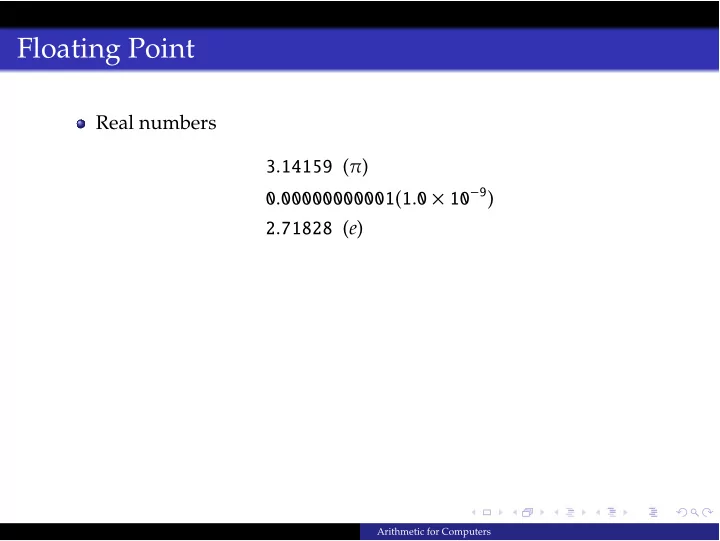
Real numbers 3.14159 (π) 0.00000000001(1.0 × 10⁻⁹) 2.71828 (e)

Arithmetic for Computers
slide-2
SLIDE 2

Floating Point

Real numbers 3.14159 (π) 0.00000000001(1.0 × 10⁻⁹) 2.71828 (e) Floating numbers: position of binary point is not fixed. Just like float in C.

  • vs. “fixed-point” systems

Arithmetic for Computers

slide-3
SLIDE 3

Floating Point

Real numbers 3.14159 (π) 0.00000000001(1.0 × 10⁻⁹) 2.71828 (e) Floating numbers: position of binary point is not fixed. Just like float in C.

  • vs. “fixed-point” systems

Scientific notation

Arithmetic for Computers

slide-4
SLIDE 4

Floating Point

Real numbers 3.14159 (π) 0.00000000001(1.0 × 10⁻⁹) 2.71828 (e) Floating numbers: position of binary point is not fixed. Just like float in C.

  • vs. “fixed-point” systems

Scientific notation

Normalized ⇒ no leading 0

Arithmetic for Computers

slide-5
SLIDE 5

Floating Point

Real numbers 3.14159 (π) 0.00000000001(1.0 × 10⁻⁹) 2.71828 (e) Floating numbers: position of binary point is not fixed. Just like float in C.

  • vs. “fixed-point” systems

Scientific notation

Normalized ⇒ no leading 0

Exponent ⇒ no. of positions to move the point in the fraction

Arithmetic for Computers

slide-6
SLIDE 6

Advantages of Normalized Scientific Notation

Simplifies exchange of floating point data Simplifies arithmetic Increases accuracy: unnecessary leading 0’s are replaced by real numbers on the right

Arithmetic for Computers

slide-7
SLIDE 7

Binary Floating Numbers

Binary point (analogous to decimal point) 1.101two × 2−4

Arithmetic for Computers

slide-8
SLIDE 8

Binary Floating Numbers

Binary point (analogous to decimal point) 1.101two × 2−4 In general 1.xxxxxxxtwo × 2yyyy

Arithmetic for Computers

slide-9
SLIDE 9

Binary Floating Numbers

Binary point (analogous to decimal point) 1.101two × 2−4 In general 1.xxxxxxxtwo × 2yyyy

Why 1 in fraction? (Will use exponent in decimal for simplicity)

Arithmetic for Computers

slide-10
SLIDE 10

Binary Floating Numbers

In design: compromise between sizes of fraction and exponent

between precision and range since fixed word size

Arithmetic for Computers

slide-11
SLIDE 11

Binary Floating Numbers

In design: compromise between sizes of fraction and exponent

between precision and range since fixed word size

Represent in (floating) binary word as: (−1)S × F × 2E S (sign bit): 1 bit (31st bit) E (exponent): 8 bits (bits 23 to 30) F (significand, fraction): 23 bits (bits 0 to 22) literal storage

Arithmetic for Computers

slide-12
SLIDE 12

Binary Floating Numbers

In design: compromise between sizes of fraction and exponent

between precision and range since fixed word size

Represent in (floating) binary word as: (−1)S × F × 2E S (sign bit): 1 bit (31st bit) E (exponent): 8 bits (bits 23 to 30) F (significand, fraction): 23 bits (bits 0 to 22) literal storage Not just MIPS formats: IEEE 754 floating-point standard

Arithmetic for Computers

slide-13
SLIDE 13

Overflow & Underflow

Range: 2.0ten × 10−38 to 2.0ten × 1038

Arithmetic for Computers

slide-14
SLIDE 14

Overflow & Underflow

Range: 2.0ten × 10−38 to 2.0ten × 1038 Overflow: Too large to represent

exponent too large to fit in 8 bits

Arithmetic for Computers

slide-15
SLIDE 15

Overflow & Underflow

Range: 2.0ten × 10−38 to 2.0ten × 1038 Overflow: Too large to represent

exponent too large to fit in 8 bits

Underflow: Too accurate to represent

Negative exponent too large to fit

Arithmetic for Computers

slide-16
SLIDE 16

double format

double-precision floating-point

Arithmetic for Computers

slide-17
SLIDE 17

double format

double-precision floating-point

  • vs. single-precision

Arithmetic for Computers

slide-18
SLIDE 18

double format

double-precision floating-point

  • vs. single-precision

Uses two MIPS words

Arithmetic for Computers

slide-19
SLIDE 19

double format

double-precision floating-point

  • vs. single-precision

Uses two MIPS words

S: 31st bit of 1st register E: bits 30 to 20 of 1st register F: rest 20 bits of 1st register + 32 bits of 2nd

Arithmetic for Computers

slide-20
SLIDE 20

double format

double-precision floating-point

  • vs. single-precision

Uses two MIPS words

S: 31st bit of 1st register E: bits 30 to 20 of 1st register F: rest 20 bits of 1st register + 32 bits of 2nd

Increased range: 2.0ten × 10−308 to 2.0ten × 10308

Arithmetic for Computers

slide-21
SLIDE 21

Another Optimization

Normalized ⇒ Make leading 1-bit implicit

1as represented in the word

Arithmetic for Computers

slide-22
SLIDE 22

Another Optimization

Normalized ⇒ Make leading 1-bit implicit

∴ 24 bits for significand 53 bits for double-precision

1as represented in the word

Arithmetic for Computers

slide-23
SLIDE 23

Another Optimization

Normalized ⇒ Make leading 1-bit implicit

∴ 24 bits for significand 53 bits for double-precision

Also use biased notation for exponent instead of two’s complement

1as represented in the word

Arithmetic for Computers

slide-24
SLIDE 24

Another Optimization

Normalized ⇒ Make leading 1-bit implicit

∴ 24 bits for significand 53 bits for double-precision

Also use biased notation for exponent instead of two’s complement Why?

∴, Exponent1 = Actual + 127 Bias 1023 for double precision

1as represented in the word

Arithmetic for Computers

slide-25
SLIDE 25

Another Optimization

Normalized ⇒ Make leading 1-bit implicit

∴ 24 bits for significand 53 bits for double-precision

Also use biased notation for exponent instead of two’s complement Why?

∴, Exponent1 = Actual + 127 Bias 1023 for double precision 0000 0000 is for 0 1111 1111 is for infinity (could be negative or positive)

1as represented in the word

Arithmetic for Computers

slide-26
SLIDE 26

Another Optimization

Normalized ⇒ Make leading 1-bit implicit

∴ 24 bits for significand 53 bits for double-precision

Also use biased notation for exponent instead of two’s complement Why?

∴, Exponent1 = Actual + 127 Bias 1023 for double precision 0000 0000 is for 0 1111 1111 is for infinity (could be negative or positive)

1as represented in the word

Arithmetic for Computers

slide-27
SLIDE 27

IEEE 754 Representation

Final representation: (−1)S × (1 + F) × 2(E−127)

Arithmetic for Computers

slide-28
SLIDE 28

MIPS Instruction support for floating point numbers

To load into memory (.data section)

.float number1 .double number2

Floating-point registers:

$f0, $f1, $f2, ... Use couples for double

To load & store from memory

lwc1 $f0, 0($t1) or lwc1 $f0, num var swc1$f2, 0($t2)

For arithmetic (single precision)

add.s, sub.s, mul.s, div.s add.d, sub.d, mul.d, div.d

Arithmetic for Computers