SLIDE 1
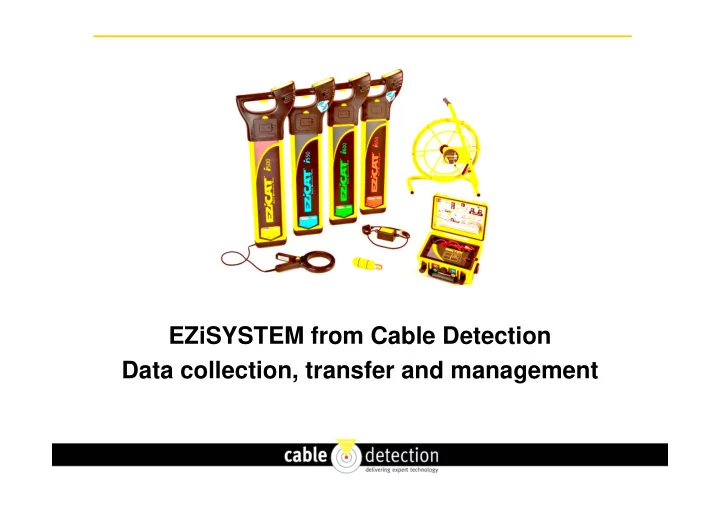
EZiSYSTEM from Cable Detection Data collection, transfer and management
SLIDE 2
Data is recorded during use of EZiCAT and EZiTEX
SLIDE 3
User opens LOGICAT app on phone
SLIDE 4
User searches for EZiCAT and enters name
SLIDE 5
EZiCAT is paired with phone
SLIDE 6
User chooses dates of data to send (default same day)
SLIDE 7
Data is uploaded from EZiCAT to Phone
SLIDE 8
Uploaded files are selected for sending (select all)
SLIDE 9
Files are prepared for sending
SLIDE 10
Select whether to send via Bluetooth or email
SLIDE 11
Enter email address (defaults to last address) and send
SLIDE 12
Files are received at selected email address
SLIDE 13
EZiCAT Analysis – Data from a survey in Power mode
SLIDE 14
EZiCAT Analysis – Data from a survey in 33kHz mode
SLIDE 15
EZiCAT Dashboard Analysis
SLIDE 16
EZiCAT Incident Report
SLIDE 17
EZiCAT Analysis – Latitude and Longitude
SLIDE 18
EZiCAT Map Report
SLIDE 19
Google Earth job locations
SLIDE 20 Google Earth survey location and modes used
Allows you to upload the stored records to view the locators use, simply upload all records or search by date. The LOGiCAT Software package consists of:
- LOGiCAT CD-ROM
- Bluetooth Dongle
- Software User Manual
Information extracted:
- GPS Positioning – Identifies where the ground survey took place. - NEW
- Time & Date Information – Identifies when and at what time ground surveys were conducted
- Usage Duration – Determines how long survey teams searched for buried utilities and discovers
actual product utilisation.
SLIDE 21
Recent Trial - EZiCAT Dashboard Analysis
SLIDE 22
Recent Trial – Only power mode used
SLIDE 23
Recent Trial – Only transmitter mode used
SLIDE 24
Recent Trial – Good use of all modes
SLIDE 25