Exporting reports Data Integration & Presentation Data - - PowerPoint PPT Presentation

exporting reports data integration presentation data
SMART_READER_LITE
LIVE PREVIEW

Exporting reports Data Integration & Presentation Data - - PowerPoint PPT Presentation

Exporting reports Data Integration & Presentation Data Integration & Presentation Exporting reports What is involved in presenting report data in other ways? What is involved in presenting report data in other ways?


slide-1
SLIDE 1

Exporting reports Exporting reports – – Data Integration & Presentation Data Integration & Presentation

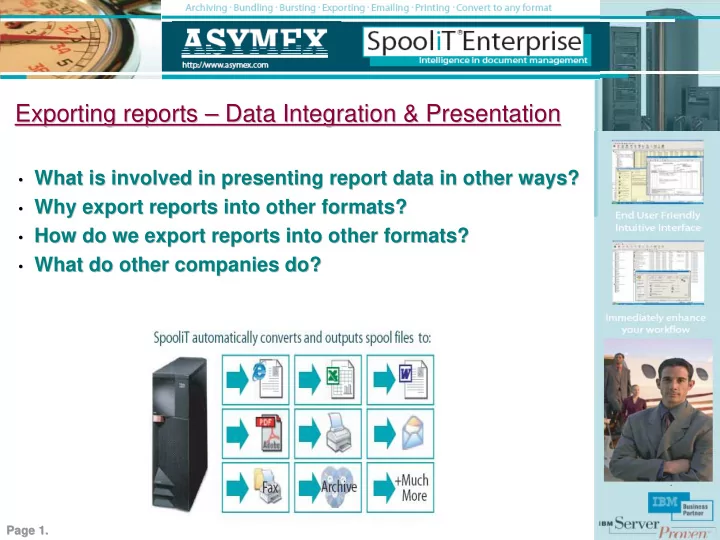
  • What is involved in presenting report data in other ways?

What is involved in presenting report data in other ways?

  • Why export reports into other formats?

Why export reports into other formats?

  • How do we export reports into other formats?

How do we export reports into other formats?

  • What do other companies do?

What do other companies do?

Page 1. Page 1.

slide-2
SLIDE 2

What is involved in presenting report data in other ways? What is involved in presenting report data in other ways?

  • A will to change. Solutions exist today so why do you still prin

A will to change. Solutions exist today so why do you still print? t?

  • Listening to users and customers who prefer softcopy to hardcopy

Listening to users and customers who prefer softcopy to hardcopy

  • A simple solution that enables you to easily implement workflow

A simple solution that enables you to easily implement workflow improvements improvements

  • A

A ‘ ‘Rules based system Rules based system’ ’ which simplifies export distribution and presentation which simplifies export distribution and presentation

  • Easy to use wizards enabling rules creation and report data mini

Easy to use wizards enabling rules creation and report data mining for excel ng for excel

Go from this Go from this To this To this With SpooliT With SpooliT

Page 2. Page 2.

slide-3
SLIDE 3

Why export reports into other formats? Why export reports into other formats?

Hardcopy

  • Hard copy reports are not flexible
  • Most users and customers have PC’s
  • Most users use Mail clients, Word, Excel,

PDF, CSV, Web browsers. So why not delivery reports in these formats?

  • You cant electronically file hard copy reports
  • You cant cut and paste data from hard copy
  • You cannot analyze data from hard copy
  • Users working with paper often re key data for

analysis in tools such as Excel

  • Printers Jam, Run out of paper,

Ink cartridges fail, Printers break

  • Users pick up the wrong reports by mistake
  • Users submit reports for print the go to

printers waiting for their reports Softcopy

  • Users prefer softcopy.
  • Softcopy offers flexibility and versatility
  • Create Automated rules to export

reports for users – workflow automation

  • Report exports immediately available for

users in any format (Excel, PDF, Word, HTML + more)

  • Users prefer to use (Excel, Adobe, Web browsers,

eMail, Word etc). So why force them to print only?

  • Improves productivity
  • No more leaving workstations to pick up reports
  • Instant notification eMails when exports are ready
  • No more re-keying data from reports into

Excel, Word, eMails etc. This can be automated.

  • Less printing, Less paper, Less consumables,

Less waste, better for the environment.

  • No application or programming changes are

required – less cost of ownership

Page 3. Page 3.

slide-4
SLIDE 4

How do we export into other formats? How do we export into other formats?

2. 2.

It is an easy 4 step process in Spool It is an easy 4 step process in Spooli iT. T.

1. 1.

Create a Create a ‘ ‘Selection Rule Selection Rule’ ’ to export a report to export a report

2. 2.

Specify where to export the document Specify where to export the document

3. 3.

Select one or multiple formats Select one or multiple formats

4. 4.

Automate the rule (e.g. Real Automate the rule (e.g. Real-

  • time or Day

time or Day-

  • end etc.)

end etc.)

Spool Spooli iT is a rules based system. A rule can be: T is a rules based system. A rule can be:

  • Select a specific report on an OUTQ (printer queue), or

Select a specific report on an OUTQ (printer queue), or

  • Process all reports on an OUTQ, or

Process all reports on an OUTQ, or

  • Process a selection of reports for a user

Process a selection of reports for a user

  • Either automate, or you can enable users to

Either automate, or you can enable users to ‘ ‘self service self service’ ’, or , or enable users to export into any format they like when they want. enable users to export into any format they like when they want.

1. 1.

With these simple steps SpooliT will automatically export the reports as soon as they are generated on the iSeries into excel for example.

4. 4. 2. 2. 3. 3. Page 4. Page 4.

slide-5
SLIDE 5
  • Remove the reliance on hardcopy ‘print only’ solutions.
  • Introduce choice for users and customer via softcopy alternatives.
  • Automate delivery of most period reports (day-end, month-end etc).
  • Period reports are prime candidates to be automatically archived,

exported in the required formats and/or emailed. Do not print hardcopy by default.

  • Export financial reports into an Excel format for immediate

analysis.

  • Create SpooliT ‘Excel templates’ for finance dept. to mine required

data from reports and present data via excel. Documents are automatically saved in finance folders.

  • Delivery common reports direct to users in an Adobe PDF format.
  • Enable reports to be viewed via a web browser.
  • Enable user ‘self service’. Allow users the tools to convert into any

format they need - when they need it.

Security at Security at your finger your finger tips tips SpooliT always always delivers delivers

What do other companies do? What do other companies do?

Page 5. Page 5.