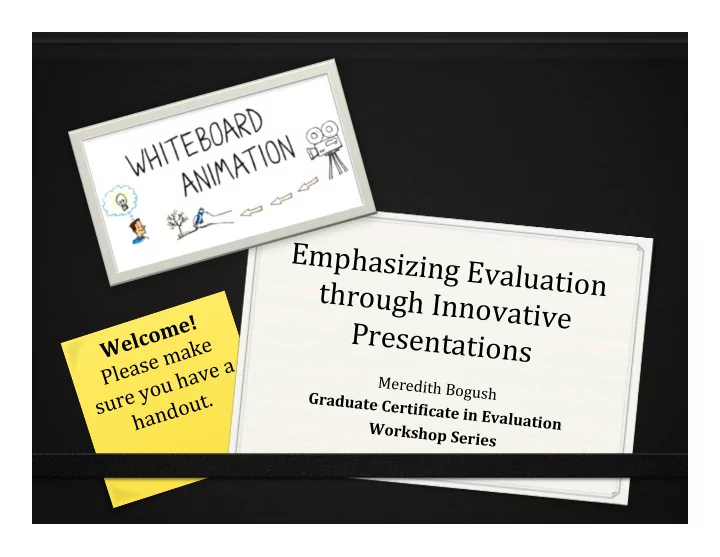
Emphasizing Evaluation through Innovative Welcome! - - PowerPoint PPT Presentation

emphasizing evaluation through innovative
SMART_READER_LITE
LIVE PREVIEW

Emphasizing Evaluation through Innovative Welcome! - - PowerPoint PPT Presentation

Emphasizing Evaluation through Innovative Welcome! Presentations Please make sure you have a Meredith Bogush handout. Graduate Certi+icate in Evaluation


slide-1
SLIDE 1

Emphasizing ¡Evaluation ¡ through ¡Innovative ¡ Presentations ¡

Meredith ¡Bogush ¡ Graduate ¡Certi+icate ¡in ¡Evaluation ¡ ¡ Workshop ¡Series ¡

Welcome! ¡ Please ¡make ¡ sure ¡you ¡have ¡a ¡

  • handout. ¡ ¡
slide-2
SLIDE 2

About ¡Me: ¡

  • PhD candidate in

Career and Workforce Education

  • The ¡Perspectives ¡of ¡Core ¡

Academic ¡Middle ¡School ¡ Teachers ¡regarding ¡ Career ¡Exploration ¡under ¡ Different ¡School ¡Settings ¡ ¡

  • Program ¡Evaluation ¡

CertiEied ¡in ¡summer ¡2016 ¡

slide-3
SLIDE 3

Videography ¡

  • Puppet Shows for my

students

  • Travel documentaries
  • White board videos ¡
slide-4
SLIDE 4

What is White Board Animation?

  • Whiteboard drawing by an artist
  • Present an idea or message… live
  • Easier to understand
  • Attractiveness
  • Hypnotic ¡Effect
  • Creative, clear and concise way to share

information through graphics

  • Birth of an idea to its growth and evolution
  • Constant movement and change keeps the

audience’s mind engaged and involved

¡

slide-5
SLIDE 5

Fun Facts: Trivia

1

Microsoft invented the PowerPoint software in _______

2

1 gallon of gas cost around _______

3

_______ made their first appearance on television

4

The US president was _______

5

I Wanna Dance With Somebody (Who Loves Me) by _______ was one of Billboard’s Hot 100 Singles of the Year

slide-6
SLIDE 6

Fun Facts: Question #1

Microsoft invented the PowerPoint software in...

slide-7
SLIDE 7

Fun Facts: Question #2

1 gallon of gas cost around…

slide-8
SLIDE 8

Fun Fact: Question #3

The …… made their first appearance on television

slide-9
SLIDE 9

Fun Fact: Question #4

The US president was… ¡

slide-10
SLIDE 10

Fun Fact: Question #5

I Wanna Dance With Somebody (Who Loves Me) by …. was one of Billboard’s Hot 100 Singles. ¡

slide-11
SLIDE 11

“So PowerPoints are Old and Should Not be Used?”

  • No… but… PowerPoints should be:
  • Current
  • For the audience
  • Engaging
  • Memorable
  • Stop using, if… this is you
  • Don’t rely on PowerPoint
  • Have a balance
  • Captivate your audience
slide-12
SLIDE 12

Incorporating ¡Evaluation ¡

  • Mission ¡
  • Evaluation ¡Approach ¡
  • Evaluation ¡Plan ¡
  • Data ¡Collection ¡Method ¡
  • Timeline ¡
  • Biographical ¡Sketch ¡
slide-13
SLIDE 13

What are my options?

  • Easy Sketch Pro
  • GoAnimate
  • Powtoon
  • Videoscribe
  • Moovly
  • iMovie
  • Here are some other options... ¡
slide-14
SLIDE 14

Brainstorming ¡

  • Narration
  • Music
  • Number of points to cover
  • Energy of the video
  • Target Audience: age, gender,

interests, investments?

  • To publish or not to publish
slide-15
SLIDE 15

Be ¡Visual ¡

  • Use drawings and diagrams to

illustrate your points

  • Don’t use words to transcribe your

ideas

  • Give people a reason to pay

attention

  • Connect the image
  • Use emotion to appeal to the

audience

slide-16
SLIDE 16

Explain ¡

  • Speak clearly
  • Speak confidently
  • Explain your visual aids
  • Diagrams alone are not enough
  • Connect the image to your words
slide-17
SLIDE 17

Have ¡Time ¡on ¡Your ¡Side ¡

  • The first 30 seconds to 60 seconds

are critical

  • Make your video long enough to

make your point, but short enough to keep interest

  • Keep the visuals at a purposeful

pace ¡

slide-18
SLIDE 18

White ¡Space? ¡ ¡

  • Structure your visual space for

maximum impact

  • Information overload can easily
  • ccur
  • Highlight the most important

aspects

slide-19
SLIDE 19

The Art of a Good Title

  • A title should answer three questions
  • What is the synopsis of your topic?
  • What information is most valuable?
  • Why does it important?
  • Example:
  • A. The US Identifies Long Term Impacts
  • f Program Evaluation– Where Do

Other Countries Stand?

  • B. The Long Term Benefits of

Evaluation ¡

slide-20
SLIDE 20

What ¡Happens ¡Next? ¡

  • Provide a way of contacting
  • Avoid being bothersome
  • “Share my video, please.”
  • “Like this video!”
  • Encourage audience to interact with

you in an alternative route

  • Email
  • Phone
  • Face-to-face meeting
  • Social media
  • Conference
slide-21
SLIDE 21

Thank ¡you ¡for ¡your ¡time! ¡

Meredith ¡Bogush ¡ ¡ PhD ¡Candidate ¡ Career ¡and ¡Workforce ¡Education ¡