EECS 373 Design of Microprocessor-Based Systems Memory-Mapped I/O - - PDF document

eecs 373
SMART_READER_LITE
LIVE PREVIEW

EECS 373 Design of Microprocessor-Based Systems Memory-Mapped I/O - - PDF document

Today EECS 373 Design of Microprocessor-Based Systems Memory-Mapped I/O Example Bus with Memory-Mapped I/O Branden Ghena University of Michigan Bus Architectures AMBA APB Lecture 4: Memory-Mapped I/O, Bus Architectures September 11,


slide-1
SLIDE 1

1

1

EECS 373

Design of Microprocessor-Based Systems

Branden Ghena

University of Michigan Lecture 4: Memory-Mapped I/O, Bus Architectures September 11, 2014

Slides developed in part by Mark Brehob & Prabal Dutta

Today… Memory-Mapped I/O Example Bus with Memory-Mapped I/O Bus Architectures AMBA APB

2

Memory-mapped I/O

  • Microcontrollers have many interesting

peripherals

– But how do you interact with them?

  • Need to:

– Send commands – Configure device – Receive data

  • But we don’t want new processor instructions for

everything

– Actually, it would be great if the processor know anything weird was going on at all

3

Memory-mapped I/O

  • Instead of real memory, some addresses map to

I/O devices instead Example:

  • Address 0x80000004 is a General Purpose I/O (GPIO) Pin

– Writing a 1 to that address would turn it on – Writing a 0 to that address would turn it off – Reading at that address would return the value (1 or 0)

4

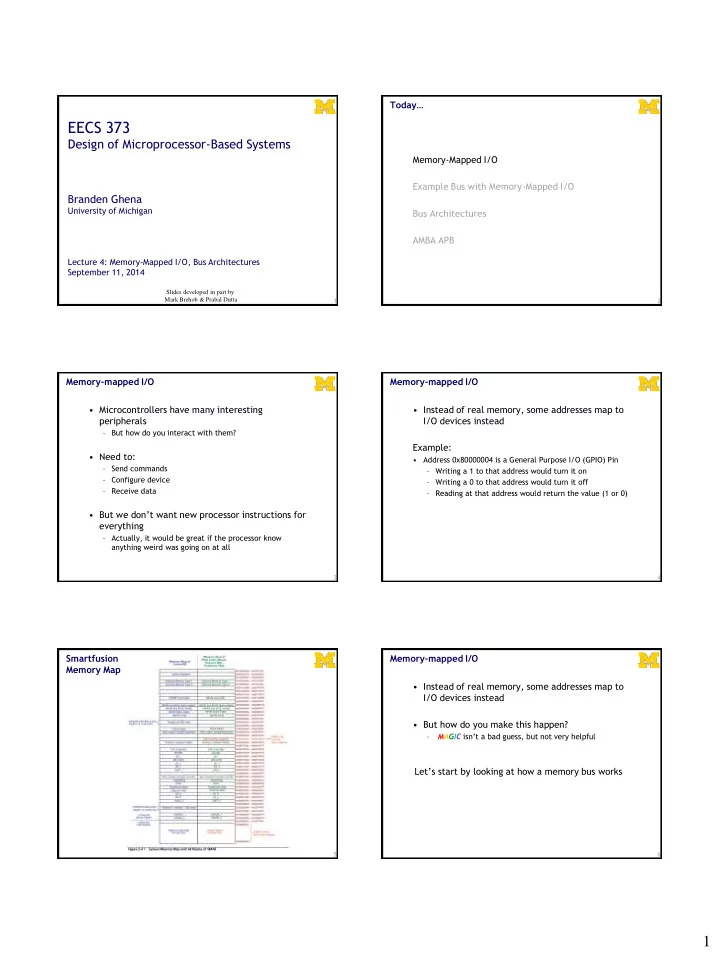
Smartfusion Memory Map

5

Memory-mapped I/O

  • Instead of real memory, some addresses map to

I/O devices instead

  • But how do you make this happen?

– MAGIC isn’t a bad guess, but not very helpful

Let’s start by looking at how a memory bus works

6

slide-2
SLIDE 2

2

Today… Memory-Mapped I/O Example Bus with Memory-Mapped I/O Bus Architectures AMBA APB

7

Bus terminology

  • Any given transaction have an “initiator” and

“target”

  • Any device capable of being an initiator is said to

be a “bus master”

– In many cases there is only one bus master (single master vs. multi-master).

  • A device that can only be a target is said to be a

slave device.

8

Basic example Let’s demonstrate a hypothetical example bus

  • Characteristics

– Asynchronous (no clock) – One Initiator and One Target

  • Signals

– Addr[7:0], Data[7:0], CMD, REQ#, ACK#

  • CMD=0 is read, CMD=1 is write.
  • REQ# low means initiator is requesting something.
  • ACK# low means target has done its job.

Read transaction Addr[7:0] CMD Data[7:0] REQ# ACK# ?? ?? 0x24 ?? ?? 0x55 A BC D E F G HI

Initiator wants to read location 0x24

A: Initiator sets Addr = 0x24, CMD = 0 B: Initiator sets REQ# to low C: Target sees read request D: Target drives data E: Target sets ACK# to low F: Initiator sees data and latches it G: Initiator sets REQ# high, Stops driving Addr and CMD H: Target sets ACK# to high, Stops driving data I: Transaction is complete, Bus is idle A B C D E F G H I A read transaction

  • Say initiator wants to read location 0x24
  • A. Initiator sets Addr=0x24, CMD=0
  • B. Initiator then sets REQ# to low
  • C. Target sees read request
  • D. Target drives data onto data bus
  • E. Target then sets ACK# to low
  • F. Initiator grabs the data from the data bus
  • G. Initiator sets REQ# to high, stops driving Addr and

CMD

  • H. Target stops driving data, sets ACK# to high

terminating the transaction I. Bus is seen to be idle A write transaction

  • Say initiator wants to write 0xF4 location 0x31
  • A. Initiator sets Addr=0x24, CMD=1, Data=0xF4
  • B. Initiator then sets REQ# to low
  • C. Target sees write request
  • D. Target reads data from data bus

(only needs to store in register, not write all the way to memory)

  • E. Target then sets ACK# to low.
  • F. Initiator sets REQ# to high, stops driving other lines
  • G. Target sets ACK# to high, terminating the transaction
  • H. Bus is seen to be idle.
slide-3
SLIDE 3

3

Returning to memory-mapped I/O Now that we have an example bus, how would memory-mapped I/O work on it? Example peripherals 0x00000004: Push Button - Read-Only Pushed -> 1 Not Pushed -> 0 0x00000005: LED Driver - Write-Only On -> 1 Off -> 0

13

The push-button

(if Addr=0x04 write 0 or 1 depending on button)

Button (0 or 1) ACK#

Addr[7] Addr[6] Addr[5] Addr[4] Addr[3] Addr[2] Addr[1] Addr[0] REQ# CMD Data[7] Data[6] Data[5] Data[4] Data[3] Data[2] Data[1] Data[0]

The push-button

(if Addr=0x04 write 0 or 1 depending on button)

Button (0 or 1) Data[7] Data[0] Data[6] Data[5] Data[4] Data[3] Data[2] Data[1] Delay ACK# What about CMD?

Addr[7] Addr[6] Addr[5] Addr[4] Addr[3] Addr[2] Addr[1] Addr[0] REQ# CMD

The LED

(1 bit reg written by LSB of address 0x05)

Addr[5] Addr[7] Addr[6] Addr[4] Addr[3] Addr[2] Addr[1] Addr[0] REQ# DATA[5] DATA[7] DATA[6] DATA[4] DATA[3] DATA[2] DATA[1] DATA[0]

ACK#

CMD

LED The LED

(1 bit reg written by LSB of address 0x05)

Addr[5] Addr[7] Addr[6] Addr[4] Addr[3] Addr[2] Addr[1] Addr[0] REQ#

LED clock D

DATA[5] DATA[7] DATA[6] DATA[4] DATA[3] DATA[2] DATA[1] DATA[0]

Delay ACK#

CMD

Let’s write a simple assembly program Light on if button is pressed. Peripheral Details 0x00000004: Push Button - Read-Only Pushed -> 1 Not Pushed -> 0 0x00000005: LED Driver - Write-Only On -> 1 Off -> 0

18

slide-4
SLIDE 4

4

Today… Memory-Mapped I/O Example Bus with Memory-Mapped I/O Bus Architectures AMBA APB

19

Driving shared wires

  • It is commonly the case that some shared wires

might have more than one potential device that needs to drive them.

– For example there might be a shared data bus that is used by the targets and the initiator. We saw this in the simple bus. – In that case, we need a way to allow one device to control the wires while the others “stay out of the way”

  • Most common solutions are:

– using tri-state drivers (so only one device is driving the bus at a time) – using open-collector connections (so if any device drives a 0 there is a 0 on the bus

  • therwise there is a 1)

20

Or just say no to shared wires.

  • Another option is to not share wires that could

be driven by more than one device...

– This can be really expensive.

  • Each target device would need its own

data bus.

  • That’s a LOT of wires!

– Not doable when connecting chips on a PCB as you are paying for each pin. – Quite doable (though not pretty) inside of a chip.

21

Wire count

  • Say you have a single-master bus with 5 other

devices connected and a 32-bit data bus.

– If we share the data bus using tri-state connections, each device has “only” 32-pins. – If each device that could drive data has it’s own bus…

  • Each slave would need _____ pins for data
  • The master would need ______ pins for

data

  • Again, recall pins==$$$$$$.

22 23

#include <stdio.h> #include <inttypes.h> #define REG_FOO 0x40000140 main () { uint32_t *reg = (uint32_t *)(REG_FOO); *reg += 3; printf(“0x%x\n”, *reg); // Prints out new value }

What happens when this “instruction” executes?

24

“*reg += 3” is turned into a ld, add, str sequence

  • Load instruction

– A bus read operation commences – The CPU drives the address “reg” onto the address bus – The CPU indicated a read operation is in process (e.g. R/W#) – Some “handshaking” occurs – The target drives the contents of “reg” onto the data lines – The contents of “reg” is loaded into a CPU register (e.g. r0)

  • Add instruction

– An immediate add (e.g. add r0, #3) adds three to this value

  • Store instruction

– A bus write operation commences – The CPU drives the address “reg” onto the address bus – The CPU indicated a write operation is in process (e.g. R/W#) – Some “handshaking” occurs – The CPU drives the contents of “r0” onto the data lines – The target stores the data value into address “reg”

slide-5
SLIDE 5

5

25

Details of the bus “handshaking” depend

  • n the particular memory/peripherals involved
  • SoC memory/peripherals

– AMBA AHB/APB

  • NAND Flash

– Open NAND Flash Interface (ONFI)

  • DDR SDRAM

– JEDEC JESD79, JESD79-2F, etc.

Why use a standardized bus?

  • Downsides

– Have to follow the specification – Probably has actions that are unnecessary

  • Upside

– Generic systems – Allows modules to be reused on different systems

26

Today… Memory-Mapped I/O Example Bus with Memory-Mapped I/O Bus Architectures AMBA APB

27

Modern embedded systems have multiple busses

28 Atmel SAM3U Historical 373 focus Expanded 373 focus 29

Actel SmartFusion system/bus architecture Advanced Microcontroller Bus Architecture (AMBA)

  • Advanced High-performance Bus (AHB)
  • Advanced Peripheral Bus (APB)

AHB

  • High performance
  • Pipelined operation
  • Burst transfers
  • Multiple bus masters
  • Split transactions

APB

  • Low power
  • Latched address/control
  • Simple interface
  • Suitable of many

peripherals

30

slide-6
SLIDE 6

6

31

APB is a fairly simple bus designed to be easy to work with.

  • Low-cost
  • Low-power
  • Low-complexity
  • Low-bandwidth
  • Non-pipelined
  • Ideal for peripherals

Notation

32

APB bus signals

  • PCLK

– Clock

  • PADDR

– Address on bus

  • PWRITE

– 1=Write, 0=Read

  • PWDATA

– Data written to the I/O device. Supplied by the bus master/processor.

33

APB bus signals

  • PSEL

– Asserted if the current bus transaction is targeted to this device

  • PENABLE

– High during entire transaction other than the first cycle.

  • PREADY

– Driven by target. Similar to our #ACK. Indicates if the target is ready to do transaction. Each target has it’s

  • wn PREADY

34 35

A write transfer with no wait states

Setup phase begins with this rising edge Setup Phase Access Phase 36

A write transfer with wait states

Setup phase begins with this rising edge Setup Phase Access Phase Wait State Wait State

slide-7
SLIDE 7

7

37

A read transfer with no wait states

Setup phase begins with this rising edge Setup Phase Access Phase 38

A read transfer with wait states

Setup phase begins with this rising edge Setup Phase Access Phase Wait State Wait State 39

APB state machine

  • IDLE

– Default APB state

  • SETUP

– When transfer required – PSELx is asserted – Only one cycle

  • ACCESS

– PENABLE is asserted – Addr, write, select, and write data remain stable – Stay if PREADY = L – Goto IDLE if PREADY = H and no more data – Goto SETUP is PREADY = H and more data pending

Example setup

  • For the next couple of slides, we will

assume we have one bus master “CPU” and two slave devices (D1 and D2)

– D1 is mapped to 0x00001000-0x0000100F – D2 is mapped to 0x00001010-0x0000101F Say the CPU does a store to location 0x00001004 with no stalls

41

D1 D2

Writes Let’s do some hardware examples!

42

slide-8
SLIDE 8

8

Design a device which writes to a register whenever any address in its range is written

43

32-bit Reg D[31:0] Q[31:0] EN C

We are assuming APB only gets lowest 8 bits of address here… What if we want to have the LSB of this register control an LED?

PREADY PWDATA[31:0] PWRITE PENABLE PSEL PADDR[7:0] PCLK

LED Reg A should be written at address 0x00001000 Reg B should be written at address 0x00001004

44

32-bit Reg A D[31:0] Q[31:0] EN C

We are assuming APB only gets lowest 8 bits of address here…

32-bit Reg B D[31:0] Q[31:0] EN C PREADY PWDATA[31:0] PWRITE PENABLE PSEL PADDR[7:0] PCLK

Reads…

45

The key thing here is that each slave device has its own read data (PRDATA) bus! Recall that “R” is from the initiator’s viewpoint—the device drives data when read.

Let’s say we want a device that provides data from a switch on a read to any address it is assigned. (so returns a 0 or 1)

46

Mr. Switch

PWRITE PENABLE PSEL PADDR[7:0] PCLK PREADY PRDATA[32:0]

Device provides data from switch A if address 0x00001000 is read from. B if address 0x00001004 is read from

47

Mr. Switch Mrs. Switch

PWRITE PENABLE PSEL PADDR[7:0] PCLK PREADY PRDATA[32:0]

All reads read from register, all writes write…

48

PWDATA[31:0] PWRITE PENABLE PSEL PADDR[7:0] PCLK PREADY

32-bit Reg D[31:0] Q[31:0] EN C

We are assuming APB only gets lowest 8 bits of address here…

PREADY PRDATA[32:0]

slide-9
SLIDE 9

9

Things left out…

  • There is another signal, PSLVERR (APB Slave

Error) which we can drive high if things go bad.

– We’ll just tie that to 0.

  • PRESETn

– Active low system reset signal

– (needed for stateful peripherals)

  • Note that we are assuming that our device need

not stall. – We could stall if needed.

  • I can’t find a limit on how long, but I suspect at

some point the processor would generate an error.

49

Verilog!

50

/*** APB3 BUS INTERFACE ***/ input PCLK, // clock input PRESERN, // system reset input PSEL, // peripheral select input PENABLE, // distinguishes access phase

  • utput wire PREADY,

// peripheral ready signal

  • utput wire PSLVERR,

// error signal input PWRITE, // distinguishes read and write cycles input [31:0] PADDR, // I/O address input wire [31:0] PWDATA, // data from processor to I/O device (32 bits)

  • utput reg [31:0] PRDATA,

// data to processor from I/O device (32-bits) /*** I/O PORTS DECLARATION ***/

  • utput reg LEDOUT,

// port to LED input SW // port to switch ); assign PSLVERR = 0; assign PREADY = 1;

51

Questions? Comments? Discussion?