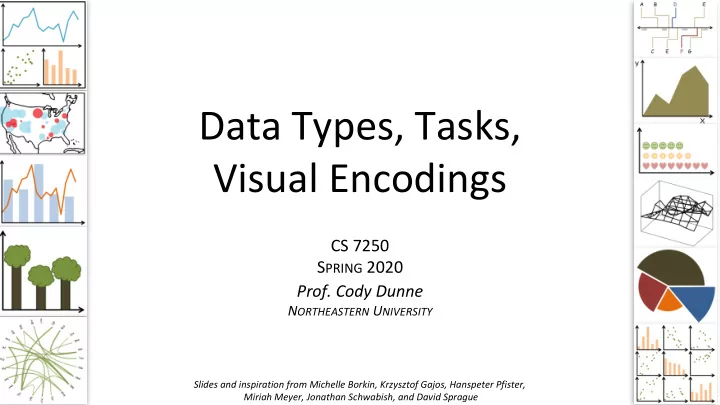
Data Types, Tasks, Visual Encodings CS 7250 S PRING 2020 Prof. - - PowerPoint PPT Presentation

data types tasks
SMART_READER_LITE
LIVE PREVIEW

Data Types, Tasks, Visual Encodings CS 7250 S PRING 2020 Prof. - - PowerPoint PPT Presentation

Data Types, Tasks, Visual Encodings CS 7250 S PRING 2020 Prof. Cody Dunne N ORTHEASTERN U NIVERSITY Slides and inspiration from Michelle Borkin, Krzysztof Gajos, Hanspeter Pfister, 1 Miriah Meyer, Jonathan Schwabish, and David Sprague R EADING


slide-1
SLIDE 1

Data Types, Tasks, Visual Encodings

CS 7250 SPRING 2020

  • Prof. Cody Dunne

NORTHEASTERN UNIVERSITY

1

Slides and inspiration from Michelle Borkin, Krzysztof Gajos, Hanspeter Pfister, Miriah Meyer, Jonathan Schwabish, and David Sprague

slide-2
SLIDE 2

READING QUIZ

8 min

2

slide-3
SLIDE 3

QUESTIONS?

3

slide-4
SLIDE 4

PREVIOUSLY, ON CS 7250…

4

slide-5
SLIDE 5

5

Visualization Building Blocks

Channels :

Note: these are all really important concepts when it comes time to coding your visualizations...!

slide-6
SLIDE 6

6

slide-7
SLIDE 7

7

Expressiveness and Effectiveness

Expressiveness principle: the visual encoding should express all

  • f, and only, the information in the

dataset attributes. (i.e., data characteristics should match the channel)

Mackinlay (1986)

Effectiveness principle: the importance of the attribute should match the salience of the channel; that is, its noticeability. (i.e., encode most important attributes with highest ranked channels)

slide-8
SLIDE 8

8

DATASET = collection of information that is the target of analysis

Data Types

slide-9
SLIDE 9

NOW, ON CS 7250…

9

slide-10
SLIDE 10

10

Analysis

What data is shown? Why is the user analyzing / viewing it? How is the data presented?

slide-11
SLIDE 11

11

Analysis

DATA ABSTRACTION TASK ABSTRACTION VISUAL ENCODING

slide-12
SLIDE 12

12

Analysis

DATA ABSTRACTION TASK ABSTRACTION VISUAL ENCODING

slide-13
SLIDE 13

13

GOALS FOR TODAY

  • Learn what are data types and dataset types
  • Learn what are attribute types
  • Learn how to pick appropriate visual representations

based on attribute type and perceptual properties

slide-14
SLIDE 14

14

DATASET = collection of information that is the target of analysis

Data Types

slide-15
SLIDE 15

15

Data Types

DATASET = collection of information that is the target of analysis

slide-16
SLIDE 16

16

Attribute Types

(continuous)

e.g., fruit (apple, pear, grape), colleges (CAMD, CCIS, COE) e.g., sizes (xs, s, m, l, xl), months (J, F, M) e.g., lengths (1’, 2.5’, 5’), population

slide-17
SLIDE 17

http://www.nytimes.com/interactive/2016/09/12/science/earth/ocean-warming-climate- change.html

17

Quantitative Quantitative Categorical

slide-18
SLIDE 18

18

https://xkcd.com/388/

Ordinal Ordinal Categorical

Note: On could also argue that Difficulty and Tastiness could be quantitative (continuous)

slide-19
SLIDE 19

19

Categorical Quantitative

slide-20
SLIDE 20

20

slide-21
SLIDE 21

(Categorical)

21

Mackinlay (1986)

Channel Ranking by Data Type

slide-22
SLIDE 22

22

Mackinlay (1986)

Channel Ranking by Data Type

(Categorical)

slide-23
SLIDE 23

23

Mackinlay (1986)

Channel Ranking by Data Type

AREA

Quantitative Ordinal Categorical

slide-24
SLIDE 24

24

Mackinlay (1986)

Channel Ranking by Data Type

slide-25
SLIDE 25

25

DATA ABSTRACTION

slide-26
SLIDE 26

26

Analysis

DATA ABSTRACTION TASK ABSTRACTION VISUAL ENCODING

slide-27
SLIDE 27

GOALS FOR TODAY

  • Learn what “Tasks” are and why they are so

important.

  • Learn the differences between high, mid, and low

level task classifications.

  • Begin practicing how to classify tasks (key step in

visualization design process!).

27

slide-28
SLIDE 28

28

TASK ABSTRACTION

Why abstract?

Avoids domain specific terms thus easier to apply to

  • ther cases (broadly

applicable results).

slide-29
SLIDE 29

29

TASK ABSTRACTION

Why abstract?

Avoids domain specific terms thus easier to apply to

  • ther cases (broadly

applicable results).

Visualization Tools

Specific General Altair

slide-30
SLIDE 30

30

TASK ABSTRACTION

Why abstract?

Avoids domain specific terms thus easier to apply to

  • ther cases (broadly

applicable results).

slide-31
SLIDE 31

31

ACTIONS define user goals. High-level

slide-32
SLIDE 32

32

ACTIONS define user goals.

slide-33
SLIDE 33

33

ACTIONS define user goals. Mid-level

slide-34
SLIDE 34

34

slide-35
SLIDE 35

35

What is the address of Ryder hall?

slide-36
SLIDE 36

36

Where is Ryder Hall?

Ryder Hall

slide-37
SLIDE 37

37

What buildings are near Ryder Hall?

slide-38
SLIDE 38

38

What is south of Huntington Ave?

slide-39
SLIDE 39

39

ACTIONS define user goals. single target multiple targets all targets Low-level

slide-40
SLIDE 40

40

TARGETS are aspects of the data interest that are interest to the user.

slide-41
SLIDE 41

41

ACTIONS define user goals. High-level Mid-level Low-level Lots of other task taxonomies...!

slide-42
SLIDE 42

42

Analytic Task Taxonomy

Amar et al., 2005

Retrieve Value Filter Compute Derived Value Find Extremum Sort Determine Range Characterize Distribution Find Anomalies Cluster Correlate

How long is the movie Gone with the Wind? What comedies have won awards? How many awards have MGM studio won in total? What director/film has won the most awards? Rank movies by most number of awards. What is the range of film lengths? What is the age distribution of actors?

Are there exceptions to the relationship between number of awards won and total movies made by an actor?

Is there a cluster of typical film lengths? Is there a trend of increasing film length over the years?

Low-level

slide-43
SLIDE 43

AN EXAMPLE OF TASK ANALYSIS → VISUALIZATION DESIGN

43

Zhang et al., 2018

slide-44
SLIDE 44

During a type 1 diabetes clinical visit with a Certified Diabetes Educator… Hierarchical Task Analysis Task Abstraction Design

Zhang et al., 2018 44

slide-45
SLIDE 45

Zhang et al., 2018 45

slide-46
SLIDE 46

Zhang et al., 2018 46

slide-47
SLIDE 47
  • DR1. Composite Visualization of Integrated Data
  • DR2. Visualization of Folded Temporal Data
  • DR3. Align and Scale Temporal Data
  • DR4. Summary Statistics

Design Requirements

Hierarchical Task Analysis Task Abstraction Design

Zhang et al., 2018 47

slide-48
SLIDE 48

Hierarchical Task Analysis Task Abstraction Design

14-Day Overview Detail View Summary Statistics Panel

Zhang et al., 2018 48

slide-49
SLIDE 49

IN-CLASS EXERCISE: MOCK INTERVIEW, TASK ANALYSIS

49

slide-50
SLIDE 50

Interview Advice

  • Have a designated note-taker and designated leader
  • Be prepared. (Have some questions prepared in advance.)
  • Start slow, safe, and personal.
  • Coax, don’t hammer.
  • Make some questions open ended.
  • Ask what you don’t know.
  • Let the interviewees wander a bit–but be careful.
  • Listen, really listen.
  • For software, look for “work arounds” and hacks.
  • Make sure to write down your thoughts and impressions immediately

after the interview.

  • You are the visualization expert – don’t ask them what vis they want,

don’t think too early about what vis to build.

50

www.forbes.com/sites/shelisrael/2012/04/14/8-tips-on-conducting-great-interviews/+&cd=3&hl=en&ct=clnk&gl=us

slide-51
SLIDE 51

Task Analysis

  • Break-out into groups of ~3 people.
  • Pretend you are transportation engineers, e.g., for

the MBTA, City of Boston.

  • Discuss the “domain tasks” and classify the tasks.
  • Save your notes for a later exercise!!!

INSTRUCTIONS:

51

High-level Low-level Mid-level Low-level

Visualization for Public Transit Development 15m

slide-52
SLIDE 52

52

Analysis

DATA ABSTRACTION TASK ABSTRACTION VISUAL ENCODING

slide-53
SLIDE 53

53

GOALS FOR TODAY

  • Learn about visual encodings, esp. arranging tables
  • Learn how to pick appropriate visual representations

based on attribute type and perceptual properties

slide-54
SLIDE 54

54

VISUAL ENCODING

Now… Later this semester...

slide-55
SLIDE 55

55

Visualization Building Blocks

Channels: Marks:

slide-56
SLIDE 56

56

Mackinlay (1986) Munzner’s VAD

slide-57
SLIDE 57

IN-CLASS EXERCISE: ENCODINGS WORKSHEET

58

slide-58
SLIDE 58

59

Encoding Match-up

Area Chart Bubble Chart Sector Graph Waterfall Chart Grouped Bar Chart

slide-59
SLIDE 59

60

Encoding Match-up

Star Plot Venn Diagram Box & Whisker Plot Heat Map Parallel Coordinates

slide-60
SLIDE 60

61

slide-61
SLIDE 61

62

Arrange Tables

Key: an independent attribute that can be used as a unique index (Tableau Dimension) Value: a dependent attribute (i.e., cell in a table) (Tableau Measures) Categorical or Ordinal Categorical Ordinal, or Quantitative

slide-62
SLIDE 62

Date Precipitation High Temperature May 1, 2016 0” 60 May 2, 2016 0.3” 62 May 3, 2016 1” 55 May 4, 2016 0” 67 Student College HW1 grade (out

  • f 10)

John COS 9 Jane Khoury 10 June Khoury 8 Joe Khoury 8

Example Keys

Key

slide-63
SLIDE 63

64

Arrange Tables - no key

SCATTER PLOT

slide-64
SLIDE 64

65

Arrange Tables - one key

BAR CHART LINE GRAPH

slide-65
SLIDE 65

66

Arrange Tables - two keys

HEATMAP STACKED BAR CHART

slide-66
SLIDE 66

67

https://bost.ocks.org/mike/miserables/

Arrange Tables - Two Keys (Network)

slide-67
SLIDE 67

68

http://higlass.io/

Arrange Tables - Two Keys (Network)