Cyberbullying and the Internet: Helpful strategies for families - - PowerPoint PPT Presentation

cyberbullying and the internet helpful strategies for
SMART_READER_LITE
LIVE PREVIEW

Cyberbullying and the Internet: Helpful strategies for families - - PowerPoint PPT Presentation

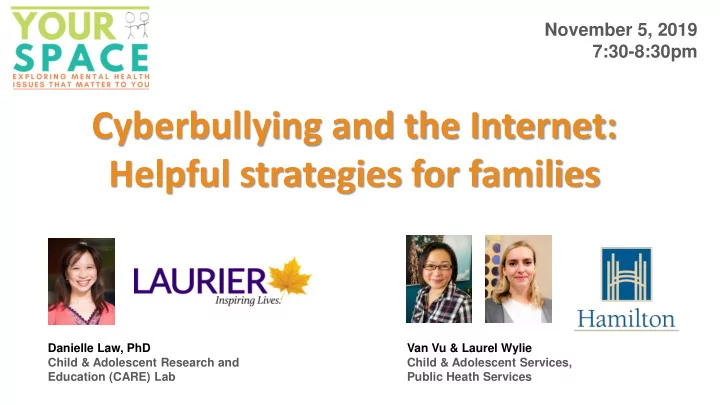
November 5, 2019 7:30-8:30pm Cyberbullying and the Internet: Helpful strategies for families Danielle Law, PhD Van Vu & Laurel Wylie Child & Adolescent Research and Child & Adolescent Services, Education (CARE) Lab Public Heath


slide-1
SLIDE 1

Cyberbullying and the Internet: Helpful strategies for families

November 5, 2019 7:30-8:30pm

Van Vu & Laurel Wylie Child & Adolescent Services, Public Heath Services Danielle Law, PhD Child & Adolescent Research and Education (CARE) Lab

slide-2
SLIDE 2

CYBERBULLYING AND INTERNET USE: HELPFUL STRATEGIES FOR FAMILIES

slide-3
SLIDE 3

What concerns you about children/teens’ internet use?

Let us know …

slide-4
SLIDE 4

Human Development

Family Peers School Internet

slide-5
SLIDE 5

Birth to 4 years have access to their own smartphone 5 to 9 years have access to their own smartphone 10 to 13 years have access to their own smartphone 14 to 15 years have access to their own smartphone

What’s going on online?

Mediasmarts.ca Primus

  • Kids are not too

interested in socializing

  • Love to watch

YouTube videos, TV shows, and play solitary games

  • Tweens are focused
  • n quantity over

quality of friendships

  • Number friends,

likes, comments and “followers” are a big draw for them

  • Socializing online is

extremely important to teens

  • They are searching

for intimacy in friendships & engaging in their first romantic relationships
slide-6
SLIDE 6

What’s going on online?

Mediasmarts.ca Primus

Birth to 4 years have access to their own smartphone 5 to 9 years have access to their

  • wn smartphone
slide-7
SLIDE 7

What’s going on online?

Mediasmarts.ca Primus

5 to 9 years have access to their

  • wn smartphone

14 to 15 years have access to their own smartphone 10 to 13 years have access to their own smartphone

slide-8
SLIDE 8

What’s going on online?

Mediasmarts.ca Primus

  • Kids are not too interested in

socializing

  • Love to watch YouTube videos,

TV shows, and play solitary games

slide-9
SLIDE 9

What’s going on online?

Mediasmarts.ca Primus

  • Kids are not too

interested in socializing

  • Love to watch YouTube

videos, TV shows, and play solitary games

  • Tweens are focused on quantity
  • ver quality of friendships
  • Number friends, likes,

comments and “followers” are a big draw for them

slide-10
SLIDE 10

What’s going on online?

Mediasmarts.ca Primus

  • Kids are not too

interested in socializing

  • Love to watch YouTube

videos, TV shows, and play solitary games

  • Socializing online is extremely

important to teens

  • They are searching for intimacy

in friendships & engaging in their first romantic relationships

slide-11
SLIDE 11

Screen-time

  • Biggest predictor of children’s screen-time is

parents’ screen-time

  • American Academy of Pediatrics recommends

< 2hrs/day for children between 2 – 5 years

  • Screen-time is difficult to measure for older

children, teens and adults. More research is required in this area

Lauricella, A.R., Wartella, E., Rideout, V.J. Young children’s screen time: The complex role or parent and child factors. Journal of Applied Developmental Psychology, 36, 11-17. Livingstone, S. (2016) New ‘screen time’ rules from the American Academy of Pediatrics. Parenting for a Digital Future (21 Oct 2016).

slide-12
SLIDE 12

What’s going on online?

Among 13 to 17 year-olds, 95% have their own or access to a cell phone & are using …

slide-13
SLIDE 13

What’s going on online?

Among 13 to 17 year-olds, 95% have their own or access to a cell phone & are using …

slide-14
SLIDE 14

Friends & Peers

Days/ week they get together with friends… Get together with friends… Days/ week they get together with friends…

slide-15
SLIDE 15

Friends & Peers

Constantly

  • nline teens

are more likely to report both positive and negative experiences on social media

slide-16
SLIDE 16

Friends & Peers

For BOTH teens and adults, social media and the internet helps

  • Maintain stronger social ties
  • Keep in touch with friends daily
  • Form closer interpersonal relationships
  • Receive support from others

Important for fostering:

  • feelings of belonging,
  • social skills,
  • sense of self & identity
  • explore
slide-17
SLIDE 17

Friends & Peers

Constantly online teens are more likely to report both positive and negative experiences on social media

These reasons make sense and are perfectly normal even before the Internet existed When do these negative feelings become problematic?

slide-18
SLIDE 18

Friends, , Peers & Self-Esteem

  • Pressure to post

content that makes them look good

  • Pressure to post

content that will get comments and likes

Becomes a problem when teens are

  • Depending on these things to

make themselves feel better

  • Basing their self-esteem on

positive reinforcement from

  • thers
  • Already sensitive to mental

health concerns (i.e. anxiety, depression)

slide-19
SLIDE 19

Post to get a desired response Feel good about themselves Gets the desired response Doesn’t get the desired response Feel badly about themselves

Be aware of WHY they are posting

Friends, , Peers & Self-Esteem

slide-20
SLIDE 20

Friends, , Peers & Cyberbullying

Overwhelmed because of Drama

Becomes a problem when

  • Drama turns into bullying

behaviour online (and offline).

  • Cyberbullying comprised of 4

components: 1) Is intentionally aggressive 2) Is carried out repeatedly 3) There is an imbalance of power 4) Occurs through electronic technologies

slide-21
SLIDE 21

Mediasmarts.ca & PREVNet, 2015

Friends, , Peers & Cyberbullying

slide-22
SLIDE 22

Mediasmarts.ca & PREVNet, 2015

Friends, , Peers & Cyberbullying

This is great news and great progress!!

slide-23
SLIDE 23

Mediasmarts.ca & PREVNet, 2015

Friends, , Peers & Cyberbullying

slide-24
SLIDE 24

Mediasmarts.ca & PREVNet, 2015

Friends, , Peers & Cyberbullying

Teens want to tell parents/adults what’s going on – but they don’t think adults know how to handle it properly and could make it worse

slide-25
SLIDE 25

Children and youth feel that parents and caregivers don’t understand, and that being online is a necessity “I have to use social media so that I fit in with others at my school” “Sometimes I wish I didn’t have to respond so quickly without getting my friend mad” “I just want to play the game” “I enjoy being online and having my own time” “Having access to online is a big support for me”

Children/Youth Voices

slide-26
SLIDE 26

Children and youth are worried that:

  • Their phone or tablet will be taken away
  • No way of staying in touch with their peers
  • Their caregivers won’t understand
  • That they will be punished for what another person has done

“If I tell ____, they won’t let me go on my tablet anymore and get mad at me”

  • That by disengaging in on-line chats, they will be targeted

Children/Youth’s Worries

slide-27
SLIDE 27

Caregivers have mentioned that they are worried about

  • Cyberbullying
  • Their child being influenced or pressured to engage in:
  • Sexting
  • Influenced to engage in harmful behaviors towards self/others
  • Sharing of personal information

“I want them to be safe” “I notice the impact on their emotional and mental health” “I don’t like what other people are saying to them” “the social media time takes up all of their free time”

Caregiver Voices

slide-28
SLIDE 28

Caregivers

Parents are understandably concerned and some want to protect their children by:

  • Installing monitoring software
  • Overly restricting or

controlling technology use

  • Taking devices away if their

children are experiencing cyberbullying These methods:

  • Are usually temporary
  • Miss opportunities for

children/youth to learn about responsibilities

  • Reduce the chances that

children/youth will tell caregivers that something is wrong

slide-29
SLIDE 29

Caregivers

An approach that supports staying connected is to: Understand that bullying is a relationship problem not a technology problem

slide-30
SLIDE 30

Caregivers

You and your child(ren) are not alone in this struggle!

slide-31
SLIDE 31

Caregivers

You and your child(ren) are not alone in this struggle!

slide-32
SLIDE 32

Caregivers

So, try to:

  • Remember that what your

child is going through is a normal part of growing-up

  • establish common

ground/understanding

slide-33
SLIDE 33

Structure and Supervision

  • Provide the level of structure and supervision that meets your child’s individual

need

  • Collaborate around setting the amount of time electronics are used
  • Involve your child in negotiating time limits
  • Give 10 minute reminders
  • Let them know that this is not a consequence, but rather that you are you are

taking your job to care for them very seriously

  • Eyes on Supervision: helps children feel safe and get into less trouble
  • Reduce supervision as they are able to demonstrate safe internet use and self control

Caregiver Tools: Ages 5-12 12

slide-34
SLIDE 34

Creative Consequences

  • Match the consequence to the situation and behaviour – ensure that it makes

sense to the child

  • Be creative, instead of losing a privilege or grounding, try ways they can “make it

up”.

  • Avoid isolating. Experiment with Time In rather than Time Out
  • Time-in: Have the child near you
  • Time-out: if needed, be brief, non-rejecting, and available to your child during their time out
  • If grounded from device(s), spend positive time together, or offer an alternative activity

Caregiver Tools: Ages 5-12 12

slide-35
SLIDE 35

Open communication

  • Listen openly without judgement
  • Engage in positive dialogue without demanding to know everything they are doing
  • respect their privacy
  • Helps to reduce pressure on youth so they will come to you when they are in trouble as this will

minimize their worry that you will ‘freak out’

  • Talk about content they may encounter
  • Practice Active Listening
  • Listen to your youth – let them finish venting
  • Encourage dialogue
  • Acknowledge and express understanding of their emotional experience - Empathy
  • Some sample sentence starters to use:
  • “It seems like you feel ___ when you are ____”
  • Model labeling emotions, “I notice I am feeling ____ when you shared…”

Caregiver Tools: Ages 12-18 18

slide-36
SLIDE 36
  • The power of independence
  • Try to allow them to exercise their independence
  • Too much monitoring or controlling may lead to more risky behaviours online
  • Discuss consequences of posting pictures and photos on social media openly
  • Family Media Plan
  • Come up with a plan and set rules together
  • Have child research on ‘app’ and provide reason why they should have it
  • This allows them to feel included and responsible, as well as feel that you are

involved in a caring positive way

Caregiver Tools: Ages 12-18 18

slide-37
SLIDE 37

Workin ing Together

Work together with school communities to:

  • Create a safe environment for children to share

their concerns

  • Develop a plan if students are having deeper

struggles and stay consistent

  • Visit PREVNet.ca for more information
  • If there are very serious things going on, contact

your local police officer

slide-38
SLIDE 38

In In Summary ry

  • Using the Internet does not cause mental health

issues

  • But they can contribute to these factors if:
  • Teens are already sensitive to it
  • Teens are going online to feel better about

themselves

  • Cyberbullying is a relationship issue; not a

technology issue

  • Try and foster open dialogue with your children

that encourages them to want to share

  • Come up with a Family Media Plan and set rules

together

  • Discuss the consequences of posting pictures and

photos on social media with your teens

slide-39
SLIDE 39

Working Together

slide-40
SLIDE 40

Working Together

slide-41
SLIDE 41

You are not Alone

Media Smarts:

http://mediasmarts.ca/

PREVNet:

https://www.prevnet.ca/

Primus:

http://cyberbullying.primus.ca/

Family Media Plan:

https://www.healthychildren.org/Engl ish/media/Pages/default.aspx

Information on Sexting

http://mediasmarts.ca/search/sexting For more information about responsible Internet use and resources check out: Danielle Law: dlaw@wlu.ca