CS149: Elements of Computer Science Instructor: Johan Bollen 1. - - PowerPoint PPT Presentation

cs149 elements of computer science instructor johan bollen
SMART_READER_LITE
LIVE PREVIEW

CS149: Elements of Computer Science Instructor: Johan Bollen 1. - - PowerPoint PPT Presentation

CS149: Elements of Computer Science Instructor: Johan Bollen 1. Background (a) PhD Experimental Psychology 2001, Vrije Universiteit Brussel (b) Los Alamos National Laboratory 1999-2001: IR, Cogn. Science (c) Vrije Universiteit Brussel


slide-1
SLIDE 1

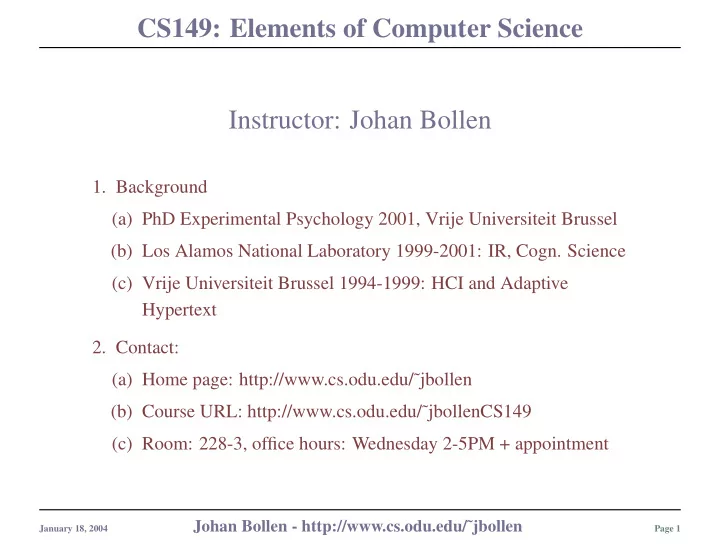
CS149: Elements of Computer Science Instructor: Johan Bollen

  • 1. Background

(a) PhD Experimental Psychology 2001, Vrije Universiteit Brussel (b) Los Alamos National Laboratory 1999-2001: IR, Cogn. Science (c) Vrije Universiteit Brussel 1994-1999: HCI and Adaptive Hypertext

  • 2. Contact:

(a) Home page: http://www.cs.odu.edu/˜jbollen (b) Course URL: http://www.cs.odu.edu/˜jbollenCS149 (c) Room: 228-3, office hours: Wednesday 2-5PM + appointment

January 18, 2004

Johan Bollen - http://www.cs.odu.edu/˜jbollen

Page 1

slide-2
SLIDE 2

CS149: Elements of Computer Science Syllabus

  • 1. Textbooks:

(a) Computer Science, An Overview by J. Glenn Brookshear (b) Introduction to C++ by Delores

  • M. Etter
  • 2. Grade distribution (subject to change)

(a) Homework, quizzes, participation: 10% (b) One final programming assignments: 10% (c) One midterm exam: 40% (d) Final Exam: 40%

  • 3. Grading (subject to change)

(a) Homework, quizzes, assignments: scale 10 (b) Exams (midterm and final): scale 40 (c) Final grading on curve (d) No submission or late submission = 0/10, ALWAYS.

  • 4. Note:

(a) Don’t panic: every single homework and quiz is only fraction of final grade (b) Exams are very important. Final is not comprehensive. (c) Process: I teach, you study, I test. The quizzes/exams are not the subject of study.

January 18, 2004

Johan Bollen - http://www.cs.odu.edu/˜jbollen

Page 2

slide-3
SLIDE 3

CS149: Elements of Computer Science Syllabus (cont..)

  • 4. Requirements:

(a) Computer time (b) Account registration (c) Use of required development and compilation tools (d) Visit course web page twice a week (e) Attendance is optional, but when absence is a problem, it is entirely student’s problem (missed quiz = 0/10) (f) Promise not to fear command-line: you WILL get your hands dirty. (g) Slides can not substitute for notes you make!

January 18, 2004

Johan Bollen - http://www.cs.odu.edu/˜jbollen

Page 3

slide-4
SLIDE 4

CS149: Elements of Computer Science Some general notes

  • 1. I expect:

(a) High school level math skills. a (b) General background knowledge: we have libraries. (c) Homework, programming assignments, etc: you need to follow instructions.

  • i. We are all human but this is

computer science.

  • ii. Computers are a petty lot, they

demand precision. (d) Rudimentary e-mail etiquette: see syllabus

  • i. Capitals = shouting.
  • ii. Appropriate salutation, formal
  • r informal.
  • iii. Don’t rave, issue demands and
  • rders. Like you, I don’t like to

be bossed.

  • iv. Check your problem first:

don’t shoot from the hip. (e) I am not a CompUSA representative.

  • 2. You can expect:

(a) I will make every attempt to help you deal with this material. (b) Interrupt me at any time: no question is too silly. (c) I do appreciate feedback (d)

aYou dislike science, math, problem solving and abstract thought? This will be a tough

class.

January 18, 2004

Johan Bollen - http://www.cs.odu.edu/˜jbollen

Page 4

slide-5
SLIDE 5

CS149: Elements of Computer Science Main structure of Course

  • 1. Part 1: Old Machines, algorithms, Logic and Binary Arithmetic
  • 2. Part 2: Operating System and Architecture.
  • 3. Part 3: C++: All you ever wanted to know, etc.

January 18, 2004

Johan Bollen - http://www.cs.odu.edu/˜jbollen

Page 5

slide-6
SLIDE 6

CS149: Elements of Computer Science Computer Science. What’s it all about?

  • 1. Hardware: Engineering

(a) Advances in storage and computation (b) Long history (c) Diverse architecture

  • 2. Software: algorithms and maths

(a) Independent from specific hardware (b) Data Representation (c) Information Processing (d) Functional perspective

January 18, 2004

Johan Bollen - http://www.cs.odu.edu/˜jbollen

Page 6

slide-7
SLIDE 7

CS149: Elements of Computer Science C++

  • 1. Variables

(a) Types (b) Initialization and Assignment

  • 2. Control Structures

(a) Boolean Logic again (b) Iteration

  • 3. Data Files and IO
  • 4. Functions
  • 5. Arrays
  • 6. Assignment

January 18, 2004

Johan Bollen - http://www.cs.odu.edu/˜jbollen

Page 7

slide-8
SLIDE 8

CS149: Elements of Computer Science History of Computing.

  • 1. Computational problems:

(a) Astronomy (b) General math problems (c) Ballistics

  • 2. Characteristics

(a) Large data sets (b) Repetitive tasks (c) High Error rates

January 18, 2004

Johan Bollen - http://www.cs.odu.edu/˜jbollen

Page 8

slide-9
SLIDE 9

CS149: Elements of Computer Science

January 18, 2004

Johan Bollen - http://www.cs.odu.edu/˜jbollen

Page 9

slide-10
SLIDE 10

CS149: Elements of Computer Science Automation

  • 1. Rationale

(a) Precision (b) Speed

  • 2. Early machines:

(a) Schickard, 1623 (b) Pascal, 1652 (Pascaline) (c) Leibniz, 1671 (Step Reckoner) (d) Charles Xavier Thomas de Colmar, 1820 (e) Babbage, Cambridge, 1882, difference and analytical engine

  • 3. Gear systems, much like odometers
  • 4. Evolution toward more general principles of calculation

January 18, 2004

Johan Bollen - http://www.cs.odu.edu/˜jbollen

Page 10

slide-11
SLIDE 11

CS149: Elements of Computer Science

Shikard’s calculator

January 18, 2004

Johan Bollen - http://www.cs.odu.edu/˜jbollen

Page 11

slide-12
SLIDE 12

CS149: Elements of Computer Science

Pascal’s Pascaline.

January 18, 2004

Johan Bollen - http://www.cs.odu.edu/˜jbollen

Page 12

slide-13
SLIDE 13

CS149: Elements of Computer Science

Babbage difference engine.

January 18, 2004

Johan Bollen - http://www.cs.odu.edu/˜jbollen

Page 13

slide-14
SLIDE 14

CS149: Elements of Computer Science

Babbage’s analytical engine.

January 18, 2004

Johan Bollen - http://www.cs.odu.edu/˜jbollen

Page 14

slide-15
SLIDE 15

CS149: Elements of Computer Science Electronic calculators.

  • 1. Dawn of the Computer Age

(a) Relays, vacuum tubes, cathode ray tube (b) New concepts of programmability

  • 2. First computers

(a) Konrad Zuse, 1941

  • i. fully programmable computer
  • ii. relay based, electromechanical switches
  • iii. “binary mode” of operation

(b) Colossus, 1942

  • i. Huge contraption for code decyphering, London
  • ii. Optical readers for text input
  • iii. Vacuum tube based

January 18, 2004

Johan Bollen - http://www.cs.odu.edu/˜jbollen

Page 15

slide-16
SLIDE 16

CS149: Elements of Computer Science

(c) ENIAC, 1945, Electronic Numerical Integrator and Comparator

  • i. monstrous machine for ballistic calculations
  • ii. 30 ton, 200kw power consumption, 19,000 vac tubes
  • iii. team included John von Neuman

(d) MARK1, 1948

  • i. program and data stored on CRT
  • ii. 1.2 milliseconds per instruction

January 18, 2004

Johan Bollen - http://www.cs.odu.edu/˜jbollen

Page 16

slide-17
SLIDE 17

CS149: Elements of Computer Science

Konrad Zuse’s Z3.

January 18, 2004

Johan Bollen - http://www.cs.odu.edu/˜jbollen

Page 17

slide-18
SLIDE 18

CS149: Elements of Computer Science

ENIAC Programming

January 18, 2004

Johan Bollen - http://www.cs.odu.edu/˜jbollen

Page 18

slide-19
SLIDE 19

CS149: Elements of Computer Science Turing and von Neumann

  • 1. Theory Building: 1920-1950

(a) More theoretical approach to computing machinery. (b) Concerned with general architecture and algorithms.

  • 2. Turing: Computability

(a) What is a program, what is an algorithm? Theory of Computability. (b) Turing machine: Simplest kind of computer. (c) Baseline for computability.

  • 3. von Neumann: General Architecture (not as in houses etc!)

(a) Established for modern computers (b) Concept of minimal architectural complexity vs. programming (c) Sequential processing

January 18, 2004

Johan Bollen - http://www.cs.odu.edu/˜jbollen

Page 19

slide-20
SLIDE 20

CS149: Elements of Computer Science

  • 1. Alan Turing, Cambridge (1912-1954)

(a) Description of abstract computing ma- chine : Turing Machine = simplest pos- sible computer → set of instructions de- fine capabilities (b) Artificial Intelligence: Turing test

  • 2. John von Neuman, Princeton (1903-1957)

(a) Mathematics, algorithms and computer architecture (b) “von Neumann” architecture

January 18, 2004

Johan Bollen - http://www.cs.odu.edu/˜jbollen

Page 20

slide-21
SLIDE 21

CS149: Elements of Computer Science

Basic concept of von Neuman Architecture

  • 1. Shift from structural complexity and capabilities to programming complexity
  • 2. Simple components, smart programming
  • 3. Components do not imply any specific hardware implementation

January 18, 2004

Johan Bollen - http://www.cs.odu.edu/˜jbollen

Page 21

slide-22
SLIDE 22

CS149: Elements of Computer Science Features: von Neumann Architecture

  • 1. Stored Program Concept: Instructions and data stored in memory

(a) No need to change hardware, only instructions (b) Complexity shifts from components to set of instructions

  • 2. Division of labor: collaboration between CPU, memory, program and bus
  • 3. Sequential processing: program is processed in strict sequence

January 18, 2004

Johan Bollen - http://www.cs.odu.edu/˜jbollen

Page 22

slide-23
SLIDE 23

CS149: Elements of Computer Science Components

  • 1. CPU: Central Processing Unit (Brookshear, pages 80-83)

(a) ALU: Arithmetic Logic Unit (b) Control Unit

  • 2. Memory: stores data and instructions for CPU

(a) Set of numbered locations (think library) (b) Sequential index identifies memory location of values

  • 3. Input and Output devices: deals with input and output
  • 4. External storage: store data permanently or semi-permanently

January 18, 2004

Johan Bollen - http://www.cs.odu.edu/˜jbollen

Page 23

slide-24
SLIDE 24

CS149: Elements of Computer Science Central Processing Unit (CPU)

  • 1. Executes:

(a) Small set of simple arithmetic instructions (ADD, SUBTRACT, etc.)

  • i. Data transfer: LOAD, STORE
  • ii. Arithmetic/Logic: ADD,etc.
  • iii. Control: e.g. JUMP, BRANCH

(b) Stored as bit patterns (numbers) in memory (c) 2 parts: “op-code” and “operand field”

  • 2. Contains:

(a) ALU: Arithmetic Logic Unit (b) Control Unit (c) Registers:

  • i. General: Hold temporary

values and results

  • ii. Specific: Program Counter,

Accumulator, Instruction register etc. (d) Cache memory: fast access

  • 3. Machine cycle:

(a) Retrieve next instruction from memory (program counter!) + increase program counter (b) Decode bit pattern to instruction (in instruction register) (c) Perform the action

  • 4. Synchronization by machine clock

January 18, 2004

Johan Bollen - http://www.cs.odu.edu/˜jbollen

Page 24

slide-25
SLIDE 25

CS149: Elements of Computer Science Memory

  • 1. Indexed Register (like library):

(a) Location = index (b) Values = numeric

  • 2. Implementation:

(a) Anything will do:

  • i. Paper
  • ii. Tape
  • iii. Integrated Circuits

(b) Presently: Random Access Memory chips

January 18, 2004

Johan Bollen - http://www.cs.odu.edu/˜jbollen

Page 25

slide-26
SLIDE 26

CS149: Elements of Computer Science CPU - Memory

January 18, 2004

Johan Bollen - http://www.cs.odu.edu/˜jbollen

Page 26

slide-27
SLIDE 27

CS149: Elements of Computer Science Central Processing Unit (CPU)

  • 1. Executes:

(a) Small set of simple arithmetic instructions (ADD, SUBTRACT, etc.)

  • i. Data transfer: LOAD, STORE
  • ii. Arithmetic/Logic: ADD,etc.
  • iii. Control: e.g. JUMP, BRANCH

(b) Stored as bit patterns (numbers) in memory (c) 2 parts: “op-code” and “operand field”

  • 2. Contains:

(a) ALU: Arithmetic Logic Unit (b) Control Unit (c) Registers:

  • i. General: Hold temporary

values and results

  • ii. Specific: Program Counter,

Accumulator, Instruction register etc. (d) Cache memory: fast access

  • 3. Machine cycle:

(a) Retrieve next instruction from memory (program counter!) + increase program counter (b) Decode bit pattern to instruction (in instruction register) (c) Perform the action

  • 4. Synchronization by machine clock

January 18, 2004

Johan Bollen - http://www.cs.odu.edu/˜jbollen

Page 27

slide-28
SLIDE 28

CS149: Elements of Computer Science Memory

  • 1. Indexed Register (like library):

(a) Location = index (b) Values = numeric

  • 2. Implementation:

(a) Anything will do:

  • i. Paper
  • ii. Tape
  • iii. Integrated Circuits

(b) Presently: Random Access Memory chips

January 18, 2004

Johan Bollen - http://www.cs.odu.edu/˜jbollen

Page 28

slide-29
SLIDE 29

CS149: Elements of Computer Science CPU - Memory

January 18, 2004

Johan Bollen - http://www.cs.odu.edu/˜jbollen

Page 29

slide-30
SLIDE 30

CS149: Elements of Computer Science Modern versions: CPU

  • 1. Types: Intel, AMD, Motorola

(a) Intel: Pentium (I, II, III, IV) (b) AMD: Athlon, K6, etc. (c) Motorola: used on Apple computers

  • 2. CPU Clock speeds:

(a) Faster is better: number of instructions per time unit (b) Expressed in ghz (1 ghz is default) (c) RISC vs. CISC: mostly void now

January 18, 2004

Johan Bollen - http://www.cs.odu.edu/˜jbollen

Page 30

slide-31
SLIDE 31

CS149: Elements of Computer Science Memory

  • 1. History: Random Access Memory (RAM) - Read Only Memory

(ROM)

  • 2. Working memory of computer so speed and capacity is important
  • 3. Comes in varieties: DIMM, SIMM, EDO, SDRAM, DDR
  • 4. Capacity: more is better: Expressed in mb (more later). 256mb is

default

January 18, 2004

Johan Bollen - http://www.cs.odu.edu/˜jbollen

Page 31

slide-32
SLIDE 32

CS149: Elements of Computer Science BUS

  • 1. Communication channel between CPU and Memory
  • 2. Channel has width:

(a) Must be able to address sufficient memory locations (b) operates on single memory location or cell

  • 3. Can move multiple memory location contents to and from CPU
  • 4. Bus speed is of paramount importance to overall speed of computer
  • 5. Feature of motherboard

January 18, 2004

Johan Bollen - http://www.cs.odu.edu/˜jbollen

Page 32

slide-33
SLIDE 33

CS149: Elements of Computer Science External storage: Hard disk

  • 1. Actually a “hard” disk (see images)

(a) Record data in radial tracks, writ- ten by head (b) Table maintains position of data

  • 2. Stores data and programs after com-

puter has been switched off

  • 3. More is better

(a) Capacity: expressed in gb (more later) (b) RPM: determines access speeds (c) Default: 20-40gb

  • 4. Connection types: IDE or SCSI

January 18, 2004

Johan Bollen - http://www.cs.odu.edu/˜jbollen

Page 33

slide-34
SLIDE 34

CS149: Elements of Computer Science Input-Output

  • 1. Video Card: AGP (faster), PCI
  • 2. Floppy/CDRW
  • 3. Monitor: 15’, 17’, 19’, etc.
  • 4. Keyboard: any will do
  • 5. Mouse: any will do

January 18, 2004

Johan Bollen - http://www.cs.odu.edu/˜jbollen

Page 34

slide-35
SLIDE 35

CS149: Elements of Computer Science Keeping it all together: Motherboard

  • 1. Slots to insert IO, CPU and memory
  • 2. Infrastructure for components to communicate
  • 3. Power Supply
  • 4. Different chipsets (difficult to keep track)
  • 5. Manufacturers: ASUS, Amptron,
  • 6. Watch for slots: type of memory, number, matches CPU?
  • 7. Watch bus speeds: Front Side Bus (FSB)=100Mhz, 133Mhz,

400Mhz?

  • 8. Format: usually ATX

January 18, 2004

Johan Bollen - http://www.cs.odu.edu/˜jbollen

Page 35

slide-36
SLIDE 36

CS149: Elements of Computer Science Most modern computers also have:

  • 1. Case: match motherboard (ATX)
  • 2. Fans: usually came with case, buy one that matches CPU

January 18, 2004

Johan Bollen - http://www.cs.odu.edu/˜jbollen

Page 36

slide-37
SLIDE 37

CS149: Elements of Computer Science Demonstration of hard wired approach

  • 1. Objective:

(a) Calculate table for f(x) = x2 +3 for {1,2,3,4} (b) Use hardwired architecture

  • 2. 4 Volunteers

(a) INPUT: read numbers from blackboard and pass to MULT (b) MULT: mult number with self, pass result to ADD (c) ADD: add 3 to input (d) OUTPUT: write number on blackboard

January 18, 2004

Johan Bollen - http://www.cs.odu.edu/˜jbollen

Page 37

slide-38
SLIDE 38

CS149: Elements of Computer Science Demonstration of von Neumann architecture

  • 1. Objective:

(a) Calculate table for f(x) = x2 +3 for {1,2,3,4} (b) Simulate inner workings of von Nuemann architecture

  • 2. Participation

(a) Central Processing Unit (2 volunteers) (b) Memory (2 volunteers) (c) BUS (1 volunteer) (d) IO (1 volunteer)

January 18, 2004

Johan Bollen - http://www.cs.odu.edu/˜jbollen

Page 38

slide-39
SLIDE 39

CS149: Elements of Computer Science Demonstration

  • 1. CPU:

(a) Start and Stop on CONTROL UNIT command (Johan) (b) 5 operations: ADD, MULTIPLY, SET, STORE, LOAD (c) SET: set register to specific value

  • r other registry’s value

(d) STORE: ask BUS to move value of specified register to specified memory location (e) LOAD: ask BUS to move value at given memory location to register (f) Five containers of numeric values: registers A, B, X, and R and PC (g) After each instruction:

  • i. Result is written in register R
  • ii. Increase PC by 1
  • iii. Ask BUS for new instruction

from memory location PC

January 18, 2004

Johan Bollen - http://www.cs.odu.edu/˜jbollen

Page 39

slide-40
SLIDE 40

CS149: Elements of Computer Science

  • 2. MEMORY:

(a) Your capacity is 26 numerically indexed values (b) Accept data from bus, controller and IO (c) Write value in location marked by index on piece of paper when asked by BUS (d) Write new value into memory when asked by BUS

  • 3. Input-Output (IO):

(a) Write down range of memory items specified by CONTROL UNIT (b) Read items into memory when asked by controller

January 18, 2004

Johan Bollen - http://www.cs.odu.edu/˜jbollen

Page 40

slide-41
SLIDE 41

CS149: Elements of Computer Science

BUS

  • 1. Write down specified value and location on notes
  • 2. Left = location, right = value
  • 3. Deliver notes to specified location and insert value into either CPU

register or memory location

LOCATION VALUE

January 18, 2004

Johan Bollen - http://www.cs.odu.edu/˜jbollen

Page 41

slide-42
SLIDE 42

CS149: Elements of Computer Science

location 1 2 3 4 5 6 7 8 9 value: 1 2 3 4 10: CONTROL UNIT: IO read data file into memory entry 1, 2, 3 and 4 11: CONTROL UNIT: CPU set program counter to 14 12: CPU: SET X 1 13: CPU: LOAD X A 14: CPU: SET B A 15: CPU: MULT A B 16: CPU: SET A R 17: CPU: SET B 3 18: CPU: ADD A B 19: CPU: SET A R 20: CPU: ADD X 4 21: CPU: SET X R 22: CPU: STORE A X 23: CPU: ADD X -3 24: CPU: SET X R 25: CPU: if X < 5, SET PC 13 26: CONTROL UNIT: IO copy memory items 5 to 8 to blackboard

January 18, 2004

Johan Bollen - http://www.cs.odu.edu/˜jbollen

Page 42

slide-43
SLIDE 43

CS149: Elements of Computer Science Example of actual machine code

  • 1. Machine code: instructions at CPU level
  • 2. Must be tailored to what specific CPU will understand
  • 3. Different CPUs have different instruction sets
  • 4. Assembly language: Englishified machine code

(a) Mnemonics (b) Direct one-to-one relation with instruction code

January 18, 2004

Johan Bollen - http://www.cs.odu.edu/˜jbollen

Page 43

slide-44
SLIDE 44

CS149: Elements of Computer Science Additional Material

  • 1. http://www.dickinson.edu/~ziantzl/cs131_fall2001/

HCW/Work2.html

  • 2. http://www.dickinson.edu/~ziantzl/cs131_fall2001/

HCW/KandS2/instructions.html

January 18, 2004

Johan Bollen - http://www.cs.odu.edu/˜jbollen

Page 44

slide-45
SLIDE 45

CS149: Elements of Computer Science von Neumann architecture: dependence on sequences of instructions

  • 1. Machine executes sequence of

instructions

  • 2. Act of programming:

(a) Decomposition of original problem into sequence of small, simple instructions (b) Instructions correspond to capabilities of architectural components (c) Combined sequence of instructions solve a specific problem

  • 3. Theoretical framework: general

concept of algorithm (a) General problem solving recipes: found anywhere we try to solve problems by sequences of instructions (b) Algorithms are formally defined as abstract class of problem solving recipes for given problem (c) Mathematically well-studied problem (d) At the very basis of computer science

January 18, 2004

Johan Bollen - http://www.cs.odu.edu/˜jbollen

Page 45

slide-46
SLIDE 46

CS149: Elements of Computer Science

ALGORITHM definition: Ordered set of unambiguous, executable steps, defining a terminating process (Brookshear, pages 168-170)

January 18, 2004

Johan Bollen - http://www.cs.odu.edu/˜jbollen

Page 46

slide-47
SLIDE 47

CS149: Elements of Computer Science Algorithms

  • 1. Algorithms:

(a) Problem solving by recipe (b) General description of sequence

  • f small, simple steps

(unambiguous, executable steps) that ALWAYS (!) leads to solution

  • f problem (“terminating

process”) (c) Examples: mathematical: long division, addition, real-life: cooking (d) Fundamental mathematical domain of study

  • 2. Where do algorithms come from?

(a) Creativity of human mind (b) Assembly of existing algorithms. (c) Mathematical study of problem characteristic. (d) One problem = many possible solutions (e) Which is most efficient? Which is faster or slower? Which takes a lot

  • f intermediate results (storage)?

January 18, 2004

Johan Bollen - http://www.cs.odu.edu/˜jbollen

Page 47

slide-48
SLIDE 48

CS149: Elements of Computer Science Algorithm: problem solving example

PROBLEM: Make a ZABAGLIONE

Step 1: Half fill pan with water. Step 2: Bring it to a shimmering point. Step 3: Put egg yokes and sugar in bowl. Step 4: Beat with a handheld mixer until pale and creamy. Step 5: Put the bow over the pan. Step 6: Gradually pour in the Marsala. Step 7: Whisk the mixture until it is very thick. Step 8: Remove the bowl from the water. Step 9: Pour the zabaglione into 6 heatproof glasses. Step 10: Serve immediately, with ladyfingers.

January 18, 2004

Johan Bollen - http://www.cs.odu.edu/˜jbollen

Page 48

slide-49
SLIDE 49

CS149: Elements of Computer Science Algorithm: mathematical problem solving example

PROBLEM: Add two numbers, a and b

Step 0: Set remainder to 0. Step 1: Add first unvisited right most digits and existing re- mainder. Step 2: Write right digit of result left of last solution digit. Step 3: Set remainder to remaining digit, zero if none. Step 4: If remainder or left digits remain for any of two given numbers, go back to step 1 and repeat

2 3 4 + 5 6 7 8 1

January 18, 2004

Johan Bollen - http://www.cs.odu.edu/˜jbollen

Page 49

slide-50
SLIDE 50

CS149: Elements of Computer Science Algorithm: abstraction over representation

PROBLEM: Tel twee nummers op, a and b

Stap 0: Zet de rest op 0. Stap 1: Tel de twee eerste onbezochte rechtse cijfers en de rest

  • p.

Stap 2: Schrijf het meest rechtse cijfer van het resultaat neer, links van het laatste cijfer van de oplossing. Stap 3: Maak de rest gelijk aan het overblijvende cijfer, nul als er geen rest is. Stap 4: Als er een rest overblijft, of er nog cijfers overblijven links van de twee gegeven getallen, ga terug naar stap 1.

2 3 4 + 5 6 7 8 1

January 18, 2004

Johan Bollen - http://www.cs.odu.edu/˜jbollen

Page 50

slide-51
SLIDE 51

CS149: Elements of Computer Science Algorithm representation

  • 1. Algorithm is abstract procedure

defined independent of specific representation (a) Analogy: story and book, concept and words (b) Representation depends on capabilities of who or what executes

  • i. Level of detail
  • ii. Language and format used for

specification

  • iii. Machine specifications
  • 2. Many different representations of

same algorithm!

  • 3. Computer program: algorithm

representation suited for specific computer (a) Bound by what specific computer can execute.

  • i. Think of demo in class: very

simple CPU commands

  • ii. Algorithm needs be specified

in sequences of commands a computer will understand (b) Different languages:

  • i. Different building blocks:

primitives

  • ii. Semantics: meaning of

building blocks (c) Translation of one set of language primitives to another allows algorithms to be specified in different levels of abstraction away from underlying primitives attached to CPU commands.

January 18, 2004

Johan Bollen - http://www.cs.odu.edu/˜jbollen

Page 51

slide-52
SLIDE 52

CS149: Elements of Computer Science Standard algorithm representation

  • 1. Flowcharts

(a) Graphical (b) Geometrical shapes depict actions:

  • i. Rounded box: start-end
  • ii. Rectangle: action
  • iii. Parallelogram: input-output
  • iv. Diamond: decision

(c) Arrowed between shapes indicate algorithm flow

  • 2. Pseudo-code

(a) Textual (b) List of verbal expressions denoting actions (c) Layout indicates flow

January 18, 2004

Johan Bollen - http://www.cs.odu.edu/˜jbollen

Page 52

slide-53
SLIDE 53

CS149: Elements of Computer Science Flowchart symbols

January 18, 2004

Johan Bollen - http://www.cs.odu.edu/˜jbollen

Page 53

slide-54
SLIDE 54

CS149: Elements of Computer Science Flowcharts

Why is this an algorithm according to the definition?

January 18, 2004

Johan Bollen - http://www.cs.odu.edu/˜jbollen

Page 54

slide-55
SLIDE 55

CS149: Elements of Computer Science Structural features of algorithms

Note how the examples of algorithms share a number of structural features:

  • 1. Basic, linear sequences of instructions
  • 2. Conditional execution

(a) Execution of commands is made dependent upon fulfillment of condition (b) Condition is stated as a true or false statement (c) Sequence “forks” into part that is executed and part that is not

  • 3. Iteration

(a) Block of commands is repeated according to specified condition (b) Does not change sequential aspect

  • f execution!

(c) Make algorithm representation more concise You will find these features in any programming language you will learn: specification of commands, and control of program execution (conditional execution and iteration).

January 18, 2004

Johan Bollen - http://www.cs.odu.edu/˜jbollen

Page 55

slide-56
SLIDE 56

CS149: Elements of Computer Science Algorithms and programs: where do they come from?

  • 1. Problem solving: Polya’s phases

(Brookshear, 178) (a) Understand the problem (b) Devise a plan for solving the problem (c) Carry out the plan (d) Evaluate the solution (accuracy and potential as problem solving tool)

  • 2. Program-Algorithm development:

(a) Understand the problem (Is a problem ever entirely understood?) (b) Get an idea as to how an algorithmic procedure might solve the problem (keep in mind desired primitives and who will execute!) (c) Formulate the algorithm and represent it (d) Test it and see whether it produces the right solutions for a set of problems Class problem: Is this is an algorithm to design algorithms...?

January 18, 2004

Johan Bollen - http://www.cs.odu.edu/˜jbollen

Page 56

slide-57
SLIDE 57

CS149: Elements of Computer Science Problem solving strategies

  • 1. “Getting a foot in the door”

(a) Follow general clues to partially break problem (b) Try to move forward from that point (c) Strategy is often to make things break or take them apart

  • 2. “Stepwise refinement”

(a) Tackle small subproblems first (b) Add solutions to subproblems to establish full algorithm

  • 3. Look for related problems

(a) Find similarities and look at how they apply to new problem (b) Requires knowledge of previously established algorithms

  • 4. Sometimes knowledge and

intelligence can hamper finding solutions: von Neumann’s puzzle

January 18, 2004

Johan Bollen - http://www.cs.odu.edu/˜jbollen

Page 57