Credit: Toronto Zoo CS109A, P ROTOPAPAS , R ADER , T ANNER 1 - - PowerPoint PPT Presentation

credit toronto zoo
SMART_READER_LITE
LIVE PREVIEW

Credit: Toronto Zoo CS109A, P ROTOPAPAS , R ADER , T ANNER 1 - - PowerPoint PPT Presentation

Credit: Toronto Zoo CS109A, P ROTOPAPAS , R ADER , T ANNER 1 Lecture #3: Getting our hands dirty: pandas and web scraping CS109A Introduction to Data Science Pavlos Protopapas, Kevin Rader, and Chris Tanner 2 ANNOUNCEMENTS Standard Sections :


slide-1
SLIDE 1

CS109A, PROTOPAPAS, RADER, TANNER

1

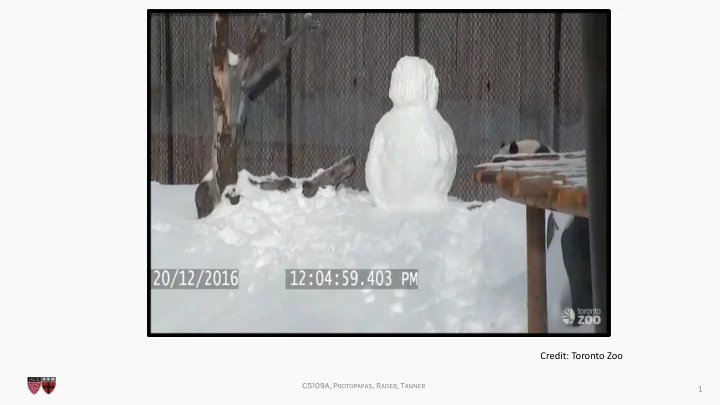
Credit: Toronto Zoo
slide-2
SLIDE 2

CS109A Introduction to Data Science

Pavlos Protopapas, Kevin Rader, and Chris Tanner

Lecture #3: Getting our hands dirty: pandas and web scraping

2

slide-3
SLIDE 3

CS109A, PROTOPAPAS, RADER, TANNER

3

  • Standard Sections:
  • Fridays (start 9/13) @ 10:30am (1 Story St Room 306)
  • Mondays (start 9/16) @ 4:30pm (Science Center 110)
  • Advanced Sections (A-Sections):
  • Wednesday (start 9/18) @ 4:30pm (TBD)
  • Homework 0 isn’t graded for accuracy; however,
  • Homework 1 is, and it’ll be released today @ 3pm.
  • Inclusion & Diversity Statements and Academic Honesty

documents are now on syllabus. Read them!

ANNOUNCEMENTS

slide-4
SLIDE 4

CS109A, PROTOPAPAS, RADER, TANNER

4

  • Ed is where the discussions and quizzes reside
  • Quizzes are under the ‘Sway’ tab
  • If you can’t connect to Ed, try logging out of Canvas, then

back into Canvas

  • We are looking to change our lecture room, due to

current space limitations.

ANNOUNCEMENTS

slide-5
SLIDE 5

CS109A, PROTOPAPAS, RADER, TANNER

5

ANNOUNCEMENTS

  • Access GitHub for all content (“git clone” and “git pull” are your friends)
slide-6
SLIDE 6

CS109A, PROTOPAPAS, RADER, TANNER

6

BACKGROUND

slide-7
SLIDE 7

CS109A, PROTOPAPAS, RADER, TANNER

Background

So far, we’ve learned:

7

What is Data Science? The Data Science Process Data: types, formats, issues, etc. Visualization (briefly) How to quickly prepare data and scrape the web How to model data Lecture 1 Lectures 1 & 2 Lecture 2 Lecture 2 This lecture Future lectures

slide-8
SLIDE 8

CS109A, PROTOPAPAS, RADER, TANNER

Background

The Data Science Process:

8

Ask an interesting question Get the Data Explore the Data Model the Data

Communicate/Visualize the Results

slide-9
SLIDE 9

CS109A, PROTOPAPAS, RADER, TANNER

Background

The Data Science Process:

9

Ask an interesting question Get the Data Explore the Data Model the Data

Communicate/Visualize the Results

This lecture

slide-10
SLIDE 10

CS109A, PROTOPAPAS, RADER, TANNER

Lecture Outline

  • Exploratory Data Analysis (EDA):
  • Without Pandas (part 1) – These slides
  • With Pandas (part 2) – Mostly Jupyter Notebook
  • Data concerns (part 3) – These slides
  • Web Scraping with Beautiful Soup (part 4) – Mix

10

slide-11
SLIDE 11

CS109A, PROTOPAPAS, RADER, TANNER

Exploratory Data Analysis (EDA)

  • EDA encompasses the “explore data” part of the data science

process

  • EDA is crucial but often overlooked:
  • If your data is bad, your results will be bad
  • Conversely, understanding your data well can help you create

smart, appropriate models

11

Why?

slide-12
SLIDE 12

CS109A, PROTOPAPAS, RADER, TANNER

Exploratory Data Analysis (EDA)

1. Store data in data structure(s) that will be convenient for exploring/processing (Memory is fast. Storage is slow)

  • 2. Clean/format the data so that:

– Each row represents a single object/observation/entry – Each column represents an attribute/property/feature of that entry – Values are numeric whenever possible – Columns contain atomic properties that cannot be further decomposed*

12 * Unlike food waste, which can be composted. Please consider composting food scraps.

What?

slide-13
SLIDE 13

CS109A, PROTOPAPAS, RADER, TANNER

Exploratory Data Analysis (EDA)

  • 3. Explore global properties: use histograms, scatter plots, and

aggregation functions to summarize the data

  • 4. Explore group properties: group like-items together to compare

subsets of the data (are the comparison results reasonable/expected?)

13

What? (continued)

This process transforms your data into a format which is easier to work with, gives you a basic overview of the data's properties, and likely generates several questions for you to follow-up in subsequent analysis.

slide-14
SLIDE 14

CS109A, PROTOPAPAS, RADER, TANNER

EDA: without Pandas

14

Say we have a small dataset of the top 50 most- streamed Spotify songs, globally, for 2019.

slide-15
SLIDE 15

CS109A, PROTOPAPAS, RADER, TANNER

Say we have a small dataset of the top 50 most- streamed Spotify songs, globally, for 2019.

15

NOTE: The following music data are used purely for illustrative, educational purposes. The data, including song titles, may include explicit language. Harvard, including myself and the rest of the CS109 staff, does not endorse any of the entailed contents or the songs themselves, and we apologize if it is offensive to anyone in anyway.

EDA: without Pandas

slide-16
SLIDE 16

CS109A, PROTOPAPAS, RADER, TANNER

16

Each row represents a distinct song. The columns are:

  • ID: a unique ID (i.e., 1-50)
  • TrackName: Name of the Track
  • ArtistName: Name of the Artist
  • Genre: the genre of the track
  • BeatsPerMinute: The tempo of the song.
  • Energy: The energy of a song - the higher the value, the more energetic.
  • Danceability: The higher the value, the easier it is to dance to this song.
  • Loudness: The higher the value, the louder the song.
  • Liveness: The higher the value, the more likely the song is a live recording.
  • Valence: The higher the value, the more positive mood for the song.
  • Length: The duration of the song (in seconds).
  • Acousticness: The higher the value, the more acoustic the song is.
  • Speechiness: The higher the value, the more spoken words the song contains.
  • Popularity: The higher the value, the more popular the song is.

top50.csv

EDA: without Pandas

slide-17
SLIDE 17

CS109A, PROTOPAPAS, RADER, TANNER

17

Q1: What are some ways we can store this file into data structure(s) using regular Python (not the Pandas library).

. . .

EDA: without Pandas

top50.csv

slide-18
SLIDE 18

CS109A, PROTOPAPAS, RADER, TANNER

18

top50.csv

. . .

Possible Solution #1: A 2D array (i.e., matrix) Weaknesses:

  • What are the row and column names? Need separate

lists for them – clumsy.

  • Lists are O(N). We’d need 2 dictionaries just for column

names

data = [][] col_name -> index index -> col_name

EDA: without Pandas

slide-19
SLIDE 19

CS109A, PROTOPAPAS, RADER, TANNER

19

. . .

Possible Solution #2: A list of dictionaries

{“Track.Name”: “Senorita”, “Artist.Name”: “Shawn Mendes”, “Genre”: “Canadian pop”, …} {“Track.Name”: “China”, “Artist.Name”: “Anuel AA”, “Genre”: “reggaetón flow”, … } {“Track.Name”: “Ariana Grande”, “Artist.Name”: “boyfriend”, “Genre”: “dance pop”, … }

Item 2 Item 1 Item 3 = = = list

EDA: without Pandas

top50.csv

slide-20
SLIDE 20

CS109A, PROTOPAPAS, RADER, TANNER

20

Possible Solution #2: A list of dictionaries

From lecture3.ipynb

EDA: list of dictionaries

slide-21
SLIDE 21

CS109A, PROTOPAPAS, RADER, TANNER

21

From lecture3.ipynb

EDA: list of dictionaries

Q2: Write code to print all songs (Artist and Track name) that are longer than 4 minutes (240 seconds): Possible Solution #2: A list of dictionaries

slide-22
SLIDE 22

CS109A, PROTOPAPAS, RADER, TANNER

22

From lecture3.ipynb

EDA: list of dictionaries

Q3: Write code to print the most popular song (artist and track) – if ties, show all ties. Possible Solution #2: A list of dictionaries

slide-23
SLIDE 23

CS109A, PROTOPAPAS, RADER, TANNER

23

EDA: list of dictionaries

Q4: Write code to print the songs (and their attributes), if we sorted by their popularity (highest scoring ones first). Possible Solution #2: A list of dictionaries

slide-24
SLIDE 24

CS109A, PROTOPAPAS, RADER, TANNER

24

EDA: list of dictionaries

Q4: Write code to print the songs (and their attributes), if we sorted by their popularity (highest scoring ones first).

{“Track.Name”: “Senorita”, “Artist.Name”: “Shawn Mendes”, “Genre”: “Canadian pop”, …} {“Track.Name”: “China”, “Artist.Name”: “Anuel AA”, “Genre”: “reggaetón flow”, … } {“Track.Name”: “Ariana Grande”, “Artist.Name”: “boyfriend”, “Genre”: “dance pop”, … }

Item 2 Item 1 Item 3 = = = list

Cumbersome to move dictionaries around in a

  • list. Problematic even if we don’t move the

dictionaries. Possible Solution #2: A list of dictionaries

slide-25
SLIDE 25

CS109A, PROTOPAPAS, RADER, TANNER

25

EDA: list of dictionaries

Q5: How could you check for null/empty entries? This is only 50 entries. Imagine if we had 500,000.

{“Track.Name”: “Senorita”, “Artist.Name”: “Shawn Mendes”, “Genre”: “Canadian pop”, …} {“Track.Name”: “China”, “Artist.Name”: “Anuel AA”, “Genre”: “reggaetón flow”, … } {“Track.Name”: “Ariana Grande”, “Artist.Name”: “boyfriend”, “Genre”: “dance pop”, … }

Item 2 Item 1 Item 3 = = = list

Possible Solution #2: A list of dictionaries

slide-26
SLIDE 26

CS109A, PROTOPAPAS, RADER, TANNER

26

EDA: list of dictionaries

Q6: Imagine we had another table* below (i.e., .csv file). How could we combine its data with our already- existing dataset?

* 3rd column is made-up by me. Random values. Pretend they’re accurate.

spotify_aux.csv

Possible Solution #2: A list of dictionaries

slide-27
SLIDE 27

CS109A, PROTOPAPAS, RADER, TANNER

27

EDA: with Pandas!

Kung Fu Panda is property of DreamWorks and Paramount Pictures

slide-28
SLIDE 28

CS109A, PROTOPAPAS, RADER, TANNER

  • Exploratory Data Analysis (EDA):
  • Without Pandas (part 1) – These slides
  • With Pandas (part 2) – Mostly Jupyter Notebook
  • Data concerns (part 3) – These slides
  • Web Scraping with Beautiful Soup (part 4) – Mix

Lecture Outline

28

slide-29
SLIDE 29

CS109A, PROTOPAPAS, RADER, TANNER

29

EDA: with Pandas

  • Pandas is an open-source Python library (anyone can

contribute)

  • Allows for high-performance, easy-to-use data structures

and data analysis

  • Unlike NumPy library which provides multi-dimensional

arrays, Pandas provides 2D table object called DataFrame (akin to a spreadsheet with column names and row labels).

  • Used by a lot of people

What / Why?

slide-30
SLIDE 30

CS109A, PROTOPAPAS, RADER, TANNER

30

EDA: with Pandas

  • import pandas library (convenient to rename it)
  • Use read_csv() function

How

slide-31
SLIDE 31

CS109A, PROTOPAPAS, RADER, TANNER

31

EDA: with Pandas

High-level viewing:

  • head() – first N observations
  • tail() – last N observations
  • columns() – names of the columns
  • describe() – statistics of the quantitative data
  • dtypes() – the data types of the columns

Common Panda functions

slide-32
SLIDE 32

CS109A, PROTOPAPAS, RADER, TANNER

32

EDA: with Pandas

Accessing/processing:

  • df[“column_name”]
  • Df.column_name
  • .max(), .min(), .idxmax(), .idxmin()
  • <dataframe> <conditional statement>
  • .loc[] – label-based accessing
  • .iloc[] – index-based accessing
  • .sort_values()
  • .isnull(), .notnull()

Common Panda functions

slide-33
SLIDE 33

CS109A, PROTOPAPAS, RADER, TANNER

33

EDA: with Pandas

Grouping/Splitting/Aggregating:

  • groupby(), .get_groups()
  • .merge()
  • .concat()
  • .aggegate()
  • .append()

Common Panda functions

slide-34
SLIDE 34

CS109A, PROTOPAPAS, RADER, TANNER

34

EDA: with Pandas Now, let’s open the lecture3.ipynb notebook for some real-time practice.

slide-35
SLIDE 35

CS109A, PROTOPAPAS, RADER, TANNER

Lecture Outline

  • Exploratory Data Analysis (EDA):
  • Without Pandas (part 1) – These slides
  • With Pandas (part 2) – Mostly Jupyter Notebook
  • Data concerns (part 3) – These slides
  • Web Scraping with Beautiful Soup (part 4) – Mix

35

slide-36
SLIDE 36

CS109A, PROTOPAPAS, RADER, TANNER

Data Concerns

When determining if a dataset is sound to use, it can be useful to think about these four questions:

  • Did it come from a trustworthy, authoritative source?
  • Is the data a complete sample?
  • Does the data seem correct?
  • (optional) Is the data stored efficiently or does it have

redundancies?

36

slide-37
SLIDE 37

CS109A, PROTOPAPAS, RADER, TANNER

Data Concerns: the format

  • Often times, there may not exist a single dataset that

contains all of the information we are interested in.

  • May need to merge existing datasets
  • Important to do so in a sound and efficient format

37

slide-38
SLIDE 38

CS109A, PROTOPAPAS, RADER, TANNER

Data Concerns: the format

For example, say we have two datasets:

38

Dataset 1 Dataset 2

SpotifySongID, # of Streams, Date 2789179, 42003, 06-01 3819390, 89103, 06-01 Top 200 most-frequent streams per day (for June 2019) 200

. .

4492014, 52923, 06-02 8593013, 189145, 06-02 200

. .

SpotifySongID, Artist, Track, [10 acoustic features] 2789179, Billie Eilish, bad guy, 3.2, 5.9, … 3901829, Outkast, Elevators, 9.3, 5,1, … Top 50 most streamed in 2019, so far

. .

50 6,000 x 3 50 x 13

slide-39
SLIDE 39

CS109A, PROTOPAPAS, RADER, TANNER

Data Concerns: the format

For example, say we have two datasets:

39

Dataset 1 Dataset 2

SpotifySongID, # of Streams, Date 2789179, 42003, 06-01 3819390, 89103, 06-01 Top 200 most-frequent streams per day (for June 2019) 200

. .

4492014, 52923, 06-02 8593013, 189145, 06-02 200

. .

SpotifySongID, Artist, Track, [10 acoustic features] 2789179, Billie Eilish, bad guy, 3.2, 5.9, … 3901829, Outkast, Elevators, 9.3, 5,1, … Top 50 most streamed in 2019, so far

. .

50 6,000 x 3 50 x 13

We are interested in determining if songs with high danceability are more popular during the weekends of June than weekdays in June. What should our merged table look like? Concerns?

slide-40
SLIDE 40

CS109A, PROTOPAPAS, RADER, TANNER

Data Concerns: the format

This is wasteful, as it has 10 acoustic features, artist, and track repeated many times for each unique song.

40

Datasets Merged (poorly)

SpotifySongID, # of Streams, Date, 2789179, 42003, 06-01 3819390, 89103, 06-01 200

. .

4492014, 52923, 06-02 8593013, 189145, 06-02 200

. .

Artist, Track, [10 acoustic features] Billie Eilish, bad guy, 3.2, 5.9, … Outkast, Elevators, 9.3, 5,1, … 6,000 x 15 è 90,000 cells

slide-41
SLIDE 41

CS109A, PROTOPAPAS, RADER, TANNER

Data Concerns: the format

Some rows may have null values for # of Streams (if the song wasn’t popular in June)

41

Datasets Merged (better)

SpotifySongID, Artist, Track, [10 acoustic features], 06-01 Streams, 06-02 Streams 2789179, Billie Eilish, bad guy, 3.2, 5.9, …, 42003, 42831, 43919 3901829, Outkast, Elevators, 9.3, 5,1, … 29109, 27193, 25982

. .

50 50 x 70 è 3,500 cells

slide-42
SLIDE 42

CS109A, PROTOPAPAS, RADER, TANNER

Data Concerns: the format

  • Is the data correctly constructed (or are values wrong)?
  • Is there redundant data in our merged table?
  • Missing values?

42

slide-43
SLIDE 43

CS109A, PROTOPAPAS, RADER, TANNER

Lecture Outline

  • Exploratory Data Analysis (EDA):
  • Without Pandas (part 1) – These slides
  • With Pandas (part 2) – Mostly Jupyter Notebook
  • Data concerns (part 3) – These slides
  • Web Scraping with Beautiful Soup (part 4) – Mix

43

slide-44
SLIDE 44

CS109A, PROTOPAPAS, RADER, TANNER

Sources of data

  • Data can come from:
  • You curate it
  • Someone else provides it, all pre-packaged for you
  • Someone else provides an API
  • Someone else has available content, and you try to take it (web

scraping)

44

slide-45
SLIDE 45

CS109A, PROTOPAPAS, RADER, TANNER

Web scraping

  • Web servers
  • A server is a long-running process (also called a daemon) which

listens on a pre-specified port(s)

  • It responds to requests, which is sent using a protocol called

HTTP (HTTPS is secure)

  • Our browser sends these requests and downloads the content,

then displays it

  • 2– request was successful, 4– client error, often `page not

found`; 5– server error (often that your request was incorrectly formed)

45

slide-46
SLIDE 46

CS109A, PROTOPAPAS, RADER, TANNER

Web scraping

  • Using programs to download or otherwise get data from
  • nline
  • Often much faster than manually copying data!
  • Transfer the data into a form that is compatible with your

code

  • Legal and moral issues (per Lecture 2)

46

slide-47
SLIDE 47

CS109A, PROTOPAPAS, RADER, TANNER

Web scraping

  • Requests (Python library): gets a webpage for you
  • Requests.get(url)
  • BeautifulSoup library parses webpages (.html content) for

you!

  • Use BeautifulSoup to find all the text or all the links on a

page

  • Documentation:

http://crummy.com/software/BeautifulSoup

47

slide-48
SLIDE 48

CS109A, PROTOPAPAS, RADER, TANNER

Web scraping

48

slide-49
SLIDE 49

CS109A, PROTOPAPAS, RADER, TANNER

Web scraping

49

slide-50
SLIDE 50

CS109A, PROTOPAPAS, RADER, TANNER

Web scraping

50

slide-51
SLIDE 51

CS109A, PROTOPAPAS, RADER, TANNER

Web scraping

51

slide-52
SLIDE 52

CS109A, PROTOPAPAS, RADER, TANNER

Web scraping

52

slide-53
SLIDE 53

CS109A, PROTOPAPAS, RADER, TANNER

Web scraping

53

slide-54
SLIDE 54

CS109A, PROTOPAPAS, RADER, TANNER

Web scraping

  • Question: how can we get a list of all image URLs?
  • Question: how can we navigate through subsequent pages

(i.e., crawler) recursively.

  • Question: could we crawl the entire web?

54