Complex Financial Aid Information to Todays Student Dr. Karemah - - PowerPoint PPT Presentation

complex financial aid information
SMART_READER_LITE
LIVE PREVIEW

Complex Financial Aid Information to Todays Student Dr. Karemah - - PowerPoint PPT Presentation

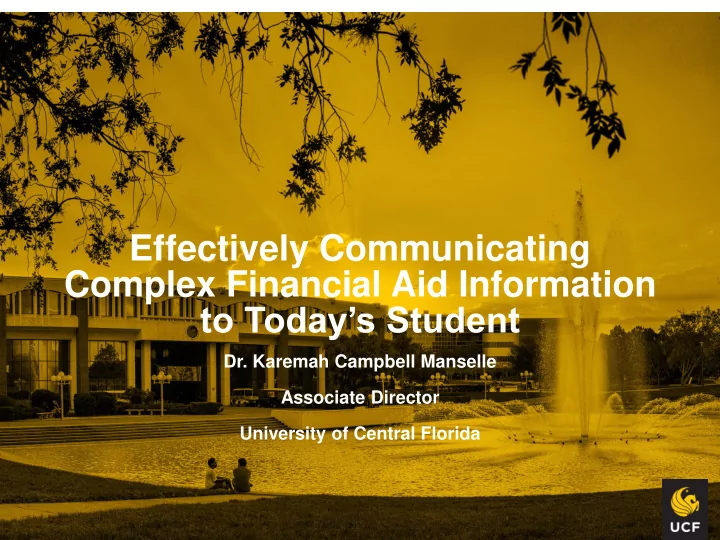
Effectively Communicating Complex Financial Aid Information to Todays Student Dr. Karemah Campbell Manselle Associate Director University of Central Florida Overview Communication Models Encoding and Decoding the Message

slide-1
SLIDE 1

Effectively Communicating Complex Financial Aid Information to Today’s Student

  • Dr. Karemah Campbell Manselle

Associate Director University of Central Florida

slide-2
SLIDE 2

Overview

  • Communication Models
  • Encoding and Decoding the Message
  • Optimizing Modalities
  • The Future of Communicating With Students
slide-3
SLIDE 3

Communication Theories

slide-4
SLIDE 4
slide-5
SLIDE 5

Communication Definition

  • Communication- a process by which

information is exchanged between individuals through a common system of symbols, signs,

  • r behavior
slide-6
SLIDE 6
slide-7
SLIDE 7

7

slide-8
SLIDE 8

Challenges to Effective Communication

  • Assuming the

Message is Understood

  • Reacting Instead of

Responding

  • Treating Everyone

the Same Way

  • Poor Encoding
  • Failure to Adequately

Decode

  • Medium Selection
  • Communication

Noise

slide-9
SLIDE 9
slide-10
SLIDE 10

The Message

slide-11
SLIDE 11

What Types of Messages Do We Send?

Informational

  • Outlines Rules or

Regulations

  • Changes
  • Provides Details
  • No Action Required
  • n Receiver’s End

Instructional

  • Provides Information
  • Outlines Steps
  • Receiver Must Take

Action

  • Sender Must Clearly

Outline Actions Required

slide-12
SLIDE 12
slide-13
SLIDE 13

Challenges to the Message

  • Conflicting Messages
  • Use of Jargon
  • Oversaturation
  • Bad Timing
  • Information Overload
slide-14
SLIDE 14

Communication Activity

slide-15
SLIDE 15

Overcoming Challenges

  • Review Communications for Clarity
  • Define Jargon or Use Other Words When

Possible

  • Determine If the Communication Is Truly

Necessary

  • Consider Other Messages Being Sent

At/Around the Same Time

slide-16
SLIDE 16

Receiving the Message: Effective Listening

  • Make Eye Contact
  • Be Attentive Yet Relaxed
  • Be Open-minded
  • Try to Visualize the Message
  • Don’t Interrupt
  • Wait for A Pause and Repeat What You Heard

For Understanding

  • Be Empathetic
slide-17
SLIDE 17
slide-18
SLIDE 18
slide-19
SLIDE 19

Be Mindful of Your Non-Verbal Communication

  • Body Language and Facial Expressions

Should Complement Verbal Message

  • Adapt Non-Verbal Expressions to the Situation
  • Non-Verbals Should Not Distract from The

Message

slide-20
SLIDE 20

Modalities

slide-21
SLIDE 21

How Do You Send Your Message(s)?

  • Website
  • Email
  • RoboCall
  • Text Messaging
  • Student Portal
  • Social Media
slide-22
SLIDE 22

Websites

Pros

  • Easily Accessible
  • Always Available
  • Ability to Provide Lots
  • f Information
  • Bridges Culture Gap
  • Open Access

Cons

  • Information Overload
  • Difficult Navigation
  • Complex Language
  • Aesthetics
slide-23
SLIDE 23

Mail/Email

Pros

  • Easy to send
  • Tangible Information
  • Can be reviewed

later

  • Can be Sent to

Targeted Populations

Cons

  • Receiver must open

message

  • Communication
  • verload
slide-24
SLIDE 24

Different Communications Sent

10 20 30 40 50 60 70 80 90 8/5/2016 9/5/2016 10/5/2016 11/5/2016 12/5/2016 1/5/2017 2/5/2017 3/5/2017 4/5/2017 5/5/2017 6/5/2017 7/5/2017

Number of Different Communications Sent

slide-25
SLIDE 25

Emails Sent

10000 20000 30000 40000 50000 60000 70000 80000 90000 8/5/2016 9/5/2016 10/5/2016 11/5/2016 12/5/2016 1/5/2017 2/5/2017 3/5/2017 4/5/2017 5/5/2017 6/5/2017 7/5/2017

Number of Completed Communications

slide-26
SLIDE 26

RoboCalls

Pros

  • Targeted Populations
  • High Success Rate
  • Ease of Sending

Message

*Over 15,568 Completed Calls

Cons

  • Robocalls are

Perceived as Intrusive

  • Limited Time To Send

Message

  • Receiver May Not

Hear Message in its Entirety

slide-27
SLIDE 27

Using Text Messaging

  • Timing is Essential
  • Do Not Oversaturate
  • Queuing System

Enhancement

  • Limited Characters
  • Costs for Receiver
  • Students Always

Have Their Phones

slide-28
SLIDE 28

Social Media

  • Preferred Medium of

Students

  • 94% of FTICs Utilize

SM

  • Facebook Still

Popular

  • Constantly Changing
slide-29
SLIDE 29

Financial Aid Videos

slide-30
SLIDE 30

Shaking it Up… Doing Things a Bit Differently

slide-31
SLIDE 31

The Future of Communicating With Students

  • Meet them Where They Are
  • Use Technology to Your Advantage
  • Determine When Your Message is Informing
  • Vs. Instructing
  • Determine Which Modality Appropriately

Delivers Your Message

  • Provide Resources to Reinforce Your Message
  • Enhance Your Sending and Receiving Skills
slide-32
SLIDE 32
slide-33
SLIDE 33

33

slide-34
SLIDE 34