cognitive models physical and device architectural Cognitive - - PDF document

cognitive models
SMART_READER_LITE
LIVE PREVIEW

cognitive models physical and device architectural Cognitive - - PDF document

Cognitive models goal and task hierarchies chapter 12 linguistic cognitive models physical and device architectural Cognitive models Goal and task hierarchies They model aspects of user: Mental processing as


slide-1
SLIDE 1

1 chapter 12

cognitive models

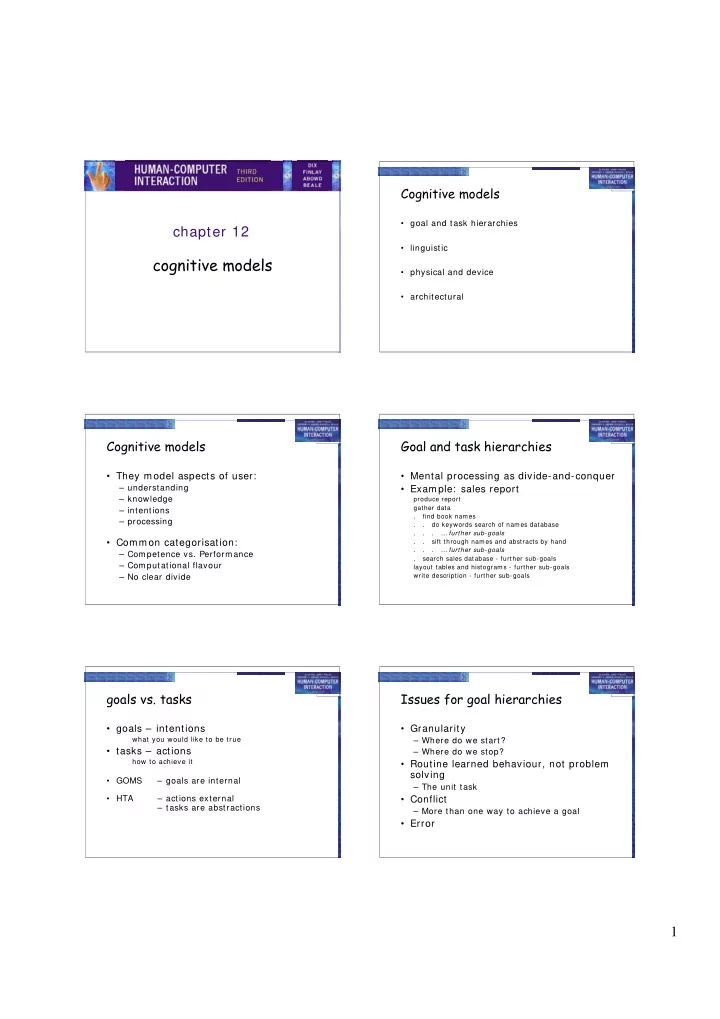
Cognitive models

  • goal and task hierarchies
  • linguistic
  • physical and device
  • architectural

Cognitive models

  • They model aspects of user:

– understanding – knowledge – intentions – processing

  • Common categorisation:

– Competence vs. Performance – Computational flavour – No clear divide

Goal and task hierarchies

  • Mental processing as divide-and-conquer
  • Example: sales report

produce report gather data . find book names . . do keywords search of names database . . . … further sub-goals . . sift through names and abstracts by hand . . . … further sub-goals . search sales database - further sub-goals layout tables and histograms - further sub-goals write description - further sub-goals

goals vs. tasks

  • goals – intentions

what you would like to be true

  • tasks – actions

how to achieve it

  • GOMS

– goals are internal

  • HTA

– actions external – tasks are abstractions

Issues for goal hierarchies

  • Granularity

– Where do we start? – Where do we stop?

  • Routine learned behaviour, not problem

solving

– The unit task

  • Conflict

– More than one way to achieve a goal

  • Error
slide-2
SLIDE 2

2

Techniques

  • Goals, Operators, Methods and

Selection (GOMS)

  • Cognitive Complexity Theory (CCT)
  • Hierarchical Task Analysis (HTA) -

Chapter 15

GOMS

Goals

– what the user wants to achieve

Operators

– basic actions user perform s

Methods

– decom position of a goal into subgoals/ operators

Selection

– m eans of choosing between com peting m ethods

GOMS example

GOAL: CLOSE-WINDOW . [select GOAL: USE-MENU-METHOD . MOVE-MOUSE-TO-FILE-MENU . PULL-DOWN-FILE-MENU . CLICK-OVER-CLOSE-OPTION GOAL: USE-CTRL-W-METHOD . PRESS-CONTROL-W-KEYS] For a particular user: Rule 1: Select USE-MENU-METHOD unless another rule applies Rule 2: If the application is GAME, select CTRL-W-METHOD

Cognitive Complexity Theory

  • Two parallel descriptions:

– User production rules – Device generalised transition networks

  • Production rules are of the form:

– if condition then action

  • Transition networks covered under

dialogue models

Example: editing with vi

  • Production rules are in long-term m em ory
  • Model working memory as attribute-value

mapping:

(GOAL perform unit task) (TEXT task is insert space) (TEXT task is at 5 23) (CURSOR 8 7)

  • Rules are pattern-matched to working

memory,

e.g., LOOK-TEXT task is at % LINE % COLUMN is true, with LINE = 5 COLUMN = 23. Active rules:

SELECT-INSERT-SPACE INSERT-SPACE-MOVE-FIRST INSERT-SPACE-DOIT INSERT-SPACE-DONE

Four rules to model inserting a space

New working memory

(GOAL insert space) (NOTE executing insert space) (LINE 5) (COLUMN 23) SELECT-INSERT-SPACE matches current working memory (SELECT-INSERT-SPACE IF (AND (TEST-GOAL perform unit task) (TEST-TEXT task is insert space) (NOT (TEST-GOAL insert space)) (NOT (TEST-NOTE executing insert space))) THEN ( (ADD-GOAL insert space) (ADD-NOTE executing insert space) (LOOK-TEXT task is at %LINE %COLUMN)))

slide-3
SLIDE 3

3

Notes on CCT

  • Parallel model
  • Proceduralisation of actions
  • Novice versus expert style rules
  • Error behaviour can be represented
  • Measures

– depth of goal structure – num ber of rules – com parison with device description

Problems with goal hierarchies

  • a post hoc technique
  • expert versus novice
  • How cognitive are they?

Linguistic notations

  • Understanding the user's behaviour and

cognitive difficulty based on analysis of language between user and system.

  • Similar in emphasis to dialogue models
  • Backus–Naur Form (BNF)
  • Task–Action Grammar (TAG)

Backus-Naur Form (BNF)

  • Very com m on notation from com puter science
  • A purely syntactic view of the dialogue
  • Term inals

– lowest level of user behaviour – e.g. CLI CK-MOUSE, MOVE-MOUSE

  • Nonterm inals

  • rdering of term inals

– higher level of abstraction – e.g. select-m enu, position-m ouse

Example of BNF

  • Basic syntax:

– nonterm inal : : = expression

  • An expression

– contains term inals and nonterm inals – com bined in sequence (+ ) or as alternatives (| )

draw line : : = select line + choose points + last point select line : : = pos mouse + CLICK MOUSE choose points : : = choose one | choose one + choose points choose one : : = pos mouse + CLICK MOUSE last point : : = pos mouse + DBL CLICK MOUSE pos mouse : : = NULL | MOVE MOUSE+ pos mouse

Measurements with BNF

  • Number of rules (not so good)
  • Number of + and | operators
  • Complications

– sam e syntax for different sem antics – no reflection of user's perception – m inim al consistency checking

slide-4
SLIDE 4

4

Task Action Grammar (TAG)

  • Making consistency more explicit
  • Encoding user's world knowledge
  • Parameterised grammar rules
  • Nonterminals are modified to include

additional semantic features

Consistency in TAG

  • I n BNF, three UNI X com m ands would be described as:

copy : : = cp + filename + filename | cp + filenames + directory move : : = mv + filename + filename | m v + filenames + directory link : : = ln + filename + filename | ln + filenames + directory

  • No BNF m easure could distinguish between this and a

less consistent gram m ar in which

link : : = ln + filename + filename | ln + directory + filenames

Consistency in TAG (cont'd)

  • consistency of argum ent order m ade explicit

using a param eter, or sem antic feature for file

  • perations
  • Feature Possible values

Op = copy; move; link

  • Rules

file-op[ Op] : : = command[ Op] + filename + filename | command[ Op] + filenames + directory command[ Op = copy] : : = cp command[ Op = move] : : = m v command[ Op = link] : : = ln

Other uses of TAG

  • User’s existing knowledge
  • Congruence between features and

commands

  • These are modelled as derived rules

Physical and device models

  • The Keystroke Level Model (KLM)
  • Buxton's 3-state model
  • Based on empirical knowledge of

human motor system

  • User's task: acquisition then execution.

– these only address execution

  • Complementary with goal hierarchies

Keystroke Level Model (KLM)

  • lowest level of (original) GOMS
  • six execution phase operators

– Physical m otor: K - keystroking P - pointing H - hom ing D - drawing – Mental M - m ental preparation – System R - response

  • times are empirically determined.

Texecute = TK + TP + TH + TD + TM + TR

slide-5
SLIDE 5

5

KLM example

GOAL: ICONISE-WINDOW [select GOAL: USE-CLOSE-METHOD . MOVE-MOUSE-TO- FILE-MENU . PULL-DOWN-FILE-MENU . CLICK-OVER-CLOSE-OPTION GOAL: USE-CTRL-W-METHOD PRESS-CONTROL-W-KEY]

  • compare alternatives:
  • USE-CTRL-W-METHOD vs.
  • USE-CLOSE-METHOD
  • assume hand starts on mouse

USE-CLOSE-METHOD P[ to menu] 1.1 B[ LEFT down] 0.1 M 1.35 P[ to option] 1.1 B[ LEFT up] 0.1 Total 3 .75 s USE-CTRL-W -METHOD H[ to kbd] 0.40 M 1.35 K[ ctrlW key] 0.28 Total 2.03 s

Architectural models

  • All of these cognitive models make

assumptions about the architecture of the human mind.

  • Long-term/ Short-term memory
  • Problem spaces
  • Interacting Cognitive Subsystems
  • Connectionist
  • ACT

Display-based interaction

  • Most cognitive models do not deal with

user observation and perception

  • Some techniques have been extended

to handle system output (e.g., BNF with sensing term inals, Display-TAG) but problems persist

  • Exploratory interaction versus planning