Cloth Collisions/Contact Challenges Cloth is thin Critical part - - PowerPoint PPT Presentation

cloth collisions contact challenges
SMART_READER_LITE
LIVE PREVIEW

Cloth Collisions/Contact Challenges Cloth is thin Critical part - - PowerPoint PPT Presentation

Cloth Collisions/Contact Challenges Cloth is thin Critical part of real-world clothing sims is collision Not too many simple flags / curtains / table cloths in movies! Once you have a penetration, its very obvious This


slide-1
SLIDE 1

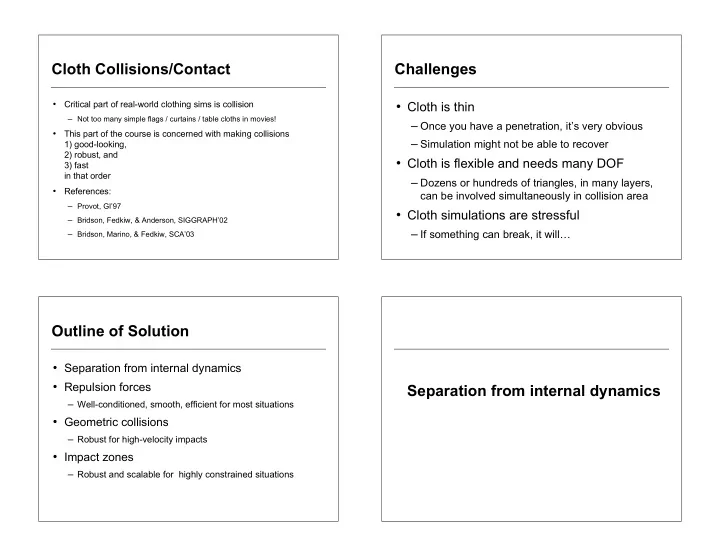
Cloth Collisions/Contact

  • Critical part of real-world clothing sims is collision

– Not too many simple flags / curtains / table cloths in movies!

  • This part of the course is concerned with making collisions

1) good-looking, 2) robust, and 3) fast in that order

  • References:

– Provot, GI’97 – Bridson, Fedkiw, & Anderson, SIGGRAPH’02 – Bridson, Marino, & Fedkiw, SCA’03

Challenges

  • Cloth is thin

– Once you have a penetration, it’s very obvious – Simulation might not be able to recover

  • Cloth is flexible and needs many DOF

– Dozens or hundreds of triangles, in many layers,

can be involved simultaneously in collision area

  • Cloth simulations are stressful

– If something can break, it will…

Outline of Solution

  • Separation from internal dynamics
  • Repulsion forces

– Well-conditioned, smooth, efficient for most situations

  • Geometric collisions

– Robust for high-velocity impacts

  • Impact zones

– Robust and scalable for highly constrained situations

Separation from internal dynamics

slide-2
SLIDE 2

Separation

  • Simplify life by separating internal forces (stretching,

bending) from collision forces

  • Assume black-box internal dynamics:

collision module is given 1) x0 at start of collision timestep, and 2) x1 candidate state at end and then returns 3) xnew collision-free positions

  • Time integrator responsible for incorporating this

back into simulation

Example

  • Start of timestep, x0 (saved for collisions)

Example

  • Take one or more internal dynamics steps

(ignoring collisions)

Example

  • And get to x1, candidate positions at end of

collision step

slide-3
SLIDE 3

Example

  • Looking at motion x0 to x1, collision module

resolves collisions to get xnew

Example

  • Time integrator takes xnew and incorporates

collision impulses into velocity, continues on

  • For n=0, 1, 2, …

– (x, v) = advance_internal_dynamics(xn, vn, dt) – xn+1 = solve_collisions(xn, x) – dv = (xn+1 - x)/dt – Optional:

smooth dv with damping dynamics e.g. dv = dvraw + dt M-1 Fdamp(xn+1, dv)

– vn+1 = v+dv

Algorithm

  • For n=0, 1, 2, …

– (x, v) = advance_internal_dynamics(xn, vn, dt) – xn+1 = solve_collisions(xn, x) – dv = (xn+1 - x)/dt – Optional:

smooth dv with damping dynamics e.g. dv = dvraw + dt M-1 Fdamp(xn+1, dv)

– vn+1 = v+dv

Notes

  • Collisions are synchronized, fixed time step is fine
  • Cruder algorithm shown in [BFA’02]
  • If elastic collisions are needed, add extra collision step using

initial velocities vn – see Guendelman, Bridson, Fedkiw, SIGGRAPH’03

  • Solve_collisions() only needs x0 and x1:

velocity is the difference v=(x1-x0) when needed

  • Assuming linear velocity dependence in velocity smoothing

step

  • Rest of talk: what to do in solve_collisions()
slide-4
SLIDE 4

Repulsion Based Forces Repulsions

  • Look at old (collision-free) positions x0
  • If the cloth is too close to itself or something else,

apply force to separate it

  • Use these for modeling:

– Cloth thickness (how close are repulsions active) – Cloth compressibility (how strong are they)

  • Do not rely on them to stop all collisions

– Extending influence and/or making them stiffer detracts from

look of cloth, slows down simulation, …

Proximity Detection

  • Two ways triangle meshes can be close:

– Point close to triangle – Edge close to edge

  • In both cases we will want to know

barycentric coordinates of closest points

Point-Triangle Proximity

  • Solve for barycentric

coordinates of closest point

  • n plane of triangle
  • If a barycentric coordinate

is negative, skip this pair (edge-edge will pick it up) x0 x1 x3 x2 x13

2

x13ix23 x13ix23 x23

2

  • a

b

  • =

x13ix03 x23ix03

  • c = 1 a b

ax1+bx2+cx3

slide-5
SLIDE 5

Edge-Edge Proximity

  • Solve for barycentric

coordinates of closest points

  • n infinite lines
  • Clamp to finite segments - one

that moved furthest is correct, project onto other line and clamp again for other point x0 x1 x2 x3 x01

2

x01ix32 x01ix32 x32

2

  • a

b

  • =

x01ix31 x32ix31

  • bx2+(1-b)x3

ax0+(1-a)x1

Proximity Acceleration

  • Put triangles in bounding volumes, only check

elements if bounding volumes are close

  • Organize bounding volumes for efficient culling
  • Background grid works fine if triangles similar sizes

– Check each element against others in its grid cell or nearby

cells (within cloth thickness)

  • Bounding volume hierarchies useful too

– Prune checks between distant BV’s and their children

BV Hierarchy Algorithm

  • Put pair of root nodes on stack
  • While stack not empty:

– Pop the top pair of BV’s – If they are close or overlapping:

if leaves: check mesh elements else: push all pairs of children onto the stack

Computing Each Repulsion

  • Direction of repulsion n:

direction between closest points

– In degenerate cases can use triangle normal or

normalized edge cross-product

  • Several choices for repulsion:

– Damped spring between closest points, tries to pull

them to cloth thickness apart

– Kinematic result: move closest points some

fraction of the way to cloth thickness apart

slide-6
SLIDE 6

Finding the Impulse

  • Example: point-triangle

– Want to move closest points apart by distance d – Assume impulse distributed to corners of triangle by

barycentric weights:

– Then solve for impulse: (scripted nodes have mass)

x0

new = x0 + 1 m0 In

x1

new = x1 a 1 m1 In

x2

new = x2 b 1 m2 In

x3

new = x3 c 1 m3 In

(x0

new ax1 new bx2 new cx3 new) (x0 ax1 bx2 cx3)

  • in = d

1 m0 + a2 m1 + b2 m2 + c2 m3

  • I = d

Friction

  • Relative velocity:

v=(x0

1-x0 0)-a(x1 1-x1 0)-b(x2 1-x2 0)-c(x3 1-x3 0)

  • Tangential velocity: vT=v-(v•n)n
  • Static: vT

new=0 as long as |FT| < µFN

  • Kinetic: If vT

new0 then apply force |FT| = µFN

  • Integrate forces in time: Fv
  • Combine into one formula:

vT

new = max 0,1 µ vN

vT

  • vT

Robustness Problem

  • Repulsions only test for proximity at one time
  • Fast moving cloth can collide in the middle of the

time step, and repulsions won’t see it

  • Even if repulsions catch a fast collision, they may

not resolve it

  • End result: cloth goes through itself or objects

– Once on the wrong side, repulsions will actively keep it there – Untangling is dodgy for self-intersections

(but see Baraff et al, SIGGRAPH’03)

Robust Geometric Collisions

slide-7
SLIDE 7

Collision Detection

  • Not interference (“do the meshes intersect?”),

but true collision detection (“do the trajectories hit at any intermediate time?”)

  • Again: meshes can collide in two ways

– Point hits triangle, edge hits edge

  • Approach (Provot’97):

– Assume constant velocity of nodes through timestep – Solve for times when nodes coplanar (cubic in t) – Check proximity (some tolerance) at possible collision times

Defining the Cubic

  • Assume xi(t) = xi + t vi (with 0 t 1)
  • Coplanar when tetrahedral volume of

(x0,x1,x2,x3) is zero, i.e. when

  • Reduces to a cubic in t:

x1(t) x0(t), x1(t) x0(t), x1(t) x0(t)

[ ] = 0

v10,v20,v30

[ ]t 3 +

x10,v20,v30

[ ]+ v10,x20,v30 [ ]+ v10,v20,x30 [ ]

( )t 2

+ x10,x20,v30

[ ]+ x10,v20,x30 [ ]+ v10,x20,x30 [ ]

( )t + x10,x20,x30

[ ] = 0

Solving the Cubic

  • We can’t afford to miss any collisions:

have to deal with floating-point error

– Closed form solution not so useful

  • Take a root-finding approach:

– Solve derivative (quadratic) for critical points – Find subintervals of [0,1] where there could be roots – Find roots in each subinterval with a sign change using

secant method

– If cubic evaluates close enough to zero at any point (e.g.

subinterval boundaries), count as a root -- even with no sign change

Acceleration

  • Extend bounding volumes to include entire

trajectory of triangle

  • Then acceleration is exactly the same as for

proximity detection

slide-8
SLIDE 8

Collision Impulse

  • Use the normal of the triangle, or normalized

cross-product of the edges, at collision time

  • Inelastic collisions assumed:

want relative normal velocity to be zero afterwards

  • Solve for impulse exactly as with repulsions
  • Friction (tangential velocity modification) also

works exactly the same way

Iteration

  • Each time we collide a pair, we modify their

end-of-step positions

  • This changes trajectories of coupled

elements: could cause new collisions

  • So generate the list of potentially colliding

pairs, process them one at a time updating xnew as we go

  • Then generate a new list -- keep iterating

1) Scalability Problem

  • Resolving one pair of colliding elements can

cause a coupled pair to collide

– Resolving that can cause the first to collide again

  • Resolving the first ones again can cause others to collide

– And so on…

  • Easy to find constrained situations which

require an arbitrary number of iterations

2) Modeling Problem

  • Chainmail friction: wrinkles stick too much

– Triangles behave like rigid plates,

must be rotated to slide over each other, takes too much torque

slide-9
SLIDE 9

3) Robustness Problem

  • Cloth can get closer and closer,

until… floating-point error means we’re not sure which side things are on

  • To be safe we need cloth to stay reasonably

well separated

Impact Zones Attack Scalability Issue

  • Pairwise impulses are too local:

need global resolution method

– [Provot’97, BFA’02]: rigid impact zones

  • Note: a set of intersection-free triangles

remain intersection-free during rigid motion

  • So when a set of elements (“impact zone”)

collides, rigidify their motion to resolve

Impact Zones

  • Initially each vertex is its own impact zone
  • Look for point-triangle and edge-edge

collisions between distinct impact zones:

– Merge all involved impact zones (at least 4 vertices)

into a single impact zone

– Rigidify motion of new impact zone

  • Keep looking until everything is resolved
slide-10
SLIDE 10

Rigidifying

  • Need to conserve total linear and angular

momentum of impact zone:

– Compute centre of mass – Compute linear and angular momentum – Compute total mass and inertia tensor of vertices – Solve for velocity and angular velocity – Compute each new vertex position from translation+rotation

  • Treat any scripted vertices as having mass
  • Note: if impact zone spans non-rigid scripted

vertices, you’re in trouble…. try cutting the timestep

1) Damping Problem

  • Rigidifying eliminates more relative motion

than desired: infinite friction

  • Could see rigid clumps in motion

2) Robustness Problem

  • Just like pair-wise impulses, cloth may get

closer and closer in simulation

  • At some point, floating-point error causes

collision detection to break down

  • Impact zones will never separate then

Putting it Together

slide-11
SLIDE 11

Three Methods

  • Repulsions

cheap, well behaved not robust

  • Collisions

can catch high velocity events not scalable in constrained situations “chainmail” false friction robustness problem when cloth gets too close

  • Impact Zones

scalably robust

  • ver-damped dynamics

robustness problem when cloth gets too close

Pipeline

  • First use repulsions

– Handles almost all interaction (contact mostly) – Keeps cloth nicely separated – Models thickness and compressibility

  • Then run geometric collisions on that output

– Catches isolated high velocity events accurately

  • Finally use impact zones as a last resort

– In the rare case something remains

  • Note: repulsions make it all work well